


安装brew和相关的库
安装brew
省略一万字
安装pkg-config
brew install pkg-config下载oracle instantclient
Oracle Instant Client Downloads
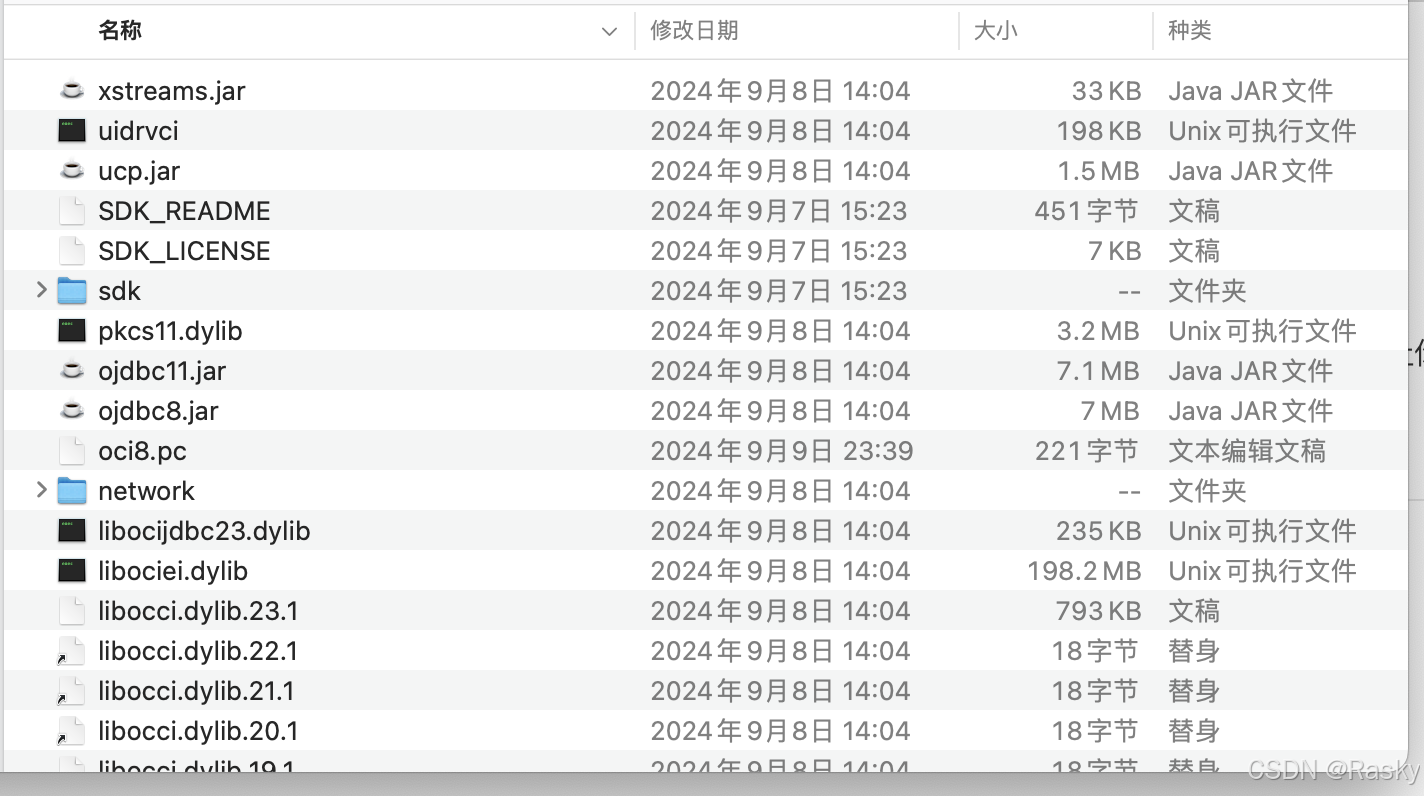
在oracle官网下载for arm64的basic和sdk,先解压basic,再把sdk解压到目标目录,例如目标目录是~/software/instantclient_23
那目录结构就是
配置环境变量
vi ~/.bash_profileexport ORACLE_HOME=【改成本地文件目录】/software/instantclient_23
export LD_LIBRARY_PATH=$ORACLE_HOME:/usr/local/lib
export PKG_CONFIG_PATH=$ORACLE_HOME
export DYLD_LIBRARY_PATH=$ORACLE_HOME
export PATH=$ORACLE_HOME:$PATH 配置oci8.pc文件
mattn/go-oci8: Oracle driver for Go using database/sql (github.com)
prefixdir=【改成本地文件目录】/software/instantclient_23
libdir=${prefixdir}
includedir=${prefixdir}/sdk/include

Name: OCI
Description: Oracle database driver
Version: 23.3
Libs: -Wl,-rpath,${libdir}
Cflags: -I${includedir}
在官方文档中,Libs的配置是以下所列,但这样配置后就提示
dyld: Library not loaded: @rpath/libclntsh.dylib.12.1
# 官方的配置
Libs: -L${libdir} -lclntsh
如果配置后仍然出错,则设置go的环境变量
go env -w CGO_LDFLAGS="-Wl,-rpath,【改成本地文件目录】/software/instantclient_23"
在vscode上运行代码
用go run main.go,是能正常运行,但无法使用debug工具运行,会出现
Undefined symbols for architecture arm64: "_OCIAttrGet", referenced from:
或者
undefined: Connector
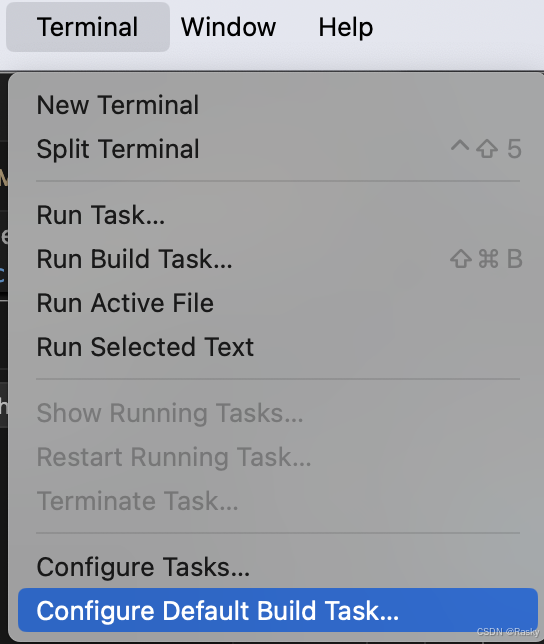
错误,但看源码都是没问题的,这个时候就修改dlv的配置,思路是先执行Task,编译成可执行文件,然后再在launch.json配置运行。
创建tasks.json文件
{
    "version": "2.0.0",
    "tasks": [
        {
            "label": "build-darwin-arm64",
            "type": "shell",
            "command": "go",
            "args": [
                "build",
                "-o",
                "${workspaceFolder}/debug",
                "${workspaceFolder}/rest_cmd/main.go"
            ],
            "group": "build",
            "problemMatcher": []
        }
    ]
}
修改launch.json文件
{
    "version": "0.2.0",
    "configurations": [
        {
            "name": "Launch exec",
            "type": "go",
            "request": "launch",
            "mode": "exec",
            "program": "${workspaceFolder}/debug",
            "args": [],
            "preLaunchTask": "build-linux-arm64"
        },
    ]
}
and then 搞掂
其他错误
Undefined symbols for architecture arm64: "_OCIAttrGet", referenced from:
这是找不到头文件,通过go env设置都不行,最后在代码里面添加:
./github.com/mattn/go-oci8/oci8.go
// #cgo CFLAGS: -I/【改成本地文件目录】/Software/instantclient_23_3/sdk/include在任意一个包含// #include "oci8.go.h"的代码里加都行





 扫一扫
扫一扫


 1738
1738

 被折叠的 条评论
为什么被折叠?
被折叠的 条评论
为什么被折叠?
 到【灌水乐园】发言





