


 本文介绍了如何在Python环境中重新设置项目的存放目录,使用JupyterNotebook创建新Python3.5环境,执行requests库的HTTPGET请求,并展示了代码执行结果。
一、重新设置python 项目存放目录
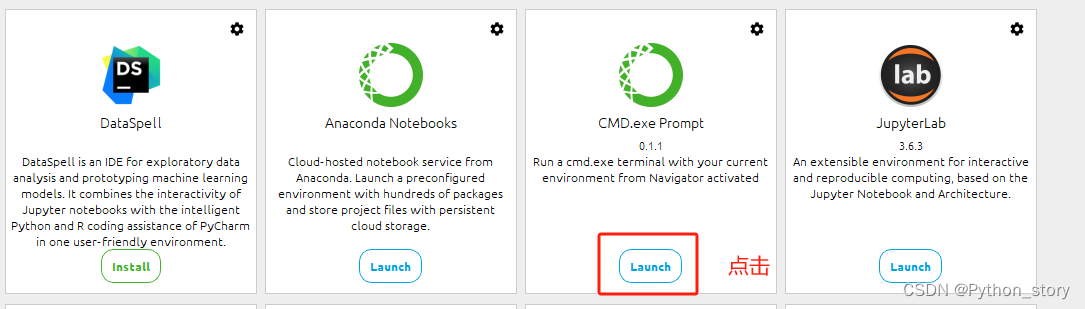
- 启动prompt
2 更改python项目存放目录
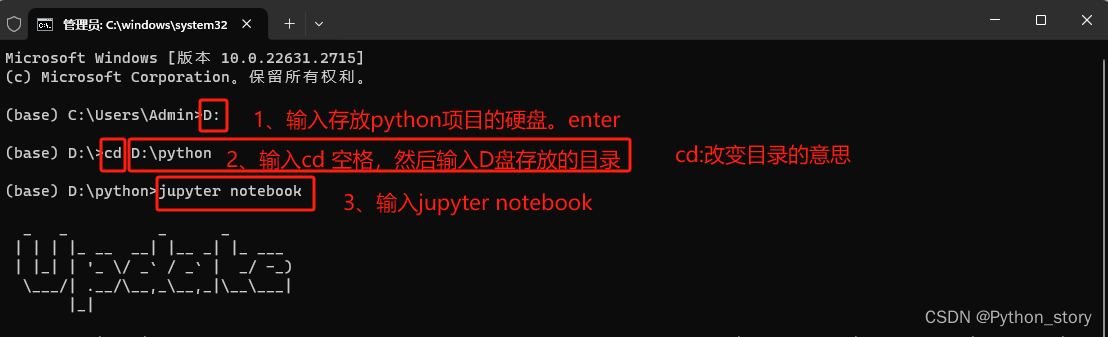
3 页面跳转到jupyter notebook
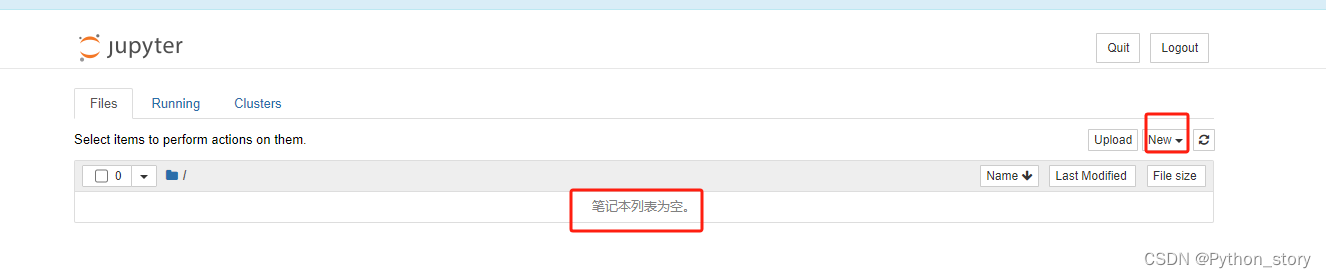
4 点击右上角new-Python 3
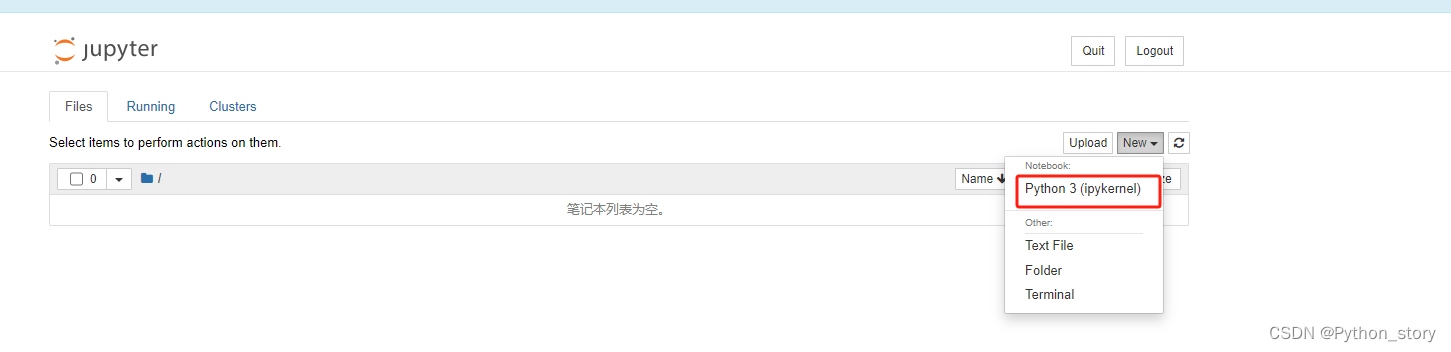
5 进入编辑页面

6 更改python 项目名称
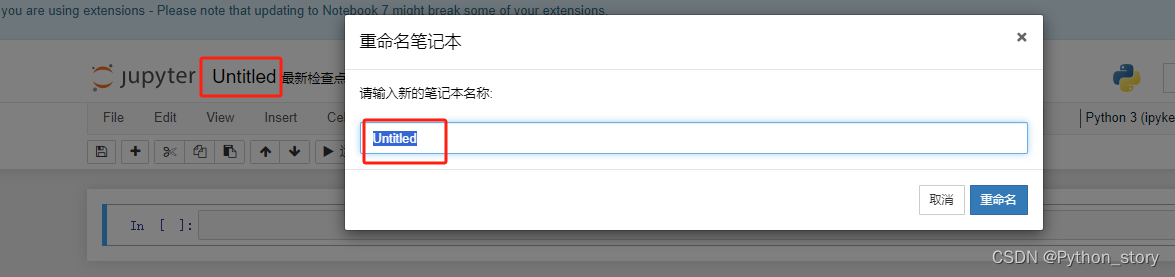
7 贴入代码,试运行

8 展示结果

最后贴出来代码
(base) C:\Users\Admin>D:

(base) D:\>cd D:\python

(base) D:\python>jupyter notebook
import requests
res = requests.get('http://www.chinastor.com/si/hub/')
res.encoding = 'utf-8'
print(res.text)





 扫一扫
扫一扫


 8847
8847

 被折叠的 条评论
为什么被折叠?
被折叠的 条评论
为什么被折叠?
 到【灌水乐园】发言





