


 文章介绍了如何使用torchstat,thop和ptflops这三个工具来测量和计算PyTorch模型的FLOPs(浮点运算次数)和参数数量,以评估模型的复杂度。通过实例展示了如何在CSNN模型上应用这些工具。
1 stat
from torchstat import stat
from thop import profile
from torchsummary import summary


    net = CSNN(T=args.T, channels=args.channels, use_cupy=args.cupy)

    print(net)

    # net.to(args.device)
    img_shape = (3, 64, 64)

    # 计算和打印模型的复杂度
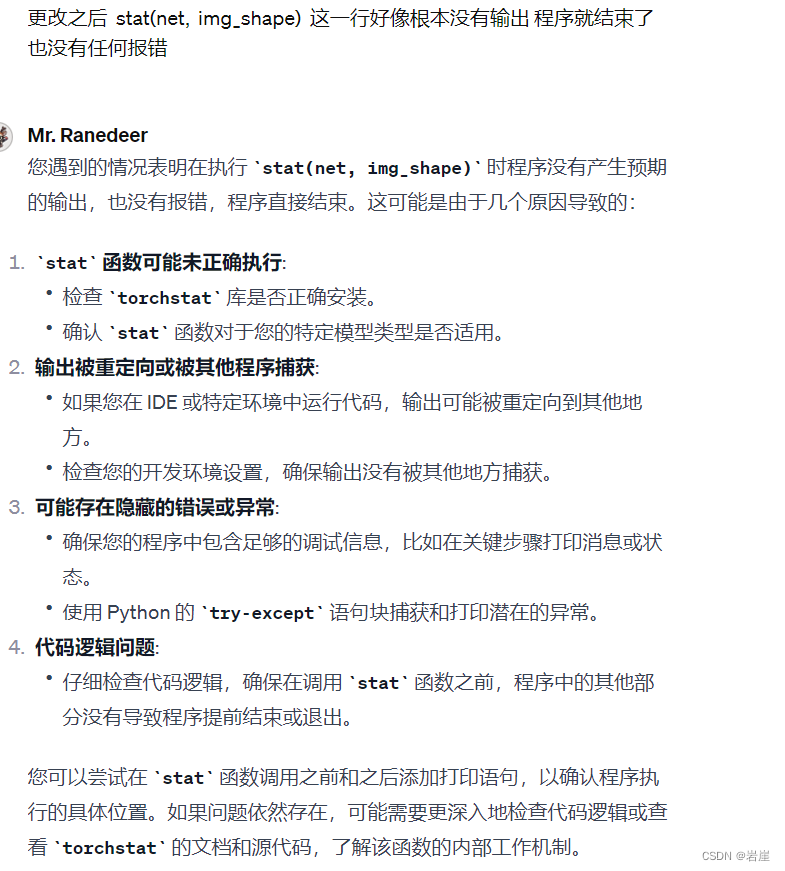
    stat(net,  img_shape)
    print("↑↑↑↑ is ghostnet_TNCHW")
    print("\n"*10)
2 thop
def main():
    T = 4  # 模拟时间步长
    channels = 128  # 通道数
    img_shape = (3, 64, 64)  # 输入图像的形状

    # 创建模型实例
    net = CSNN(T=T, channels=channels)

    # 打印模型结构
    print(net)

    # 为计算 FLOPs 和参数,创建一个随机输入
    input = torch.randn(1, *img_shape)

    # 使用 thop 计算 FLOPs 和参数
    flops, params = profile(net, inputs=(input, ))

    # 打印结果
    print(f"FLOPs: {flops}, Params: {params}")

if __name__ == '__main__':
    main()
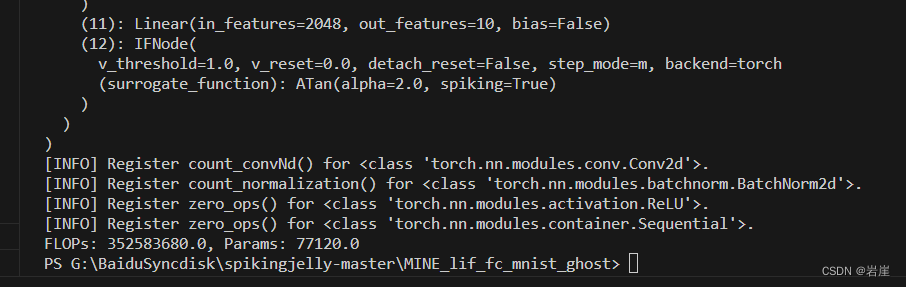
感觉参数量有问题?
3 Ptflops:
ptflops是另一个用于估算 PyTorch 模型 FLOPs 的工具。- 它提供了对不同类型层的详细分析。
- 可以通过 pip 安装:
pip install ptflops - 使用示例:
from ptflops import get_model_complexity_info
model = ...  # 您的模型
flops, params = get_model_complexity_info(model, (3, 224, 224), as_strings=True, print_per_layer_stat=True)
print(f"FLOPs: {flops}, Params: {params}")
4 torchsummary
 args = parser.parse_args()
    print(args)

    net = CSNN(T=args.T, channels=args.channels, use_cupy=args.cupy)

    print(net)

    net.to(args.device)

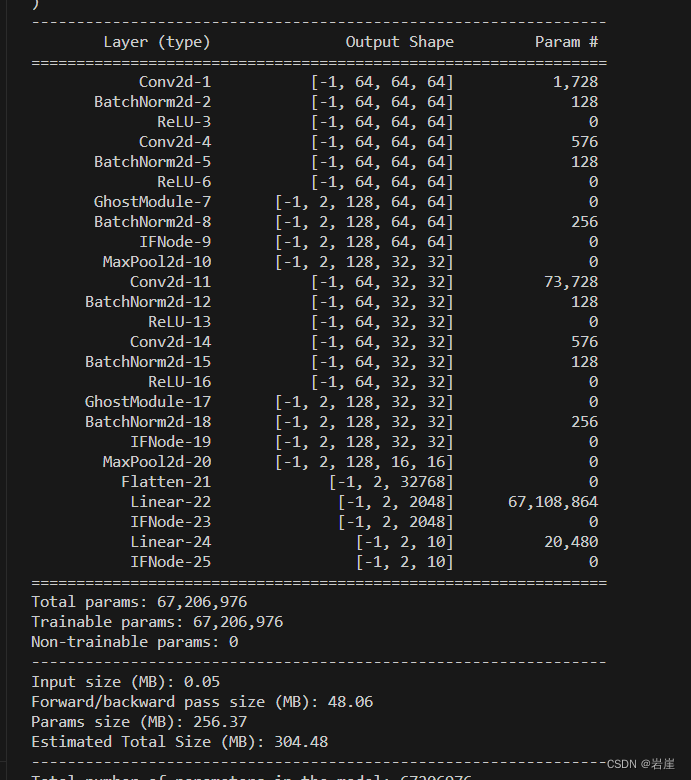
    summary(net, (3, 64, 64))
5 ptflops
-
导入必要的库: 首先,确保您已经安装了
ptflops。如果没有安装,您可以通过pip install ptflops来安装它。
def main():
    T = 4  # 模拟时间步长
    channels = 128  # 通道数
    img_shape = (3, 64, 64)  # 输入图像的形状

    # 创建模型实例
    net = CSNN(T=T, channels=channels)

    # 打印模型结构
    print(net)

    # 使用 ptflops 计算 FLOPs 和参数
    flops, params = get_model_complexity_info(net, img_shape, as_strings=True,
                                              print_per_layer_stat=True, verbose=True)

    # 打印结果
    print(f"FLOPs: {flops}, Params: {params}")

if __name__ == '__main__':
    main()







 扫一扫
扫一扫


 2091
2091

 被折叠的 条评论
为什么被折叠?
被折叠的 条评论
为什么被折叠?
 到【灌水乐园】发言





