



 本文介绍了如何在Vue项目中集成天地图,包括在天地图官网注册获取API key,参照官方API实例,然后在Vue项目的index.html引入CDN资源,通过修改webpack配置,以及在mapMixin.js中编写公共方法来实现地图功能。最后展示了单页面的使用方法和实际效果。
- 天地图官网注册(创建应用拿到key)

- 官网API实例(参考)
- 在vue项目中使用天地图
在index.html文件中引入cdn资源:
<!-- 引入cdn资源 -->
<script src="http://api.tianditu.gov.cn/api?v=4.0&tk=申请到的KEY值"></script>
在webpack.base.conf.js文件中进行配置:
module.exports = {
    externals: {
        'tMap': 'T', // 天地图全局名称
        // 项目内使用时的组件名称: 某外部组件对外暴露的名称
    }
}
在mapMixin.js文件中编写公共方法:
/**
 * map 公用方法
 * @param addCtrl:添加地图类型控件
 * @param markerPoint: 添加普通标注
 */
export default {
  methods: {
    /**
     * 添加地图类型控件
     */
    addCtrl() {
      var ctrl = new T.Control.MapType([{
          title: "地图", // 地图控件上所要显示的图层名称
          icon: "http://api.tianditu.gov.cn/v4.0/image/map/maptype/vector.png", // 地图控件上所要显示的图层图标(默认图标大小80x80)
          layer: TMAP_NORMAL_MAP // 地图类型对象,即MapType。
        },
        {
          title: "卫星",
          icon: "http://api.tianditu.gov.cn/v4.0/image/map/maptype/satellitepoi.png",
          layer: TMAP_HYBRID_MAP
        }
      ]);
      this.map.addControl(ctrl);
    },
    /**
     * 添加普通标注
     * @param site  (site.lng, site.lat)  地理坐标
     */
    markerPoint(site) {
      site.forEach(item => {
        //创建标注对象
        let marker = new T.Marker(new T.LngLat(item.lng, item.lat));
        //向地图上添加标注
        this.map.addOverLay(marker);
      })
    },
  }
}
单页面引入及使用:
<template>
  <div>
    <!--创建容器-->
    <div id="mapDiv" style="position:absolute;width:85%;height:80%"></div>
  </div>
</template>
<script>
import T from 'tMap'; // 天地图引入
import mapMixin from "@/common/mixin/mapMixin"; // 公共方法
export default {
  mixins: [mapMixin],
  data() {
    return {
      map: "", // 对象
      zoom: 10, // 地图的初始化级别,及放大比例
    };
  },
  mounted() {
    let that = this;
    // 挂载完成后渲染地图
    this.$nextTick(function() {
      that.onLoad();
    });
  },
  methods: {
    onLoad() {
      let that = this;
      that.map = new T.Map("mapDiv");
      that.map.centerAndZoom(new T.LngLat(116.30034, 40.07689), that.zoom); // 设置显示地图的中心点和级别
      // 添加地图类型控件
      that.addCtrl();

      // 普通标注
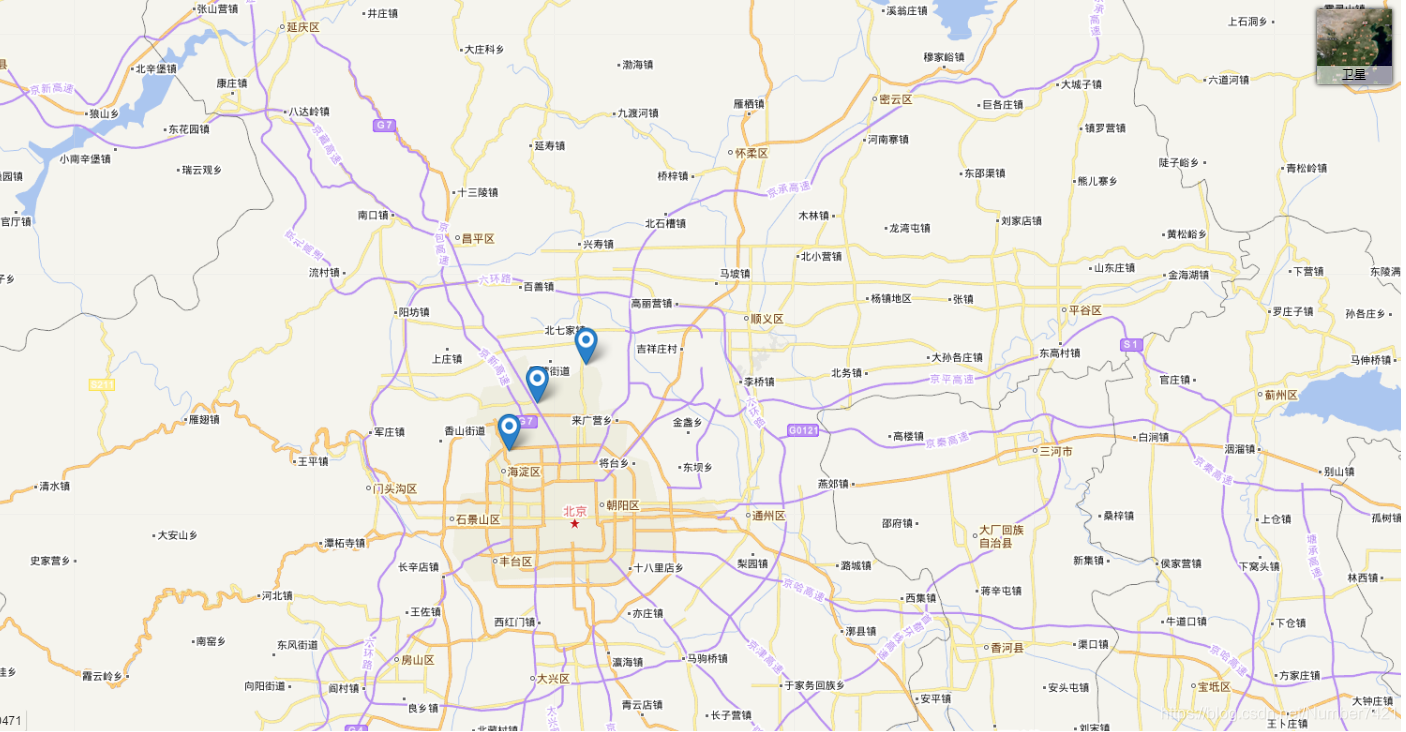
      let site = [
        { lng: 116.30034, lat: 39.98054 },
        { lng: 116.41238, lat: 40.07689 },
        { lng: 116.34143, lat: 40.03403 },
      ];
      that.markerPoint(site);
    },
  }
};
</script>
效果图:





 扫一扫
扫一扫


 被折叠的 条评论
为什么被折叠?
被折叠的 条评论
为什么被折叠?
 到【灌水乐园】发言





