



 文章指导用户如何设置全局Git配置,包括邮箱和用户名,以及初始化Git仓库并添加远程仓库到GitHub。此外,还提及了VSCode中启用代码格式化和创建Vue3代码片段的功能。
github
git config --global user.email “you@example.com”
git config --global user.name “Your Name”
git config --get-all user.name
git config --get commit.template
fatal: not a git repository (or any of the parent directories): .git
即使正确的URL,也不能添加Remote
在Terminal的git bin目录下,初始化后再添加
git init
 D:\worrp> git remote add origin https://github.com/ook/mrp.git
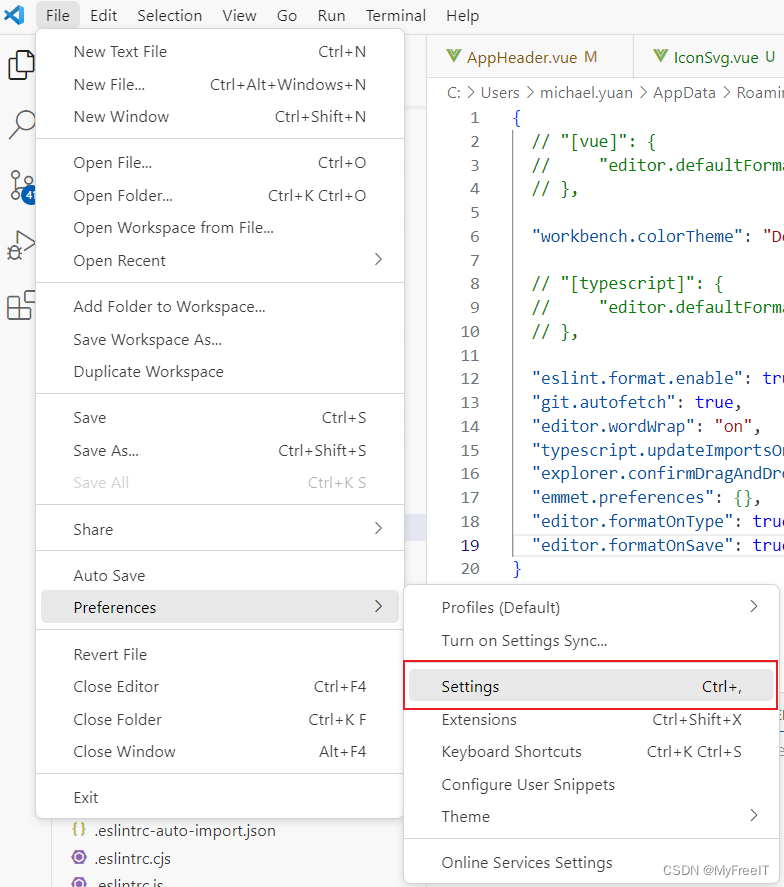
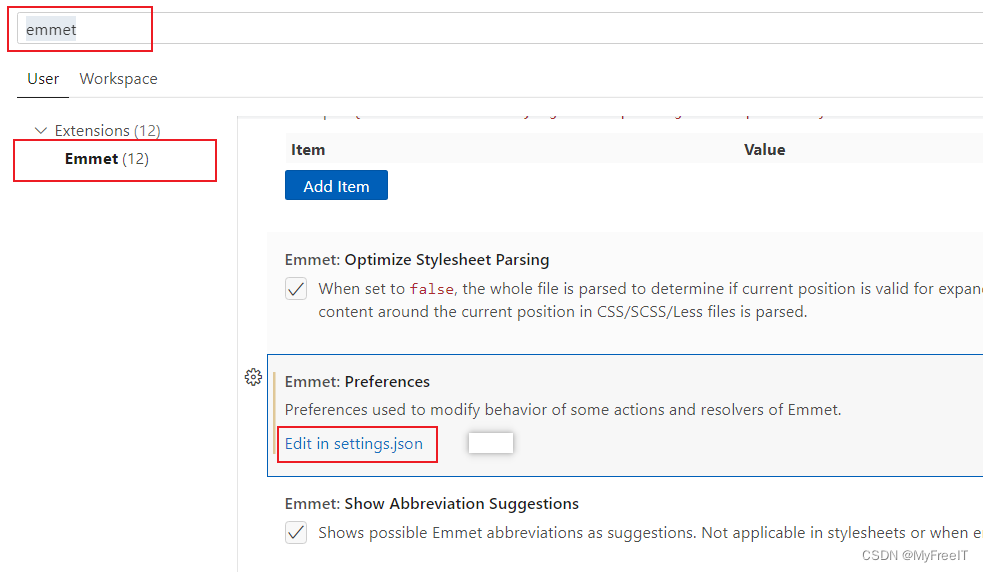
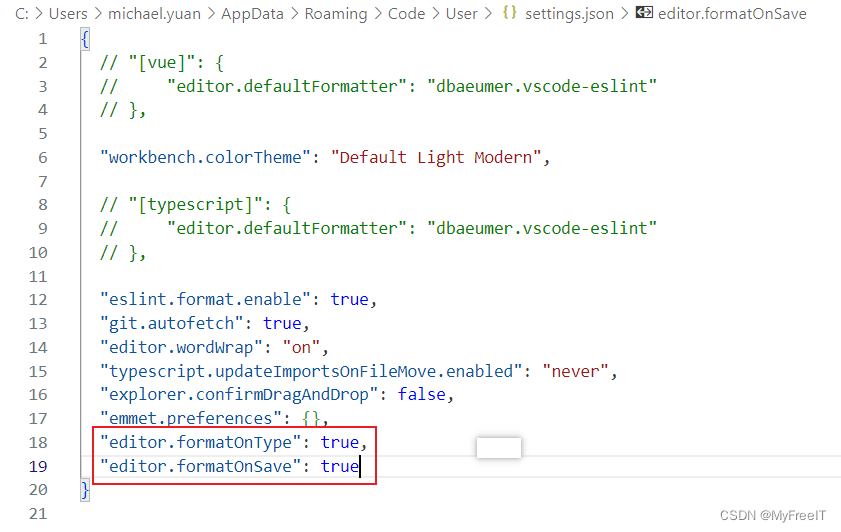
格式化代码
 "editor.formatOnType": true,
  "editor.formatOnSave": true
代码片段 snippet
setting - user snippets
{
  "Print to console": {
    "prefix": "myvue",
    "body": [
      "<script setup lang=\"ts\">",
      "$2",
      "</script>",
      "",
      "<template>",
      "<div>",
      "$1",
      "</div>",
      "</template>",
      "",
      "<style scope>",
      "",
      "</style>",
      ""
    ],
    "description": "Auto to create vue3 snippet"
  }
}





 扫一扫
扫一扫


 2901
2901

 被折叠的 条评论
为什么被折叠?
被折叠的 条评论
为什么被折叠?
 到【灌水乐园】发言





