



 文章详细介绍了如何在uni-app项目中结合Vue3使用colorui框架,步骤包括下载colorui并导入项目,通过main.js注册cu-custom组件,然后在app.vue中获取系统信息以设置不同平台的导航栏高度,并在pages.json中取消原生导航栏,实现自定义导航栏效果。
步骤:
1.下载colorui,将colorui文件导入项目根目录

2.main.js 引入cu-custom组件全局使用
import { createSSRApp } from 'vue'
export function createApp() {
  const app = createSSRApp(App)
  //  vue3使用app.component 注册为全局组件
  app.component('cu-custom',cuCustom)

  return {
    app
  }
}
3.app.vue 获取系统信息,设置导航栏高度
<script lang="ts" setup>

	import { getCurrentInstance } from 'vue'

  onLaunch(() => {


	//导航栏高度
	uni.getSystemInfo({
	        success: function(e) {
			// 获取 appContext  上下文
			const {appContext} = getCurrentInstance()
			console.log('StatusBar',appContext)
			// #ifndef MP
			appContext.config.globalProperties.StatusBar = e.statusBarHeight;
			if (e.platform == 'android') {
				appContext.config.globalProperties.CustomBar = e.statusBarHeight + 50;
				} else {
				appContext.config.globalProperties.CustomBar = e.statusBarHeight + 45;
			};
			// #endif
			// #ifdef MP-WEIXIN
			appContext.config.globalProperties.StatusBar = e.statusBarHeight;
			let custom = wx.getMenuButtonBoundingClientRect();
			appContext.config.globalProperties.Custom = custom;
			appContext.config.globalProperties.CustomBar = custom.bottom + custom.top - e.statusBarHeight;
			 // #endif
			// #ifdef MP-ALIPAY
			appContext.config.globalProperties.StatusBar = e.statusBarHeight;
			appContext.config.globalProperties.CustomBar = e.statusBarHeight + e.titleBarHeight;
			 // #endif
	        }
	    })

  })
  onShow(() => {
    console.log('App Show-->')
  })
  onHide(() => {
    console.log('App Hide --')
  })
</script>
4.pages,json 取消原生导航栏
{
	"pages": [ //pages数组中第一项表示应用启动页,参考:https://uniapp.dcloud.io/collocation/pages
		{
			"path": "pages/index/index",
			"style": {
			     // 原生导航的文字
				"navigationBarTitleText": "uni-app"
			}
		}
	    ,{
            "path" : "pages/my/my",
            "style" :
            {
                "navigationBarTitleText": "my",
                "enablePullDownRefresh": false
            }

        }
    ],
	"tabBar": {
		"color": "#999999",
		"selectedColor": "#222222",
		"borderStyle": "black",
		"backgroundColor": "#ffffff",
		"list": [{
				"pagePath": "pages/index/index",
				// "iconPath": "static/icon/index.png",
				// "selectedIconPath": "static/icon/index_active.png",
				"text": "首页"
			},
			{
				"pagePath": "pages/my/my",
				// "iconPath": "static/icon/my.png",
				// "selectedIconPath": "static/icon/my_active.png",
				"text": "我的"
			}
		]
	},
	"globalStyle": {
	    // "navigationStyle": "custom", 取消原生导航
		"navigationStyle": "custom",
		"navigationBarTextStyle": "black",
		"navigationBarTitleText": "uni-app",
		"navigationBarBackgroundColor": "#F8F8F8",
		"backgroundColor": "#F8F8F8"
	}
}
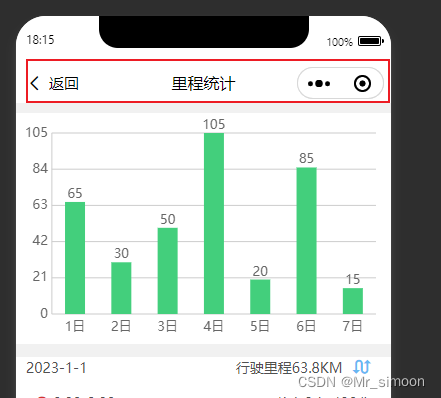
最后的结果:





 扫一扫
扫一扫


 4598
4598

 被折叠的 条评论
为什么被折叠?
被折叠的 条评论
为什么被折叠?
 到【灌水乐园】发言





