



 本文介绍如何在 Windows Server 2016 上安装 OpenSSH,并通过 Python 脚本利用 Paramiko 库实现远程获取 DHCP 服务器上的用户信息。

一、Windowsserver 2016安装ssh
1、 下载OpenSSH
Releases · PowerShell/Win32-OpenSSH · GitHub
2、 将下载的文件解压到文件夹路径C:\Program Files\OpenSSH
3、 运行命令提示符(管理员),使用cd命令到步骤3中文件夹OpenSSH的位置,然后输入命令后回车: powershell.exe -ExecutionPolicy Bypass -File install-sshd.ps1
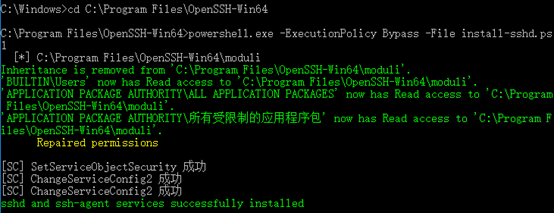
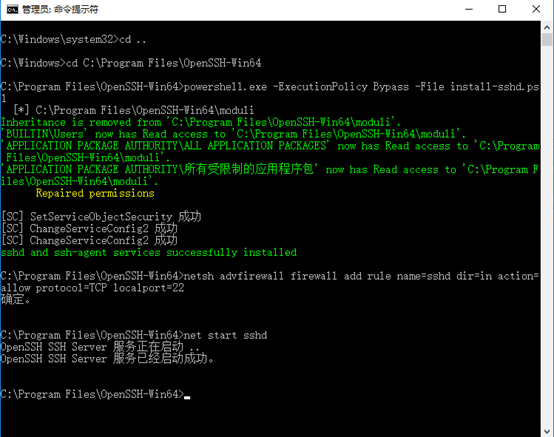
4、 步骤3成功后,继续如下的命令后回车: netsh advfirewall firewall add rule name=sshd dir=in action=allow protocol=TCP localport=22

5、然后使用命令打开sshd,如下: net start sshd

二、Python通过ssh脚本获取到dhcp的用户信息
#!/usr/bin/python
# coding=utf-8
import paramiko


class windhcp(object):

    def SSHconnection(self, dhcpserver, username, password):
        ssh = paramiko.SSHClient()

        ssh.set_missing_host_key_policy(paramiko.AutoAddPolicy())
        # print "Eseguo connessione SSH"
        ssh.connect(dhcpserver, 22, username, password)
        return ssh

    def SSHclose(self):
        ssh.close()

    def GETscopes(self):
        # print "Eseguo GETdhcpScopes"
        # id della rete dello scope
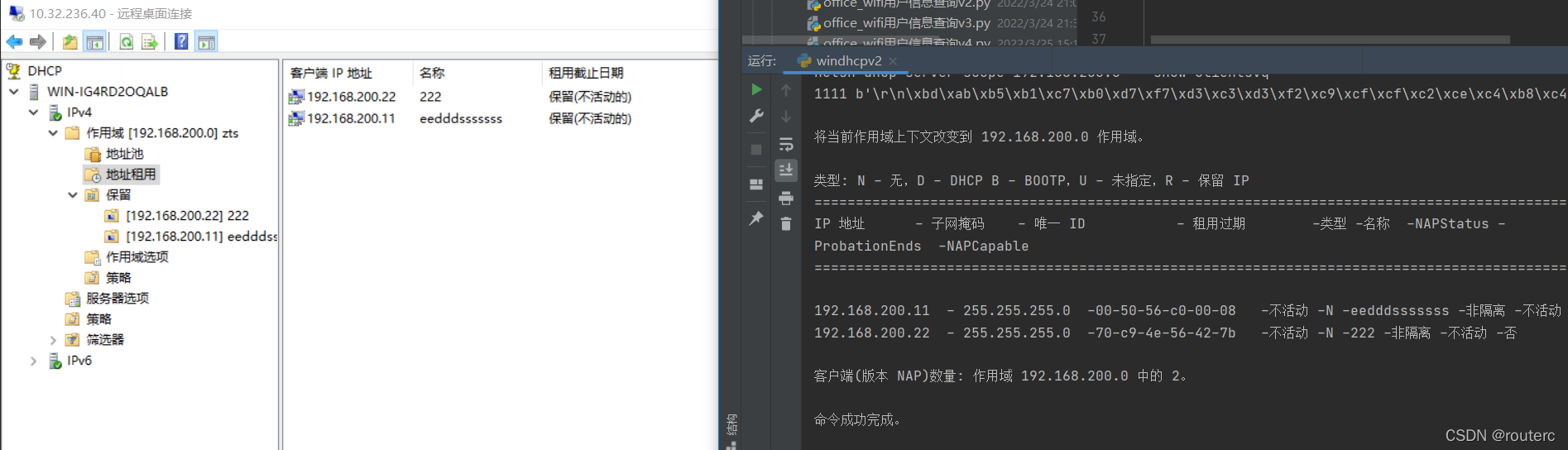
        get_scopes = 'netsh dhcp server scope 192.168.200.0    show clientsvq  '
        stdin, stdout, stderr = ssh.exec_command(get_scopes)
        # print(stdout.read().splitlines())
        # s = stdout.read()
        # print(s.decode("gbk"))
        a=0
        for line in stdout.read().splitlines():
            a +=1
            print(a,line.decode("gbk"))


windhcp = windhcp()
ssh = windhcp.SSHconnection("服务器ip地址",'账号','密码')
windhcp.GETscopes()
netsh dhcp server show all






 扫一扫
扫一扫


 856
856

 被折叠的 条评论
为什么被折叠?
被折叠的 条评论
为什么被折叠?
 到【灌水乐园】发言





