


 文章描述了A服务通过Feign调用B服务时遇到HystrixTimeoutException的问题,解决方法包括调整A服务的Hystrix超时时间和Ribbon的连接超时时间,以及关注熔断机制的配置以优化请求响应时间。
问题出现的原因:
我在A服务调用B服务的删除逻辑时,发现 B服务 正在给我返回成功的状态码时候,A服务 就开始报:com.netflix.hystrix.exception.HystrixTimeoutException: null
我的源码为:
A服务的service:
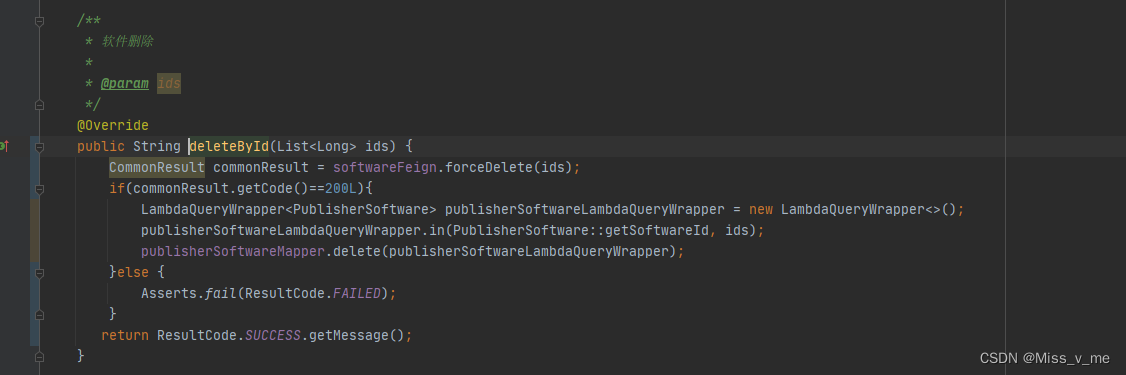
@Override
public String deleteById(List<Long> ids) {
    CommonResult commonResult = softwareFeign.forceDelete(ids);
    if(commonResult.getCode()==200L){
        LambdaQueryWrapper<PublisherSoftware> publisherSoftwareLambdaQueryWrapper = new LambdaQueryWrapper<>();
        publisherSoftwareLambdaQueryWrapper.in(PublisherSoftware::getSoftwareId, ids);
        publisherSoftwareMapper.delete(publisherSoftwareLambdaQueryWrapper);
    }else {
        Asserts.fail(ResultCode.FAILED);
    }
   return ResultCode.SUCCESS.getMessage();
}
A服务 feign的接口:
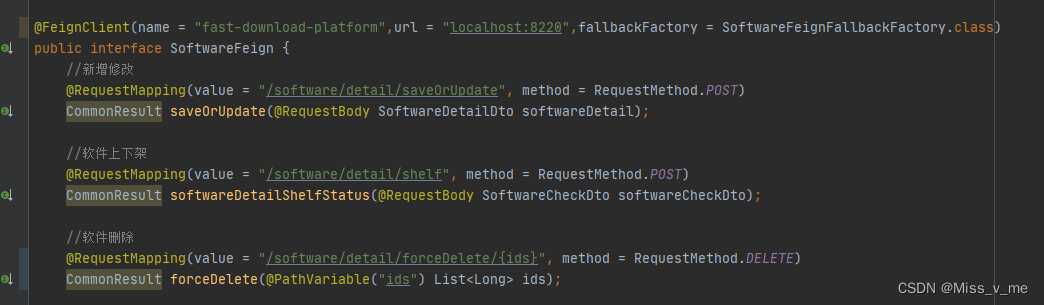
@FeignClient(name = "fast-download-platform",url = "localhost:8220",fallbackFactory = SoftwareFeignFallbackFactory.class)
public interface SoftwareFeign {
    //新增修改
    @RequestMapping(value = "/software/detail/saveOrUpdate", method = RequestMethod.POST)
    CommonResult saveOrUpdate(@RequestBody SoftwareDetailDto softwareDetail);

    //软件上下架
    @RequestMapping(value = "/software/detail/shelf", method = RequestMethod.POST)
    CommonResult softwareDetailShelfStatus(@RequestBody SoftwareCheckDto softwareCheckDto);

    //软件删除
    @RequestMapping(value = "/software/detail/forceDelete/{ids}", method = RequestMethod.DELETE)
    CommonResult forceDelete(@PathVariable("ids") List<Long> ids);
B服务的controller接口:
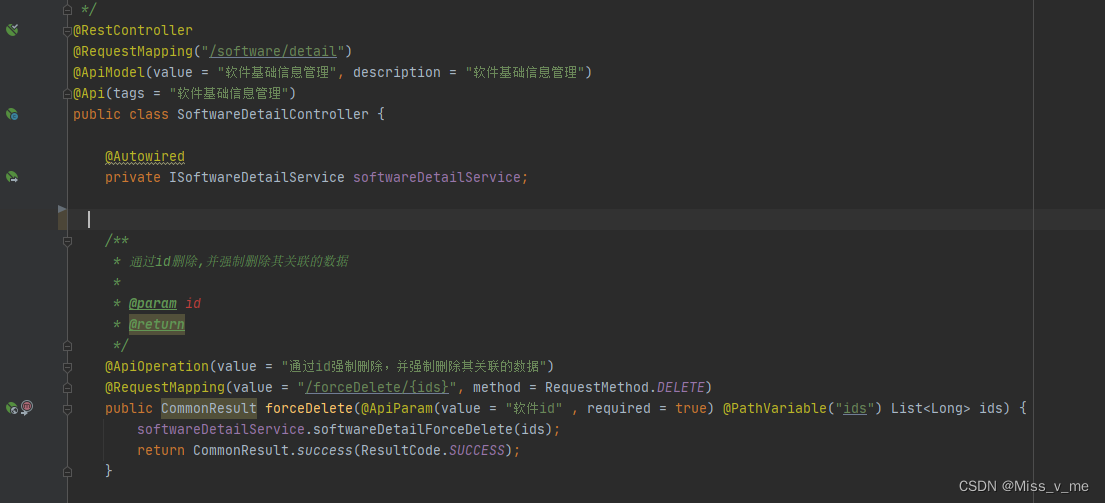
@RestController
@RequestMapping("/software/detail")
@ApiModel(value = "软件基础信息管理", description = "软件基础信息管理")
@Api(tags = "软件基础信息管理")
public class SoftwareDetailController {

    @Autowired
    private ISoftwareDetailService softwareDetailService;


    /**
     * 通过id删除,并强制删除其关联的数据
     *
     * @param id
     * @return
     */
    @ApiOperation(value = "通过id强制删除,并强制删除其关联的数据")
    @RequestMapping(value = "/forceDelete/{ids}", method = RequestMethod.DELETE)
    public CommonResult forceDelete(@ApiParam(value = "软件id" , required = true) @PathVariable("ids") List<Long> ids) {
        softwareDetailService.softwareDetailForceDelete(ids);
        return CommonResult.success(ResultCode.SUCCESS);
    }
A服务的yml配置:
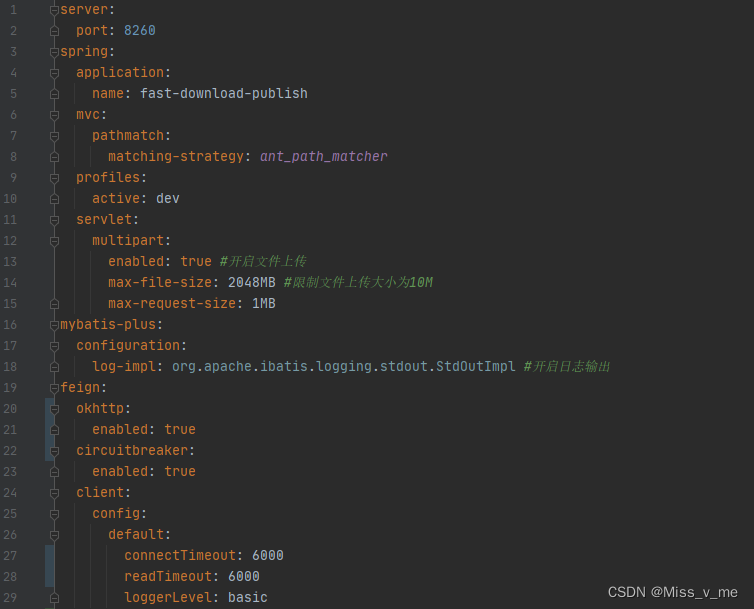
server:
  port: 8260
spring:
  application:
    name: fast-download-publish
  mvc:
    pathmatch:
      matching-strategy: ant_path_matcher
  profiles:
    active: dev
  servlet:
    multipart:
      enabled: true #开启文件上传
      max-file-size: 2048MB #限制文件上传大小为10M
      max-request-size: 1MB
mybatis-plus:
  configuration:
    log-impl: org.apache.ibatis.logging.stdout.StdOutImpl #开启日志输出
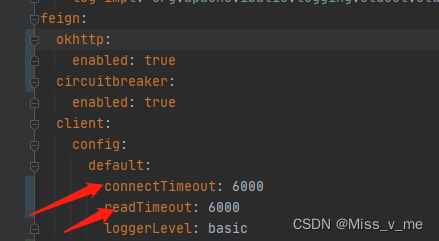
feign:
  okhttp:
    enabled: true
  circuitbreaker:
    enabled: true
  client:
    config:
      default:
        connectTimeout: 6000
        readTimeout: 6000
        loggerLevel: basic
上面的代码 是会报 com.netflix.hystrix.exception.HystrixTimeoutException: null错误的,这个错误,你可以在你A服务的熔断里面打印出来,具体为:
最开始错误的解决办法:
直接调试
这是错误的,我们应该关注错误的本身: com.netflix.hystrix.exception.HystrixTimeoutException: null 说的HystrixTimeoutException的异常
那么解决办法来了:
在A服务的yml配置中添加
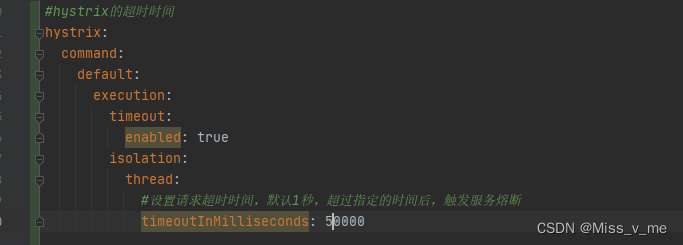
#hystrix的超时时间
hystrix:
  command:
    default:
      execution:
        timeout:
          enabled: true
        isolation:
          thread:
            #设置请求超时时间,默认5秒,超过指定的时间后,触发服务熔断
            timeoutInMilliseconds: 50000
最好再配置一下负载均衡:
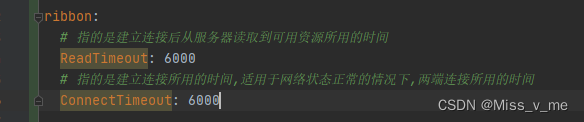
ribbon:
  # 指的是建立连接后从服务器读取到可用资源所用的时间
  ReadTimeout: 6000
  # 指的是建立连接所用的时间,适用于网络状态正常的情况下,两端连接所用的时间
  ConnectTimeout: 6000
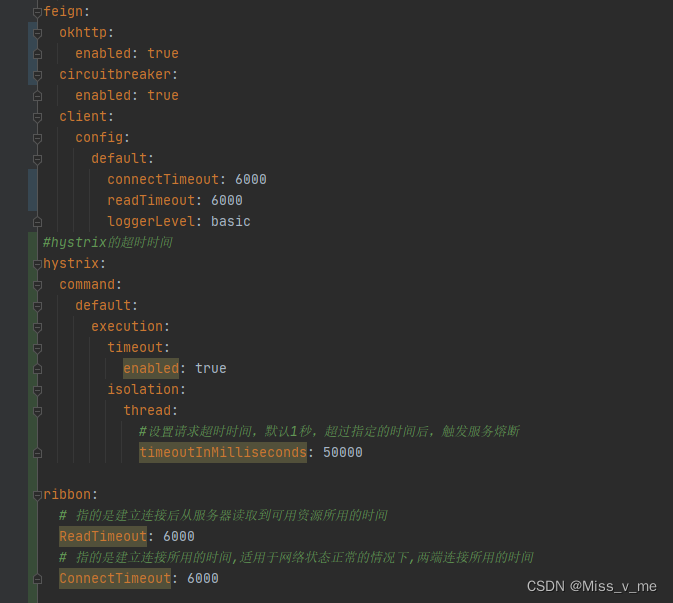
最终的 A服务 配置为:





 扫一扫
扫一扫


 314
314

 被折叠的 条评论
为什么被折叠?
被折叠的 条评论
为什么被折叠?
 到【灌水乐园】发言





