



 本文介绍了Istio的ServiceEntry,用于处理服务网格与外部服务的通信。ServiceEntry允许将外部服务添加到Istio的内部服务注册表,以便网格内的服务可以访问和路由到这些服务。Istio提供了三种访问外部服务的方法,官方推荐配置ServiceEntry以实现受控访问。同时,Istio提供了ALLOW_ANY和REGISTRY_ONLY两种策略来控制sidecar对外部服务的处理。
一、理解ServiceEntry
Istio支持对接Kubernetes、Consul等多种不同的注册中心,控制平面Pilot启动时,会从指定的注册中心获取Service Mesh集群的服务信息和实例列表,并将这些信息进行处理和转换,然后通过xDS下发给对应数据平面,保证服务之间可以互相发现并正常访问。
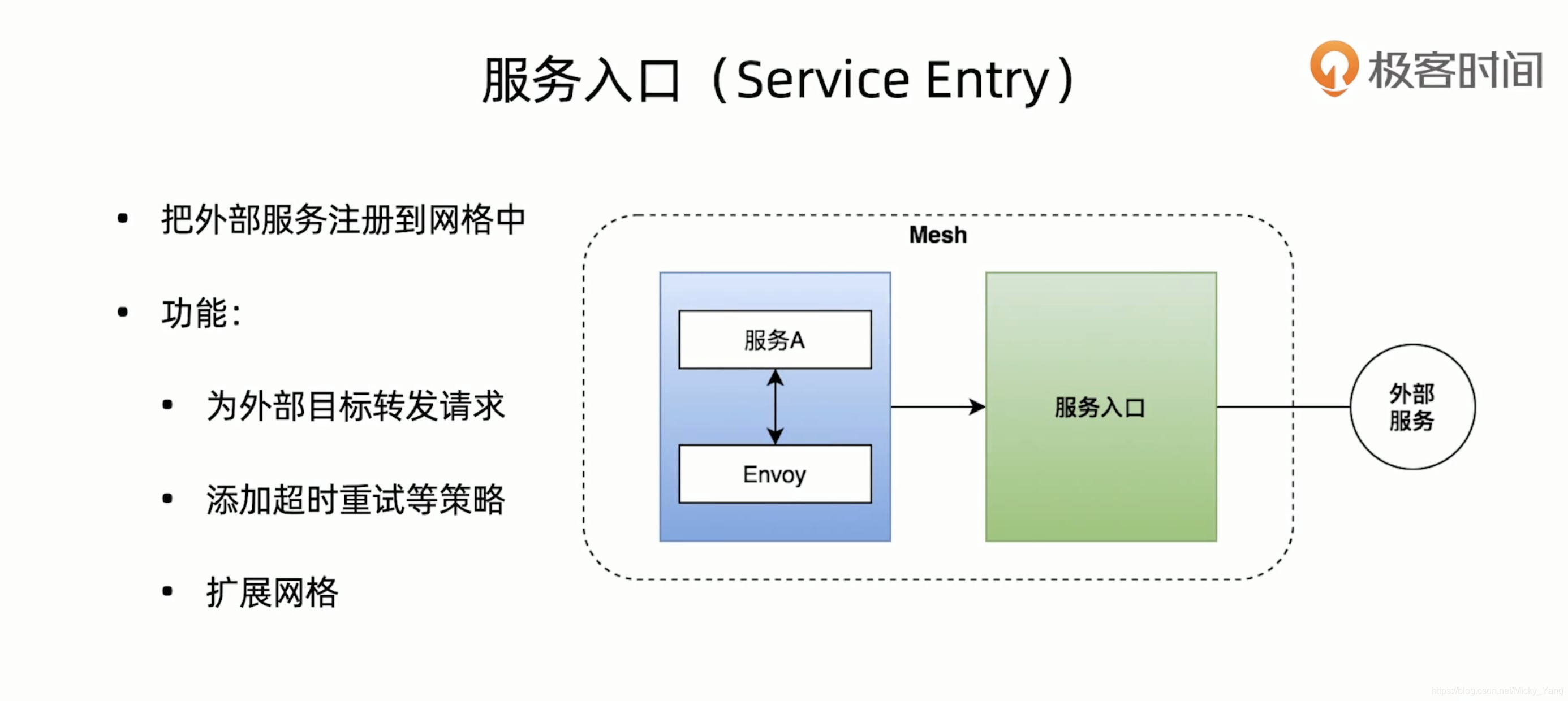
同时,由于这些服务和实例信息都来源于网格内部,Istio无法从注册中心直接获取网格外的服务,导致不利于网格内部与外部服务之间的通信和流量管理。为此,Istio引入了ServiceEntry实现对外通信和管理。
使用ServiceEntry可以将外部的服务条目添加到Istio内部的服务注册表中,以便让网格中的服务能够访问并路由到这些手动指定的服务。ServiceEntry描述了服务的属性(DNS名称、VIP、端口、协议、端点)。这些服务可能是位于网格外部(如,web APIs),也可能是处于网格内部但是不属于平台服务注册表中的条目(如,需要和Kubernetes服务交互的一组虚拟服务)。
Istio提供了三种访问外部服务的方法:
1)允许sidecar将请求传递到未在网格内配置过的任何外部服务。使用这种方法时,无法监控对外部的服务的访问,也不能利用Istio的流量控制功能。
2)配置ServiceEntry以提供对外部服务的受控访问。这是Istio官方推荐使用的方法。
3)对于特定范围的IP,完全绕过sidecar,仅当处于性能或其他原因无法使用sidecar配置外部访问时,才建议使用该配置方法。
对于sidecar对外部服务的处理方式,istio提供了两种选项:
1)ALLOW_ANY:默认值,表示Istio代理允许调用未知的外部服务,上面的第一种方法就使用了该配置项。
2)REGISTRY_ONLY:Istio代理会阻止任何没有在网格中定义的HTTP服务或ServiceEntry的主机。
二、配置ServiceEntry
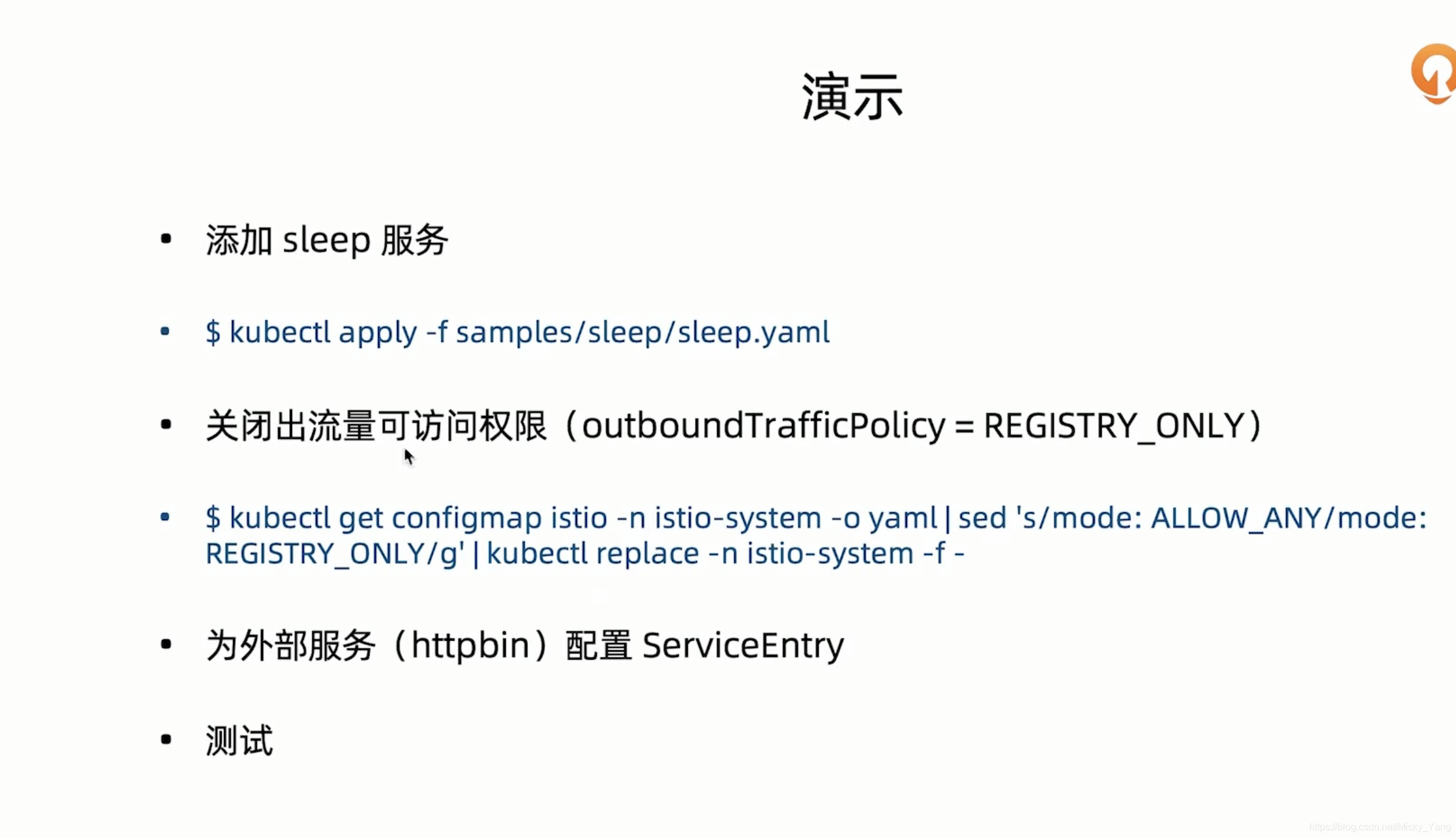
1)添加sleep服务
➜  kubectl apply -f samples/sleep/sleep.yaml
serviceaccount/sleep unchanged
service/sleep unchanged
deployment.apps/sleep unchanged

➜  kubectl get pods -o wide  | grep sleep
sleep-557747455f-rhj7k            2/2     Running   14         27d   10.1.9.8     docker-desktop   <none>           <none>
2)关闭出流量可访问权限
➜  kubectl get configmap istio -n istio-system -o yaml  | sed 's/mode:ALLOW_ANY/mode:REGISTRY_ONLY/g' | kubectl replace -n istio-system -f -
configmap/istio replaced
3)为外部服务httpbin配置ServiceEntry
➜  cat httpbin-serviceentry.yaml
apiVersion: networking.istio.io/v1alpha3
kind: ServiceEntry
metadata:
  name: httpbin-ext
spec:
  hosts:
  - httpbin.org
  ports:
  - number: 80
    name: http
    protocol: HTTP
  resolution: DNS
  location: MESH_EXTERNAL

➜  kubectl apply -f httpbin-serviceentry.yaml
serviceentry.networking.istio.io/httpbin-ext created

➜  kubectl get se -o wide
NAME          HOSTS             LOCATION        RESOLUTION   AGE
httpbin-ext   ["httpbin.org"]   MESH_EXTERNAL   DNS          11s

➜  kubectl describe se httpbin-ext
Name:         httpbin-ext
Namespace:    default
Labels:       <none>
Annotations:  <none>
API Version:  networking.istio.io/v1beta1
Kind:         ServiceEntry
Metadata:
  Creation Timestamp:  2021-07-31T10:00:48Z
  Generation:          1
  Managed Fields:
    API Version:  networking.istio.io/v1alpha3
    Fields Type:  FieldsV1
    fieldsV1:
      f:metadata:
        f:annotations:
          .:
          f:kubectl.kubernetes.io/last-applied-configuration:
      f:spec:
        .:
        f:hosts:
        f:location:
        f:ports:
        f:resolution:
    Manager:         kubectl-client-side-apply
    Operation:       Update
    Time:            2021-07-31T10:00:48Z
  Resource Version:  675007
  Self Link:         /apis/networking.istio.io/v1beta1/namespaces/default/serviceentries/httpbin-ext
  UID:               c2b29abe-6cbc-4eb0-8c1e-87ef03815100
Spec:
  Hosts:
    httpbin.org
  Location:  MESH_EXTERNAL
  Ports:
    Name:      http
    Number:    80
    Protocol:  HTTP
  Resolution:  DNS
Events:        <none>
4)测试
kubectl exec -it sleep-557747455f-rhj7k  -c sleep -- curl http:/httpbin.org/ip
{
  "origin": "43.129.7.20"
}





 扫一扫
扫一扫


 457
457

 被折叠的 条评论
为什么被折叠?
被折叠的 条评论
为什么被折叠?
 到【灌水乐园】发言





