



 本文介绍QtQuick中并行动画和平行动画的概念及应用实例。通过ParallelAnimation可同步播放多个动画;SequentialAnimation则按顺序播放。文章还展示了如何组合使用这两种动画实现复杂效果。
动画可以为一个属性设置动画。 但是,通常想要同时或一个接一个地运行多个动画,或者在两个动画之间执行脚本。为此,出现了分组动画。
分组动画可以通过两种方式进行分组:并行或顺序。这两种方式分别对应ParallelAnimation和SequentialAnimation元素,这两个元素用作其他动画元素的容器。
一、并行动画ParallelAnimation
并行动画将所有子动画并行运行。 所以,使用ParallelAnimation可以同时将不同的属性的子动画同时运行。
示例
import QtQuick 2.5

Rectangle {
    id:root
    width: 640
    height: 480
    property int duration:4000
    property Item ufo: ufo

    Image {
        id: bg
        source: "./ufo_background.png"
        anchors.fill: parent
    }

    MouseArea {//点击背景复位
        anchors.fill: parent
        onClicked: {
            ufo.x=20
            ufo.y=root.height-ufo.height
        }
    }

    Clickableimg {
        id:ufo
        x:20
        y:root.height-height;
        text: "ufo"
        source: "./ufo.png"
        onClicked: {
            anim.restart()
        }
        Behavior on x {//不会忽然变化,始终保持四秒渐变
            NumberAnimation {
                duration: root.duration
            }
        }

        Behavior on y {
            NumberAnimation {
                duration: root.duration
            }
        }
    }

    ParallelAnimation {
        id:anim

        NumberAnimation {
            target: ufo
            property: "x"
            duration: root.duration
            to:400
            easing.type: Easing.InOutQuad
        }

        NumberAnimation {
            target: ufo
            property: "y"
            duration: root.duration
            to:20
            easing.type: Easing.InOutQuad
        }
    }
}
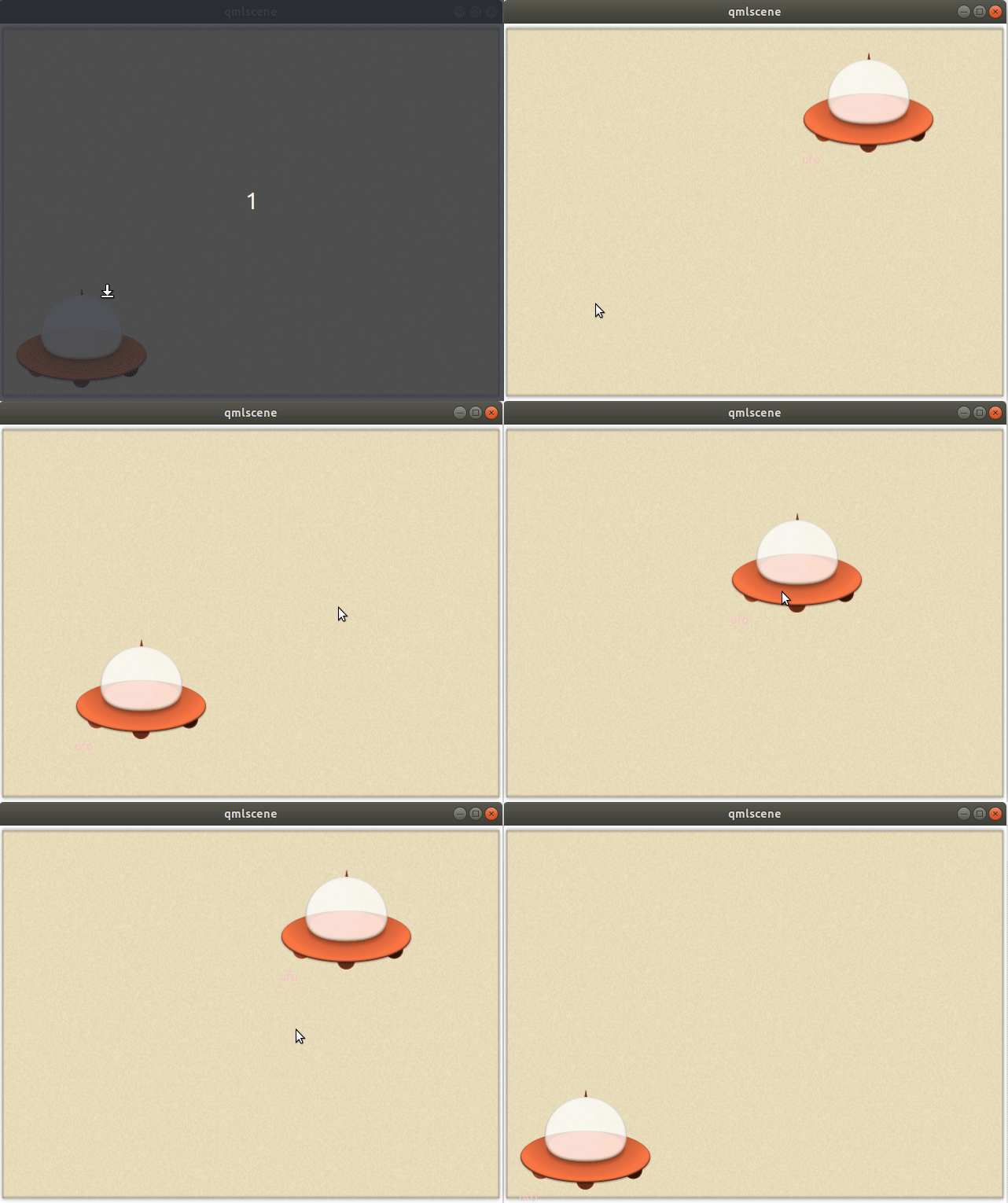
二、顺序动画SequentialAnimation
将上述代码中的ParallelAnimation改为SequentialAnimation,就是顺序动画,先执行x,再执行y,效果如下
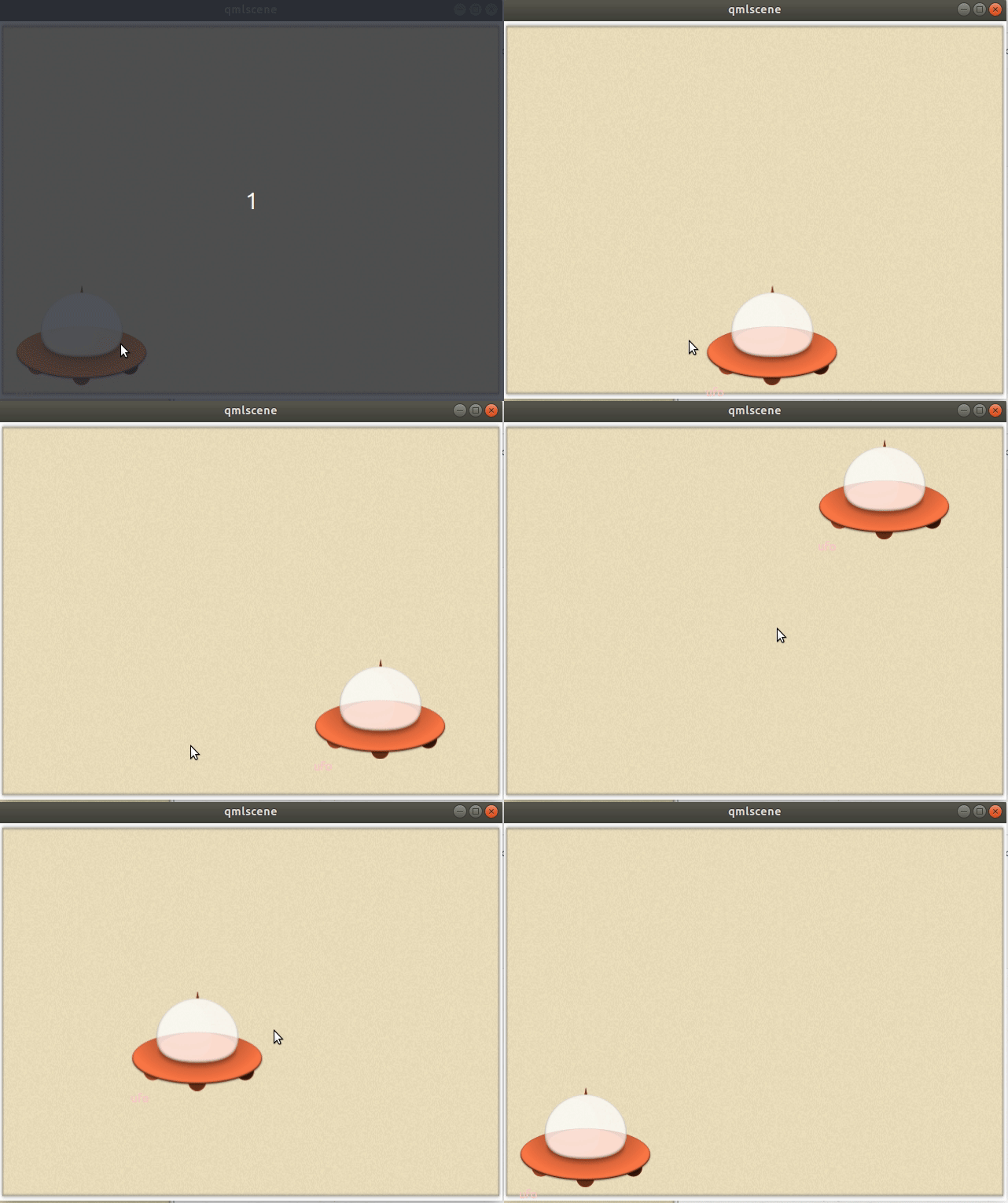
分组动画也可以嵌套,例如,顺序动画可以具有两个并行动画作为子动画
示例
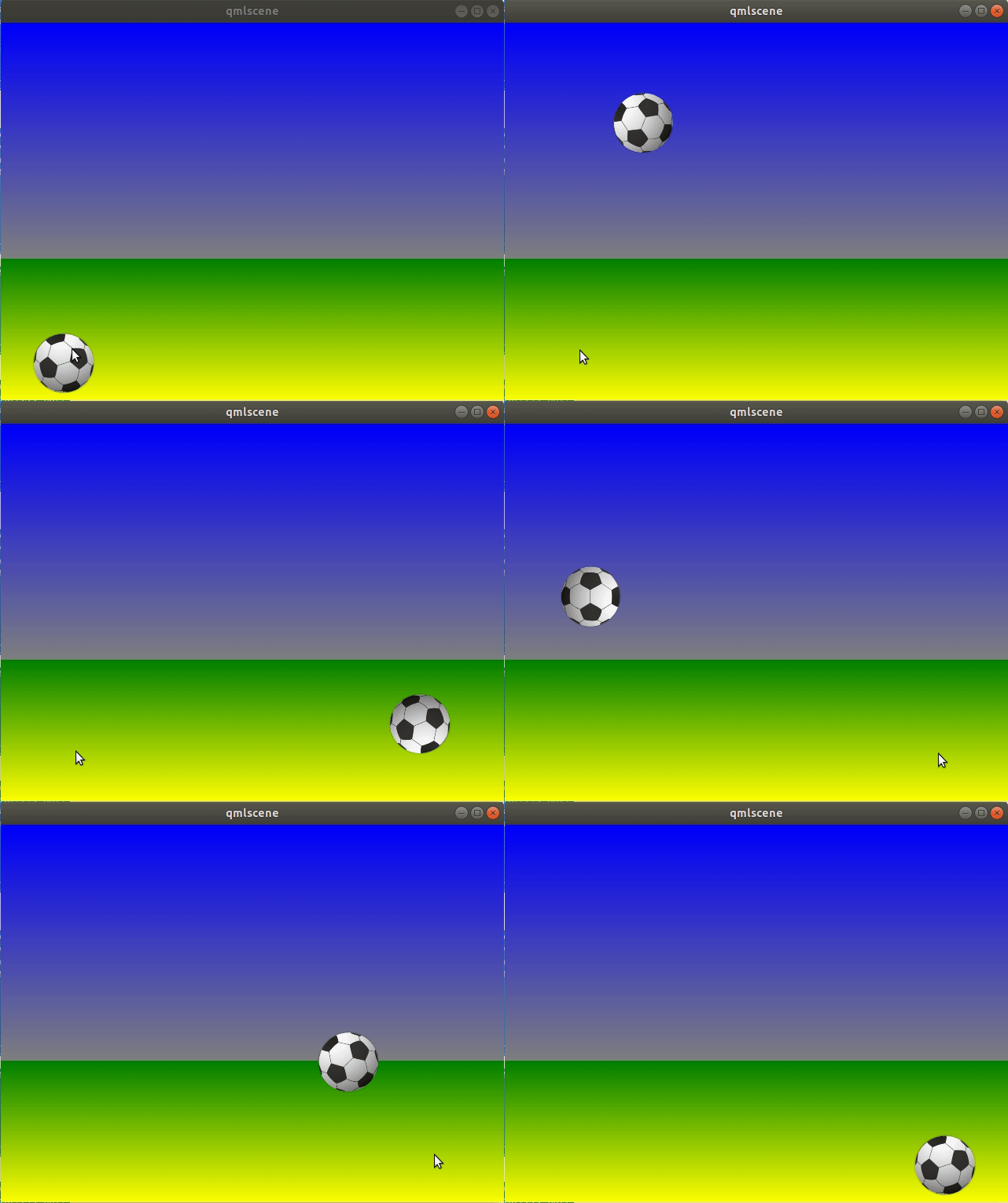
该示例是一个足球水平方向从左至右,然后垂直方向是一条类似三角函数的曲线,在运动过程中还要发生旋转,整个过程持续4s
import QtQuick 2.5

Item {
    id: root
    width: 640
    height: 480
    property int duration: 4000

    Rectangle {
        id:sky//天空描述
        width: root.width
        height: root.height-180
        gradient: Gradient {
            GradientStop {
                position: 0.0
                color: "blue"
            }
            GradientStop {
                position: 1.0
                color: "gray"
            }
        }
    }

    Rectangle {
        id:grass//草地描述
        width: root.width
        height: root.height-sky.height
        //y:sky.height
        anchors.top: sky.bottom//草地与天空的布局
        anchors.bottom: root.bottom
        gradient: Gradient {
            GradientStop {
                position: 0
                color: "green"
            }
            GradientStop {
                position: 1
                color: "yellow"
            }
        }
    }

    Image {//足球描述
        id: ball
        source: "./soccer_ball.png"
        x:0
        y:root.height-height*0.8
        scale: 0.5
        MouseArea {
            anchors.fill: parent
            onClicked: {
                ball.x=20
                ball.y=root.height-ball.height
                ball.rotation=0
                anim.restart()
            }
        }
    }

    ParallelAnimation {//足球动画描述
        id:anim
        SequentialAnimation {//垂直方向上的动画
            NumberAnimation {//先上升到y=20
                target: ball
                property: "y"
                to:20
                duration: root.duration/2
                easing.type: Easing.OutCirc
            }

            NumberAnimation {//然后下落并设置缓动曲线为反弹
                target: ball
                property: "y"
                to:root.height-ball.height*0.8
                duration: root.duration/2
                easing.type: Easing.OutBounce//
            }
        }//y方向上的描述时间各占一半

        NumberAnimation {//水平方向运动
            target: ball
            property: "x"
            duration: root.duration
            to:root.width-ball.width
            easing.type: Easing.InOutQuad
        }

        RotationAnimation {//足球的旋转
            target: ball
            property: "rotation"
            to:1080
            duration: root.duration
        }
    }
}
参考
《qml book》
欢迎大家评论交流,作者水平有限,如有错误,欢迎指出





 扫一扫
扫一扫


 566
566

 被折叠的 条评论
为什么被折叠?
被折叠的 条评论
为什么被折叠?
 到【灌水乐园】发言





