


一、设置安全性
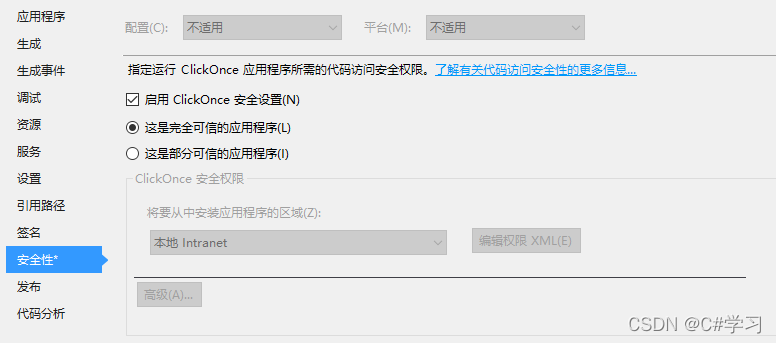
项目右键——属性——安全性——勾选"启用ClickOnce安全设置"
二、修改app.manifest
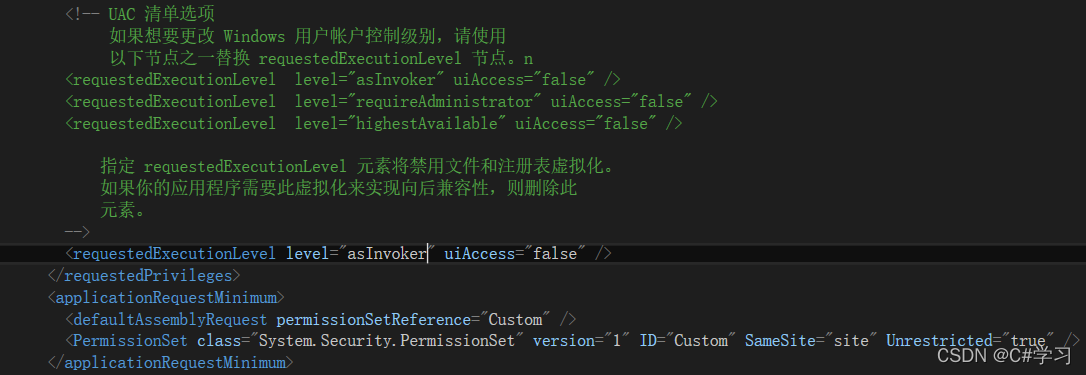
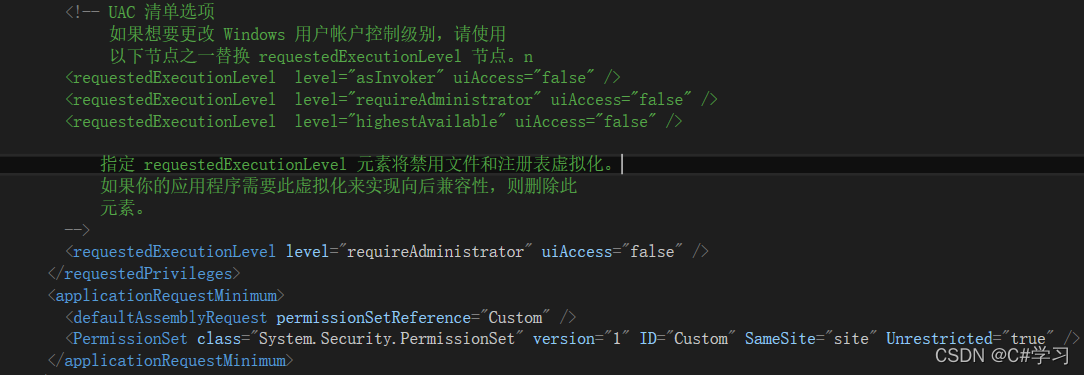
项目——Properties——app.manifest中修改asInvoker为requireAdministrator
三、设置安全性及重新编译
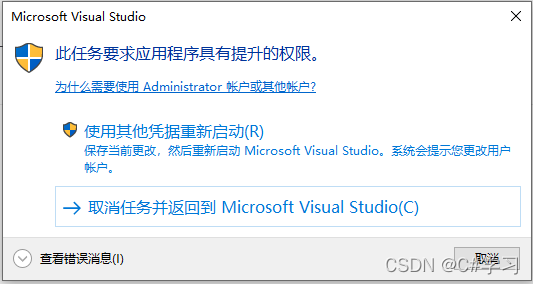
保存修改后——去掉安全性中的勾选——重新编译——弹出如下图所示即设置成功
四、注意点
1、必须去掉勾选再编译否则报错
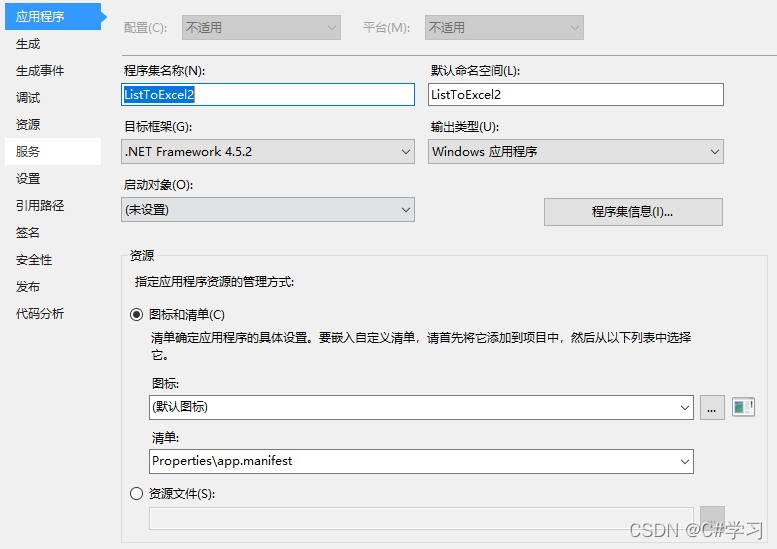
2、如果已经修改过app.manifest,但却不能弹出上图所示的选项,可以打开项目属性 ,将应用程序标签页中的资源中的清单修改为新建的app.manifest。
3、判断程序是否以管理员方式 运行
public static bool IsAdministrator()
{
       WindowsIdentity current = WindowsIdentity.GetCurrent();
       WindowsPrincipal windowsPrincipal = new WindowsPrincipal(current);
       return windowsPrincipal.IsInRole(WindowsBuiltInRole.Administrator);
}





 扫一扫
扫一扫


 1万+
1万+

 被折叠的 条评论
为什么被折叠?
被折叠的 条评论
为什么被折叠?
 到【灌水乐园】发言





