



 本文介绍了解决Swiper2.x版本中,在谷歌浏览器点击轮播图后自动播放失效的问题。通过添加onTouchEnd事件监听并调用startAutoplay()方法,成功实现了点击后的自动播放功能。
一、问题
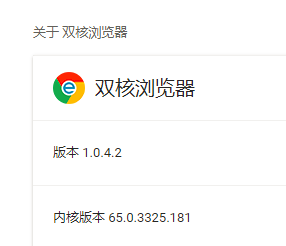
用的是swiper2.x的版本,在实践过程中,发现在谷歌浏览器中,点击轮播图后,轮播失效。
二、处理过程
百度了一下,发现很多人的处理方式是添加如下配置:
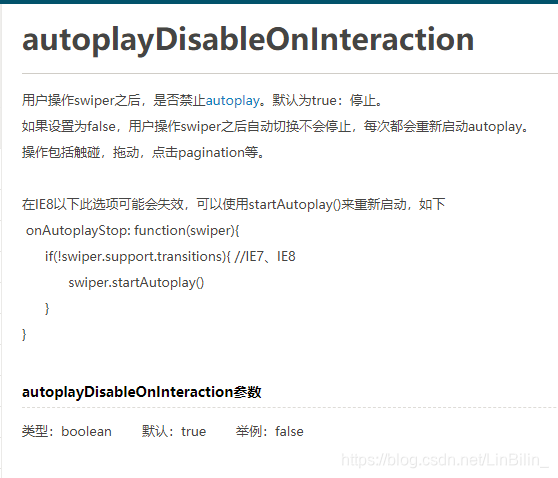
disableOnInteraction: false,但是在我这里发现还是无效,虽然官网对这个配置的解释看起来是可以解决此问题的,但还是让人失望。
最后,我的处理方法是这样的,既然是图片点击后才失效的,那么我们可不可以在点击图片后,重新调用自动播放的事件。于是有了如下写法:
	  var mySwiper = new Swiper('.swiper-container',{
						    mode: 'vertical',
							loop:true,
							autoplay : 3000,
							speed:300,
							onTouchEnd: function(swiper){
								swiper.startAutoplay();
							}
					});
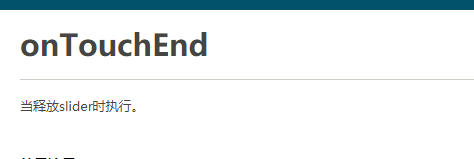
官网对 onTouchEnd事件的解释如下:
最终成功解决了该问题。完整的写法如下:
  var mySwiper = new Swiper('.swiper-container',{
						    mode: 'vertical',
							loop:true,
							autoplay : 3000,
							speed:300,
                            //文档里面的写法,我的谷歌浏览器中发现无效
							disableOnInteraction: false,
                            //兼容IE7、IE8
							onAutoplayStop: function(swiper){
							      if(!swiper.support.transitions){
							            swiper.startAutoplay();
							      }
							},
                            //自己尝试且有效的写法
							onTouchEnd: function(swiper){
								swiper.startAutoplay();
							}
					});





 扫一扫
扫一扫


 811
811

 被折叠的 条评论
为什么被折叠?
被折叠的 条评论
为什么被折叠?
 到【灌水乐园】发言





