


 本文记录了基于Megatron - LM从0到1完成GPT2模型预训练、评估及推理的过程。包括配置环境时遇到的cuda和torch版本不匹配、编译问题等;准备数据集时出现的类型错误、找不到tokenizer等报错;以及模型训练时单机单卡和分布式训练的情况,还尝试训练llama7B模型。
基于Megatron-LM从0到1完成GPT2模型预训练、模型评估及推理 - 知乎 (zhihu.com)
1、配置环境(太遭罪了)
先讲结论,踩坑太漫长了:
GPU:tesla P100
cuda11.8(可换其他,低点好)
pytorch2.1.0(可换其他2.1还是有点小坑)
Megatron-LM(tag2.5),最新的transformer_engine用不了,对GPU框架有要求
pytorch镜像选好版本(别用太高,gpu不行,多踩了很多坑),有apex的就行
首先进入到Megatron-LM目录,安装一下依赖,pip install -r requirements.txt
不需要tensorflow
pytorch和cuda要匹配
安装apex遇到的各种问题:
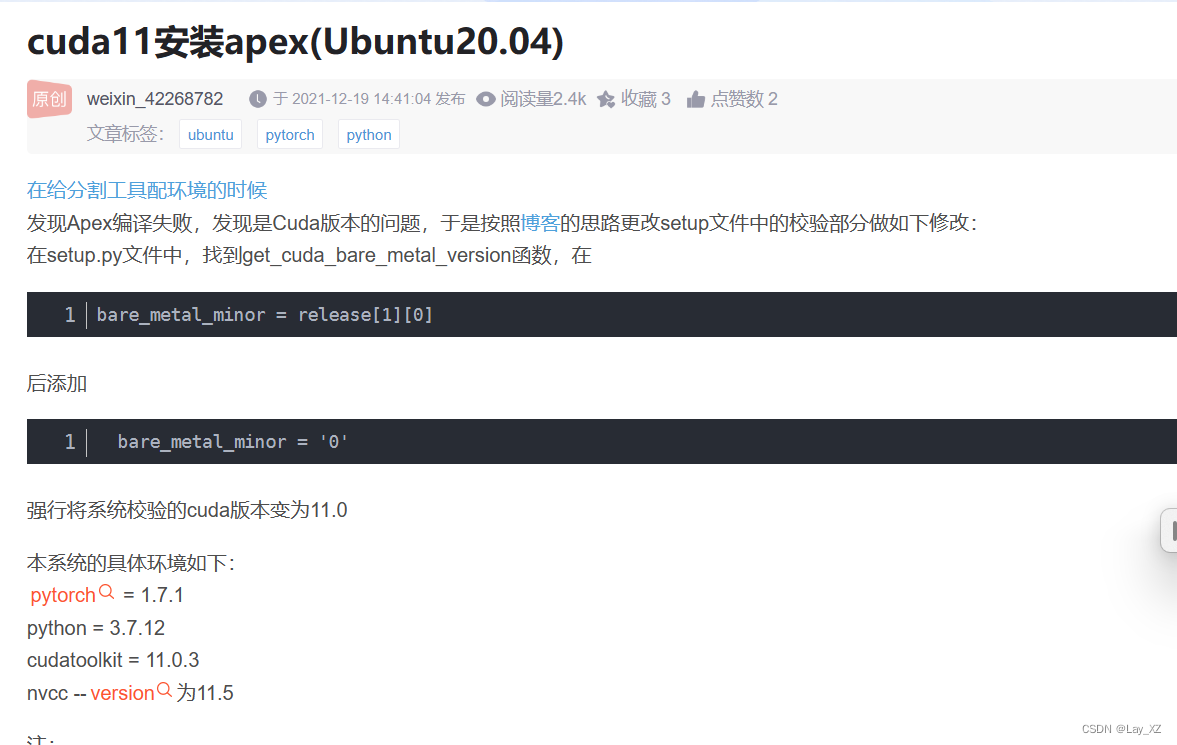
1、cuda和torch版本不匹配
原来时cuda11.4,torch版本1.12+cu113(torch没有114就离谱)
修改setup.py文件,删除验证匹配的地方即可
或者重下cuda和torch
我都做了但我卡住的地方不是这个原因
2、编译不了c++文件!为什么!(放弃了,没解决)
from /root/yjy/Megatron-LM/apex/csrc/flatten_unflatten.cpp:1:
/usr/include/c++/9/cwchar:44:10: fatal error: wchar.h: No such file or directory
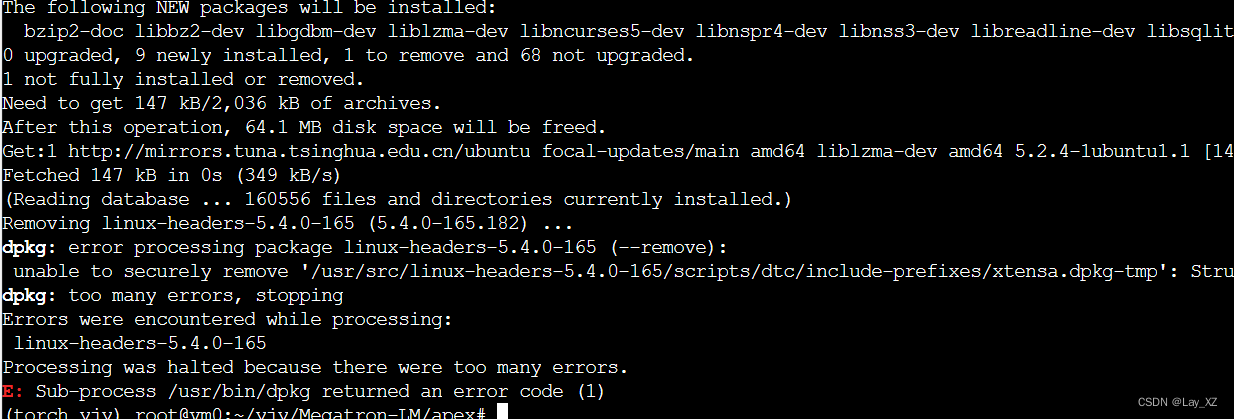
gpt让我下载
sudo apt-get update
sudo apt-get install libc6-dev
但是又报错,这个linux-headers-5.4.0-165我不敢乱删
放弃了,转而使用镜像!
使用镜像配置环境:(又是曲折的换版本)
PyTorch Release 21.05 - NVIDIA Docs
下载镜像 ,选好版本(别用太高,不适配,多踩了很多坑),有apex的就行

docker run -dt --name pytorch_yjy --restart=always --gpus all \
--network=host \
--shm-size 8G \
-v /mnt/VMSTORE/yjy/Megatron-LM-GPT:/Megatron-LM-GPT \
-w /Megatron-LM-GPT \
nvcr.io/nvidia/pytorch:23.04-py3 \
/bin/bash
docker exec -it pytorch_yjy bash缺少amp_C
在这里安装apex成功了,但是模型训练使用的时候又报错了!!!缺少amp_C!!!
解决办法一:(别用,后面还会报错)
用这个版本的apex成功了
NVIDIA/apex at 3303b3e7174383312a3468ef390060c26e640cb1 (github.com)
Megatron-LLaMA/megatron/model/fused_layer_norm.pyNVIDIA/apex at 3303b3e7174383312a3468ef390060c26e640cb1 (github.com)
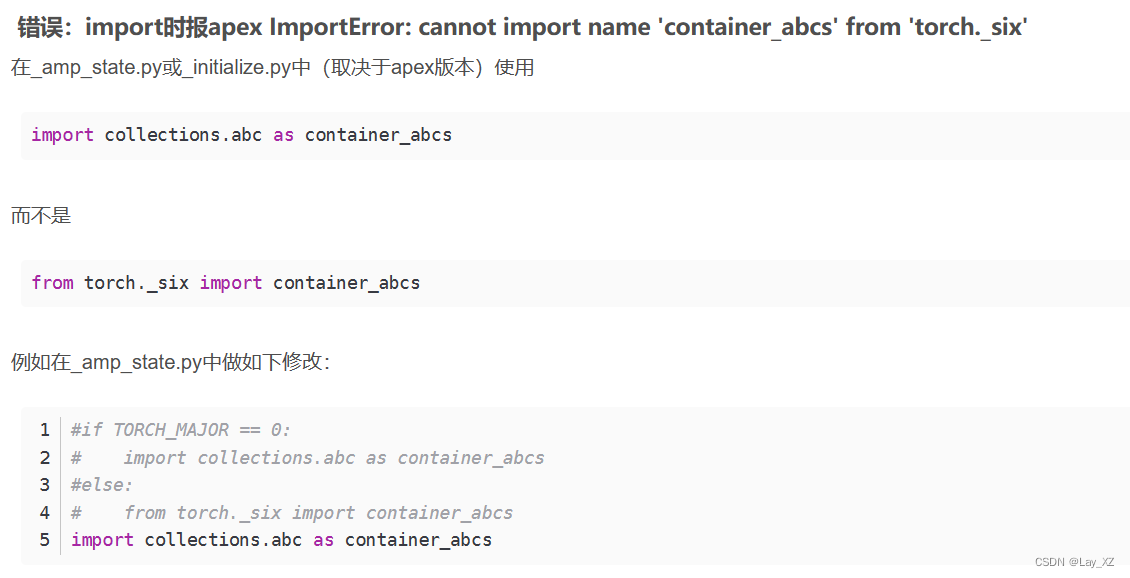
但是会报没有_six等错误 ,没有inf的错误,这些修改一下就好
解决办法二:
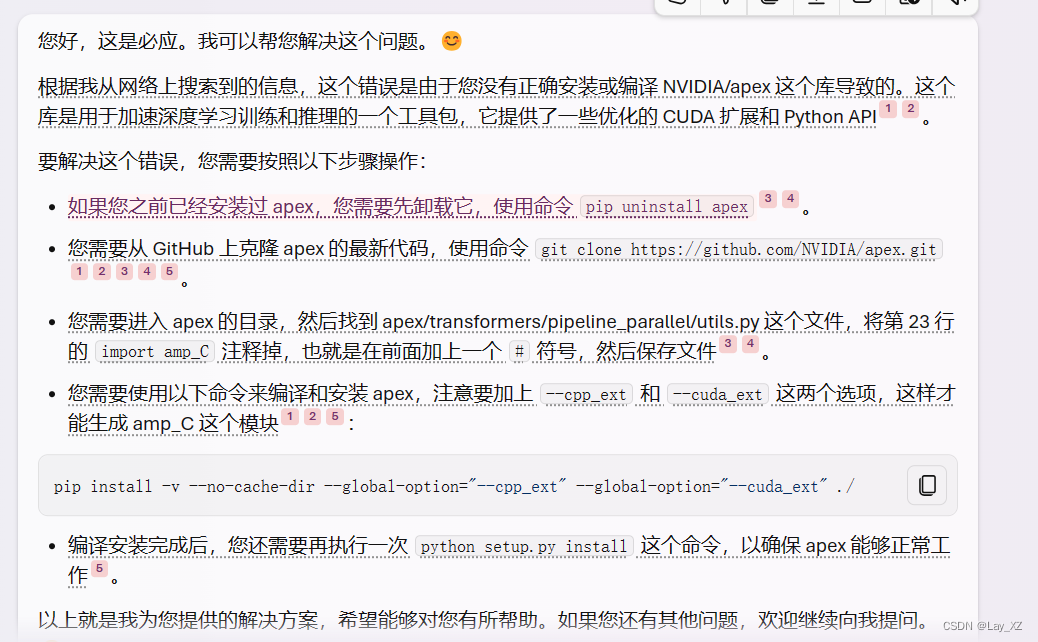
用 python setup.py install,别用pip

其他报错:
RuntimeError: ColumnParallelLinear was called with gradient_accumulation_fusion set to True but the custom CUDA extension fused_weight_gradient_mlp_cuda module is not found. To use gradient_accumulation_fusion you must install APEX with --cpp_ext and --cuda_ext. For example: pip install --global-option="--cpp_ext" --global-option="--cuda_ext ." Note that the extension requires CUDA>=11. Otherwise, you must turn off gradient accumulation fusion.RuntimeError
: ColumnParallelLinear was called with gradient_accumulation_fusion set to True but the custom CUDA extension fused_weight_gradient_mlp_cuda module is not found. To use gradient_accumulation_fusion you must install APEX with --cpp_ext and --cuda_ext. For example: pip install --global-option="--cpp_ext" --global-option="--cuda_ext ." Note that the extension requires CUDA>=11. Otherwise, you must turn off gradient accumulation fusion.
【精选】安装apex报错_install the apex with cuda support (https://github-优快云博客ModuleNotFoundError: No module named ‘fused_layer_norm_cuda‘_我用k-bert的时候报错no module named 'layer_norm,但我是有这个组件的-优快云博客
增加cuda环境变量:
export CUDA_HOME=/usr/local/cuda-11.3
export LD_LIBRARY_PATH=/usr/local/cuda-11.3/lib64:$LD_LIBRARY_PATH
报错:21.05没有transformer_engine
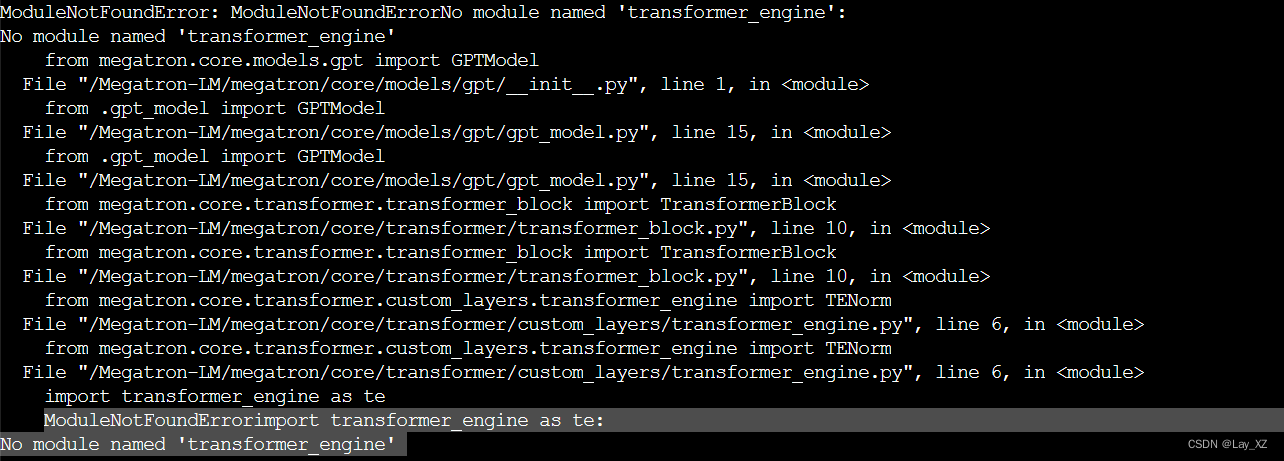
然后完全不知道为什么会报段错误
又换了22.10,没有段错误但是,缺少te.pytorch.DotProductAttention!!!!安装transformer_engine又是各种报错,是我没看文档,transformer_engine0.6以上才有这个API

23.04环境运行报错:原因就是cuda和gpu和torch版本不匹配

#cuda是否可用;
torch.cuda.is_available()
# 返回gpu数量;
torch.cuda.device_count()
# 返回gpu名字,设备索引默认从0开始;
torch.cuda.get_device_name(0)
# 返回当前设备索引;
torch.cuda.current_device()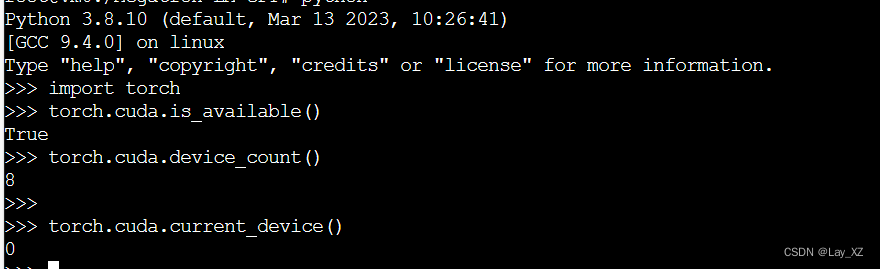
尝试1:卸载torch然后重新下载,但是transformer_engine损坏了,链接不到了
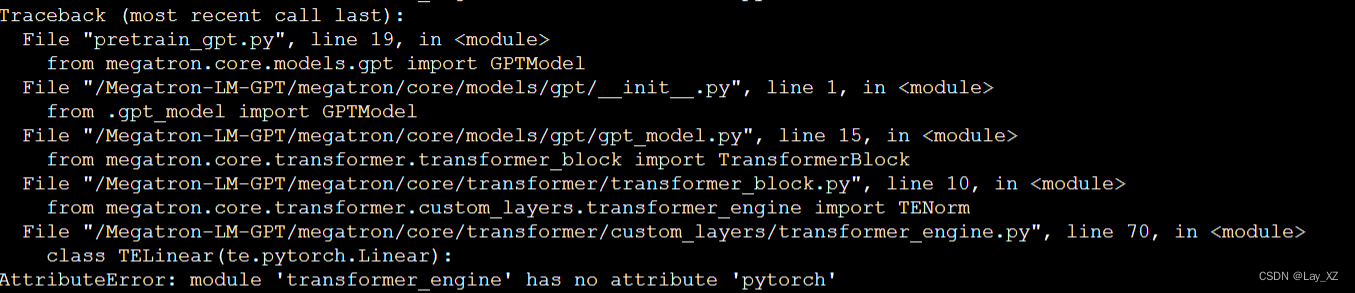
尝试2:不要 transformer_engine
vim megatron/core/transformer/custom_layers/transformer_engine.py不行还是需要用到的,删掉容器重来吧,回到原点的错误
WARNING: Setting args.overlap_p2p_comm to False since non-interleaved schedule does not support overlapping p2p communication
查看算力: 查看NVIDIA显卡计算能力-优快云博客
 最低0.47元/天 解锁文章






 扫一扫
扫一扫


 1190
1190


 到【灌水乐园】发言



