



 本文介绍了在Android开发中遇到的ConstraintLayout使用问题,特别是关于include标签的使用及权重设置。在创建主页fragment并结合底部切换时,作者发现ConstraintLayout的include布局导致一些方法失效。解决方法是在include中添加宽高属性,之后权重与其他控件匹配,实现了页面元素的灵活布局。此文章作为开发过程中的经验记录,分享踩坑与解决方案。
引言:就是写主页fragment+底部切换时 发现的亿个小问题
首先说我对ConstraintLayout的理解

详细的地方,搜索全是,我这个理解是日常版本,然后是include的问题
我引入include后
app:layout_constraintBottom_toTopOf
这类方法全部失效了,然后搜索了一下,就是要加宽高
  <include
        android:layout_width="match_parent"
        android:layout_height="wrap_content"
        app:layout_constraintTop_toBottomOf="@id/fragment"
        app:layout_constraintBottom_toBottomOf="parent"
        android:id="@+id/main_bottom_layout"
        layout="@layout/layout_bottom_bars" />
加入宽高后就可以了,左右摇摆了
然后就是权重和其他控件权重一样,懂得都懂
<?xml version="1.0" encoding="utf-8"?>
<androidx.constraintlayout.widget.ConstraintLayout xmlns:android="http://schemas.android.com/apk/res/android"
    android:layout_width="match_parent"
    android:layout_height="match_parent"
    xmlns:app="http://schemas.android.com/apk/res-auto"
    android:orientation="vertical">

    <LinearLayout
        android:id="@+id/fragment"
        android:layout_width="match_parent"
        android:layout_height="0dp"
        app:layout_constraintTop_toTopOf="parent"
        app:layout_constraintBottom_toTopOf="@id/main_bottom_layout"
        app:layout_constraintVertical_weight="1"
        android:orientation="horizontal" />

    <include
        android:layout_width="match_parent"
        android:layout_height="wrap_content"
        app:layout_constraintTop_toBottomOf="@id/fragment"
        app:layout_constraintBottom_toBottomOf="parent"
        android:id="@+id/main_bottom_layout"
        layout="@layout/layout_bottom_bars" />
</androidx.constraintlayout.widget.ConstraintLayout>
就是这样,出来的成品是
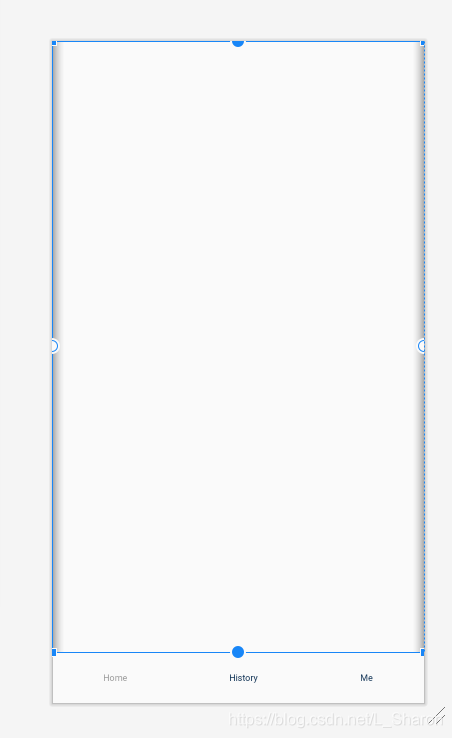
也没啥可说的,做个记录,记录一下踩的坑





 扫一扫
扫一扫


 4046
4046

 被折叠的 条评论
为什么被折叠?
被折叠的 条评论
为什么被折叠?
 到【灌水乐园】发言





