【蓝牙初尝试】Keil5+nRF52832

文章讲述了在使用Keil5开发过程中,如何检查设备连接,安装和配置Pack文件以解决头文件缺失的问题,以及如何处理J-link驱动器和nRFgo配合擦除芯片程序,和闪存下载程序的安装与使用,以成功将程序烧录至开发板。

        打开Keil5工程:前置路径\examples\peripheral\blinky\pac10040\arm5\LED.uvprojx

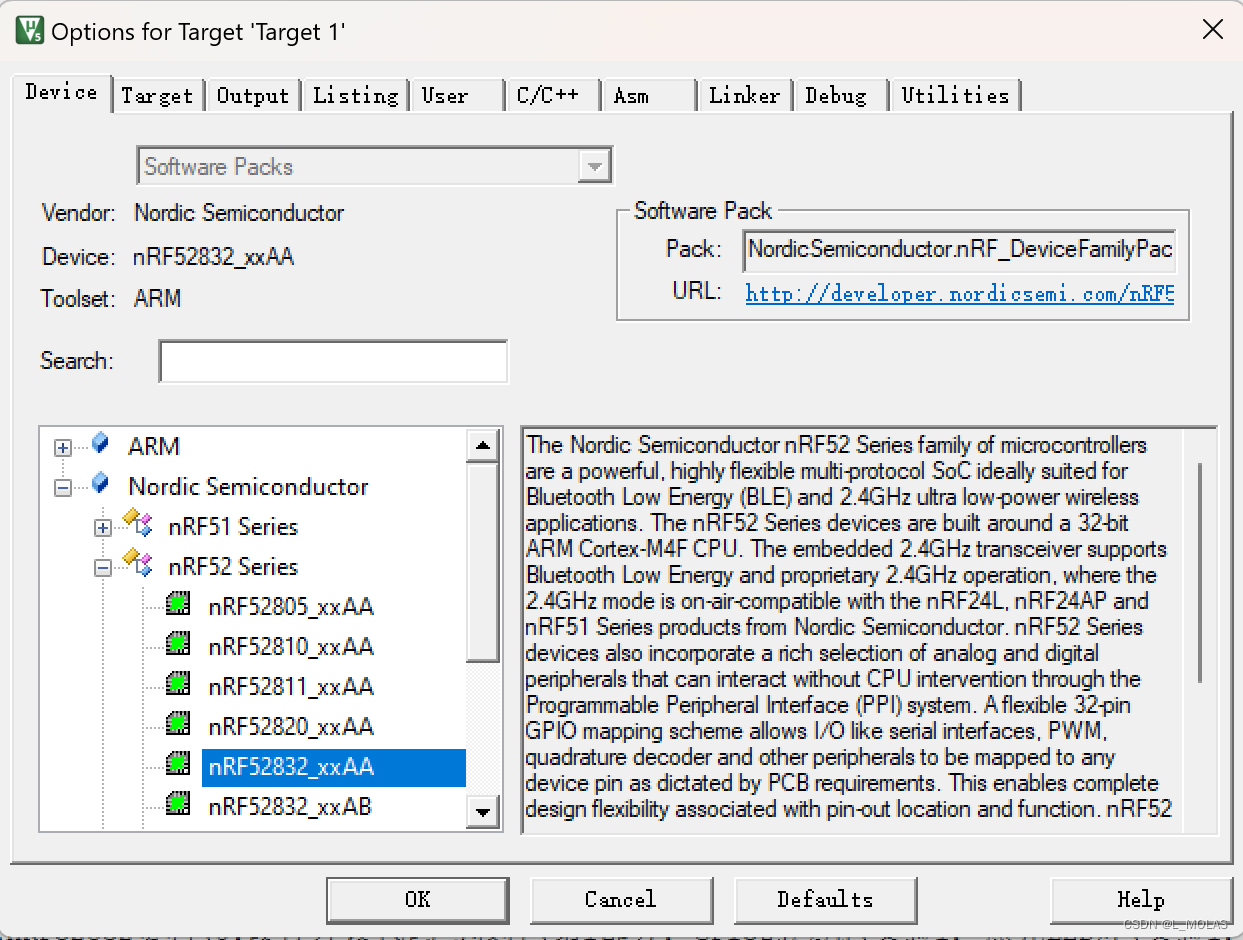
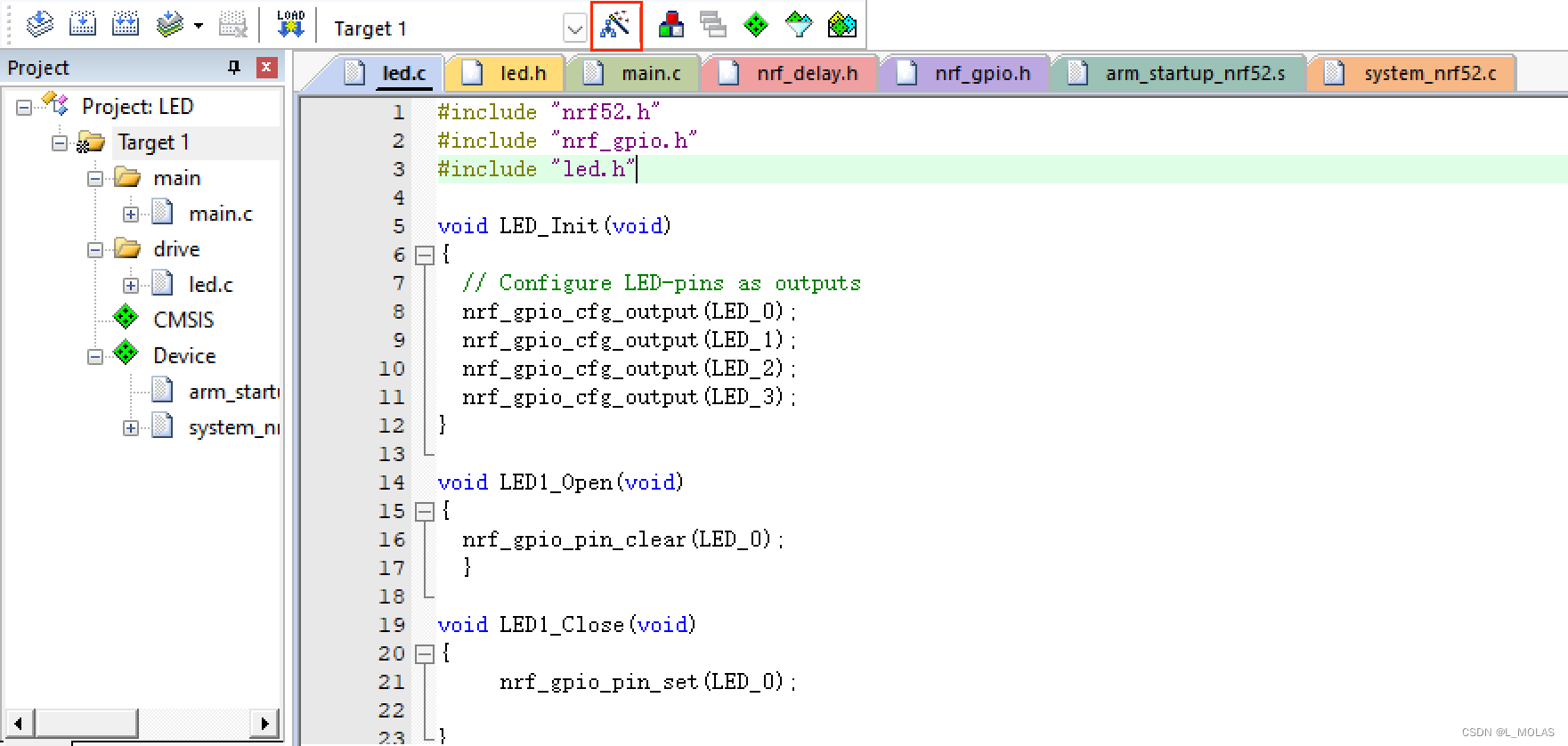
        点击魔术棒,进入目标选项界面,首先查看device是否连接成功:
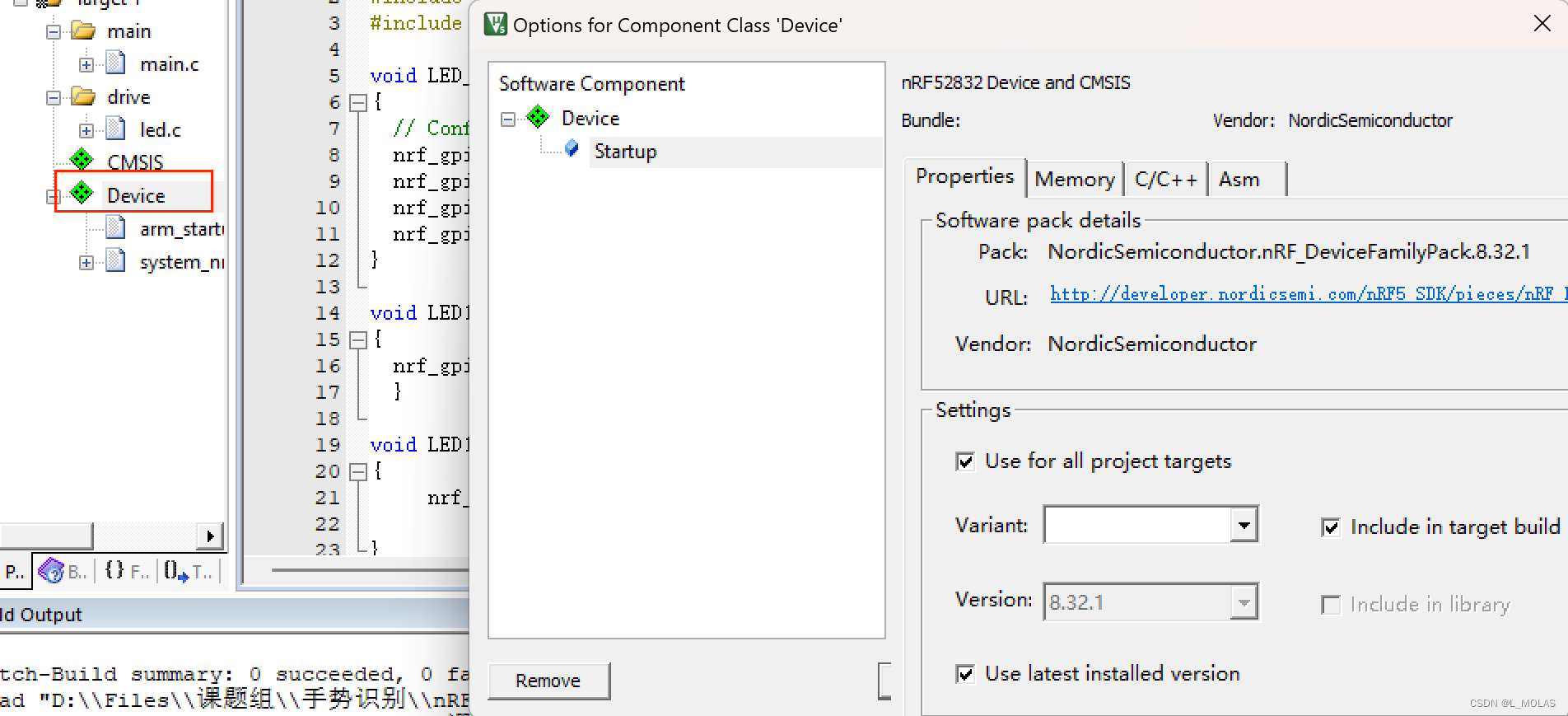
        Device需要显示为绿色才可以:
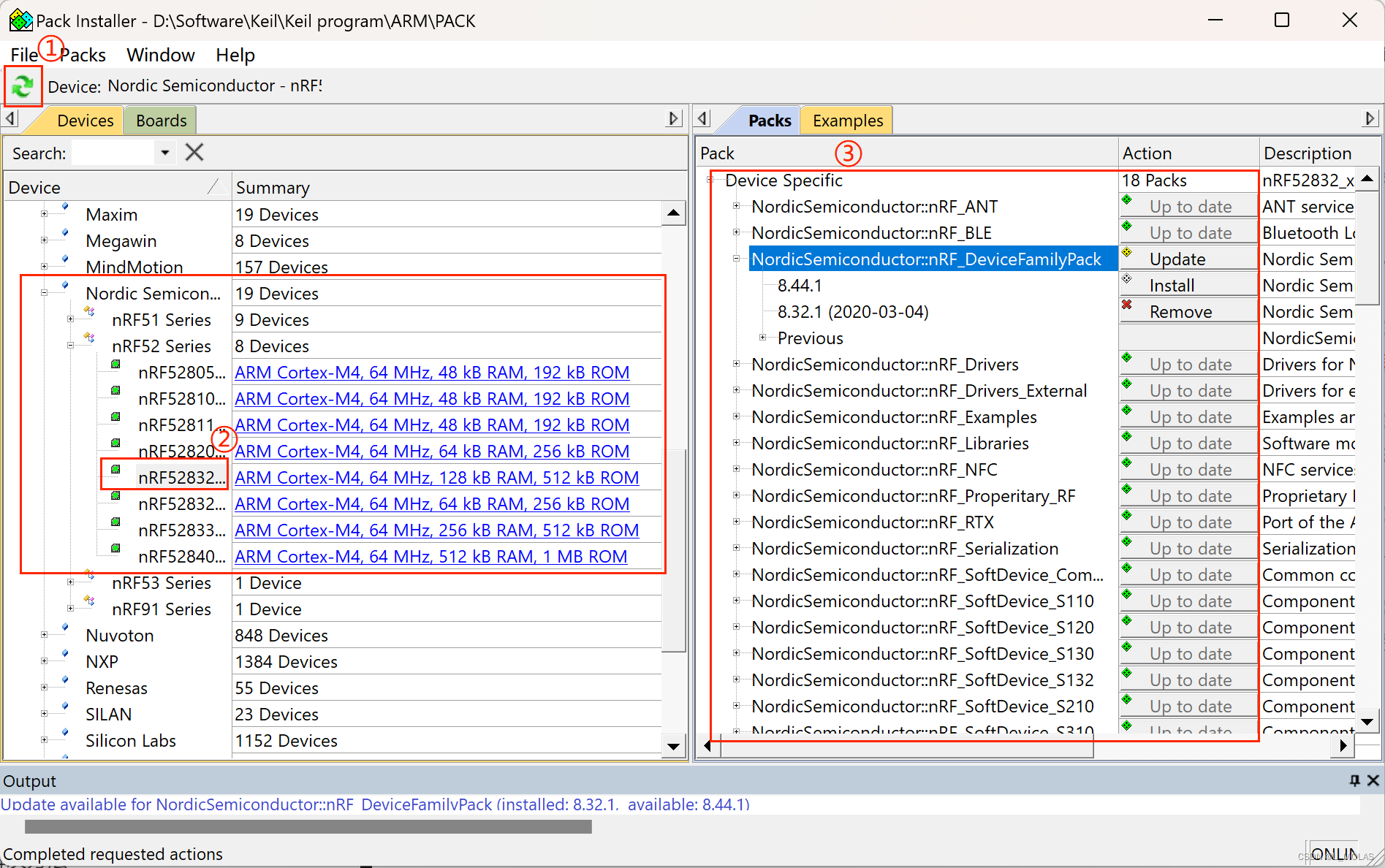
         安装运行程序所需要的Pack文件:可以点击左上角系统自动更新,然后安装需要的Pack。
         点击左上角进行编译,发现会缺失部分头文件,如nrf52.h等。

以下是在Keil平台生成NRF52832芯片软件模拟IIC的代码: #include "nrf_delay.h" #include "nrf_gpio.h" // 定义IIC总线的GPIO引脚 #define SDA_PIN 17 #define SCL_PIN 16 // 定义读写标志位 #define IIC_READ 1 #define IIC_WRITE 0 // 定义IIC总线的速度 #define IIC_SPEED 100000 // 定义IIC总线上的从设备地址 #define IIC_ADDR 0x50 // 写IIC总线一个字节 void iic_write_byte(uint8_t data) { uint8_t i; for(i = 0; i < 8; i++) { if(data & 0x80) { nrf_gpio_pin_set(SDA_PIN); } else { nrf_gpio_pin_clear(SDA_PIN); } nrf_delay_us(1); nrf_gpio_pin_set(SCL_PIN); nrf_delay_us(1); nrf_gpio_pin_clear(SCL_PIN); data <<= 1; nrf_delay_us(1); } nrf_gpio_pin_set(SDA_PIN); nrf_delay_us(1); nrf_gpio_pin_set(SCL_PIN); nrf_delay_us(1); nrf_gpio_pin_clear(SCL_PIN); nrf_delay_us(1); } // 从IIC总线读一个字节 uint8_t iic_read_byte(uint8_t ack) { uint8_t i; uint8_t data = 0; nrf_gpio_pin_set(SDA_PIN); for(i = 0; i < 8; i++) { nrf_gpio_pin_set(SCL_PIN); nrf_delay_us(1); data = (data << 1) | nrf_gpio_pin_read(SDA_PIN); nrf_gpio_pin_clear(SCL_PIN); nrf_delay_us(1); } if(ack) { nrf_gpio_pin_clear(SDA_PIN); } else { nrf_gpio_pin_set(SDA_PIN); } nrf_delay_us(1); nrf_gpio_pin_set(SCL_PIN); nrf_delay_us(1); nrf_gpio_pin_clear(SCL_PIN); nrf_delay_us(1); nrf_gpio_pin_set(SDA_PIN); nrf_delay_us(1); return data; } // 始化IIC总线 void iic_init(void) { nrf_gpio_cfg_output(SDA_PIN); nrf_gpio_cfg_output(SCL_PIN); nrf_gpio_pin_set(SDA_PIN); nrf_gpio_pin_set(SCL_PIN); nrf_delay_us(5); } // 从IIC总线读取数据 void iic_read_data(uint8_t addr, uint8_t *data, uint8_t len) { uint8_t i; iic_init(); iic_write_byte((addr << 1) | IIC_READ); for(i = 0; i < (len - 1); i++) { data[i] = iic_read_byte(IIC_READ); } data[len - 1] = iic_read_byte(IIC_WRITE); nrf_gpio_pin_set(SDA_PIN); nrf_gpio_pin_set(SCL_PIN); nrf_delay_us(1); } // 向IIC总线写入数据 void iic_write_data(uint8_t addr, uint8_t *data, uint8_t len) { uint8_t i; iic_init(); iic_write_byte((addr << 1) | IIC_WRITE); for(i = 0; i < len; i++) { iic_write_byte(data[i]); } nrf_gpio_pin_set(SDA_PIN); nrf_gpio_pin_set(SCL_PIN); nrf_delay_us(1); } int main(void) { uint8_t data[4] = {0x12, 0x34, 0x56, 0x78}; iic_write_data(IIC_ADDR, data, 4); iic_read_data(IIC_ADDR, data, 4); return 0; }
评论
成就一亿技术人!
拼手气红包6.0元
还能输入1000个字符
 
红包 添加红包
表情包 插入表情
 条评论被折叠 查看
添加红包

请填写红包祝福语或标题

红包个数最小为10个

红包金额最低5元

当前余额3.43前往充值 >
需支付:10.00
成就一亿技术人!
领取后你会自动成为博主和红包主的粉丝 规则
hope_wisdom
发出的红包
实付
使用余额支付
点击重新获取
扫码支付
钱包余额 0

抵扣说明:

1.余额是钱包充值的虚拟货币,按照1:1的比例进行支付金额的抵扣。
2.余额无法直接购买下载,可以购买VIP、付费专栏及课程。

余额充值