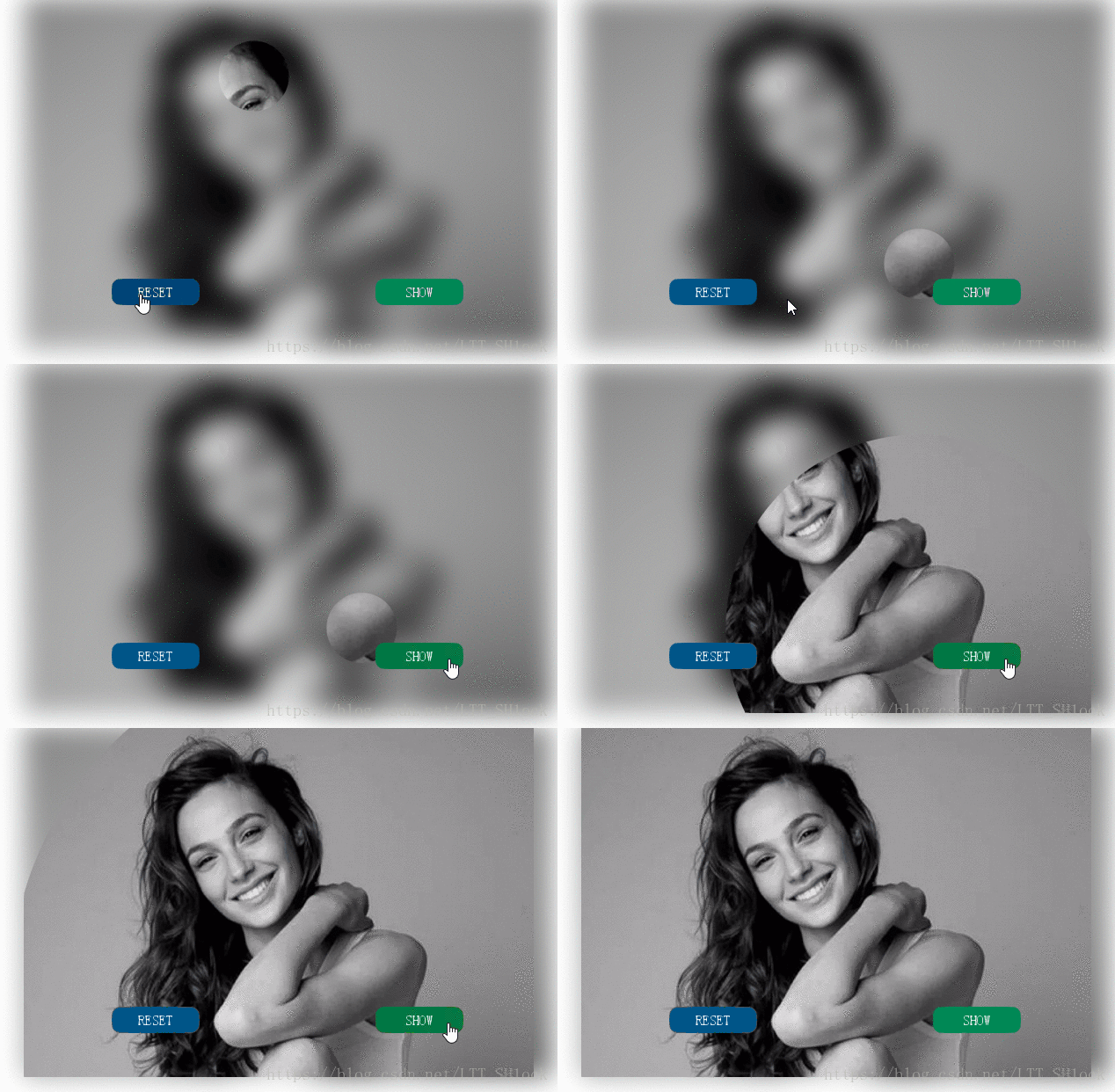
最终效果:
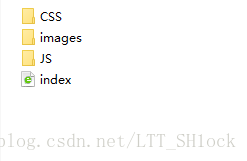
目录结构:
index.html
<!DOCTYPE html>
<html lang="en">

<head>
    <meta charset="UTF-8">
    <title>玩转红包——照片模糊</title>
    <script type="text/javascript" src="JS/jquery-3.2.1.min.js"></script>
    <link href="CSS/blur.css" rel="stylesheet" type="text/css">
</head>

<body>
    <div id="blur-div">
        <img id="blur-image" src="images/back1.jpg">
        <canvas id="canvas"></canvas>
        <a href="javascript:reset()" class="button" id="reset-button">RESET</a>
        <a href="javascript:show()" class="button" id="show-button">SHOW</a>
    </div>

    <script src="JS/blur.js"></script>
</body>

</html>
blur.css
* {
    margin: 0;
    padding: 0;
}

#blur-div {
    width: 600px;
    height: 400px;
    margin: 0 auto;
    position: relative;
}

#blur-image {
    width: 600px;
    height: 400px;
    display: block;
    margin: 0 auto;
    /*css3滤镜效果
      默认值 default:100%
      取值   0~1
      1.灰度
      2.黄度
      3.饱和度(300%)
      4.色相旋转
      5.反色
      6.不透明度
      7.明度
      8.对比度(200%)
      9.阴影 相似于box-shadow
      10.模糊值
      filter: grayscale(1);
      filter: sepia(1);
      filter: saturate(3);
      filter: hue-rotate(90deg);
      filter: invert(1);
      filter: opacity(0.2);
      filter: brightness(0.5);
      filter: contrast(2);
      filter: drop-shadow(10px 10px 2px #aaa);
      */
    filter: blur(15px);
    position: absolute;
    top: 0px;
    left: 0px;
    z-index: 0;
    /*叠加顺序*/
}

#canvas {
    display: block;
    margin: 0 auto;
    position: absolute;
    left: 0px;
    top: 0px;
    z-index: 1;
}

.button {
    display: block;
    position: absolute;
    z-index: 2;
    width: 100px;
    height: 30px;
    color: white;
    text-decoration: none;
    text-align: center;
    line-height: 30px;
    border-radius: 10px;
}

#reset-button {
    left: 100px;
    bottom: 50px;
    background-color: #058;
}

#reset-button:hover {
    background-color: #047;
}

#show-button {
    right: 100px;
    bottom: 50px;
    background-color: #085;
}

#show-button:hover {
    background-color: #074;
}
blur.js
var canvasWidth = 600
var canvasHeight = 400

var canvas = document.getElementById("canvas")
var context = canvas.getContext("2d")

canvas.width = canvasWidth
canvas.height = canvasHeight

var image = new Image()
var radius = 40
var clippingRegion = { x: -1, y: -1, r: radius } /*剪辑区*/
image.src = "images/back1.jpg"
image.onload = function(e) {
    initCanvas()
}

function initCanvas() {
    clippingRegion = {
        x: Math.random() * (canvas.width - 2 * radius) + radius,
        y: Math.random() * (canvas.height - 2 * radius) + radius,
        r: radius
    } /*剪辑区确定圆心范围*/
    draw(image, clippingRegion)
}

function setClippingRegion(clippingRegion) {
    context.beginPath()
    context.arc(clippingRegion.x, clippingRegion.y, clippingRegion.r, 0, Math.PI * 2, false)
    context.clip() /*剪辑函数*/
}

function draw(image, clippingRegion) {
    context.clearRect(0, 0, canvas.width, canvas.height)
    context.save()
    setClippingRegion(clippingRegion)
    context.drawImage(image, 0, 0)
    context.restore()
}

function reset() {
    initCanvas()
}

function show() {
    var theAnimation = setInterval(
        function() {
            clippingRegion.r += 10
            if (clippingRegion.r > 2 * Math.max(canvas.width, canvas.height)) {
                clearInterval(theAnimation)
            }
            draw(image, clippingRegion)
        }, 30)
}



 本文介绍了如何利用HTML5 Canvas API实现照片的模糊效果。通过展示最终效果和提供相关文件目录(index.html, blur.css, blur.js),展示了实现这一功能的步骤。"
138632012,163349,产品管理精要:MVP的六大定义解析,"['产品经理', '产品管理', '产品平台', '解决方案', '产品组合']
本文介绍了如何利用HTML5 Canvas API实现照片的模糊效果。通过展示最终效果和提供相关文件目录(index.html, blur.css, blur.js),展示了实现这一功能的步骤。"
138632012,163349,产品管理精要:MVP的六大定义解析,"['产品经理', '产品管理', '产品平台', '解决方案', '产品组合']





 扫一扫
扫一扫


 3087
3087

 被折叠的 条评论
为什么被折叠?
被折叠的 条评论
为什么被折叠?
 到【灌水乐园】发言





