


 本文详细介绍了如何在STM32平台上配置以太网接口,使用CubeMX设置时钟和ETH参数,修改HAL_Config文件,启用LWIP堆栈,并实现TCP客户端功能。通过一系列步骤,包括在board.c中添加HAL_ETH_MspInit函数,定义PHY复位函数,设置网络参数,最终能够成功获取IP地址并实现与远程服务器的TCP连接。
基于RTT的ETH应用(一)
实现目的:通过ETH实现互联网访问
1.CubeMX配置相关参数
1.1配置时钟参数
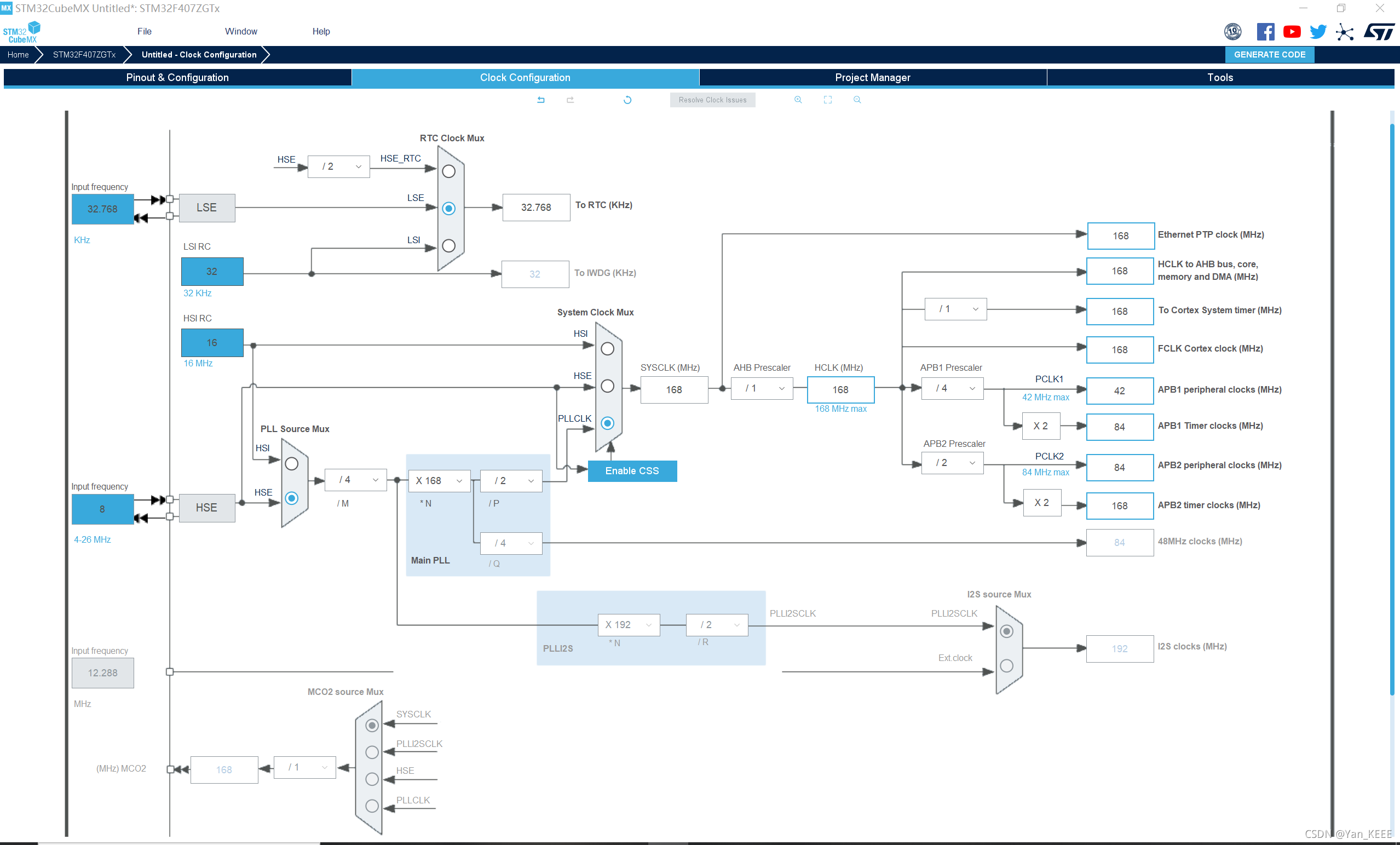
1.2配置ETH
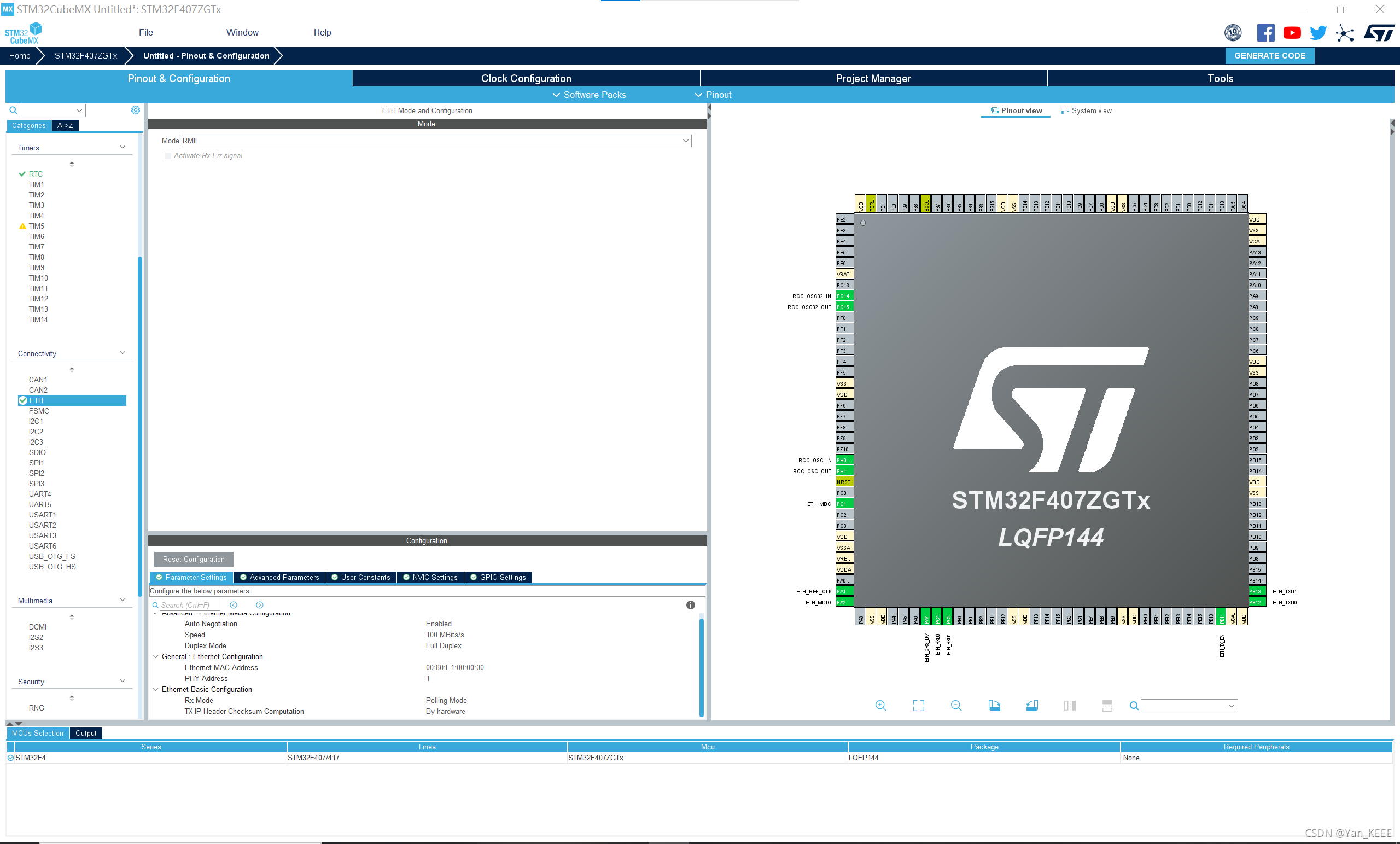
本文采用正点原子F4探索者,故相关配置引脚不能使用cubemx默认,根据原理图进行配置
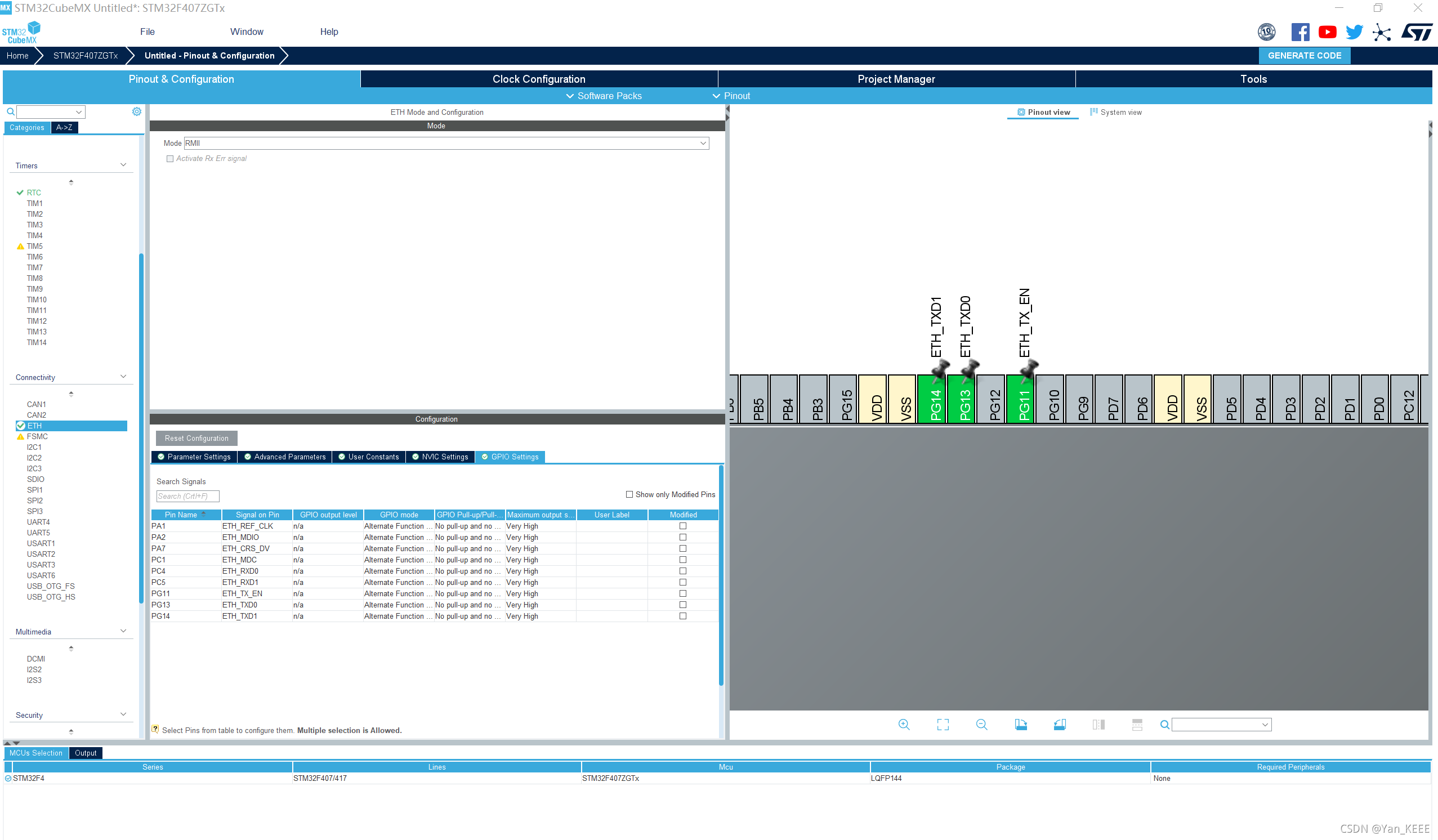
1.3 Rt thread Studio设置
1.3.1进入board.h查看说明
/** if you want to use eth you can use the following instructions.
 *
 * STEP 1, define macro related to the eth
 *                 such as    BSP_USING_ETH
 *
 * STEP 2, copy your eth init function from stm32xxxx_hal_msp.c generated by stm32cubemx to the end if board.c file
 *                 such as     void HAL_ETH_MspInit(ETH_HandleTypeDef* heth)
 *
 * STEP 3, modify your stm32xxxx_hal_config.h file to support eth peripherals. define macro related to the peripherals
 *                 such as     #define HAL_ETH_MODULE_ENABLED
 *
 * STEP 4, config your phy type
 *                 such as     #define PHY_USING_LAN8720A
 *                             #define PHY_USING_DM9161CEP
 *                             #define PHY_USING_DP83848C
 * STEP 5, implement your phy reset function in the end of board.c file
 *                 void phy_reset(void)
 *
 * STEP 6, config your lwip or other network stack
 *
 */
那就跟着步骤来吧
1.3.2在board.c 加入Cubemx生成的代码
void HAL_ETH_MspInit(ETH_HandleTypeDef* ethHandle)
{
GPIO_InitTypeDef GPIO_InitStruct = {
0};
if(ethHandle->Instance==ETH)
{
/* USER CODE BEGIN ETH_MspInit 0 */
/* USER CODE END ETH_MspInit 0 */
/* ETH clock enable */
__HAL_RCC_ETH_CLK_ENABLE();
__HAL_RCC_GPIOC_CLK_ENABLE();
__HAL_RCC_GPIOA_CLK_ENABLE();
__HAL_RCC_GPIOG_CLK_ENABLE();
/**ETH GPIO Configuration
PC1 ------> ETH_MDC
PA1 ------> ETH_REF_CLK
PA2 ------> ETH_MDIO
PA7 ------> ETH_CRS_DV
PC4 ------> ETH_RXD0
PC5 ------> ETH_RXD1
PG11 ------> ETH_TX_EN
PG13 ------> ETH_TXD0
PG14 ------> 最低0.47元/天 解锁文章






 扫一扫
扫一扫


 648
648


 到【灌水乐园】发言



