


遇到的问题以及解决
我在用uniapp开发一款微信小程序时,在某个页面时需要定期去访问一个接口做一个状态检查,为了防止资源的浪费,在离开该页面后应该关闭定时器,所以我想到了在onUnmounted()中做一个定时器的清理来停止访问,也就是当页面销毁时来清理当前定时器。
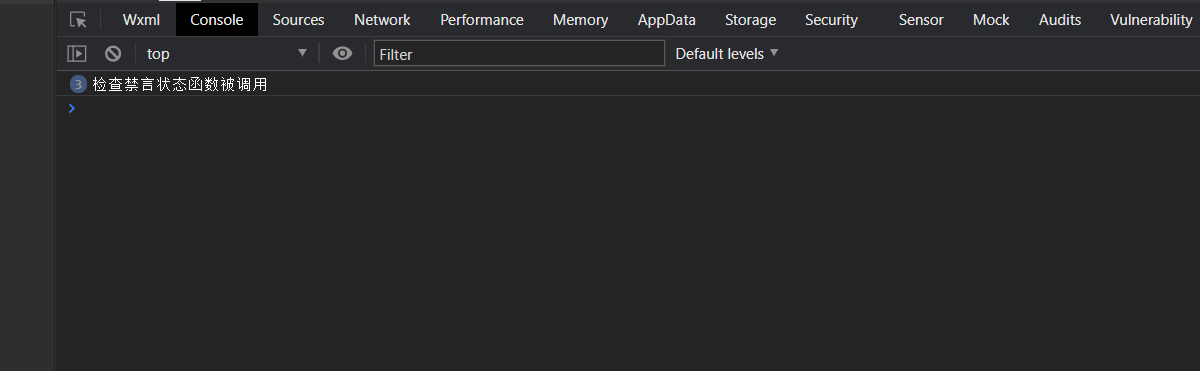
但是当我离开该页面后,定时器仍然在运行,继续定时访问接口,经过一番查询后发现了问题所在,离开该页面后,页面并未被销毁,而是被隐藏了起来,所以同时需要在onHide()函数中也做一下定时器的清理。
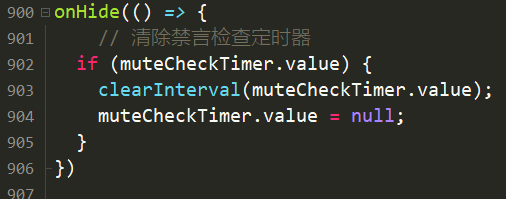
需要注意的是onHide 是 uni-app 特有的页面生命周期,不是 Vue 3 的内置生命周期,它应该和 onShow 一样从 @dcloudio/uni-app 导入,否则导致报错。

前端定时器管理的常见陷阱与解决方案
页面生命周期与定时器清理
在单页面应用(SPA)中,页面跳转可能不会触发卸载事件。Vue/React等框架的onUnload或componentWillUnmount仅在实际销毁组件时触发。需要同时在onHide和onUnload中处理清理:
// Vue示例
mounted() {
  this.timer = setInterval(fn, 5000)
},
deactivated() {  // 对应onHide
  clearInterval(this.timer)
},
beforeUnmount() {  // 对应onUnload
  clearInterval(this.timer)
}
React Hooks的最佳实践
使用useEffect的清理函数确保定时器释放:
useEffect(() => {
  const timer = setInterval(fn, 5000);
  return () => clearInterval(timer);  // 自动在卸载和依赖变更时清理
}, [dependencies]);
定时器管理的高级模式
采用工厂模式封装定时器逻辑:
class TimerManager {
  constructor() {
    this.timers = new Map()
  }
  add(name, callback, interval) {
    this.clear(name)
    this.timers.set(name, setInterval(callback, interval))
  }
  clear(name) {
    if (this.timers.has(name)) {
      clearInterval(this.timers.get(name))
      this.timers.delete(name)
    }
  }
}
框架特定解决方案
Vue with Keep-alive:
activated() {
  this.startTimer()
},
deactivated() {
  this.clearTimer()
}
小程序方案:
Page({
  onHide() { clearInterval(this.timer) },
  onUnload() { clearInterval(this.timer) }
})
性能监控手段
通过PerformanceObserver检测遗忘的定时器:
const observer = new PerformanceObserver((list) => {
  list.getEntries().forEach(entry => {
    if(entry.name.includes('Timeout') || entry.name.includes('Interval')) {
      console.warn('Active timer:', entry)
    }
  })
})
observer.observe({entryTypes: ['longtask']})
替代方案推荐
考虑使用现代浏览器API替代传统定时器:
requestAnimationFrame:适合动画类循环任务IntersectionObserver:实现可见时执行逻辑Web Workers:将耗时任务移出主线程
调试技巧
在开发环境添加定时器追踪:
window._activeTimers = new Set()
const originalSetInterval = window.setInterval
window.setInterval = (...args) => {
  const id = originalSetInterval(...args)
  window._activeTimers.add(id)
  return id
}
定时器管理是前端性能优化的关键环节,正确理解框架生命周期和浏览器运行机制,结合适当的工具和模式,可以有效避免内存泄漏和性能问题。





 扫一扫
扫一扫


 4137
4137

 被折叠的 条评论
为什么被折叠?
被折叠的 条评论
为什么被折叠?
 到【灌水乐园】发言





