


 本文详细介绍如何使用Spring Boot结合JPA进行项目搭建,包括创建项目、设置依赖、定义实体类及实现数据分页查询等关键步骤。
创建Spring Boot项目JPADemo
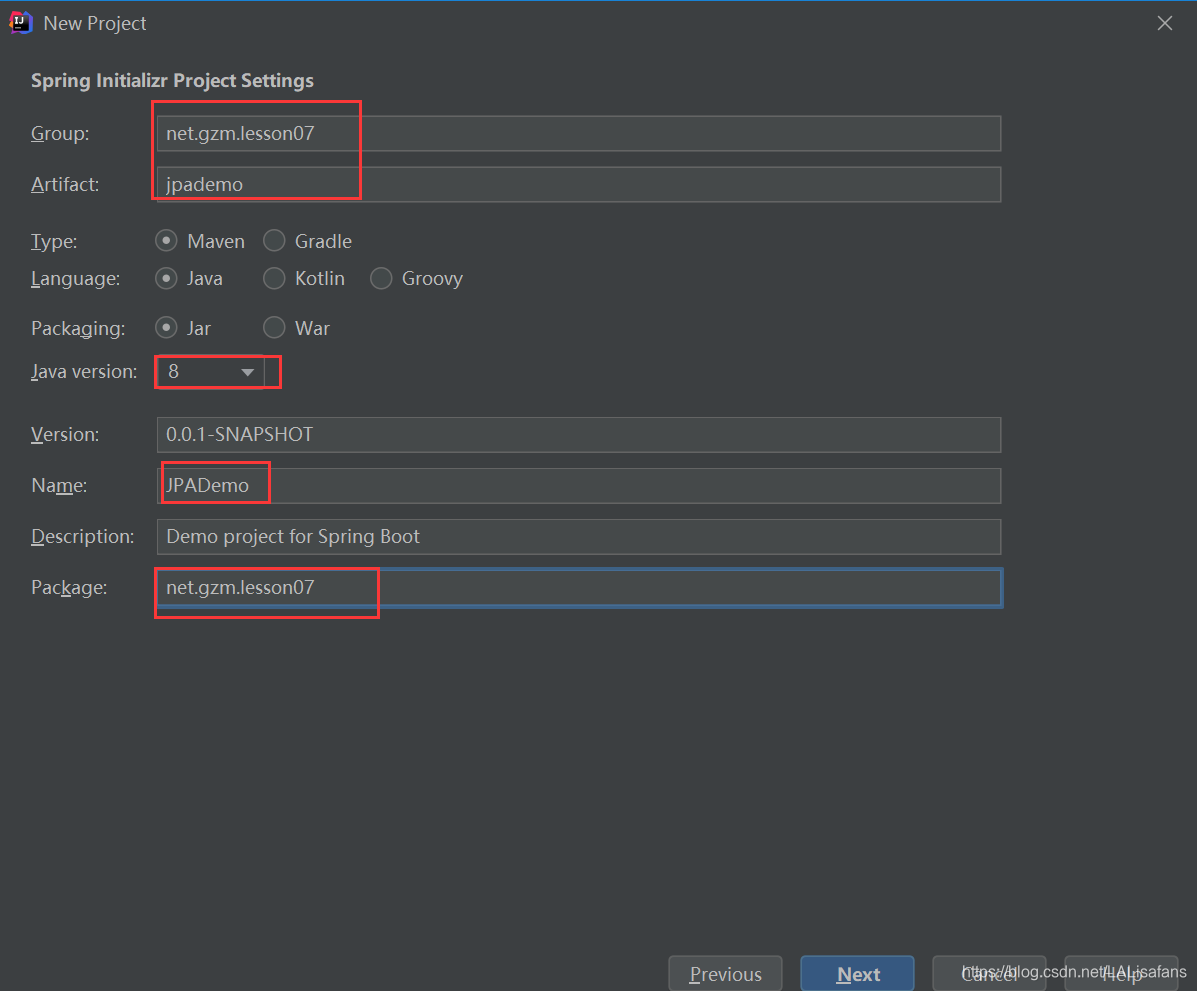
设置项目元数据
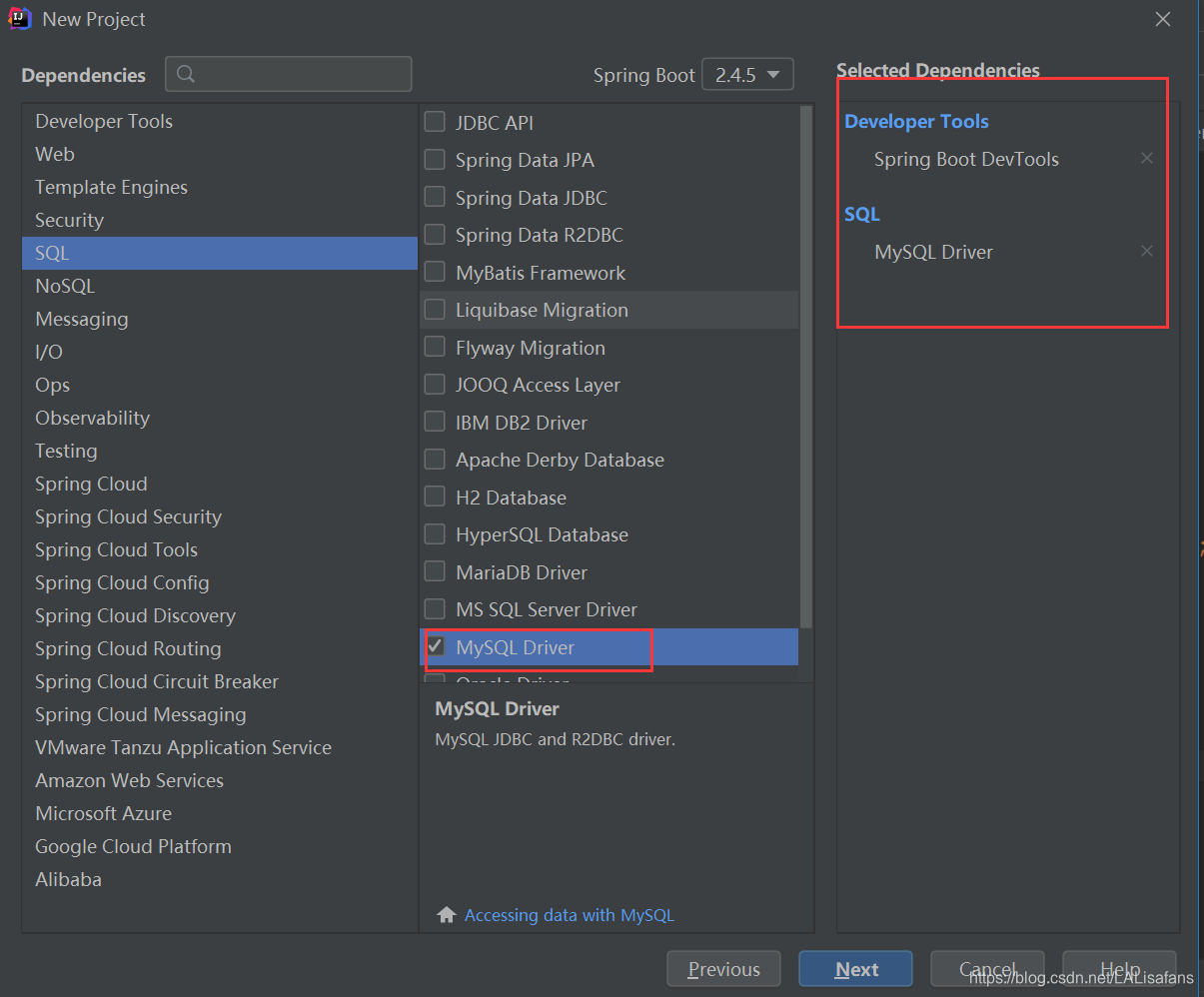
添加项目依赖
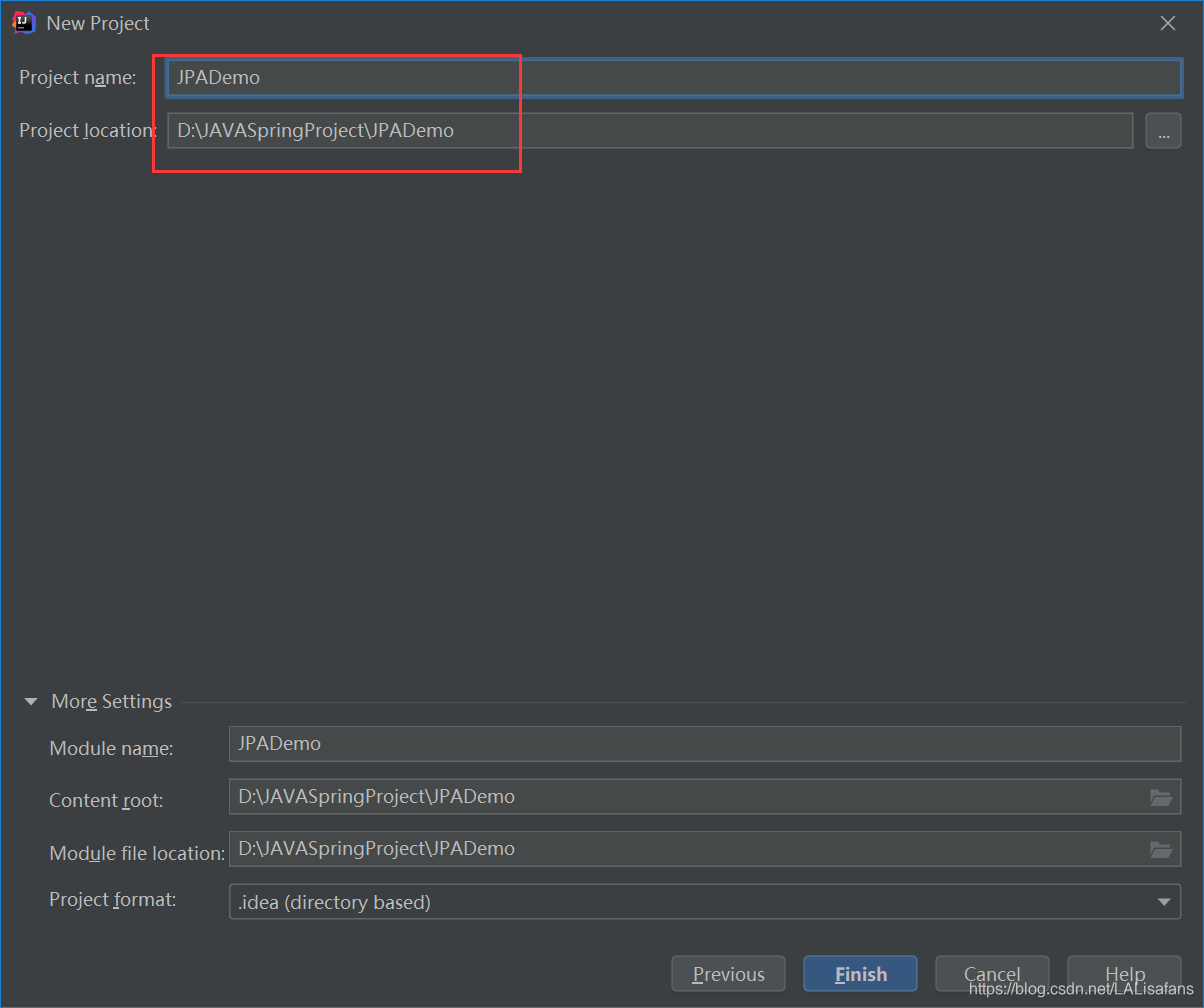
设置项目名称与保存位置
完成项目初始化工作
<?xml version="1.0" encoding="UTF-8"?>
<project xmlns="http://maven.apache.org/POM/4.0.0" xmlns:xsi="http://www.w3.org/2001/XMLSchema-instance"
         xsi:schemaLocation="http://maven.apache.org/POM/4.0.0 https://maven.apache.org/xsd/maven-4.0.0.xsd">
    <modelVersion>4.0.0</modelVersion>
    <parent>
        <groupId>org.springframework.boot</groupId>
        <artifactId>spring-boot-starter-parent</artifactId>
        <version>2.4.5</version>
        <relativePath/> <!-- lookup parent from repository -->
    </parent>
    <groupId>net.gzm.lesson07</groupId>
    <artifactId>jpademo</artifactId>
    <version>0.0.1-SNAPSHOT</version>
    <name>JPADemo</name>
    <description>Demo project for Spring Boot</description>
    <properties>
        <java.version>1.8</java.version>
    </properties>
    <dependencies>
        <dependency>
            <groupId>org.springframework.boot</groupId>
            <artifactId>spring-boot-starter</artifactId>
        </dependency>

        <dependency>
            <groupId>org.springframework.boot</groupId>
            <artifactId>spring-boot-devtools</artifactId>
            <scope>runtime</scope>
            <optional>true</optional>
        </dependency>
        <dependency>
            <groupId>mysql</groupId>
            <artifactId>mysql-connector-java</artifactId>
            <scope>runtime</scope>
        </dependency>
        <dependency>
            <groupId>org.springframework.boot</groupId>
            <artifactId>spring-boot-starter-test</artifactId>
            <scope>test</scope>
        </dependency>
    </dependencies>

    <build>
        <plugins>
            <plugin>
                <groupId>org.springframework.boot</groupId>
                <artifactId>spring-boot-maven-plugin</artifactId>
            </plugin>
        </plugins>
    </build>

</project>
创建ORM实体类
ORM: Object Relation Mapping 对象关系映射
1、创建评论实体类Comment
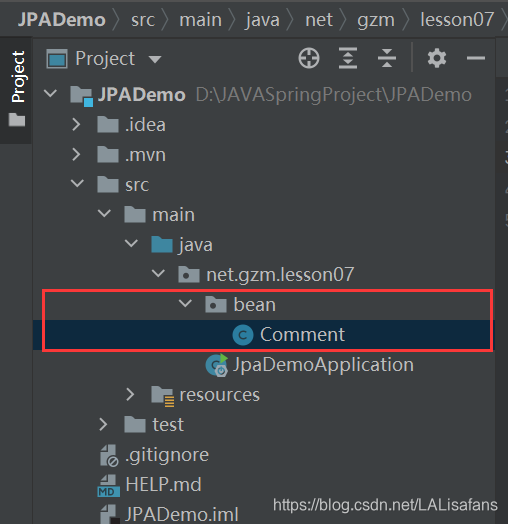
package net.gzm.lesson07.bean;


import javax.persistence.*;


@Entity(name = "t_comment")
public class Comment {
    @Id
    @GeneratedValue(strategy = GenerationType.IDENTITY)
    @Column(name = "id")
    private Integer id;
    @Column(name = "content")
    private String content;
    @Column(name = "author")
    private String author;
    @Column(name = "a_id")
    private Integer aId;

    public Integer getId() {
        return id;
    }

    public void setId(Integer id) {
        this.id = id;
    }

    public String getContent() {
        return content;
    }

    public void setContent(String content) {
        this.content = content;
    }

    public String getAuthor() {
        return author;
    }

    public void setAuthor(String author) {
        this.author = author;
    }

    public Integer getaId() {
        return aId;
    }

    public void setaId(Integer aId) {
        this.aId = aId;
    }

    @Override
    public String toString() {
        return "Comment{" +
                "id=" + id +
                ", content='" + content + '\'' +
                ", author='" + author + '\'' +
                ", aId=" + aId +
                '}';
    }
}
2、创建文章实体类Article

package net.gzm.lesson07.bean;


import javax.persistence.*;
import java.util.List;

@Entity(name = "t_article")
public class Article {
    @Id
    @GeneratedValue(strategy = GenerationType.IDENTITY)
    private Integer id;
    @Column(name = "title")
    private String title;
    @Column(name = "content")
    private String content;

    //查询时把子表一并查出来
    @OneToMany(fetch = FetchType.EAGER) // FetchType.LAZY 懒加载
    @JoinTable(name = "t_comment", joinColumns = {@JoinColumn(name = "a_id")},
            inverseJoinColumns = {@JoinColumn(name = "id")})
    private List<Comment> commentList;

    public Integer getId() {
        return id;
    }

    public void setId(Integer id) {
        this.id = id;
    }

    public String getTitle() {
        return title;
    }

    public void setTitle(String title) {
        this.title = title;
    }

    public String getContent() {
        return content;
    }

    public void setContent(String content) {
        this.content = content;
    }

    public List<Comment> getCommentList() {
        return commentList;
    }

    public void setCommentList(List<Comment> commentList) {
        this.commentList = commentList;
    }

    @Override
    public String toString() {
        return "Article{" +
                "id=" + id +
                ", title='" + title + '\'' +
                ", content='" + content + '\'' +
                ", commentList=" + commentList +
                '}';
    }
}
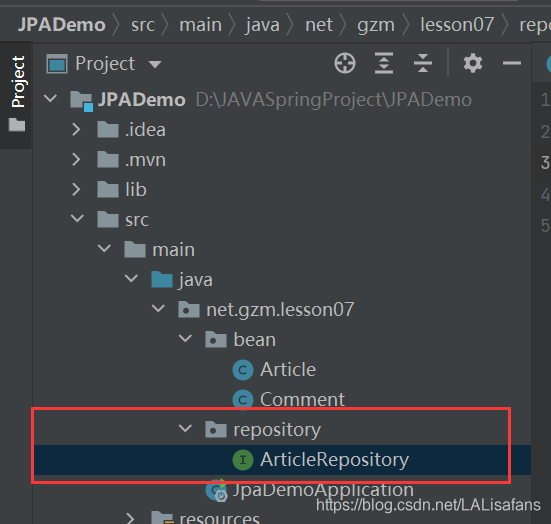
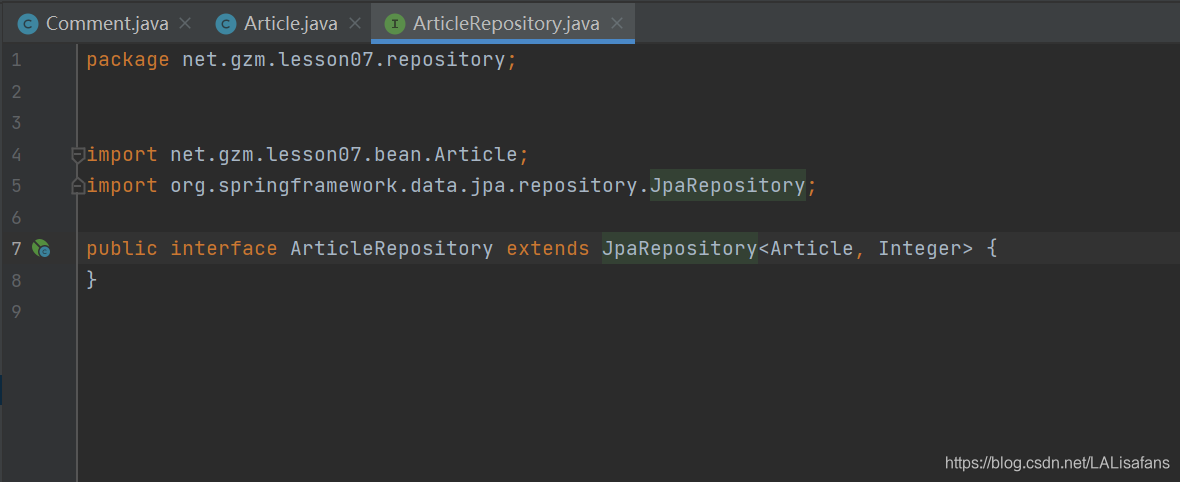
创建自定义JpaRepository接口 - ArticleRepository
创建文章仓库接口ArticleRepository
(四)添加数据源依赖,配置数据源属性
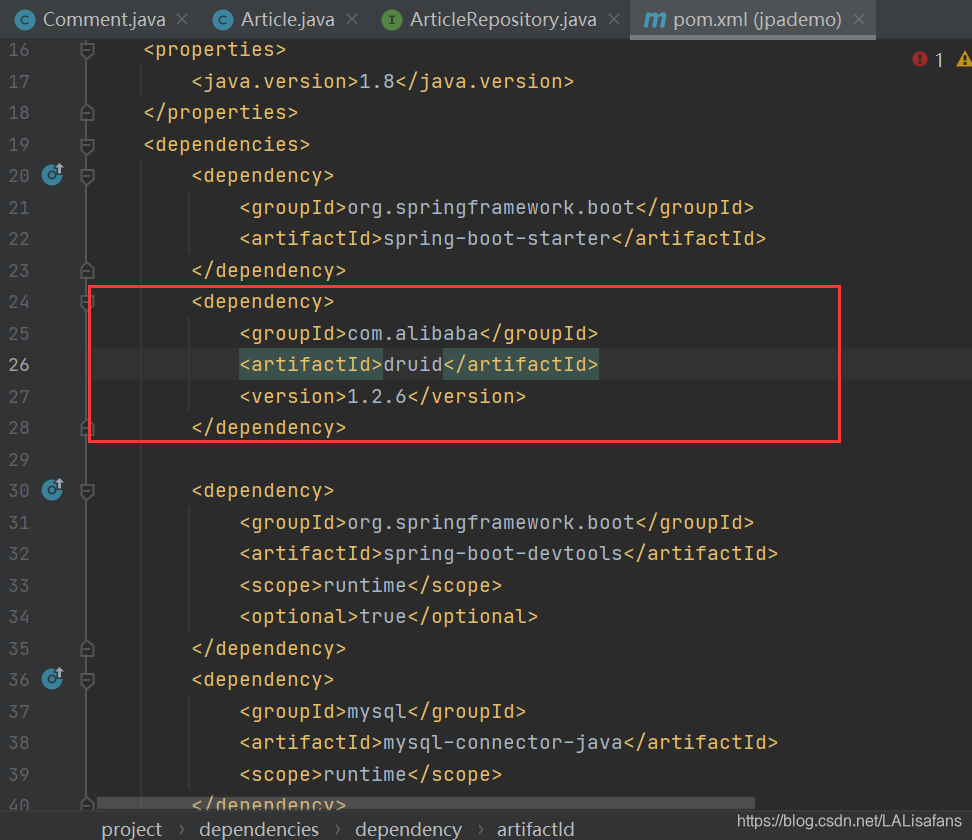
1、在pom.xml里添加阿里巴巴数据源依赖
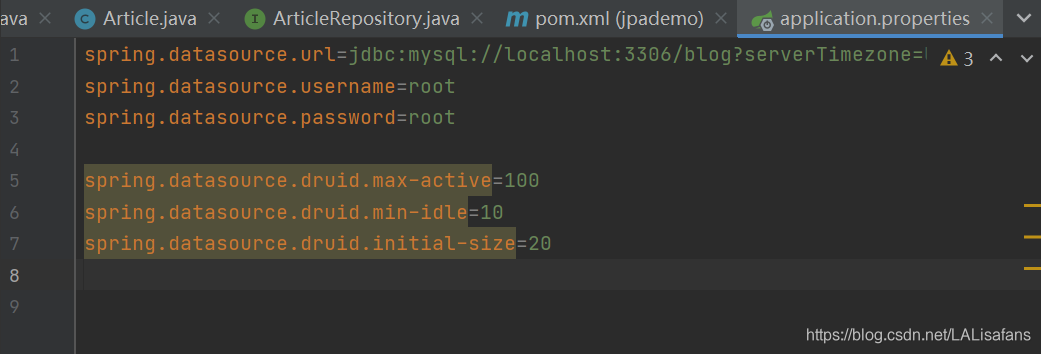
2、在全局配置文件里配置数据源
在测试类里编写测试方法
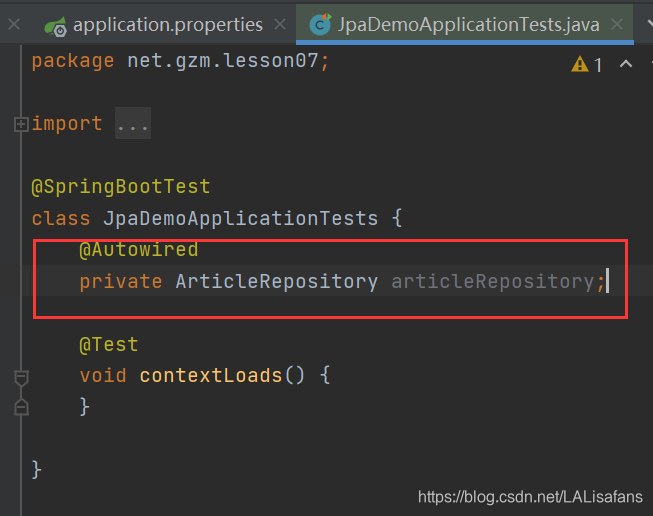
(1)注入文章仓库
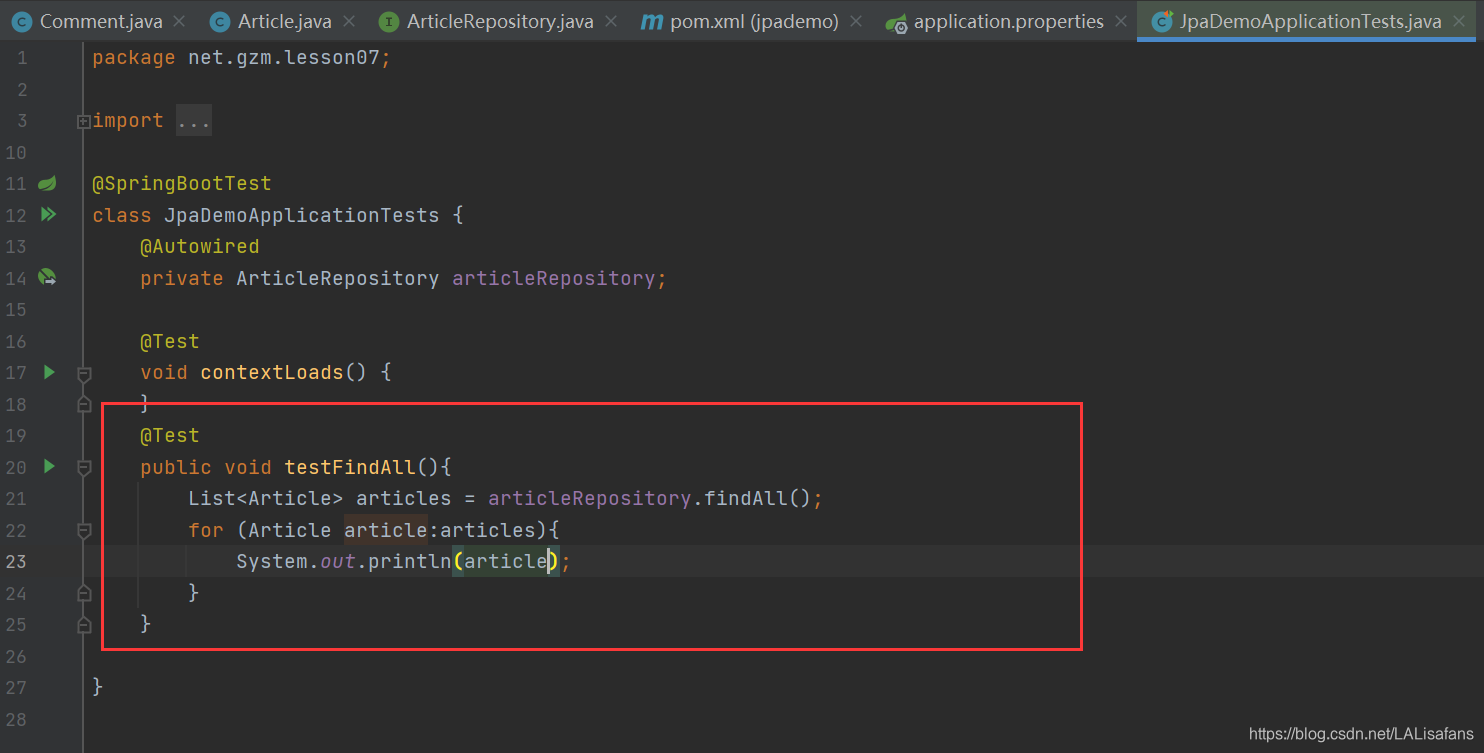
(2)创建测试方法testFindAll()
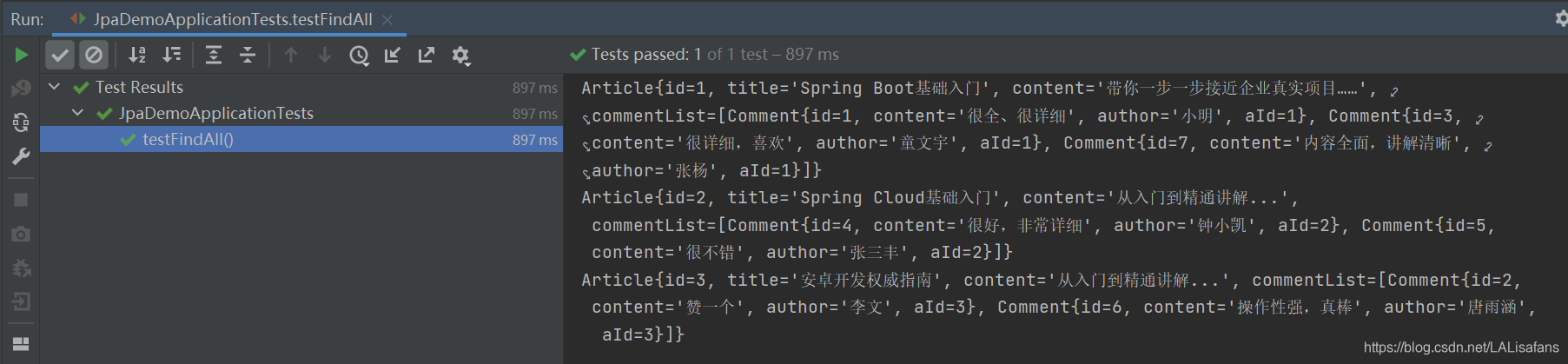
运行测试方法,查看结果
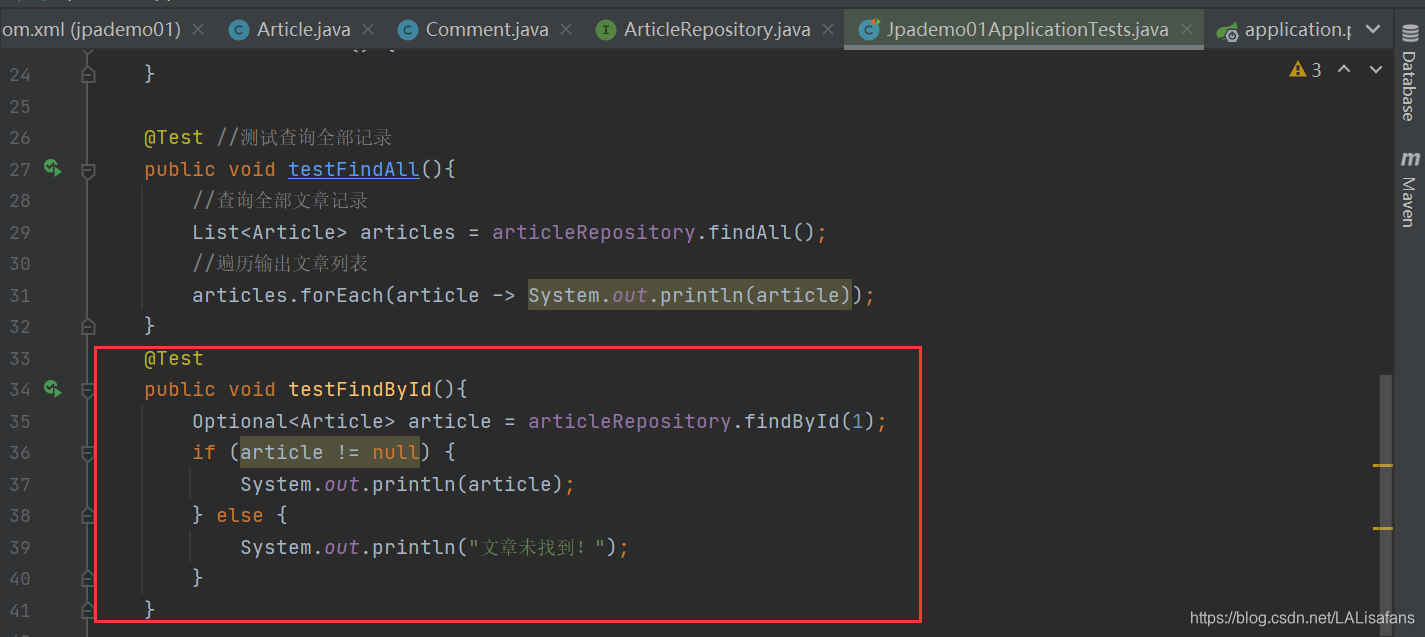
课堂练习:测试其它方法

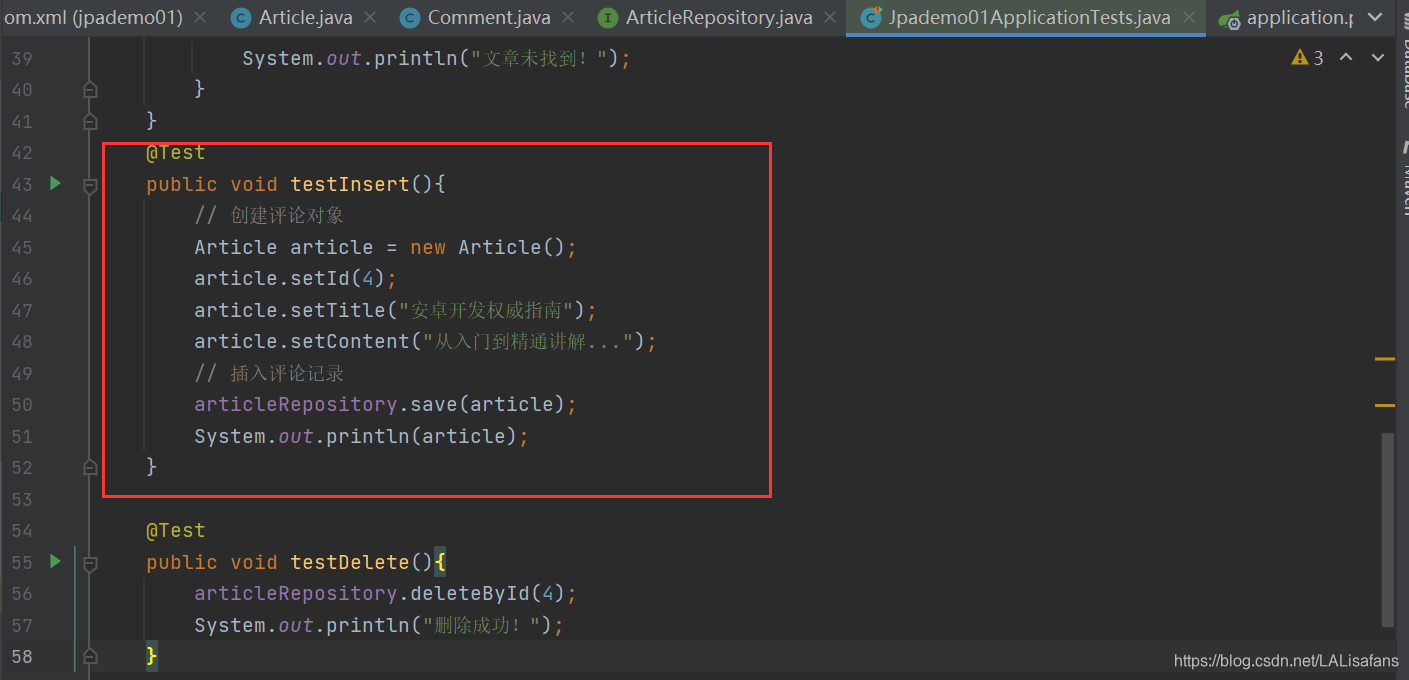

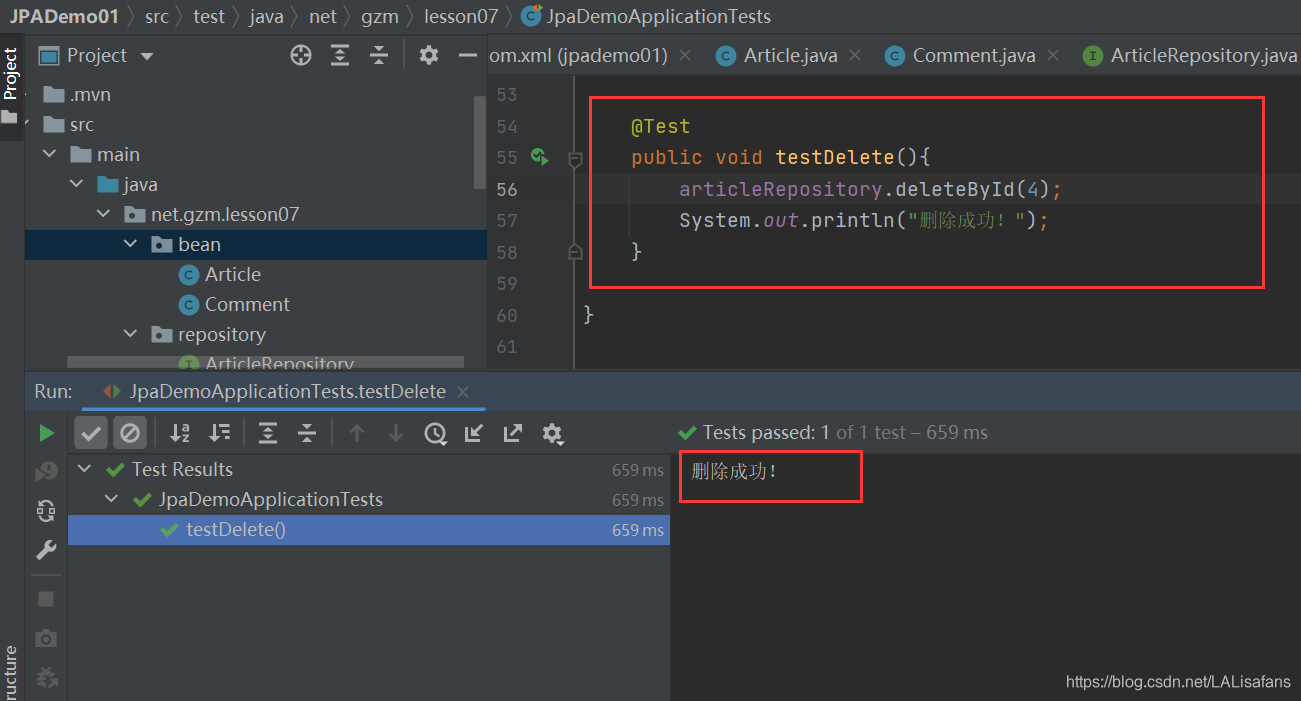
利用JPA实现个性化操作
(一)案例 - 根据文章编号分页查询评论
1、创建评论仓库接口CommentRepository
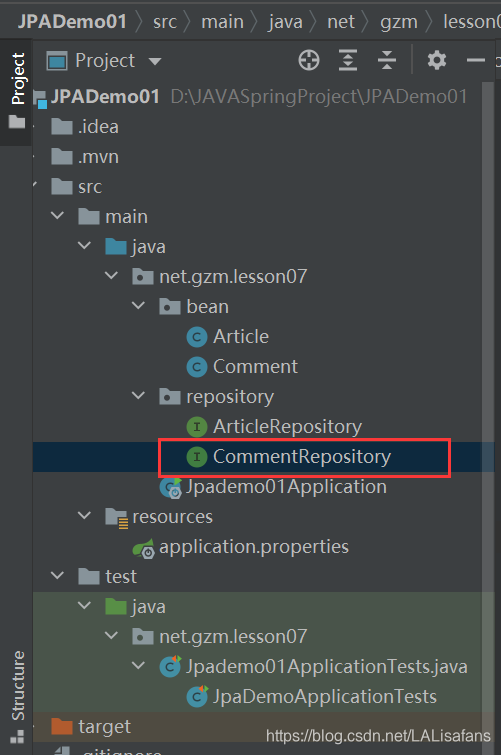
2、定义按文章编号分页查询评论的方法
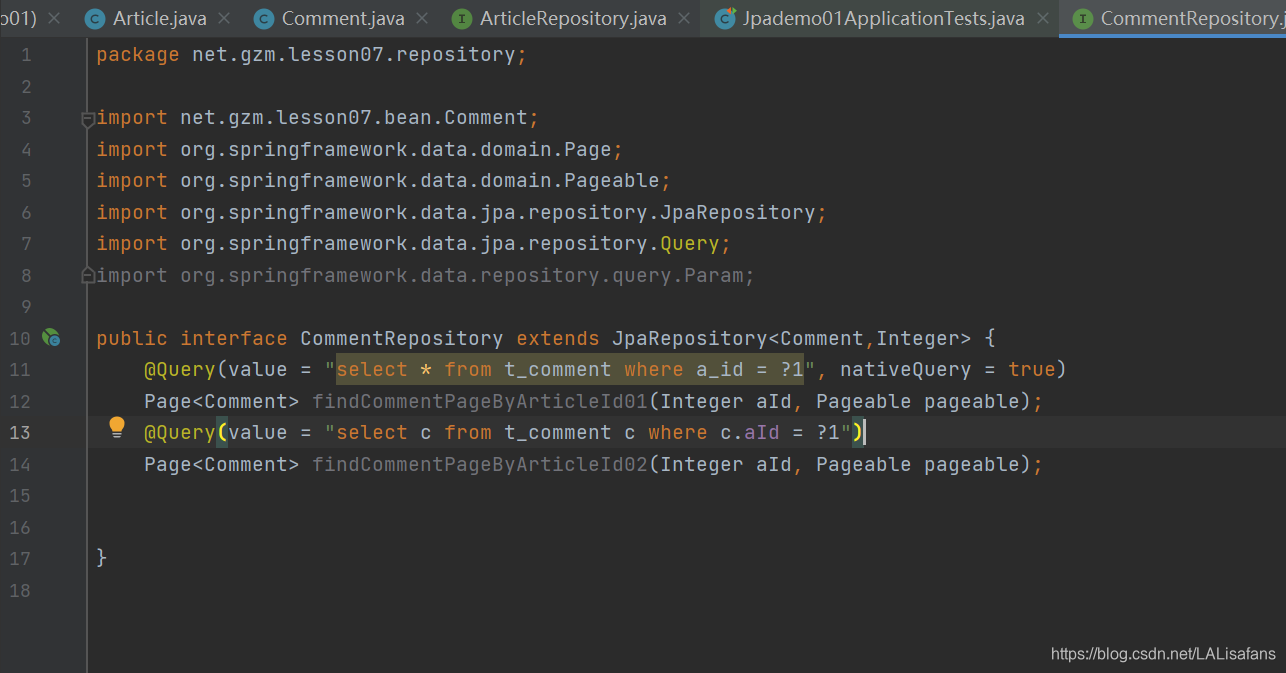
3、创建测试类CommentTests
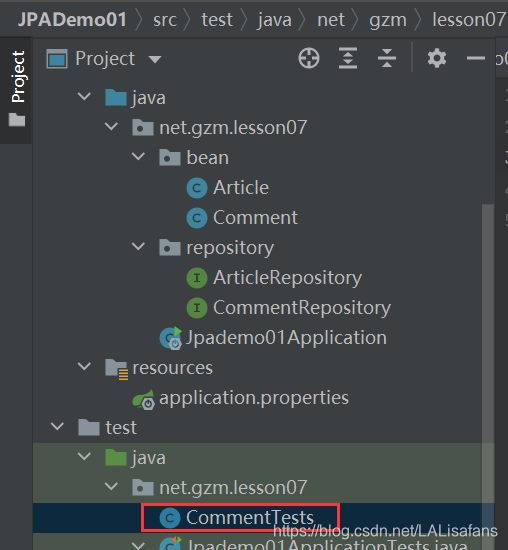
package net.gzm.lesson07;

import net.gzm.lesson07.bean.Comment;
import net.gzm.lesson07.repository.CommentRepository;
import org.junit.jupiter.api.Test;
import org.springframework.beans.factory.annotation.Autowired;
import org.springframework.boot.test.context.SpringBootTest;
import org.springframework.data.domain.Page;
import org.springframework.data.domain.PageRequest;
import org.springframework.data.domain.Pageable;
import org.springframework.data.domain.Sort;

import java.util.List;
@SpringBootTest
public class CommentTests {
    @Autowired
    private CommentRepository commentRepository;
    @Test
    public void testFindCommentPageByArticleId01(){
        // 当前页面索引
        int pageIndex = 0;
        // 设置页面大小
        int pageSize = 2;
        //设置排序方式 -降序
        Sort.Direction sort = Sort.Direction.DESC;
        // 创建分页器
        Pageable pageable = PageRequest.of(pageIndex, pageSize,sort,"id");
        // 查询文章编号为1的页面对象
        Page<Comment> page = commentRepository.findCommentPagedByArticleId01(1, pageable);
        // 获取页面对象里的评论列表
        List<Comment> comments = page.getContent();
        // 获取页索引
        int number = page.getNumber();
        // 获取总页数
        int totalPages = page.getTotalPages();
        System.out.println("当前页:" + (number + 1)); // 页索引加1才是页码
        System.out.println("总页数:" + totalPages);
        // 输出当前页全部评论
        for (Comment comment : comments) {
            System.out.println(comment);
        }
    }

    }
运行测试方法,查看效果

假如希望每页评论按照评论编号降序排列,那么该如何操作呢?
Sort.Direction.DESC - 降序;Sort.Direction.ASC - 升序
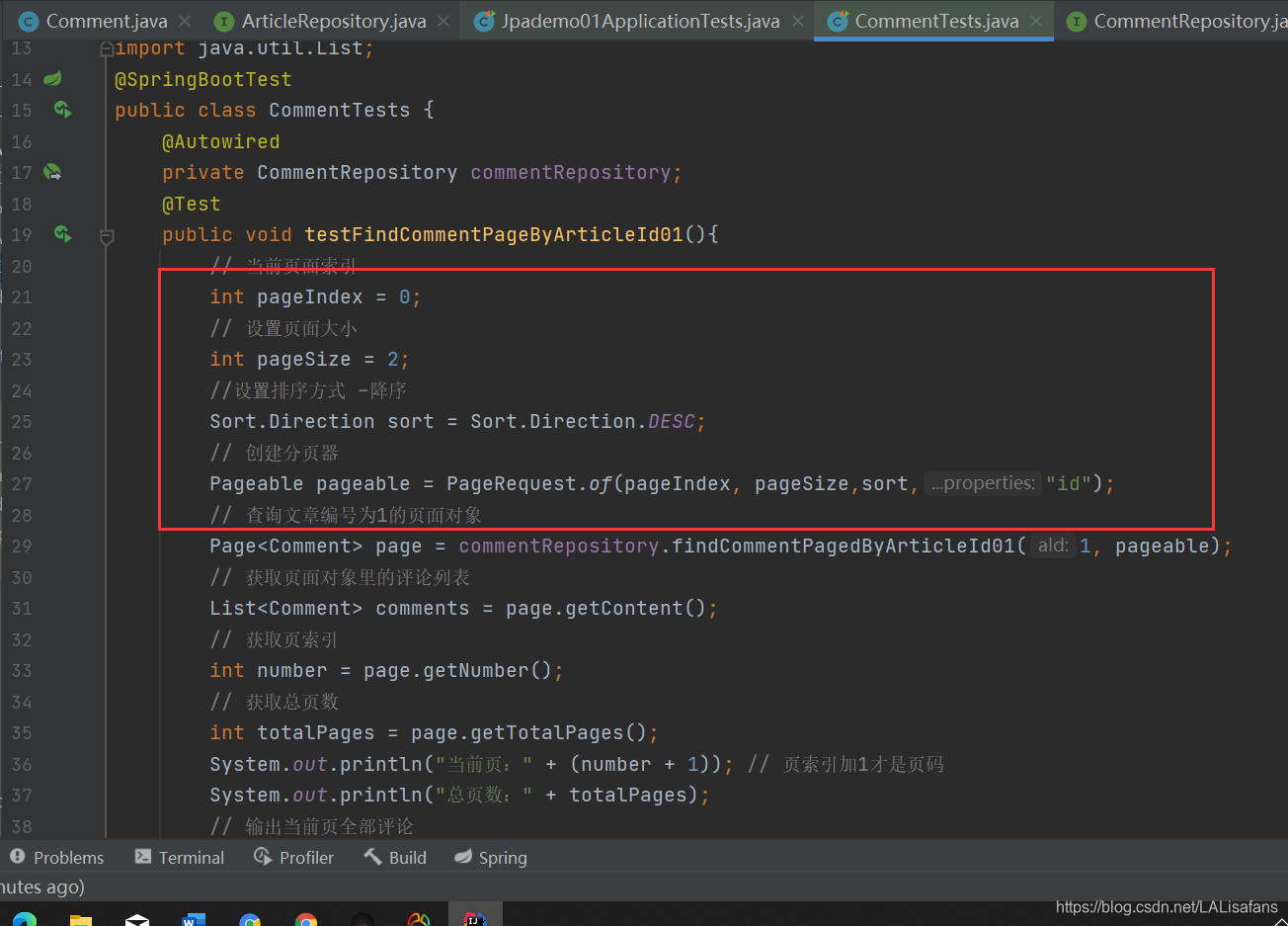

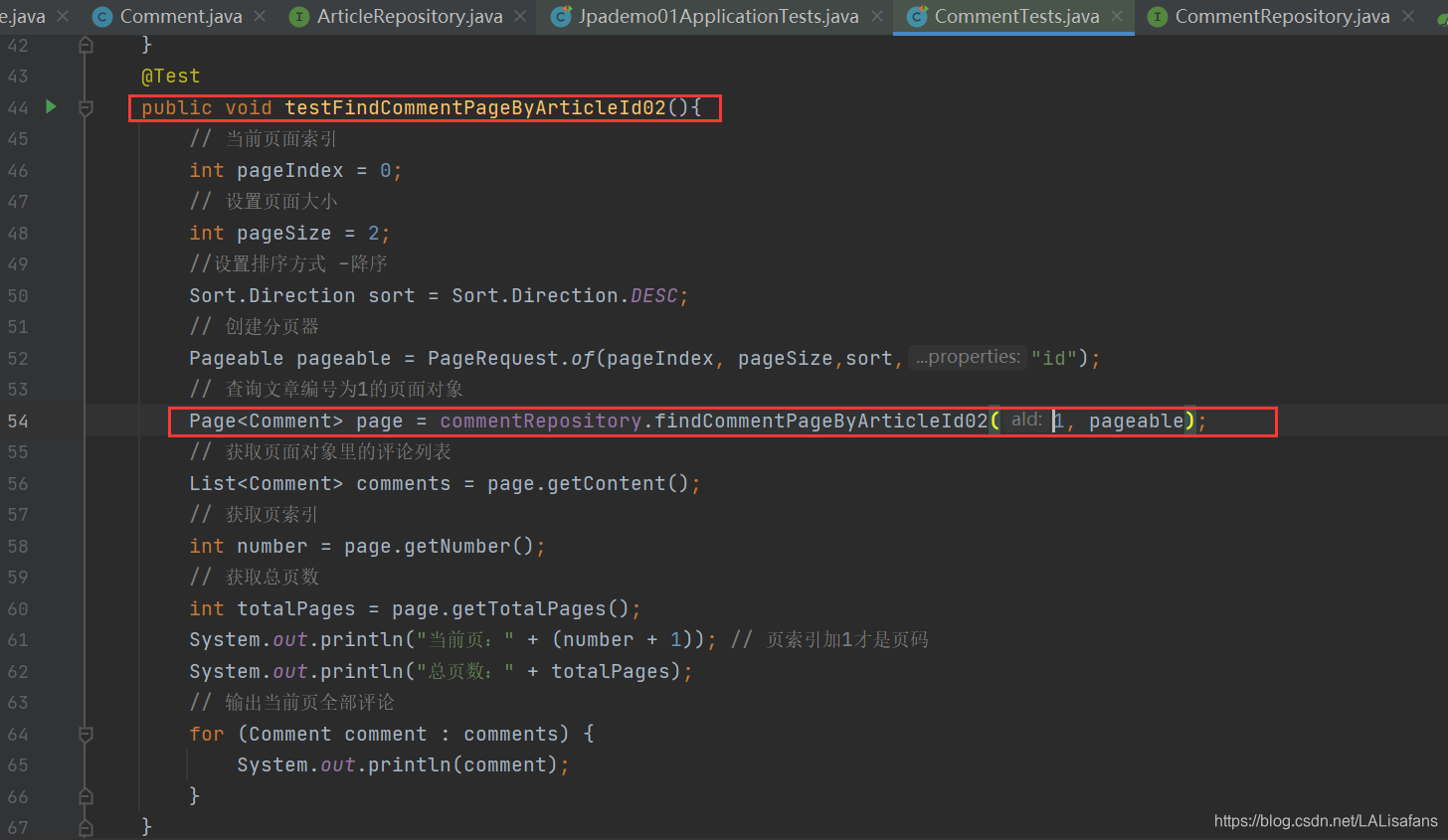
(2)创建测试方法testFindCommentPagedByArticleId02()
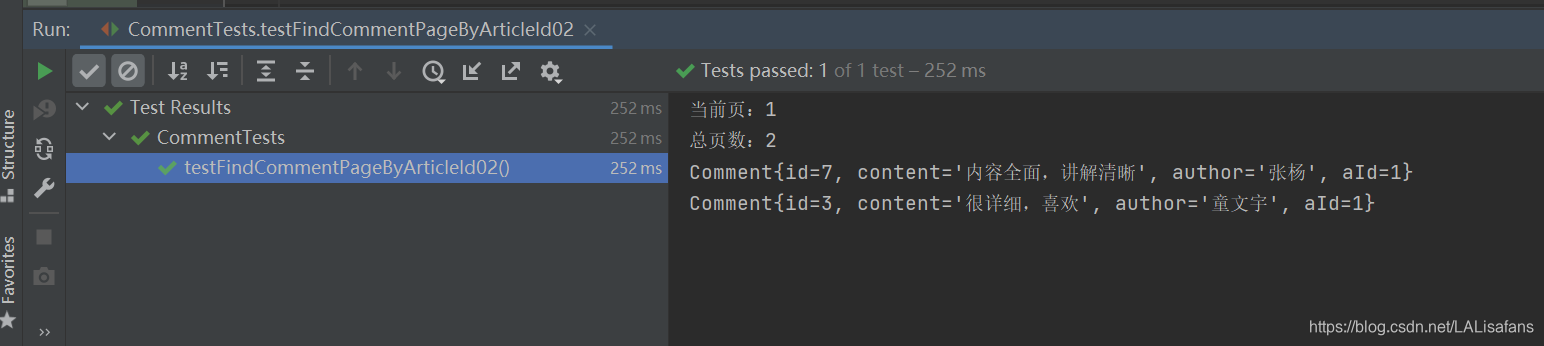
运行测试方法,查看结果
案例 - 根据文章编号更新作者
1、在评论仓库接口里编写updateAuthorByArticleId()方法





 扫一扫
扫一扫


 1509
1509


 到【灌水乐园】发言



