



 本文介绍了如何在iOS中创建倾斜的文字水印背景。通过利用UIColor的将图片转为颜色的方法,结合UILabel进行旋转操作,可以创建出带有倾斜效果的文字水印,并能应用到UITableView或UIView的背景中。
其主要原理是利用UIColor类的一个方法:把图片变成颜色。
[[UIColor alloc] initWithPatternImage:xxxxx];
该方法会把图片平铺变成一个颜色实体。
#pragma mark - 创建水印
- (UIImage *)imageWithText:(NSString *)text{
/**
这里之所以外面再放一个UIView,是因为直接用label画图的话,旋转就不起作用了
*/
UIView *view = [[UIView alloc] initWithFrame:CGRectMake(0, 0, 100, 100)];
view.backgroundColor = [UIColor whiteColor];
UILabel *label = [[UILabel alloc] initWithFrame:view.bounds];
label.backgroundColor = [UIColor clearColor];
label.textColor = [UIColor orangeColor];
label.text = text;
label.transform = CGAffineTransformMakeRotation(-M_PI/4.0);
[view addSubview:label];
UIGraphicsBeginImageContextWithOptions(view.bounds.size, NO, [UIScreen mainScreen].scale);
[view.layer renderInContext:UIGraphicsGetCurrentContext()];
UIImage *image=UIGraphicsGetImageFromCurrentImageContext();
UIGraphicsEndImageContext();
return image;
}
可以添加在列表上
self.tableView.backgroundColor = [[UIColor alloc] initWithPatternImage:[self imageWithText:@"文字水印"]];
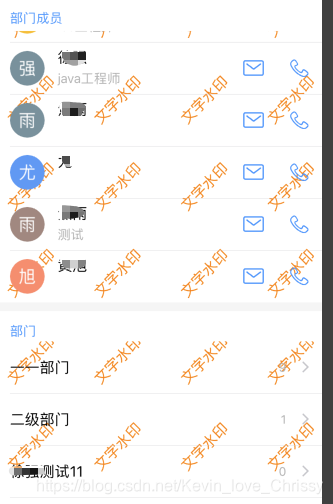
也可以在View上
self.view.backgroundColor = [[UIColor alloc] initWithPatternImage:[self imageWithText:@"文字水印"]];
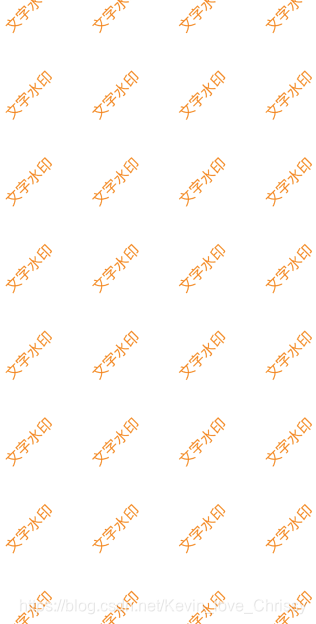





 扫一扫
扫一扫


 6737
6737

 被折叠的 条评论
为什么被折叠?
被折叠的 条评论
为什么被折叠?
 到【灌水乐园】发言





