


 Jina是一个用于非结构化数据的开源搜索引擎,支持视频、图像、文本等多种类型数据的快速索引和查询。其特点是分布式架构、云原生设计,提供高效搭建神经搜索系统的模式。文章介绍了Jina的基本概念如Document、Executor和FLOW,并通过实例展示如何快速上手搭建搜索框架。

What? Why? 选择Jina的4大理由
支持所有数据类型
大规模索引和查询任何类型的非结构化数据:视频、图像、长文本、语音、源代码、PDF等。
速度极快&云原生
从第一天开始,Jina就是分布式架构,具有可扩展和云原生的设计:支持容器,并行计算,数据分流,数据分片,异步调度,HTTP、gRPC、WebSocket协议等。
高效省时
专为神经搜索系统设计的搭建模式,在几分钟内完成从零到可使用系统的搭建。
拥有专属堆栈
拥有你的解决方案的端到端堆栈的所有权,避免使用分散的、多厂商的、通用的工具时遇到的集成陷阱。
JINA快速安装
PyPI
pip install -U "jina[standard]"
Docker
docker run jinaai/jina:latest
3个快速上手实例——Jina的专属“Hello world”
Fashion图片搜索
jina hello fashion

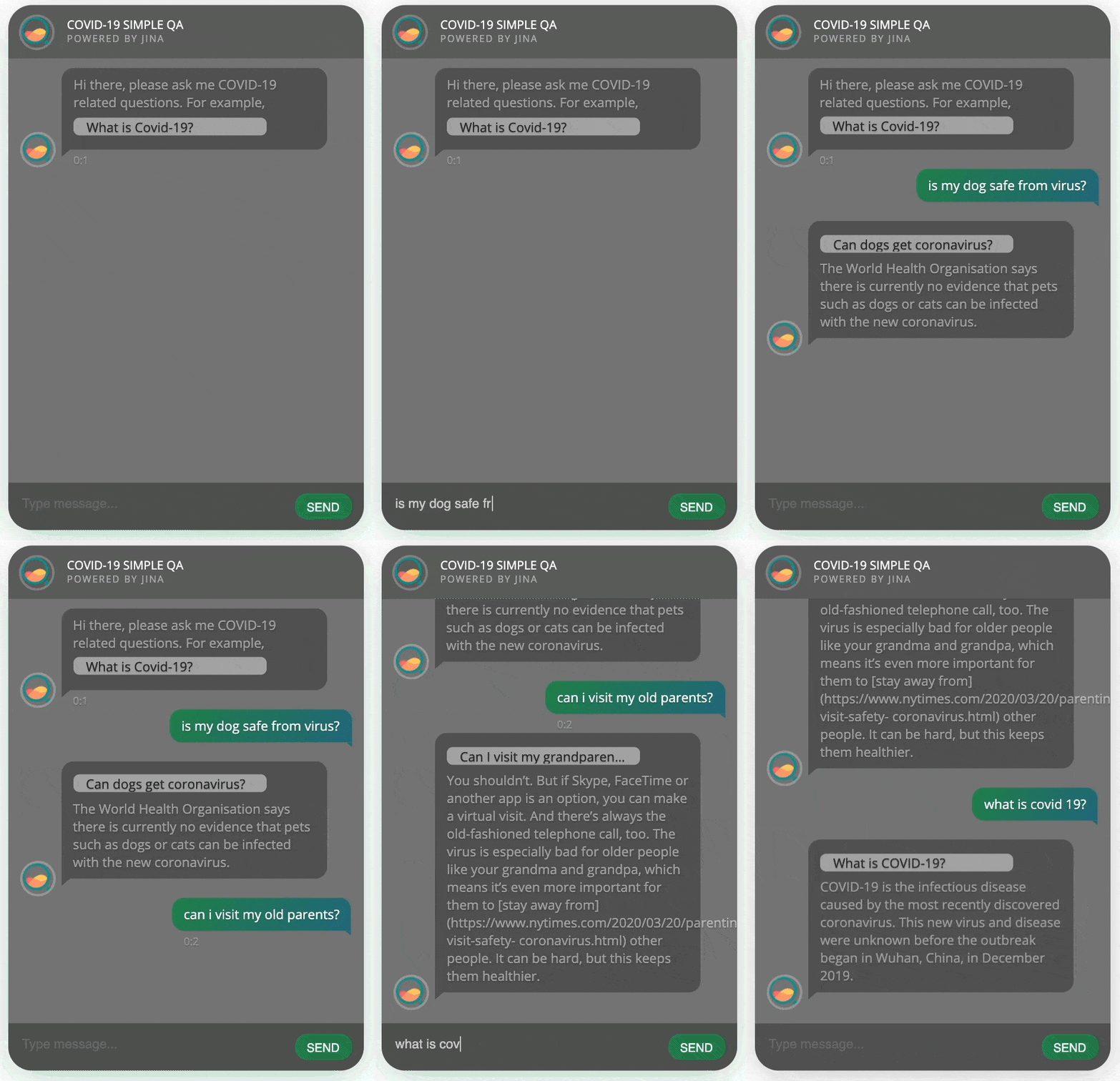
问答机器人
pip install "jina[chatbot]" && jina hello chatbot
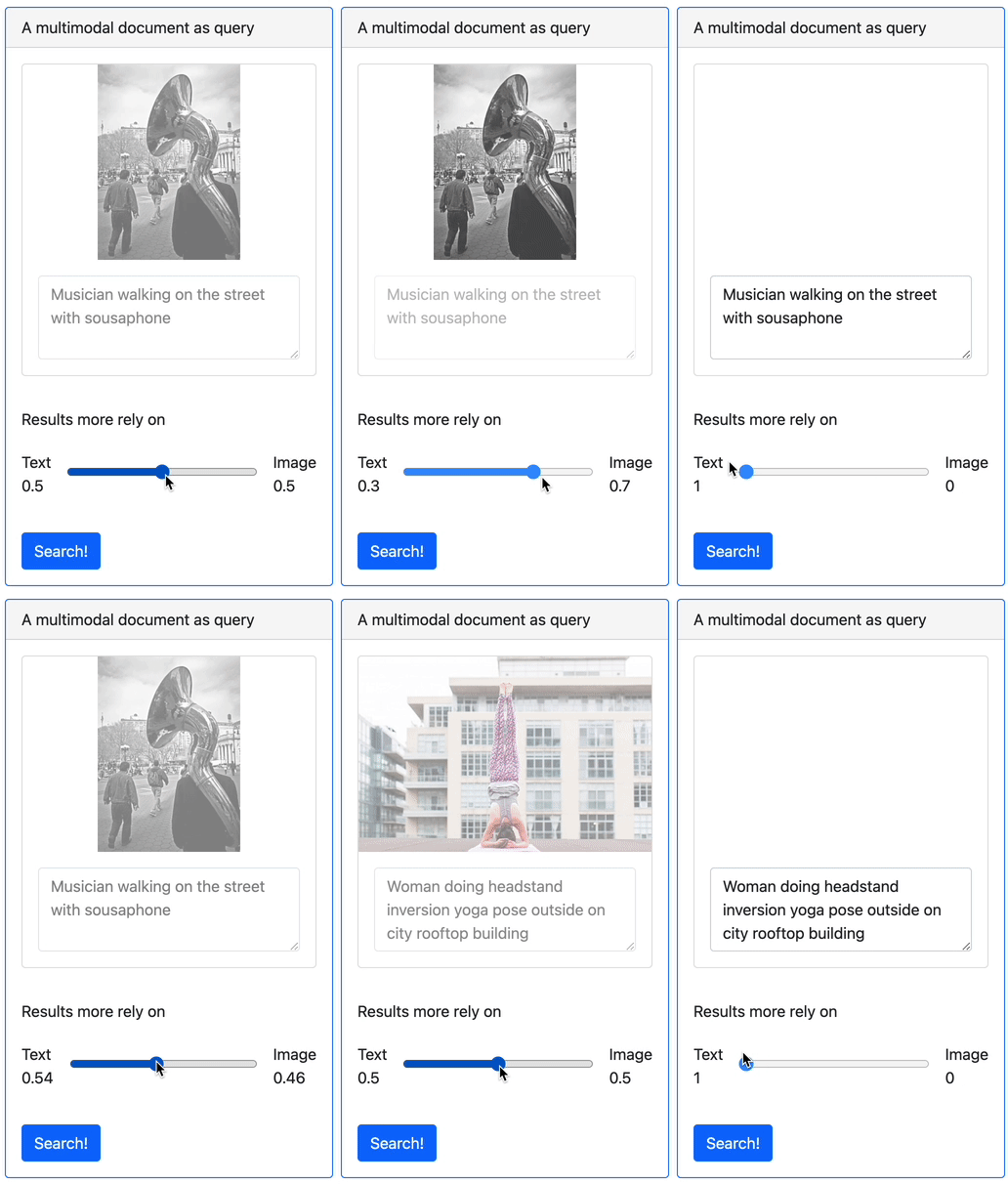
多模态数据搜索
pip install "jina[multimodal]" && jina hello multimodal
想要了解更多神经搜索的背后原理
👇 👇 👇
手把手教你搭建最简单的用例(使用文本搜索文本)
看完上面的神奇案例是不是有些心动了呢?快用几分钟的时间从头搭建一个完整的神经搜索框架吧!
开始前你必须要知道的基础知识
Jina中的三个基本概念
Document——Jina的基本数据类型
Executor——Jina处理数据的基本单元
FLOW——将Executor组合后得到的Jina搜索框架
开始搭建
Step1:复制粘贴下面的代码示例并运行

import numpy as np
from jina import Document, DocumentArray, Executor, Flow, requests

class CharEmbed(Executor):  # a simple character embedding with mean-pooling
    offset = 32  # letter `a`
    dim = 127 - offset + 1  # last pos reserved for `UNK`
    char_embd = np.eye(dim) * 1  # one-hot embedding for all chars

    @requests
    def foo(self, docs: DocumentArray, **kwargs):
        for d in docs:
            r_emb = [ord(c) - self.offset if self.offset <= ord(c) <= 127 else (self.dim - 1) for c in d.text]
            d.embedding = self.char_embd[r_emb, :].mean(axis=0) # average pooling

class Indexer(Executor):
    _docs = DocumentArray() # for storing all documents in memory

    @requests(on='/index')
    def foo(self, docs: DocumentArray, **kwargs):
        self._docs.extend(docs) # extend stored `docs`

    @requests(on='/search')
    def bar(self, docs: DocumentArray, **kwargs):
        q = np.stack(docs.get_attributes('embedding')) # get all embeddings from query docs
        d = np.stack(self._docs.get_attributes('embedding')) # get all embeddings from stored docs
        euclidean_dist = np.linalg.norm(q[:, None, :] - d[None, :, :], axis=-1) # pairwise euclidean distance
        for dist, query in zip(euclidean_dist, docs): # add & sort match
            query.matches = [Document(self._docs[int(idx)], copy=True, scores={'euclid': d}) for idx, d in enumerate(dist)]
            query.matches.sort(key=lambda m: m.scores['euclid'].value) # sort matches by their values

f = Flow(port_expose=12345, protocol='http', cors=True).add(uses=CharEmbed, parallel=2).add(uses=Indexer) # build a Flow, with 2 parallel CharEmbed, tho unnecessary
with f:
    f.post('/index', (Document(text=t.strip()) for t in open(__file__) if t.strip())) # index all lines of _this_ file
    f.block() # block for listening request
Step2 : 在浏览器中输入“http://localhost:12345/docs“网址,点击进入Search模块并输入
{"data": [{"text": "@requests(on=something)"}]}
# @requests(on=something)可以替换为任何你想搜索的内容
点击execute按钮,搜索系统自动开始搜索与文本 “@request(on=something)”相符合的结果。
Step2* : 如果你不喜欢图形界面操作,也可以使用运行Python代码来进行Step2的搜索过程
from jina import Client, Document
from jina.types.request import Response


def print_matches(resp: Response):  # the callback function invoked when task is done
    for idx, d in enumerate(resp.docs[0].matches[:3]): # print top-3 matches
        print(f'[{idx}]{d.scores["euclid"].value:2f}: "{d.text}"')


c = Client(protocol='http', port_expose=12345) # connect to localhost:12345
c.post('/search', Document(text='request(on=something)'), on_done=print_matches)
Final:运行结果
Client@1608[S]:connected to the gateway at localhost:12345!
[0]0.168526: "@requests(on='/index')"
[1]0.181676: "@requests(on='/search')"
[2]0.192049: "query.matches = [Document(self._docs[int(idx)], copy=True, score=d) for idx, d in enumerate(dist)]"
是不是非常简单易实现?仅仅几段代码就搭建了一个复杂的文本搜索系统。
你也可以搭建任何你想要的搜索框架,对视频,图像,长/短文本,音乐,源代码,PDF进行搜索。
更多Jina教程
What is "Neural Search"?(什么是神经搜索)
Document 和 DocumentArray——Jina中的基本数据类型
最小实现用例
Document API
DocumentArray API
Executor——Jina处理数据的基本单元
最小实现用例
Executor API
Executor 内置函数
Executor 中关于Tensorflow, Pytorch, Pytorch Lightning, Fastai, Mindspore, PaddlePaddle, Scikit-learn的使用
FLOW——将Executor组合后得到的Jina搜索框架
最小实现用例
FLOW API
运行Jina服务
最小实现用例
Flow-as-a-service
提供支持OAS3.0的API
开发人员手册
Jina的CookBook——写出简洁高效的代码
3个使用Jina2.0的原因
以上内容可以点击“阅读原文”获取
技术支持
加入我们的Slack社区,与我们的工程师讨论您的用例、问题和技术咨询
加入我们每月第二个周二的Engineering All Hands 会议与全世界的开发者一起研讨你的用例、了解Jina的新功能
参与方式参考下方“阅读原文”中Support章节
社区贡献
我们欢迎来自开源社区、个人和合作伙伴的各种贡献。我们的成功离不开您的积极参与,您可以以下列的任何方式为社区做贡献:
提供指导方针
为产品社区提供代码
提出有效问题
加速开发周期
加入我们
我们正在积极招聘全栈开发人员和解决方案工程师,期待您与我们一起构建开源的下一个神经搜索生态系统。
❤️点击下方 “阅读原文”,可以获得本文内的所有详细内容,您可以在这里了解更多关于Jina AI的教程、产品、线下活动等信息!
如果喜欢,记得在Github中给我们点亮⭐️哦!







 扫一扫
扫一扫


 1127
1127

 被折叠的 条评论
为什么被折叠?
被折叠的 条评论
为什么被折叠?
 到【灌水乐园】发言





