
java.lang.IllegalArgumentException: This Style does not belong to the supplied Workbook 异常分析及解决

关注公众号 `N学无止界` 获取更多

场景描述:
         某框架系统导出Excel时候第一次可以正常导出,第二次以及后续抛出异常。

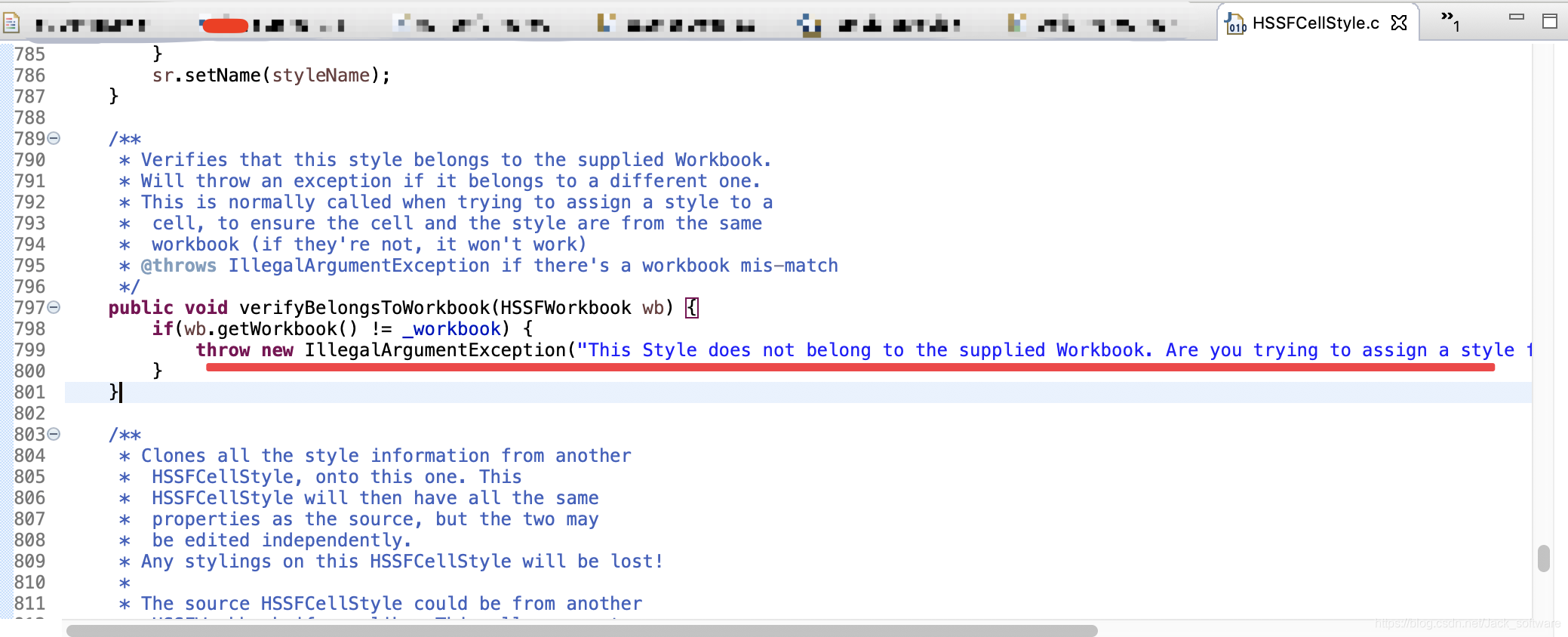
java.lang.IllegalArgumentException: This Style does not belong to the supplied Workbook. Are you trying to assign a style from one workbook to the cell of a differnt workbook?

at org.apache.poi.hssf.usermodel.HSSFCellStyle.verifyBelongsToWorkbook(HSSFCellStyle.java:799)

at org.apache.poi.hssf.usermodel.HSSFCell.setCellStyle(HSSFCell.java:909)

at org.apache.poi.hssf.usermodel.HSSFCell.setCellStyle(HSSFCell.java:905)

at org.apache.poi.ss.util.CellUtil.createCell(CellUtil.java:128)

at org.apache.poi.hssf.util.HSSFCellUtil.createCell(HSSFCellUtil.java:78)

依赖环境:
         JDK1.6  Tomcat7.0  poi-3.7.jar

原因如下:

   1.抛出异常位置:
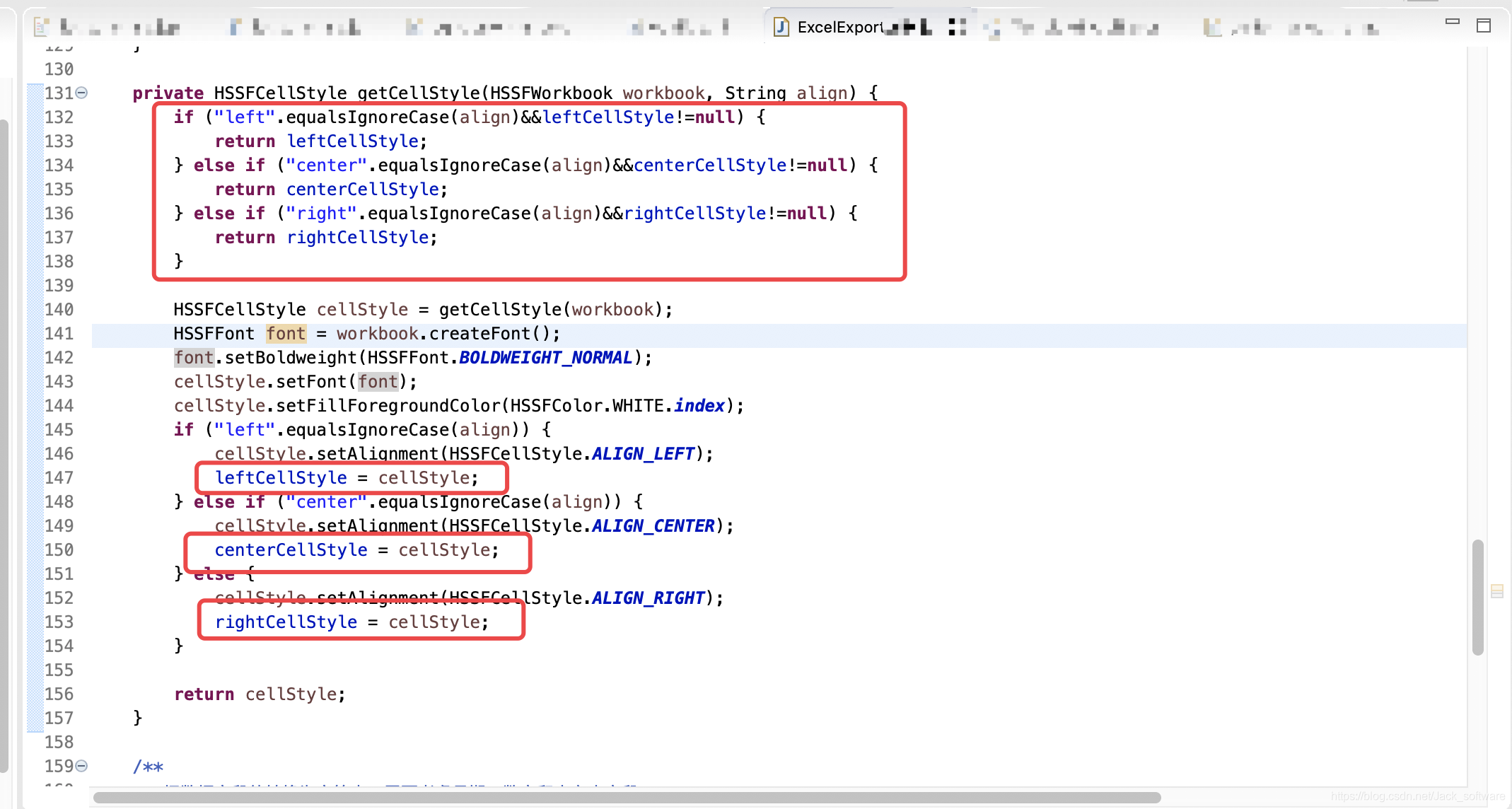
   2.引起异常位置:
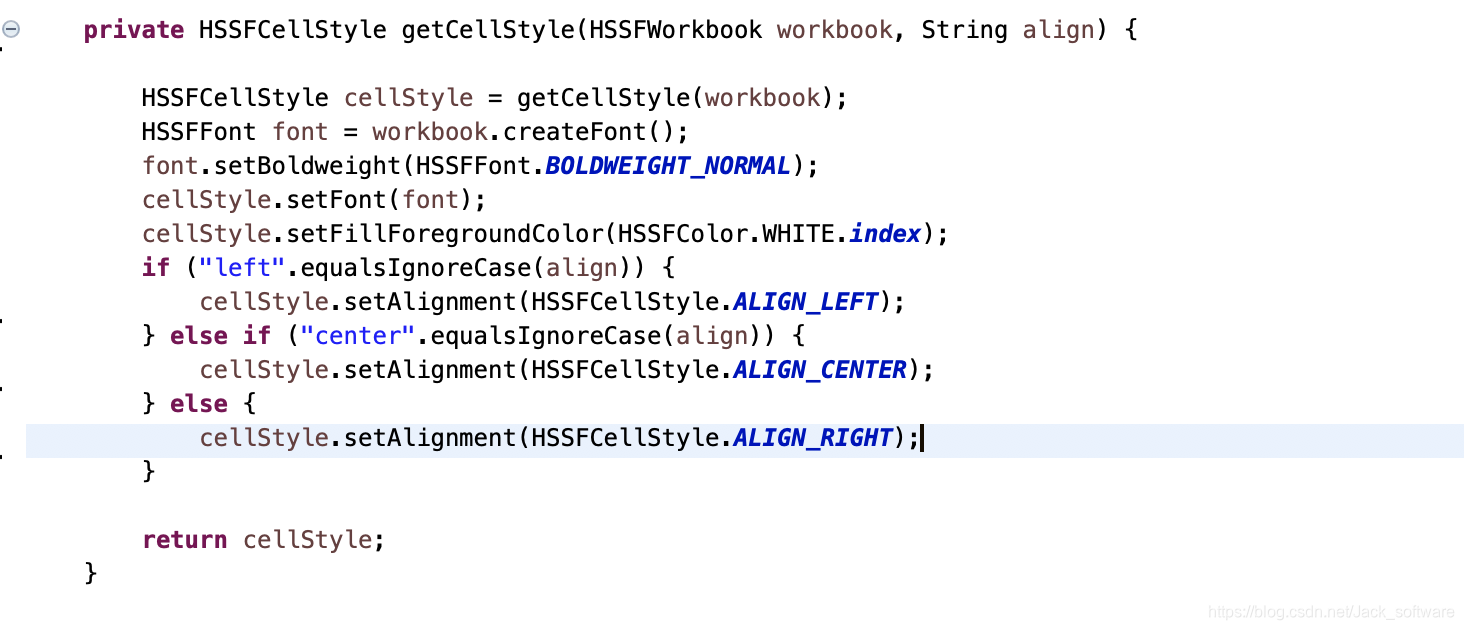
处理办法:

  删除style的缓存 如下:
总结

   编码要保持幂等性,这里再一次提现缓存部分变量带来的异常。

在执行 `targetCell.setCellStyle(sourceCell.getCellStyle());` 时抛出 `java.lang.IllegalArgumentException` 异常,是因为不能直接将一个工作簿的单元格样式应用到另一个工作簿的单元格上。每个工作簿都有自己独立的样式池,需要在目标工作簿中创建一个新的样式,并将源单元格的样式属性复制到新样式中,再将新样式应用到目标单元格。 以下是修改后的代码示例: ```java import org.apache.poi.hssf.usermodel.HSSFWorkbook; import org.apache.poi.ss.usermodel.*; import java.io.IOException; import java.io.InputStream; import java.net.URL; public class ExcelCopyExample { public static void main(String[] args) { try { URL url = new URL("https://example.com/your_excel_file.xls"); InputStream inputStream = url.openStream(); Workbook sourceWorkbook = new HSSFWorkbook(inputStream); Workbook targetWorkbook = new HSSFWorkbook(); Sheet targetSheet = targetWorkbook.createSheet("CopiedSheet"); for (int i = 0; i < sourceWorkbook.getNumberOfSheets(); i++) { Sheet sourceSheet = sourceWorkbook.getSheetAt(i); for (int rowIndex = 0; rowIndex <= sourceSheet.getLastRowNum(); rowIndex++) { Row sourceRow = sourceSheet.getRow(rowIndex); if (sourceRow != null) { Row targetRow = targetSheet.createRow(rowIndex); for (int cellIndex = 0; cellIndex < sourceRow.getLastCellNum(); cellIndex++) { Cell sourceCell = sourceRow.getCell(cellIndex); if (sourceCell != null) { Cell targetCell = targetRow.createCell(cellIndex); targetCell.setCellValue(sourceCell.getStringCellValue()); // 复制样式 CellStyle newCellStyle = targetWorkbook.createCellStyle(); newCellStyle.cloneStyleFrom(sourceCell.getCellStyle()); targetCell.setCellStyle(newCellStyle); } } } } } java.io.FileOutputStream fileOut = new java.io.FileOutputStream("target_excel_file.xls"); targetWorkbook.write(fileOut); fileOut.close(); sourceWorkbook.close(); targetWorkbook.close(); inputStream.close(); System.out.println("Excel 内容复制成功!"); } catch (IOException e) { e.printStackTrace(); } } } ``` 在上述代码中,使用 `targetWorkbook.createCellStyle()` 在目标工作簿中创建一个新的样式,然后使用 `cloneStyleFrom` 方法将源单元格的样式属性复制到新样式中,最后将新样式应用到目标单元格,避免了样式所属工作簿不一致的问题[^1]。
评论 1
添加红包

请填写红包祝福语或标题

红包个数最小为10个

红包金额最低5元

当前余额3.43前往充值 >
需支付:10.00
成就一亿技术人!
领取后你会自动成为博主和红包主的粉丝 规则
hope_wisdom
发出的红包

打赏作者

Jack_software

感谢打赏,我努力提供优质内容~

¥1 ¥2 ¥4 ¥6 ¥10 ¥20
扫码支付:¥1
获取中
扫码支付

您的余额不足,请更换扫码支付或充值

打赏作者

实付
使用余额支付
点击重新获取
扫码支付
钱包余额 0

抵扣说明:

1.余额是钱包充值的虚拟货币,按照1:1的比例进行支付金额的抵扣。
2.余额无法直接购买下载,可以购买VIP、付费专栏及课程。

余额充值


