



 本文详细介绍了CSS中的浮动属性float,包括left和right方向的浮动,以及clear属性的使用。同时,针对父级边框塌陷的问题,提出了四种解决方案:增加父级元素高度、空div清除浮动、overflow方法以及使用伪类:after。最后,对比了display和float的区别,指出float会使元素脱离标准文档流,可能导致父级边框塌陷的问题。
1.display
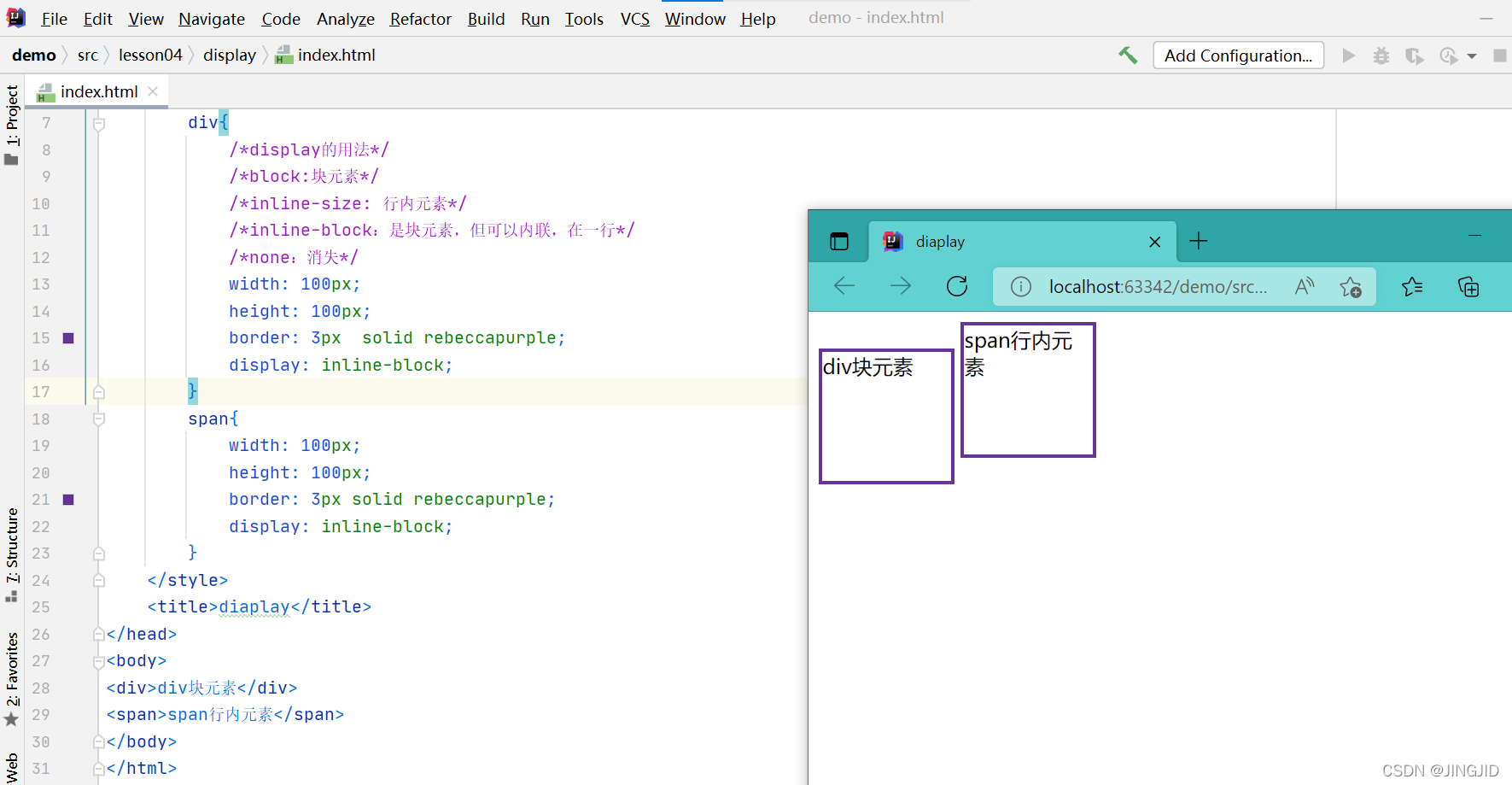
display的用法:
block:块元素
inline-size: 行内元素
inline-block:是块元素,但可以内联,在一行
none:消失
<!DOCTYPE html>
<html lang="en">
<head>
    <meta charset="UTF-8">
    <style>
        div{
            /*display的用法*/
            /*block:块元素*/
            /*inline-size: 行内元素*/
            /*inline-block:是块元素,但可以内联,在一行*/
            /*none:消失*/
            width: 100px;
            height: 100px;
            border: 3px  solid rebeccapurple;
            display: inline-block;
        }
        span{
            width: 100px;
            height: 100px;
            border: 3px solid rebeccapurple;
            display: inline-block;
        }
    </style>
    <title>diaplay</title>
</head>
<body>
<div>div块元素</div>
<span>span行内元素</span>
</body>
</html>
2.float
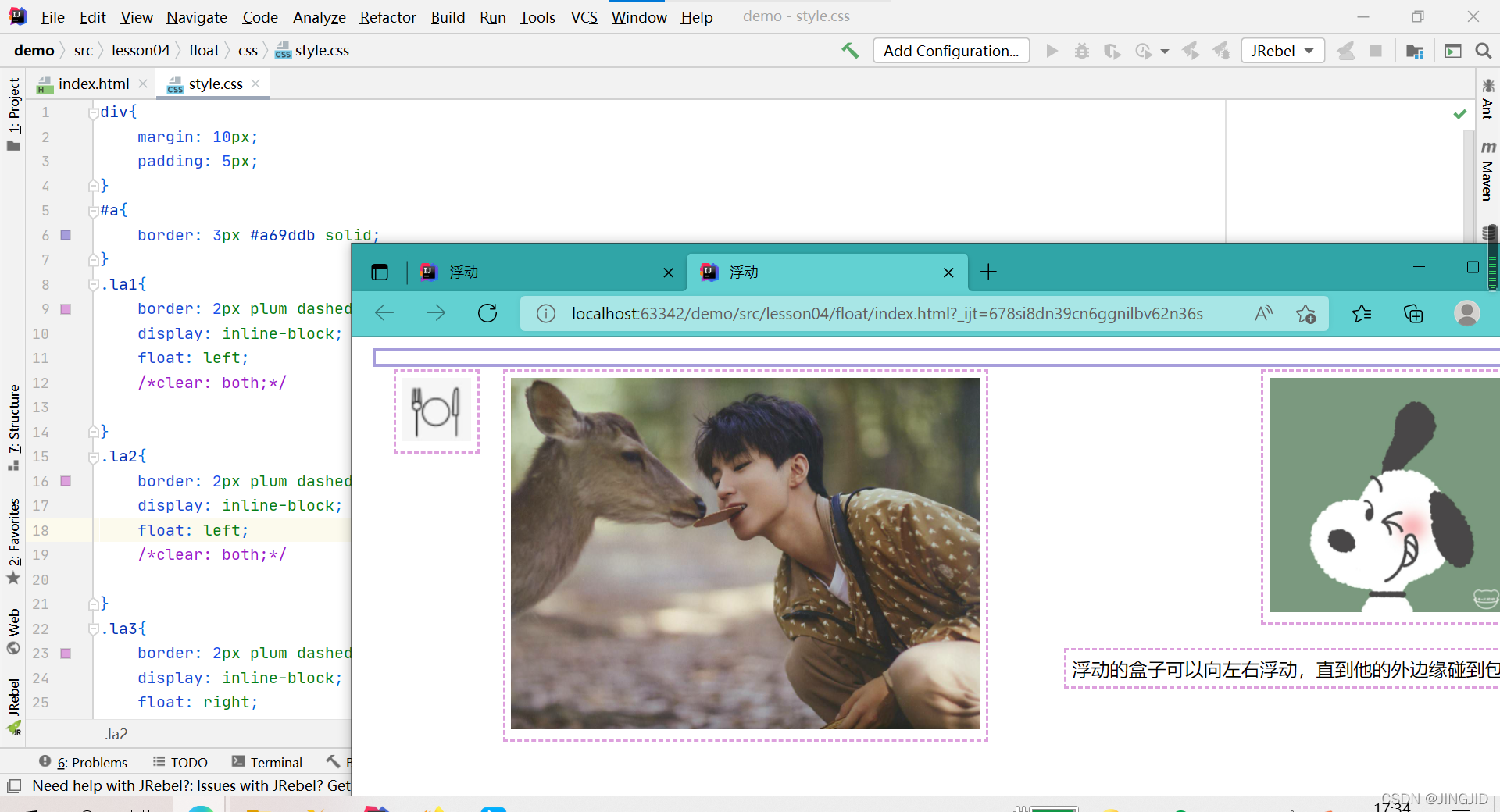
左右浮动;float
float:left --向左浮动
float:right--向右浮动
clean :both:两侧都不允许有浮动
clean :right :右侧不允许有浮动
clean :left :左侧不允许有浮动
div{
    margin: 10px;
    padding: 5px;
}
#a{
    border: 3px #a69ddb solid;
}
.la1{
    border: 2px plum dashed;
    display: inline-block;
    float: left;
    clear: both;

}
.la2{
    border: 2px plum dashed;
    display: inline-block;
    float: right ;
    clear: both;
}
.la3{
    border: 2px plum dashed;
    display: inline-block;
    float: right;
    clear: both;
}
.la4{
    border: 2px plum dashed;
    display: inline-block;
    float: right;
    clear: both;
}
<!DOCTYPE html>
<html lang="en">
<head>
    <meta charset="UTF-8">
    <link rel="stylesheet" href="css/style.css">
    <title>浮动</title>
</head>
<body>
<div id="a" >
    <div class="la1"><img src="image/11.jpg" alt="" ></div>
    <div class="la2"><img src="image/wjk.jpg" alt="" width="400" height="300"></div>
    <div class="la3"><img src="image/Snoopy.jpg" alt=""width="200" height="200"></div>
    <div class="la4">浮动的盒子可以向左右浮动,直到他的外边缘碰到包</div>
</div>
</body>
</html>
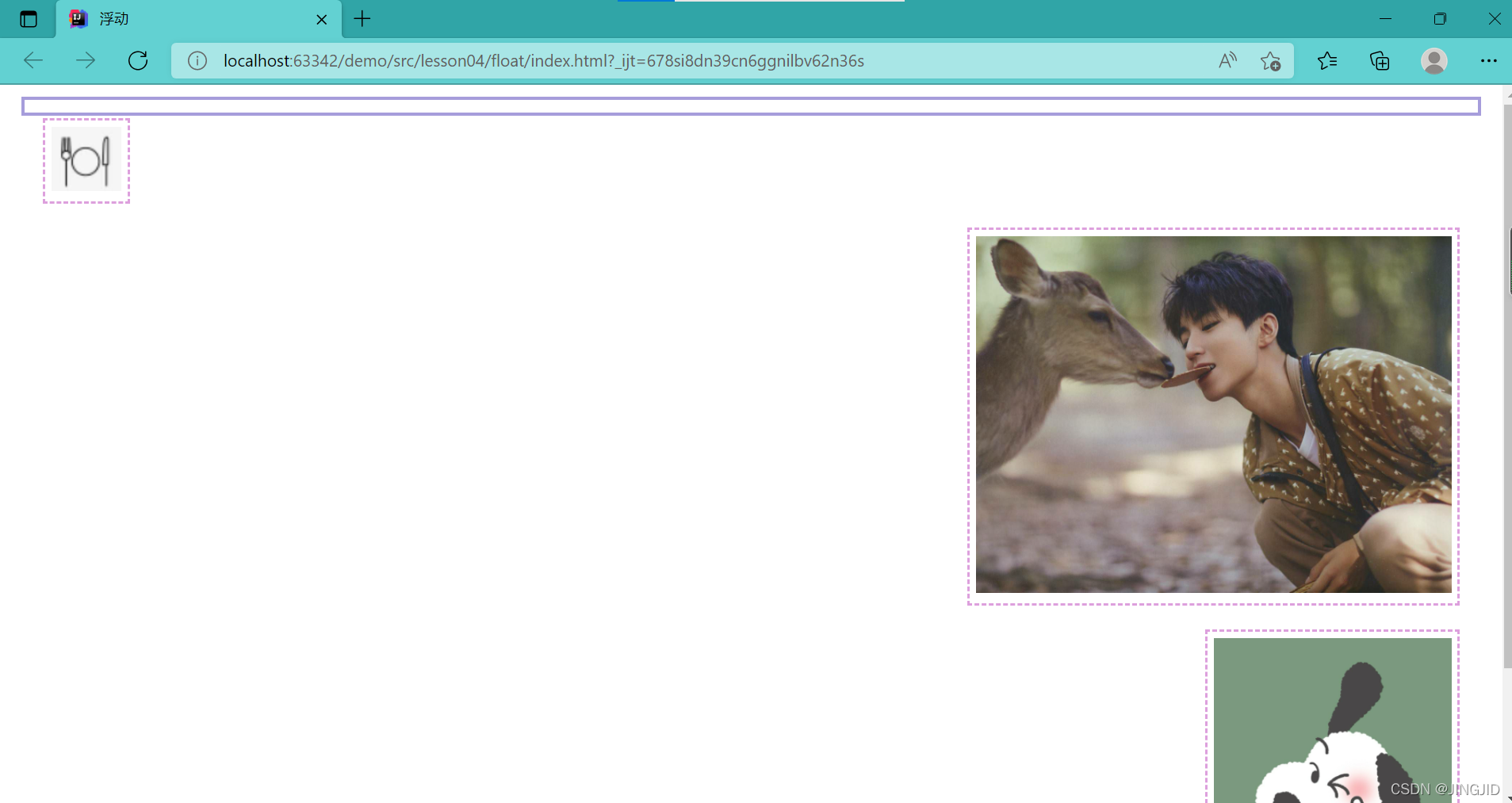
3.父级边框塌陷的问题
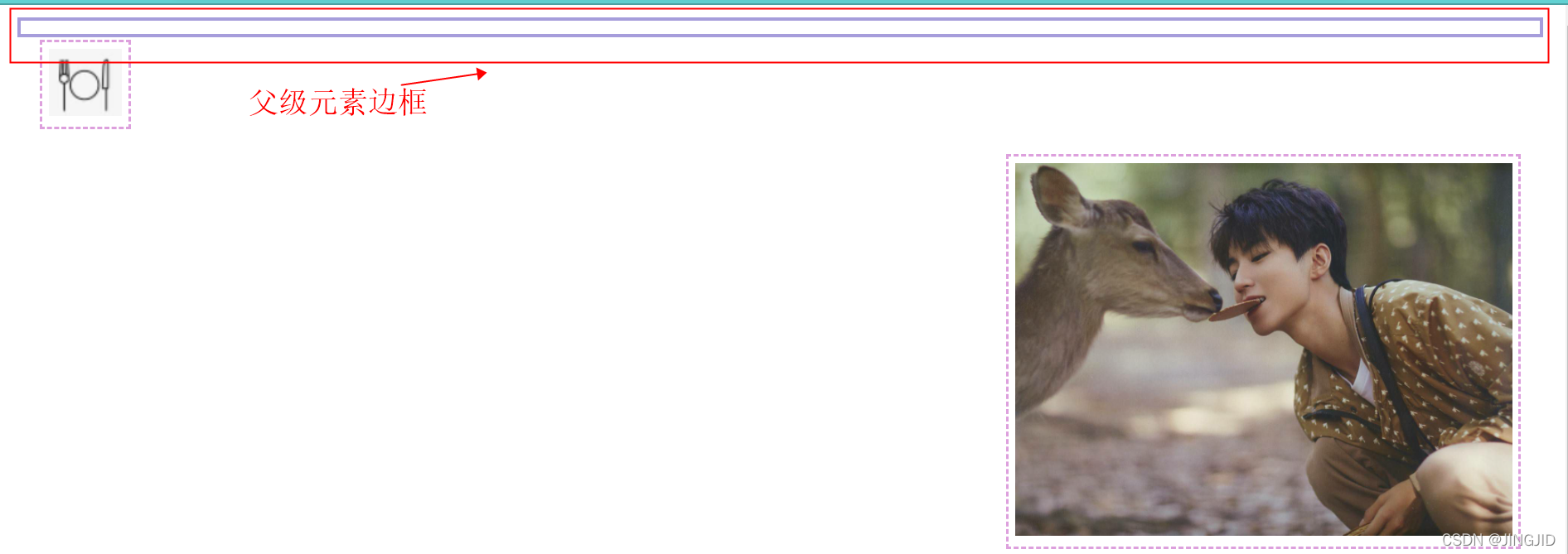
解决方案:
1.增加父级元素的高度
#a{
    height: 800px;
    border: 3px #a69ddb solid;
}
2.增加一个空的div标签,清除浮动
<div class="clear"></div>
.clear{
    clear: both;
    margin: 0;
    padding: 0;
}
3.overflow方法
overflow :hidden
#a{
    overflow: hidden;
    border: 3px #a69ddb solid;
}
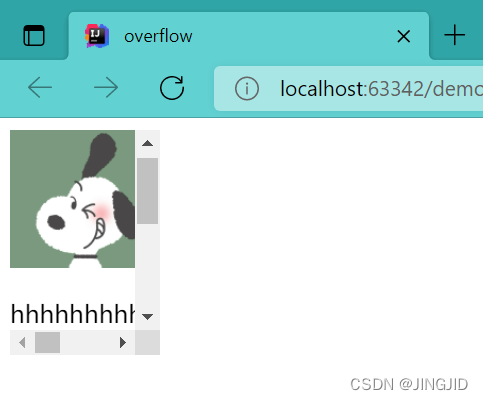
overflow :scroll---通过滚动条解决溢出问题(设置高度和宽度的前提)
<!DOCTYPE html>
<html lang="en">
<head>
    <meta charset="UTF-8">
    <title>overflow</title>
    <style>
        #content{
            width: 200px;
            height: 150px;
            overflow: scroll;
        }

    </style>
</head>
<body>
<div id="content">
    <img src="../image/Snoopy.jpg" alt="" height="100" width="100">
    <p>
        hhhhhhhhhhhhhhhhhHhhhhhhhhhhhhhhhhhhhhh红红火火恍恍惚惚或或或或或或或或或或或或或或或或或或或或或或或
    </p>
</div>

</body>
</html>
4.在父类添加一个伪类:after(最常用)
可以避免在程序中加入一个空的div
#a:after{
    content: '';
    display: block;
    clear: both;
4.display和float对比:
1.display方向不可控制
2.float浮动起来会脱离标准文档流,所有要解决父级边框塌陷的问题





 扫一扫
扫一扫


 539
539

 被折叠的 条评论
为什么被折叠?
被折叠的 条评论
为什么被折叠?
 到【灌水乐园】发言





