


一、配置安装源
rpm -Uvh https://repo.zabbix.com/zabbix/7.0/rocky/9/x86_64/zabbix-release-7.0-5.el9.noarch.rpm
二、安装Zabbix server,Web前端,agent
[root@bogon ~]# yum install zabbix-server-mysql zabbix-web-mysql zabbix-nginx-conf zabbix-sql-scripts za
三、安装与配置mysql数据库
yum install -y mysql-server
启动mysql
systemctl start mysql
[root@bogon ~]# mysql
Welcome to the MySQL monitor.  Commands end with ; or \g.
Your MySQL connection id is 8
Server version: 8.0.43 Source distribution

Copyright (c) 2000, 2025, Oracle and/or its affiliates.

Oracle is a registered trademark of Oracle Corporation and/or its
affiliates. Other names may be trademarks of their respective
owners.

Type 'help;' or '\h' for help. Type '\c' to clear the current input statement.

mysql> create database zabbix character set utf8mb4 collate utf8mb4_bin;
Query OK, 1 row affected (0.01 sec)

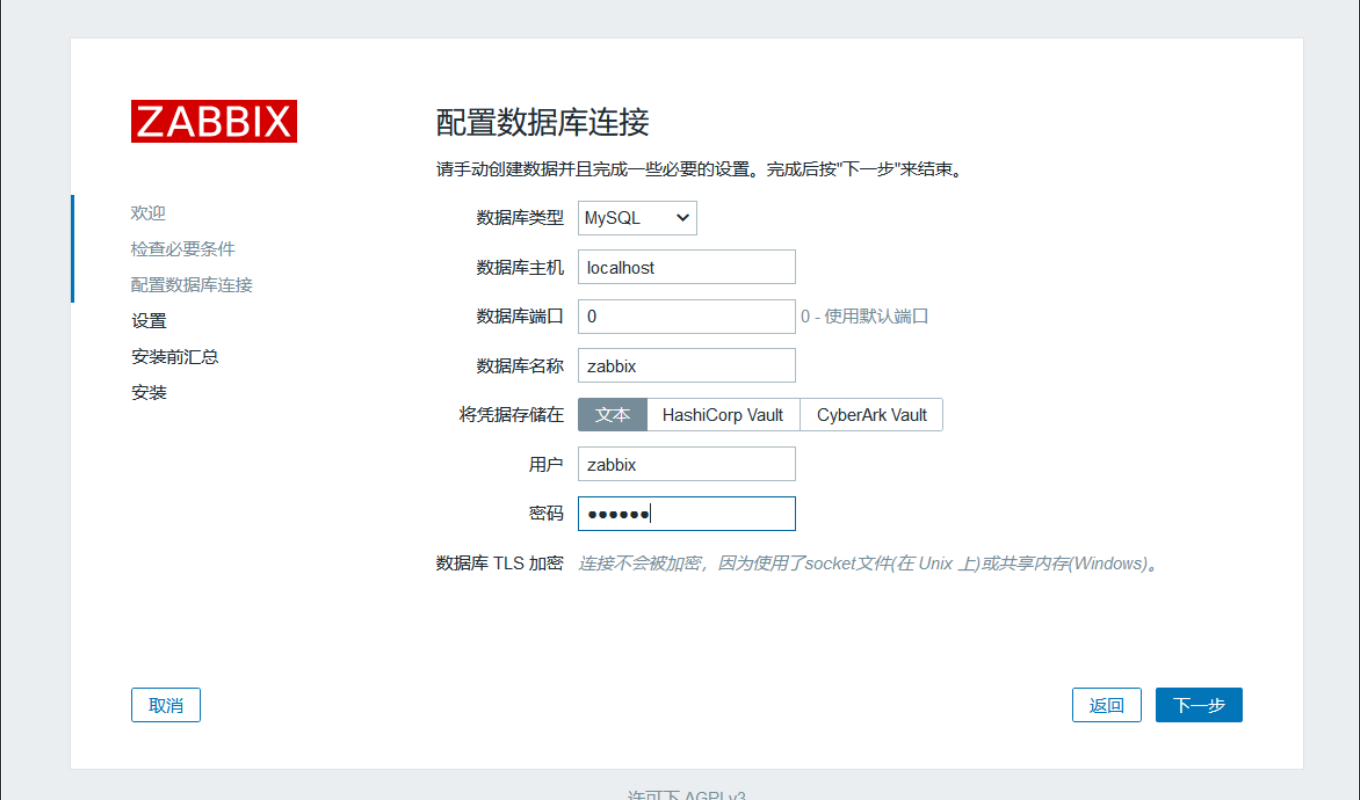
mysql>  create user zabbix@localhost identified by 'zabbix';
Query OK, 0 rows affected (0.01 sec)

mysql> grant all privileges on zabbix.* to zabbix@localhost;
Query OK, 0 rows affected (0.00 sec)

mysql> set global log_bin_trust_function_creators = 1;
Query OK, 0 rows affected, 1 warning (0.00 sec)

mysql> quit
Bye
[root@bogon ~]#
导入初始架构和数据,系统将提示您输入新创建的密码
[root@bogon ~]# zcat /usr/share/zabbix-sql-scripts/mysql/server.sql.gz | mysql --default-character-set=utf8mb4 -uzabbix -p zabbix
gzip: /usr/share/zabbix-sql-scripts/mysql/server.sql.gz: No such file or directory
Enter password:
四、为Zabbix server配置数据库
vim /etc/zabbix/zabbix_server.conf

DBPassword=zabbix
五、为Zabbix前端配置PHP
编辑配置文件 /etc/nginx/conf.d/zabbix.conf
listen 8080;
server_name example.com;
六、启动对应服务
systemctl enable --now zabbix-server zabbix-agent nginx php-fpm
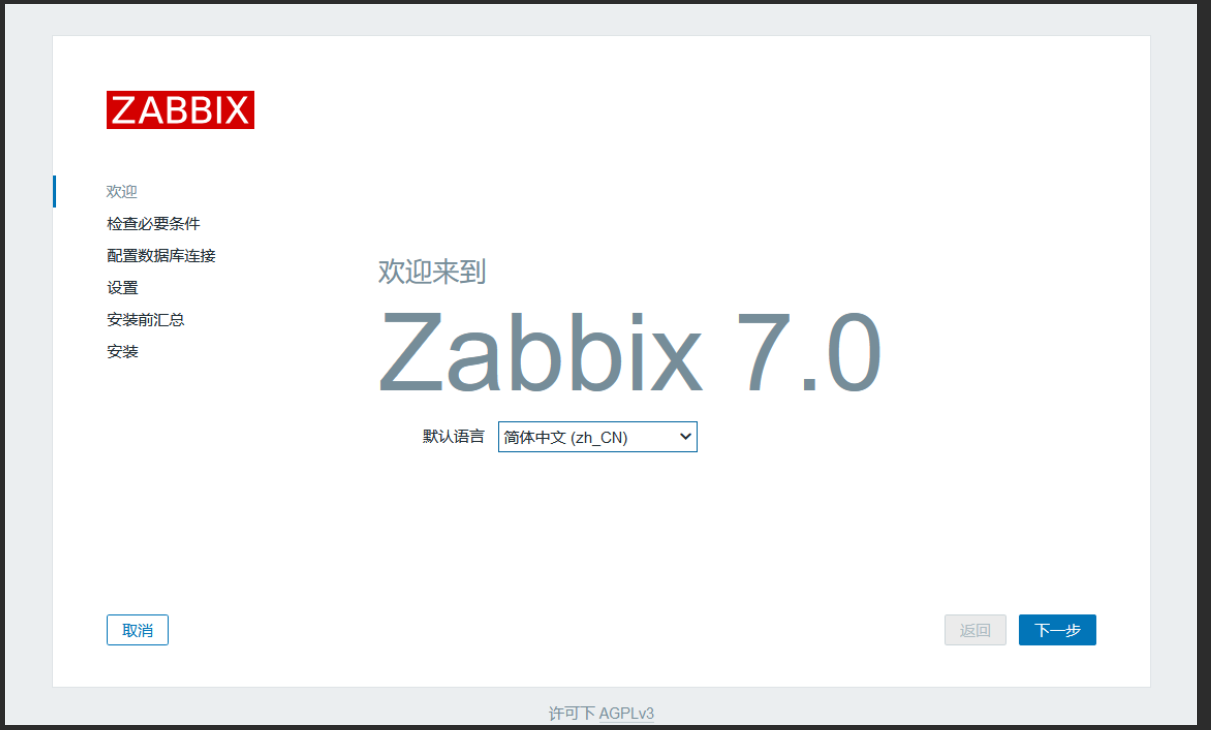
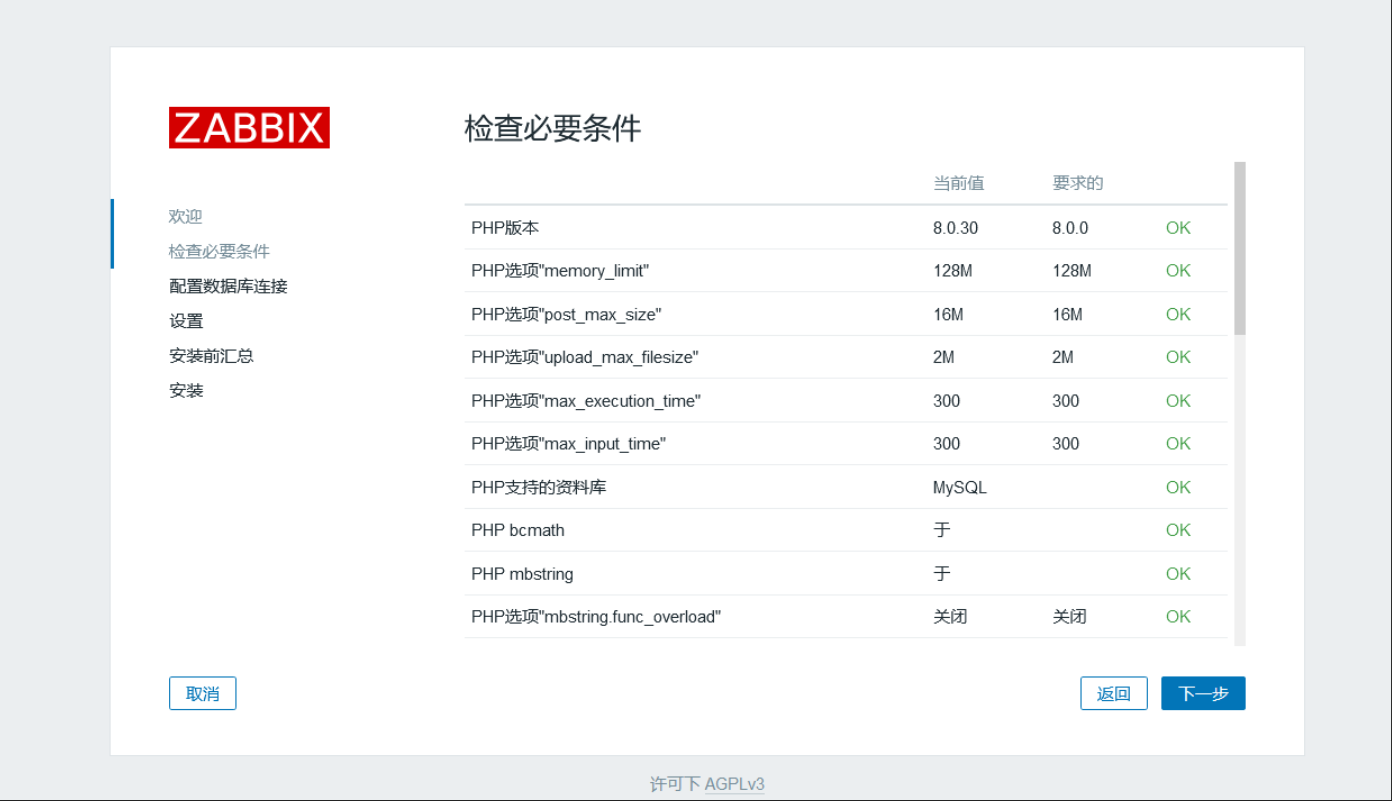
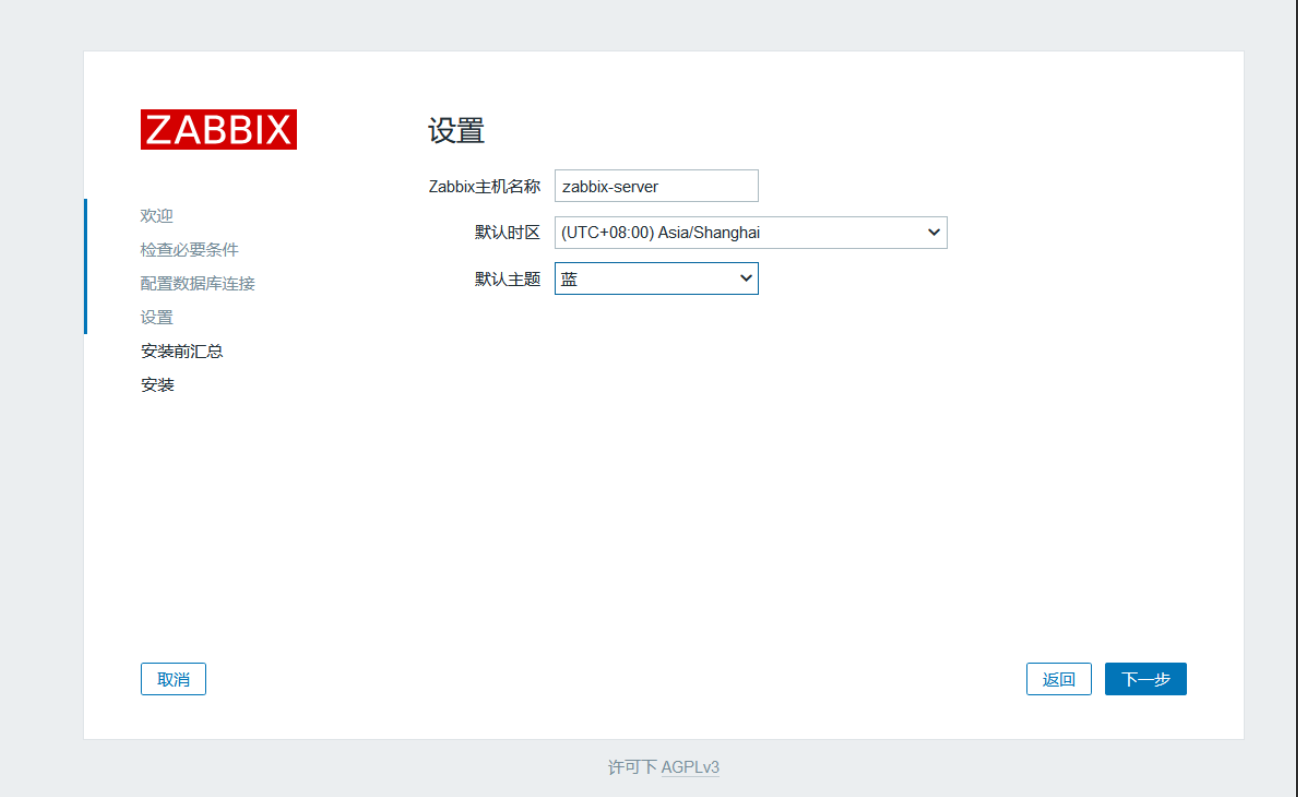
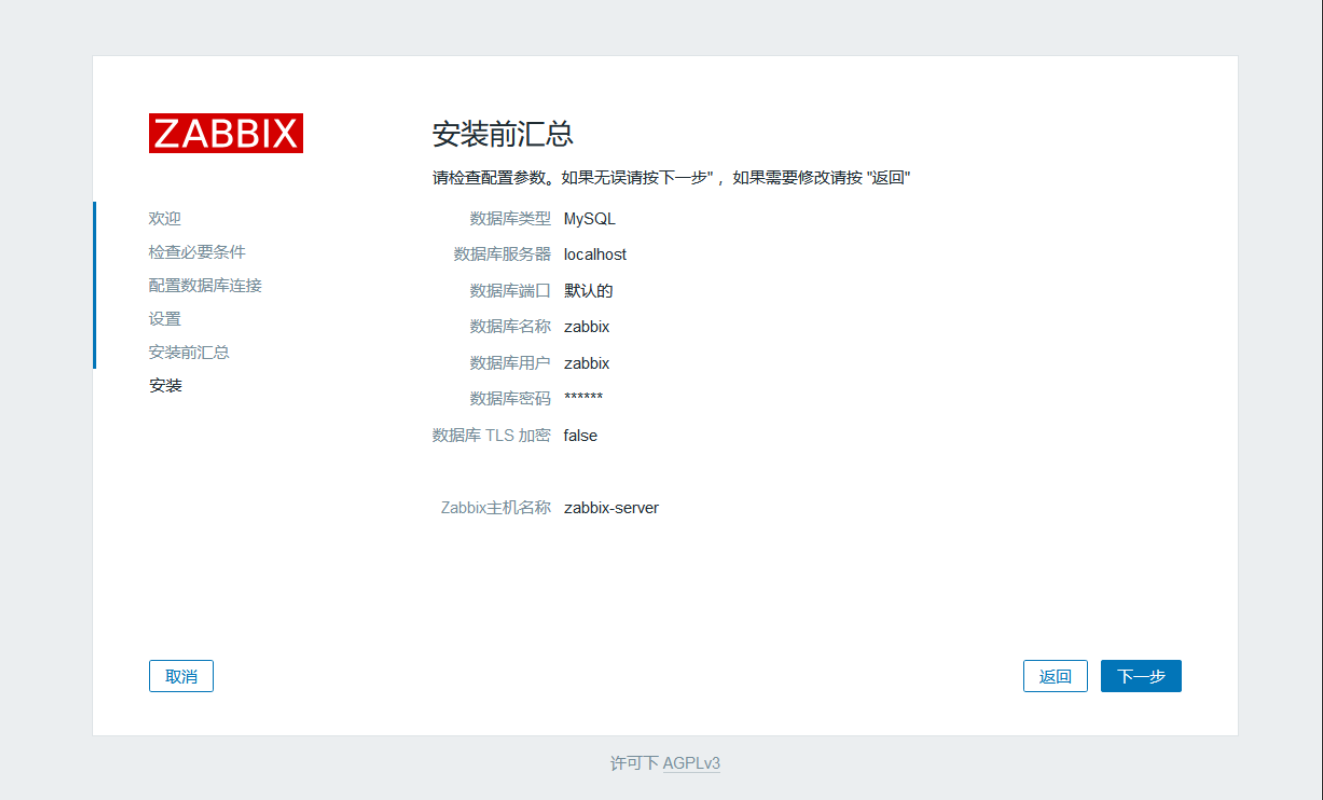
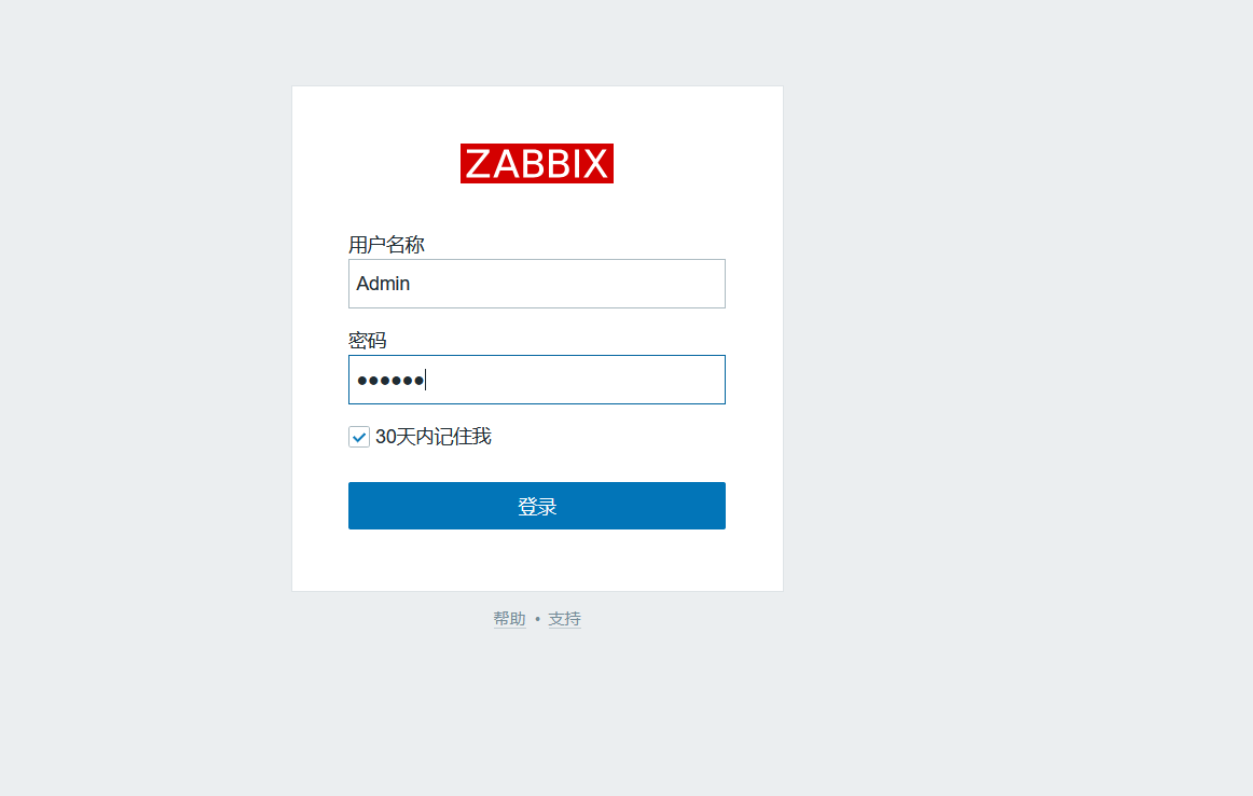
七、登录配置zabbix
浏览器访问:http://192.168.115.224:8080
登录密码为“zabbix”





 扫一扫
扫一扫


 1544
1544

 被折叠的 条评论
为什么被折叠?
被折叠的 条评论
为什么被折叠?
 到【灌水乐园】发言





