


前言
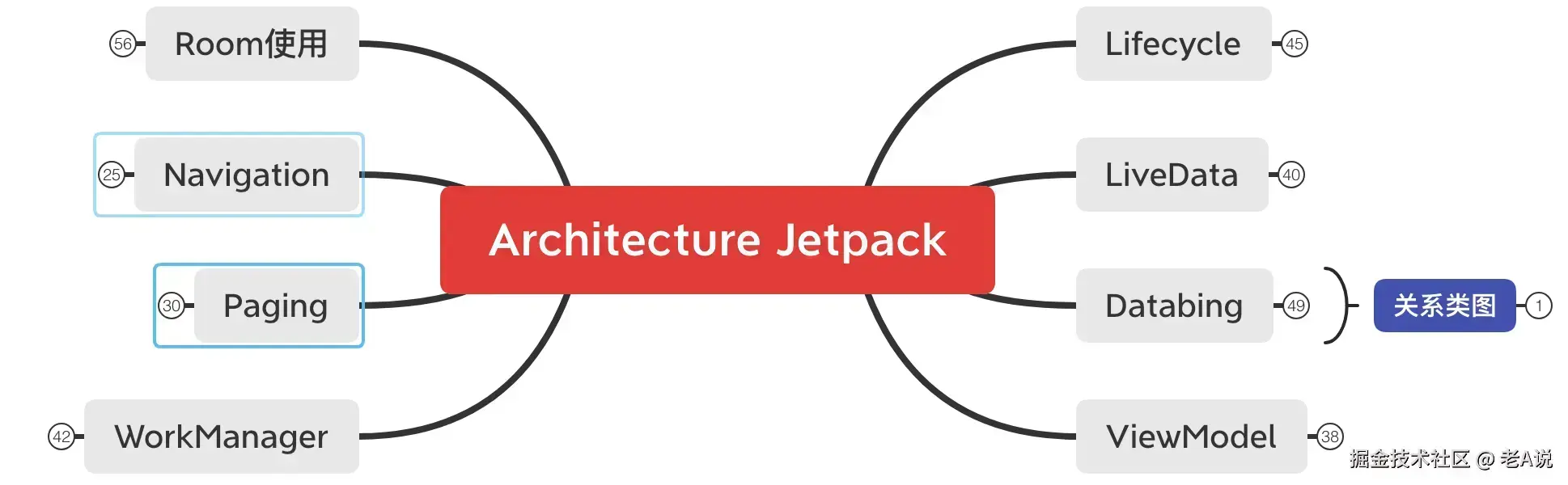
本章我们继续使用 Jetpack 来完善音乐播放器,今天我们来晚上 播放 能力,也就是 PlayerFragment;
PlayerFragment
播放器我们使用了一个开源的:
implementation 'com.kunminx.player:player:1.1.6'
PlayerManager
我们来定义一个 PlayerManager 来管理我们的播放能力;
class PlayerManager private constructor() : IPlayController<TestAlbum, TestMusic?> {

    private val mController: PlayerController<TestAlbum, TestMusic>

    private var mContext: Context? = null

    fun init(context: Context) {
        init(context, null)
    }

    override fun init(context: Context, iServiceNotifier: IServiceNotifier?) {
        mContext = context.applicationContext
        mController.init(mContext, null) { startOrStop: Boolean ->
            val intent = Intent(mContext, PlayerService::class.java)
            if (startOrStop) {
                // 后台播放
                mContext?.startService(intent)
            } else {
                // 停止后台播放
                mContext?.stopService(intent)
            }
        }
    }

    override fun loadAlbum(musicAlbum: TestAlbum) {
        mController.loadAlbum(mContext, musicAlbum)
    }

    override fun loadAlbum(musicAlbum: TestAlbum, playIndex: Int) {
        mController.loadAlbum(mContext, musicAlbum, playIndex)
    }

    override fun playAudio() {
        mController.playAudio(mContext)
    }

    // 下标的播放
    override fun playAudio(albumIndex: Int) {
        // 在这里只需要知道,调用此 playAudio函数,就能够播放音乐了
        mController.playAudio(mContext, albumIndex)
    }

    // 下一首播放
    override fun playNext() {
        mController.playNext(mContext)
    }

    // 上一首播放
    override fun playPrevious() {
        mController.playPrevious(mContext)
    }

    override fun playAgain() {
        mController.playAgain(mContext)
    }

    // 暂停播放
    override fun pauseAudio() {
        mController.pauseAudio()
    }

    override fun resumeAudio() {
        mController.resumeAudio()
    }

    // 清除歌曲下标的标记
    override fun clear() {
        mController.clear(mContext)
    }

    override fun changeMode() {
        mController.changeMode()
    }

    override fun isPlaying(): Boolean {
        return mController.isPlaying
    }

    override fun isPaused(): Boolean {
        return mController.isPaused
    }

    override fun isInited(): Boolean {
        return mController.isInited
    }

    override fun requestLastPlayingInfo() {
        mController.requestLastPlayingInfo()
    }

    override fun setSeek(progress: Int) {
        mController.setSeek(progress)
    }

    override fun getTrackTime(progress: Int): String {
        return mController.getTrackTime(progress)
    }

    override fun getAlbum(): TestAlbum? {
        return mController.album
    }

    override fun getAlbumMusics(): List<TestMusic?> {
        return mController.albumMusics
    }

    override fun setChangingPlayingMusic(changingPlayingMusic: Boolean) {
        mController.setChangingPlayingMusic(mContext, changingPlayingMusic)
    }

    override fun getAlbumIndex(): Int {
        return mController.albumIndex
    }

    // 返回音乐播放的 ld,上一首,下一首
    override fun getChangeMusicLiveData(): MutableLiveData<ChangeMusic<*, *, *>> {
        return mController.changeMusicLiveData
    }

    // 音乐数据,也需要观察
    override fun getPlayingMusicLiveData(): MutableLiveData<PlayingMusic<*, *>> {
        return mController.playingMusicLiveData
    }

    override fun getPauseLiveData(): MutableLiveData<Boolean> {
        return mController.pauseLiveData
    }

    // 播放模式:列表循环,单曲循环,随机播放
    override fun getPlayModeLiveData(): MutableLiveData<Enum<*>> {
        return mController.playModeLiveData
    }

    override fun getRepeatMode(): Enum<*> ? {
        return mController.repeatMode
    }

    override fun togglePlay() {
        mController.togglePlay(mContext)
    }

    override fun getCurrentPlayingMusic(): TestMusic {
        return mController.currentPlayingMusic
    }

    companion object {
        // 单例模式
        @SuppressLint("StaticFieldLeak")
        val instance = PlayerManager() // 单例相关的
    }

    init {
        mController = PlayerController()
    }
}
PlayerService
我们再来定一个 PlayerService 用来支持后台播放的能力;
class PlayerService : Service() {
    private var mPlayerCallHelper: PlayerCallHelper? = null

    override fun onStartCommand(intent: Intent, flags: Int, startId: Int): Int {

        // 在播放的时候来电话了
        if (mPlayerCallHelper == null) {
            mPlayerCallHelper = PlayerCallHelper(object : PlayerCallHelperListener {
                override fun playAudio() {
                    PlayerManager.instance.playAudio()
                }

                override val isPlaying: Boolean
                    get() = PlayerManager.instance.isPlaying
                override val isPaused: Boolean
                    get() = PlayerManager.instance.isPaused

                override fun pauseAudio() {
                    PlayerManager.instance.pauseAudio()
                }
            })
        }
        val results = PlayerManager.instance.currentPlayingMusic
        if (results == null) {
            stopSelf()
            return START_NOT_STICKY
        }
        mPlayerCallHelper?.bindCallListener(applicationContext)
        createNotification(results)
        return START_NOT_STICKY
    }

    // 创建通知
    private fun createNotification(testMusic: TestMusic) {
        try {
            val title = testMusic.title
            val album = PlayerManager.instance.album
            val summary = album?.summary
            val simpleContentView = RemoteViews(
                applicationContext.packageName, R.layout.notify_player_small
            )
            val expandedView: RemoteViews
            expandedView = RemoteViews(
                applicationContext.packageName, R.layout.notify_player_big
            )
            val intent = Intent(applicationContext, MainActivity::class.java)
            intent.action = "showPlayer"
            val contentIntent = PendingIntent.getActivity(
                this, 0, intent, 0
            )
            if (Build.VERSION.SDK_INT >= Build.VERSION_CODES.O) {
                val notificationManager =
                    getSystemService(NOTIFICATION_SERVICE) as NotificationManager
                val playGroup = NotificationChannelGroup(GROUP_ID, getString(R.string.play))
                notificationManager.createNotificationChannelGroup(playGroup)
                val playChannel = NotificationChannel(
                    CHANNEL_ID,
                    getString(R.string.notify_of_play), NotificationManager.IMPORTANCE_DEFAULT
                )
                playChannel.group = GROUP_ID
                notificationManager.createNotificationChannel(playChannel)
            }
            val notification = NotificationCompat.Builder(
                applicationContext, CHANNEL_ID
            )
                .setSmallIcon(R.drawable.ic_player)
                .setContentIntent(contentIntent)
                .setOnlyAlertOnce(true)
                .setContentTitle(title).build()
            notification.contentView = simpleContentView
            notification.bigContentView = expandedView
            setListeners(simpleContentView)
            setListeners(expandedView)
            notification.contentView.setViewVisibility(R.id.player_progress_bar, View.GONE)
            notification.contentView.setViewVisibility(R.id.player_next, View.VISIBLE)
            notification.contentView.setViewVisibility(R.id.player_previous, View.VISIBLE)
            notification.bigContentView.setViewVisibility(R.id.player_next, View.VISIBLE)
            notification.bigContentView.setViewVisibility(R.id.player_previous, View.VISIBLE)
            notification.bigContentView.setViewVisibility(R.id.player_progress_bar, View.GONE)
            val isPaused = PlayerManager.instance.isPaused
            notification.contentView.setViewVisibility(
                R.id.player_pause,
                if (isPaused) View.GONE else View.VISIBLE
            )
            notification.contentView.setViewVisibility(
                R.id.player_play,
                if (isPaused) View.VISIBLE else View.GONE
            )
            notification.bigContentView.setViewVisibility(
                R.id.player_pause,
                if (isPaused) View.GONE else View.VISIBLE
            )
            notification.bigContentView.setViewVisibility(
                R.id.player_play,
                if (isPaused) View.VISIBLE else View.GONE
            )
            notification.contentView.setTextViewText(R.id.player_song_name, title)
            notification.contentView.setTextViewText(R.id.player_author_name, summary)
            notification.bigContentView.setTextViewText(R.id.player_song_name, title)
            notification.bigContentView.setTextViewText(R.id.player_author_name, summary)
            notification.flags = notification.flags or Notification.FLAG_ONGOING_EVENT
            val coverPath = Configs.COVER_PATH + File.separator + testMusic.musicId + ".jpg"
            val bitmap = ImageUtils.getBitmap(coverPath)
            if (bitmap != null) {
                notification.contentView.setImageViewBitmap(R.id.player_album_art, bitmap)
                notification.bigContentView.setImageViewBitmap(R.id.player_album_art, bitmap)
            } else {
                requestAlbumCover(testMusic.coverImg, testMusic.musicId)
                notification.contentView.setImageViewResource(
                    R.id.player_album_art,
                    R.drawable.bg_album_default
                )
                notification.bigContentView.setImageViewResource(
                    R.id.player_album_art,
                    R.drawable.bg_album_default
                )
            }
            startForeground(5, notification)
            mPlayerCallHelper?.bindRemoteController(applicationContext)
            mPlayerCallHelper?.requestAudioFocus(title, summary)
        } catch (e: Exception) {
            e.printStackTrace()
        }
    }

    // 设置监听器
    fun setListeners(view: RemoteViews) {
        try {
            var pendingIntent = PendingIntent.getBroadcast(
                applicationContext,
                0, Intent(NOTIFY_PREVIOUS).setPackage(packageName),
                PendingIntent.FLAG_UPDATE_CURRENT
            )
            view.setOnClickPendingIntent(R.id.player_previous, pendingIntent)
            pendingIntent = PendingIntent.getBroadcast(
                applicationContext,
                0, Intent(NOTIFY_CLOSE).setPackage(packageName),
                PendingIntent.FLAG_UPDATE_CURRENT
            )
            view.setOnClickPendingIntent(R.id.player_close, pendingIntent)
            pendingIntent = PendingIntent.getBroadcast(
                applicationContext,
                0, Intent(NOTIFY_PAUSE).setPackage(packageName),
                PendingIntent.FLAG_UPDATE_CURRENT
            )
            view.setOnClickPendingIntent(R.id.player_pause, pendingIntent)
            pendingIntent = PendingIntent.getBroadcast(
                applicationContext,
                0, Intent(NOTIFY_NEXT).setPackage(packageName),
                PendingIntent.FLAG_UPDATE_CURRENT
            )
            view.setOnClickPendingIntent(R.id.player_next, pendingIntent)
            pendingIntent = PendingIntent.getBroadcast(
                applicationContext,
                0, Intent(NOTIFY_PLAY).setPackage(packageName),
                PendingIntent.FLAG_UPDATE_CURRENT
            )
            view.setOnClickPendingIntent(R.id.player_play, pendingIntent)
        } catch (e: Exception) {
            e.printStackTrace()
        }
    }

    // 请求专辑封面
    private fun requestAlbumCover(coverUrl: String, musicId: String) {
        // todo
    }

    // 解绑监听等操作
    override fun onDestroy() {
        super.onDestroy()
        mPlayerCallHelper?.unbindCallListener(applicationContext)
        mPlayerCallHelper?.unbindRemoteController()
    }

    override fun onBind(intent: Intent): IBinder? {
        return null
    }

    // 此标记 与 广播接受者 AndroidManifest.xml 里面的标记保持一致
    companion object {
        const val NOTIFY_PREVIOUS = "pure_music.llc_mars.previous"
        const val NOTIFY_CLOSE = "pure_music.llc_mars.close"
        const val NOTIFY_PAUSE = "pure_music.llc_mars.pause"
        const val NOTIFY_PLAY = "pure_music.llc_mars.play"
        const val NOTIFY_NEXT = "pure_music.llc_mars.next"
        private const val GROUP_ID = "group_001"
        private const val CHANNEL_ID = "channel_001"
    }
}
PlayerReceiver
接下来,我们来创建一个广播,用于接收某些改变(系统发出来的信息,断网了),对音乐做出对应操作;
class PlayerReceiver : BroadcastReceiver() {

    // 广播接受者
    override fun onReceive(context: Context, intent: Intent) {

        if (intent.action == Intent.ACTION_MEDIA_BUTTON) {
            if (intent.extras == null) {
                return
            }

            val keyEvent = intent.extras?[Intent.EXTRA_KEY_EVENT] as KeyEvent? ?: return

            if (keyEvent.action != KeyEvent.ACTION_DOWN) {
                return
            }

            when (keyEvent.keyCode) {
                KeyEvent.KEYCODE_HEADSETHOOK, KeyEvent.KEYCODE_MEDIA_PLAY_PAUSE -> PlayerManager.instance
                    .togglePlay()
                KeyEvent.KEYCODE_MEDIA_PLAY -> PlayerManager.instance.playAudio()  // 播放音频
                KeyEvent.KEYCODE_MEDIA_PAUSE -> PlayerManager.instance.pauseAudio() // 暂停音频
                KeyEvent.KEYCODE_MEDIA_STOP -> PlayerManager.instance.clear() // 清除记录
                KeyEvent.KEYCODE_MEDIA_NEXT -> PlayerManager.instance.playNext() // 下一首音频播放
                KeyEvent.KEYCODE_MEDIA_PREVIOUS -> PlayerManager.instance.playPrevious() // 上一首音频播放
                else -> {
                }
            }
        } else {
            if (Objects.requireNonNull(intent.action) == PlayerService.NOTIFY_PLAY) {
                PlayerManager.instance.playAudio() // 播放音频
            } else if (intent.action == PlayerService.NOTIFY_PAUSE || intent.action == AudioManager.ACTION_AUDIO_BECOMING_NOISY) {
                PlayerManager.instance.pauseAudio() // 暂停音频
            } else if (intent.action == PlayerService.NOTIFY_NEXT) {
                PlayerManager.instance.playNext() // 下一首音频播放
            } else if (intent.action == PlayerService.NOTIFY_CLOSE) {
                PlayerManager.instance.clear() // 清除记录
            } else if (intent.action == PlayerService.NOTIFY_PREVIOUS) {
                PlayerManager.instance.playPrevious() // 上一首音频播放
            }
        }
    }
}
接下来,我们需要完善下我们的 MainFragment,用来调用 PlayerManager 来实现播放;
override fun onViewCreated(view: View, savedInstanceState: Bundle?) {
    super.onViewCreated(view, savedInstanceState)

    .... 省略上一章的部分代码

    adapter = object : SimpleBaseBindingAdapter<TestAlbum.TestMusic?, AdapterPlayItemBinding?>(context, R.layout.adapter_play_item) {
        override fun onSimpleBindItem(
            binding: AdapterPlayItemBinding?,
            item: TestAlbum.TestMusic?,
            holder: RecyclerView.ViewHolder?) {

            .... 省略上一章的部分代码

            // 歌曲下标记录
            val currentIndex = PlayerManager.instance.albumIndex // 歌曲下标记录

            // 播放的标记
            binding.ivPlayStatus.setColor(
                if (currentIndex == holder ?.adapterPosition) resources.getColor(R.color.colorAccent) else Color.TRANSPARENT
            ) // 播放的时候,右变状态图标就是红色, 如果对不上的时候,就是没有

            // 点击Item
            binding.root.setOnClickListener { v ->
                Toast.makeText(mContext, "播放音乐", Toast.LENGTH_SHORT).show()
                PlayerManager.instance.playAudio(holder?.adapterPosition)
            }
        }
    }

    .... 省略上一章的部分代码

    // 播放相关业务的数据(如果这个数据发生了改变,为了更好的体验)
    PlayerManager.instance.changeMusicLiveData.observe(viewLifecycleOwner, {
        // 刷新适配器,这里也可以改成局部刷新,使用 DiffUtil 来完成局部刷新
        adapter?.notifyDataSetChanged()
    })

    // 请求数据
    // 保证我们列表没有数据(music list)
    if (PlayerManager.instance.album == null) {
        musicRequestViewModel?.requestFreeMusics()
    }

    // 音乐资源的 VM getFreeMusicsLiveData变化了,如果变化就执行
    musicRequestViewModel?.freeMusicesLiveData?.observe(viewLifecycleOwner, { musicAlbum: TestAlbum? ->
        if (musicAlbum != null && musicAlbum.musics != null) {
            .... 省略上一章的部分代码

            // 播放相关的业务需要这个数据
            if (PlayerManager.instance.album == null ||
                PlayerManager.instance.album?.albumId != musicAlbum.albumId) {
                PlayerManager.instance.loadAlbum(musicAlbum)
            }
        }
    })
}
PlayerViewModel
我们接下来完善下 PlayerFramgent 对应的 PlayerViewModel,用来控制播放;
class PlayerViewModel : ViewModel() {

    // 为什么要使用 ObservableField(DataBinding) 为什么不用LiveData
    // 不需要 LiveData 可见才能观察的能力,反而会导致有bug,因为灭屏、可见都要播放;

    // 歌曲名称
    @JvmField // 剔除 getXXX 函数
    val title = ObservableField<String>()

    // 歌手
    @JvmField
    val artist = ObservableField<String>()

    // 歌曲图片的地址:htpp:xxxx/img0.jpg
    @JvmField
    val coverImg = ObservableField<String>()

    // 歌曲正方形图片
    @JvmField
    val placeHolder = ObservableField<Drawable>()

    // 歌曲的总时长,会显示在拖动条后面
    @JvmField
    val maxSeekDuration = ObservableInt()

    // 当前拖动条的进度值
    @JvmField
    val currentSeekPosition = ObservableInt()

    // 播放按钮,状态的改变(播放和暂停)
    @JvmField
    val isPlaying = ObservableBoolean()

    // 这个是播放图标的状态,也都是属于状态的改变
    @JvmField
    val playModeIcon = ObservableField<MaterialDrawableBuilder.IconValue>()

    // 构造代码块,默认初始化
    init {
        title.set(Utils.getApp().getString(R.string.app_name)) // 默认信息
        artist.set(Utils.getApp().getString(R.string.app_name)) // 默认信息
        placeHolder.set(Utils.getApp().resources.getDrawable(R.drawable.bg_album_default)) // 默认的播放图标

        if (PlayerManager.instance.repeatMode === PlayingInfoManager.RepeatMode.LIST_LOOP) { // 如果等于“列表循环”
            playModeIcon.set(MaterialDrawableBuilder.IconValue.REPEAT)
        } else if (PlayerManager.instance.repeatMode === PlayingInfoManager.RepeatMode.ONE_LOOP) { // 如果等于“单曲循环”
            playModeIcon.set(MaterialDrawableBuilder.IconValue.REPEAT_ONCE)
        } else {
            playModeIcon.set(MaterialDrawableBuilder.IconValue.SHUFFLE) // 随机播放
        }
    }

}
接下来,我们在 PlayerFragment 中初始化这个 ViewModel;
PlayerFramgent
接下来,我们来晚上 PlayerFragment 用来展示画面,控制播放;
class PlayerFragment  : BaseFragment(){

    private var binding: FragmentPlayerBinding? = null
    private var playerViewModel: PlayerViewModel? = null

    override fun onCreate(savedInstanceState: Bundle?) {
        super.onCreate(savedInstanceState)

        // 初始化 VM
        playerViewModel = getFragmentViewModelProvider(this).get<PlayerViewModel>(PlayerViewModel::class.java)
    }

    // DataBinding + ViewModel
    override fun onCreateView(
        inflater: LayoutInflater,
        container: ViewGroup?,
        savedInstanceState: Bundle?): View {

        // 加载界面
        val view: View = inflater.inflate(R.layout.fragment_player, container, false)
        // 绑定 Binding
        binding = FragmentPlayerBinding.bind(view)
        binding?.click = ClickProxy() // 布局控制 点击事件的
        binding?.event = EventHandler() // 布局控制 拖动条的
        binding?.vm = playerViewModel // ViewModel与布局关联
        return view
    }

    // 观察变化
    // 观察到数据的变化,就变化
    override fun onViewCreated(view: View, savedInstanceState: Bundle?) {
        super.onViewCreated(view, savedInstanceState)

        // 观察:此字段只要发生了改变,就会添加监听(可以弹上来的监听)
        sharedViewModel.timeToAddSlideListener.observe(viewLifecycleOwner, {

            if (view.parent.parent is SlidingUpPanelLayout) {
                val sliding = view.parent.parent as SlidingUpPanelLayout
                // 添加监听(可以弹上来的监听)
                bingding?.let {
                    sliding.addPanelSlideListener(PlayerSlideListener(it, sliding))
                }
            }
        })

        // 我是播放条,我要去变化,我成为观察者 ---> 播放相关的类 PlayerManager
        PlayerManager.instance.changeMusicLiveData.observe(viewLifecycleOwner,  { changeMusic ->
            // 例如 :理解切歌的时候,音乐的标题,作者,封面,状态等改变
            playerViewModel?.title.set(changeMusic.title)
            playerViewModel?.artist.set(changeMusic.summary)
            playerViewModel?.coverImg.set(changeMusic.img)
        })

        // 我是播放条,我要去变化,我成为观察者 -----> 播放相关的类PlayerManager
        PlayerManager.instance.playingMusicLiveData.observe(viewLifecycleOwner, { playingMusic ->
            // 例如 :理解 切歌的时候,  播放进度的改变  按钮图标的改变
            playerViewModel?.maxSeekDuration.set(playingMusic.duration) // 总时长
            playerViewModel?.currentSeekPosition.set(playingMusic.playerPosition) // 拖动条
        })

        // 播放/暂停是一个控件  图标的 true 和 false
        PlayerManager.instance.pauseLiveData.observe(viewLifecycleOwner, { aBoolean ->
            // 播放时显示暂停,暂停时显示播放
            aBoolean?.let {
                playerViewModel?.isPlaying.set(!it)
            }
        })

        // 列表循环,单曲循环,随机播放 模式
        PlayerManager.instance.playModeLiveData.observe(viewLifecycleOwner, { anEnum ->
            val resultID = if (anEnum === PlayingInfoManager.RepeatMode.LIST_LOOP) {
                 // 列表循环
                 playerViewModel?.playModeIcon.set(MaterialDrawableBuilder.IconValue.REPEAT)
                 R.string.play_repeat
            } else if (anEnum === PlayingInfoManager.RepeatMode.ONE_LOOP) {
                // 单曲循环
                playerViewModel?.playModeIcon.set(MaterialDrawableBuilder.IconValue.REPEAT_ONCE)
                R.string.play_repeat_once
            } else {
                // 随机循环
                playerViewModel?.playModeIcon.set(MaterialDrawableBuilder.IconValue.SHUFFLE)
                R.string.play_shuffle
            }

            // 提示改变
            if (view.parent.parent is SlidingUpPanelLayout) {
                val sliding = view.parent.parent as SlidingUpPanelLayout
                // 展开状态
                if (sliding.panelState == SlidingUpPanelLayout.PanelState.EXPANDED) {
                    // 弹出:“列表循环” or “单曲循环” or “随机播放”,这里可以进行各种扩展
                    showShortToast(resultID)
                }
            }
        })

        // 可以控制 播放详情 点击 back 收起
        sharedViewModel.closeSlidePanelIfExpanded.observe(viewLifecycleOwner, {
            if (view.parent.parent is SlidingUpPanelLayout) {
                val sliding = view.parent.parent as SlidingUpPanelLayout
                // 如果是扩大,也就是,详情页面展示出来的
                if (sliding.panelState == SlidingUpPanelLayout.PanelState.EXPANDED) {
                    // 缩小了(掉下来了)
                    sliding.panelState = SlidingUpPanelLayout.PanelState.COLLAPSED
                    // 活动关闭的一些记录(播放条 缩小一条 与 扩大展开)
                    sharedViewModel.activityCanBeClosedDirectly.setValue(true)
                } else {
                    // 活动关闭的一些记录(播放条 缩小一条 与 扩大展开)
                    sharedViewModel.activityCanBeClosedDirectly.setValue(false)
                }
            } else {
                // 活动关闭的一些记录(播放条 缩小一条 与 扩大展开)
                sharedViewModel.activityCanBeClosedDirectly.setValue(false)
            }
        })
    }

    /**
     * 当我们点击的时候,触发
     */
    inner class ClickProxy {
        // 上一首
        fun previous() = PlayerManager.instance.playPrevious()
        // 下一首
        operator fun next() = PlayerManager.instance.playNext()
        // 左手边的滑落,点击缩小的,可以控制播放详情点击 back 掉下来
        fun slideDown() = sharedViewModel.closeSlidePanelIfExpanded.setValue(true)
        // 更多的
        fun more() = Toast.makeText(mActivity, "你能不能不要乱点", Toast.LENGTH_SHORT).show()
        // 切换播放状态
        fun togglePlay() = PlayerManager.instance.togglePlay()
        // 播放
        fun playMode() = PlayerManager.instance.changeMode()
        // 提示
        fun showPlayList() = showShortToast("最近播放的细节,我没有搞...")
    }

    // 内部类的好处,方便获取当前 Fragment 的环境
    /**
     * 更新 拖动条进度相关
     */
    inner class EventHandler : SeekBar.OnSeekBarChangeListener {
        override fun onProgressChanged(seekBar: SeekBar, progress: Int, fromUser: Boolean) {}
        override fun onStartTrackingTouch(seekBar: SeekBar) {}

        // 一拖动松开手把当前进度值通知给 PlayerManager
        override fun onStopTrackingTouch(seekBar: SeekBar) = PlayerManager.instance.setSeek(seekBar.progress)
    }
}
fragment_player.xml
接下来,我们开始 PlayerFragment 的布局编写,依然使用 DataBinding 来完成编写;
<layout
    xmlns:android="http://schemas.android.com/apk/res/android"
    xmlns:app="http://schemas.android.com/apk/res-auto"
    xmlns:playpauseview="http://schemas.android.com/apk/res-auto"
    xmlns:tools="http://schemas.android.com/tools">

    <data>

        <!-- 点击的时候触发 -->
        <variable
            name="click"
            type="com.llc.puremusic.ui.page.PlayerFragment.ClickProxy" />

        <!-- 更新拖动条进度相关 -->
        <variable
            name="event"
            type="com.llc.puremusic.ui.page.PlayerFragment.EventHandler" />

        <!-- 底部播放条的 ViewModel -->
        <variable
            name="vm"
            type="com.llc.puremusic.bridge.state.PlayerViewModel" />

    </data>

    <androidx.coordinatorlayout.widget.CoordinatorLayout
        android:id="@+id/topContainer"
        android:layout_width="match_parent"
        android:layout_height="match_parent"
        android:layout_gravity="top">

        <!-- 看起来是 “播放条” 实际上责任很大,非常重要,管控了整个 -->
        <com.llc.puremusic.ui.view.ForegroundImageView
            android:id="@+id/album_art"
            imageUrl="@{vm.coverImg}"
            placeHolder="@{vm.placeHolder}"
            android:layout_width="@dimen/sliding_up_header"
            android:layout_height="@dimen/sliding_up_header"
            android:scaleType="centerCrop"
            android:src="@drawable/bg_album_default"
            android:visibility="visible"/>

        <!-- 下面的都属于播放详情了 -->
        <RelativeLayout
            android:id="@+id/custom_toolbar"
            android:layout_width="match_parent"
            android:layout_height="?attr/actionBarSize"
            android:layout_gravity="top"
            android:layout_marginTop="37dp"
            android:orientation="horizontal"
            android:visibility="invisible">

            <!-- 左手边的滑落 -->
            <net.steamcrafted.materialiconlib.MaterialIconView
                android:id="@+id/btn_close"
                android:layout_width="36dp"
                android:layout_height="36dp"
                android:layout_alignParentStart="true"
                android:layout_centerVertical="true"
                android:layout_marginStart="16dp"
                android:background="?attr/selectableItemBackgroundBorderless"
                android:onClick="@{()->click.slideDown()}"
                android:scaleType="center"
                app:materialIcon="chevron_down"
                app:materialIconColor="@color/white"
                app:materialIconSize="28dp"
                android:visibility="visible"/>

            <!-- 右手边的更多 -->
            <net.steamcrafted.materialiconlib.MaterialIconView
                android:id="@+id/popup_menu"
                android:layout_width="36dp"
                android:layout_height="36dp"
                android:layout_alignParentEnd="true"
                android:layout_centerVertical="true"
                android:layout_marginEnd="16dp"
                android:background="?attr/selectableItemBackgroundBorderless"
                android:onClick="@{()->click.more()}"
                android:scaleType="center"
                app:materialIcon="dots_vertical"
                app:materialIconColor="@color/white"
                app:materialIconSize="28dp"
                android:visibility="visible"/>

        </RelativeLayout>

        <!-- 歌词控件 -->
        <com.llc.puremusic.ui.view.LyricView
            android:id="@+id/lyric_view"
            android:layout_width="match_parent"
            android:layout_height="32dp"
            android:visibility="gone" />

        <!-- 歌手,描述,暂无歌词 等信息 -->
        <LinearLayout
            android:id="@+id/summary"
            android:layout_width="match_parent"
            android:layout_height="@dimen/sliding_up_header"
            android:layout_gravity="top"
            android:layout_marginStart="@dimen/sliding_up_header"
            android:orientation="vertical">

            <ProgressBar
                android:id="@+id/song_progress_normal"
                style="@style/Widget.AppCompat.ProgressBar.Horizontal"
                android:layout_width="match_parent"
                android:layout_height="wrap_content"
                android:layout_gravity="top"
                android:max="@{vm.maxSeekDuration}"
                android:minHeight="4dp"
                android:progress="@{vm.currentSeekPosition}"
                android:progressDrawable="@drawable/progressbar_color"
                android:progressTint="?colorAccent" />

            <TextView
                android:id="@+id/title"
                style="@style/TextAppearance.AppCompat.Body1"
                android:layout_width="wrap_content"
                android:layout_height="wrap_content"
                android:layout_marginStart="12dp"
                android:layout_marginEnd="42dp"
                android:ellipsize="end"
                android:maxLines="1"
                android:text="@{vm.title}"
                android:textSize="16sp"
                tools:text="title" />

            <TextView
                android:id="@+id/artist"
                style="@style/TextAppearance.AppCompat.Widget.ActionMode.Subtitle"
                android:layout_width="wrap_content"
                android:layout_height="wrap_content"
                android:layout_marginStart="12dp"
                android:ellipsize="end"
                android:maxLength="20"
                android:maxLines="1"
                android:text="@{vm.artist}"
                android:textColor="?android:textColorSecondary"
                android:textSize="14sp"
                tools:text="artist" />

        </LinearLayout>

        <!-- 五个控件 -->
        <RelativeLayout
            android:id="@+id/icon_container"
            android:layout_width="match_parent"
            android:layout_height="wrap_content"
            android:layout_gravity="top"
            android:layout_marginTop="10dp">

            <net.steamcrafted.materialiconlib.MaterialIconView
                android:id="@+id/next"
                android:layout_width="36dp"
                android:layout_height="36dp"
                android:layout_alignParentEnd="true"
                android:layout_marginEnd="16dp"
                android:background="?attr/selectableItemBackgroundBorderless"
                android:onClick="@{()->click.next()}"
                android:scaleType="center"
                app:materialIcon="skip_next"
                app:materialIconColor="@android:color/black"
                app:materialIconSize="28dp" />

            <com.llc.puremusic.ui.view.PlayPauseView
                android:id="@+id/play_pause"
                isPlaying="@{vm.isPlaying}"
                android:layout_width="36dp"
                android:layout_height="36dp"
                android:layout_marginEnd="16dp"
                android:layout_toStartOf="@id/next"
                android:clickable="true"
                android:focusable="true"
                android:foreground="?attr/selectableItemBackground"
                android:onClick="@{()->click.togglePlay()}"
                playpauseview:circleAlpha="0"
                playpauseview:isCircleDraw="true" />

            <net.steamcrafted.materialiconlib.MaterialIconView
                android:id="@+id/previous"
                android:layout_width="36dp"
                android:layout_height="36dp"
                android:layout_alignParentTop="true"
                android:layout_marginEnd="16dp"
                android:layout_toStartOf="@+id/play_pause"
                android:alpha="0"
                android:background="?attr/selectableItemBackgroundBorderless"
                android:onClick="@{()->click.previous()}"
                android:scaleType="center"
                app:materialIcon="skip_previous"
                app:materialIconColor="@android:color/black"
                app:materialIconSize="28dp" />

            <net.steamcrafted.materialiconlib.MaterialIconView
                android:id="@+id/mark"
                mdIcon="@{vm.playModeIcon}"
                android:layout_width="36dp"
                android:layout_height="36dp"
                android:layout_marginEnd="16dp"
                android:layout_toStartOf="@id/previous"
                android:alpha="0"
                android:background="?attr/selectableItemBackgroundBorderless"
                android:onClick="@{()->click.playMode()}"
                android:scaleType="center"
                app:materialIconColor="@android:color/black"
                app:materialIconSize="28dp" />

            <net.steamcrafted.materialiconlib.MaterialIconView
                android:id="@+id/ic_play_list"
                android:layout_width="36dp"
                android:layout_height="36dp"
                android:layout_marginStart="16dp"
                android:layout_toEndOf="@id/next"
                android:background="?attr/selectableItemBackgroundBorderless"
                android:onClick="@{()->click.showPlayList()}"
                android:scaleType="center"
                app:materialIcon="playlist_play"
                app:materialIconColor="@android:color/black"
                app:materialIconSize="28dp" />

        </RelativeLayout>

        <!-- 拖动条 -->
        <SeekBar
            android:id="@+id/seek_bottom"
            android:layout_width="match_parent"
            android:layout_height="wrap_content"
            android:layout_gravity="bottom"
            android:background="@color/transparent"
            android:clickable="true"
            android:focusable="true"
            android:max="@{vm.maxSeekDuration}"
            android:minHeight="6dp"
            android:paddingTop="24dp"
            android:progress="@{vm.currentSeekPosition}"
            android:progressDrawable="@drawable/progressbar_color"
            android:thumb="@null"
            android:visibility="visible"
            app:onSeekBarChangeListener="@{event}" />

    </androidx.coordinatorlayout.widget.CoordinatorLayout>

</layout>
这里又涉及到了几个 BindingAdapter,一个是 isPlaying:

一个是 mdIcon:

我们来完善下这两个 BindingAdapter
object IconBindingAdapter {

    // 调用播放暂停功能
    @JvmStatic
    @BindingAdapter(value = ["isPlaying"], requireAll = false)
    fun isPlaying(pauseView: PlayPauseView, isPlaying: Boolean) {
        if (isPlaying) {
            pauseView.play()
        } else {
            pauseView.pause()
        }
    }

    @JvmStatic
    @BindingAdapter(value = ["mdIcon"], requireAll = false)
    fun setIcon(view: MaterialIconView, iconValue: IconValue?) {
        view.setIcon(iconValue)
    }
}
还有一个是 imageUrl 和 placeHolder

object CommonBindingAdapter {

    @JvmStatic
    @BindingAdapter(value = ["imageUrl", "placeHolder"], requireAll = false)
    fun loadUrl(view: ImageView, url: String?, placeHolder: Drawable?) {
        Glide.with(view.context).load(url).placeholder(placeHolder).into(view)
    }
}
然后,我们在 Application 中初始化 PlayerManager
class App : Application(), ViewModelStoreOwner {

    override fun onCreate() {
        super.onCreate()

        // 这里必须初始化一下,是为了保证播放音乐管理类(PlayerManager.java) 不会为null,从而不引发空指针异常
        PlayerManager.instance.init(this)
    }
}
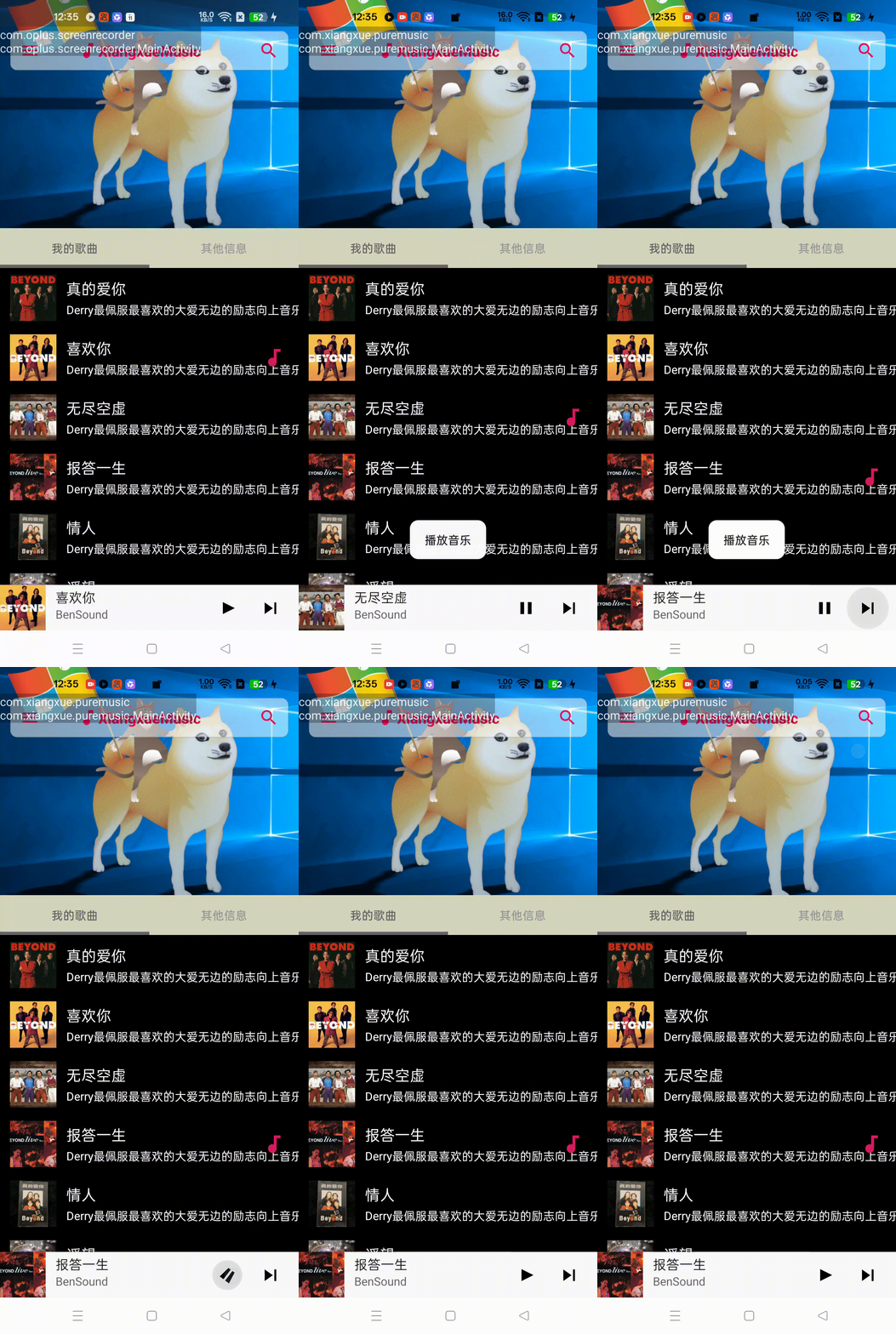
好了,播放能力就讲到这里吧~
欢迎三连
来都来了,点个关注,点个赞吧,你的支持是我最大的动力~
 1246


 扫一扫


 被折叠的 条评论
为什么被折叠?
 到【灌水乐园】发言


