


共享状态管理
InheritedWidget
InheritedWidget可以实现跨组件数据的传递
定义一个共享数据的InheritedWidget,需要继承自InheritedWidget
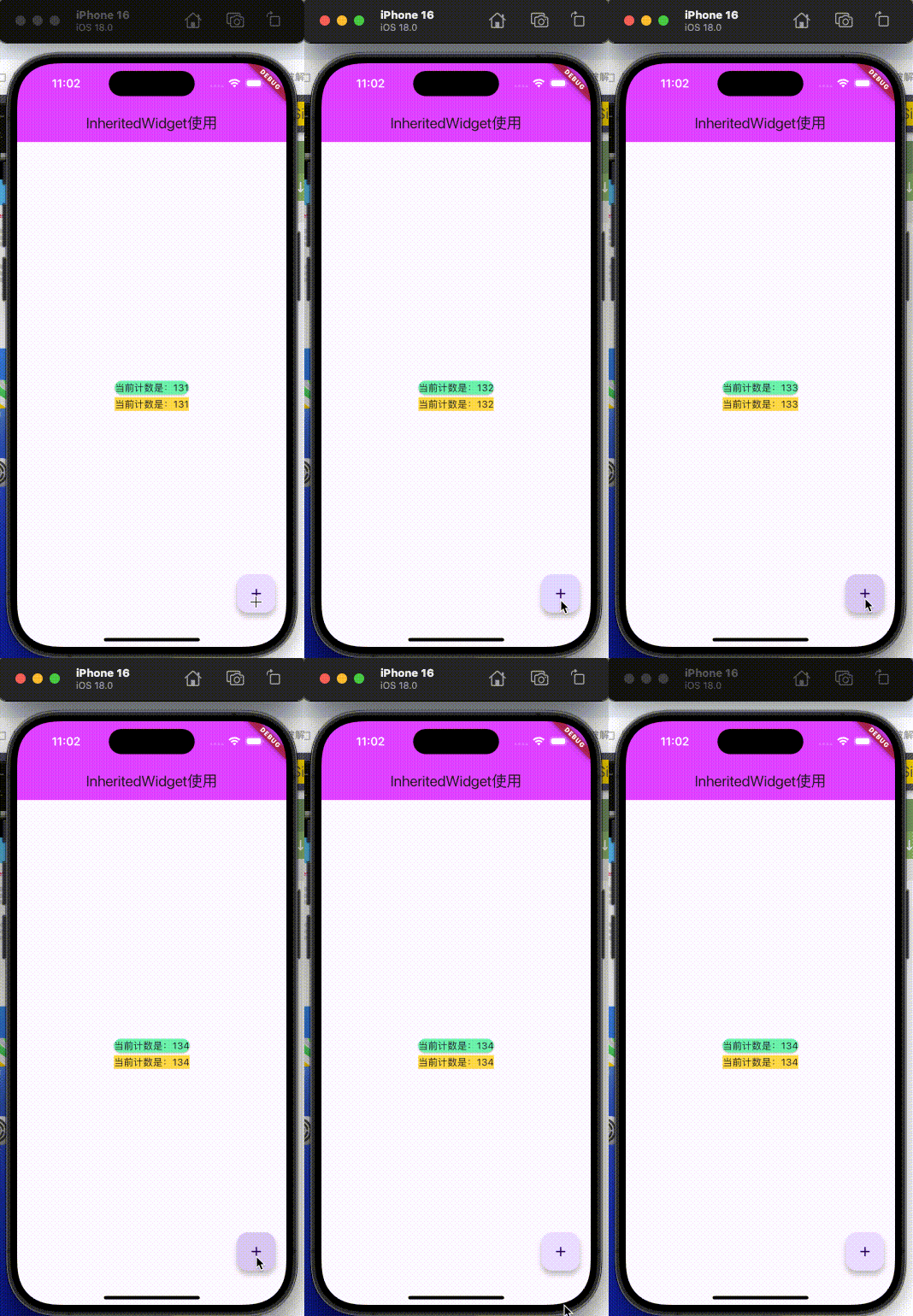
import 'package:flutter/material.dart';
import 'dart:math';
/// 创建一个继承InheritedWidget的子类
class YZCounterWidget extends InheritedWidget {
// 1. 共享的数据
final int counter;
// 2. 构造方法
YZCounterWidget({
required super.child,
this.counter = 0
});
// 3. 获取组件最近的当前InheritedWidget
static YZCounterWidget? of(BuildContext context) {
/// 沿着Element树,找最近的YZCounterElement,从Element中取出Widget对象
return context.dependOnInheritedWidgetOfExactType();
}
// 4. 决定要不要回调didChangeDependencies 方法
bool updateShouldNotify(YZCounterWidget oldWidget) {
return oldWidget.counter != counter;//true执行
}
}
main() => runApp(MyApp());
class MyApp extends StatelessWidget {
MyApp({
super.key});
Widget build(BuildContext context) {
return MaterialApp(
home: YZHomePage(),
);
}
}
class YZHomePage extends StatefulWidget {
State<YZHomePage> createState() => _YZHomePageState();
}
class _YZHomePageState extends State<YZHomePage> {
int _counter = 109;
Widget build(BuildContext context) {
return Scaffold(
appBar: AppBar(
title: Text("InheritedWidget使用"),
backgroundColor: Colors.purpleAccent,
),
body: YZCounterWidget(
counter: _counter,
child: Center(
child: Column(
mainAxisAlignment: MainAxisAlignment.center,
children: [
YZHomeShowData01(),
YZHomeShowData02(),
],
),
),
),
floatingActionButton: FloatingActionButton(
child: Icon(Icons.add),
onPressed: (){
setState(() {
_counter++;
});
},
),
);
}
}
class YZHomeShowData01 extends StatefulWidget {
const YZHomeShowData01({
super.key});
State<YZHomeShowData01> createState() => _YZHomeShowData01State();
}
class _YZHomeShowData01State extends State<YZHomeShowData01> {
void didChangeDependencies() {
// TODO: implement didChangeDependencies
super.didChangeDependencies();
print("_YZHomeShowData01State执行了didChangeDependencies");
}
Widget build(BuildContext context) {
int? counter = YZCounterWidget.of(context)?.counter;
return Card(
color: Colors.greenAccent,
child: Text("当前计数是:$counter"),
);
}
}
class YZHomeShowData02 extends StatelessWidget {
const YZHomeShowData02({
super.key});
Widget build(BuildContext context) {
int? counter = YZCounterWidget.of(context)?.counter;
return Container(
decoration: BoxDecoration(
color: Colors.amberAccent,
),
child: Text("当前计数是:$counter"),
);
}
}
Provider
Provider的一般使用步骤:
- 创建自己需要共享的数据
- 在应用程序的顶层使用
ChangeNotifierProvider - 在其他位置使用 共享数据 即可
android studio生成get/set方法的快捷键:command+n
有两种方法,可以设置或者获取 共享数据:
Provider.of和 Consumer
一般使用Consumer,因为如果使用的是Provider.of,则当改变的时候,整个build方法会重新执行
注意: 点击的时候,直接++,不需要加setState
onPressed: (){


	contextVM.counter++;
},
简单理解,就相当于iOS中的Notification:注册-发送-监听
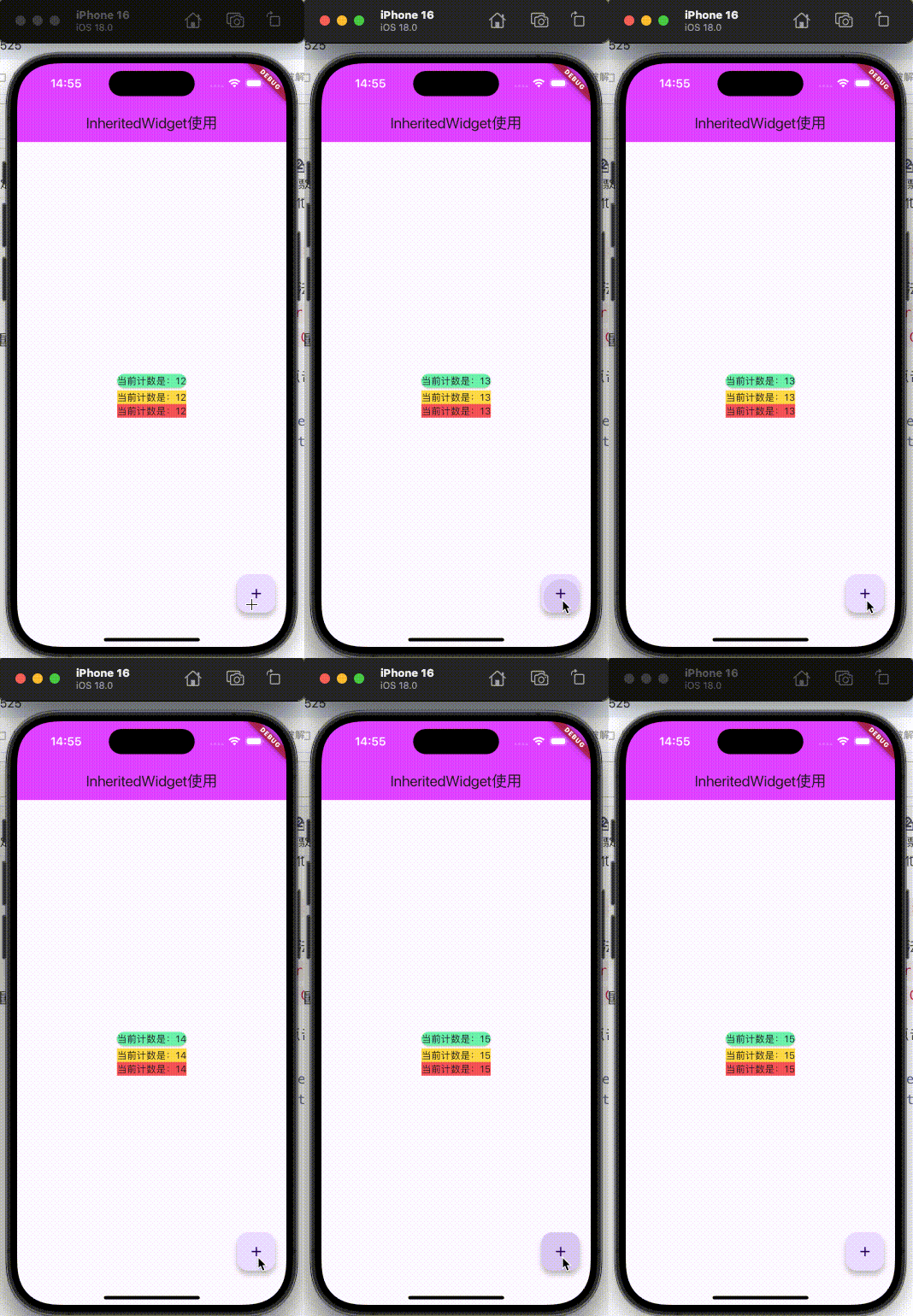
import 'package:flutter/material.dart';
import 'dart:math';
import 'package:provider/provider.dart';
/// 共享数据 with是混入,也就是非继承但是可以有ChangeNotifier所以的方法和属性
class YZCounterViewModel with ChangeNotifier{
int _counter = 10;
int get counter => _counter;
set counter(int value) {
_counter = value;
/// 通知所有的监听者
notifyListeners();
}
}
main() {
runApp(
// 单个的
// ChangeNotifierProvider(
// create: (BuildContext context) {
// return YZCounterViewModel();
// },
// child: MyApp()
// ),
// 多个的
MultiProvider(
providers: [
ChangeNotifierProvider(
create: (BuildContext context) {
return YZCounterViewModel();
},
),
// 多个
// ...
],
child: MyApp(),
)
);
}
class MyApp extends StatelessWidget {
MyApp({
super.key});
Widget build(BuildContext context) {
return MaterialApp(
home: YZHomePage(),
);
}
}
class YZHomePage extends StatefulWidget {
State<YZHomePage> createState() => _YZHomePageState();
}
class _YZHomePageState extends State<YZHomePage> {
Widget build(BuildContext context) {
return Scaffold(
appBar: AppBar(
title: Text("InheritedWidget使用"),
backgroundColor: Colors.purpleAccent,
),
body: Center(
child: Column(
mainAxisAlignment: MainAxisAlignment.center,
children: [
YZHomeShowData01(),
YZHomeShowData02(),
YZHomeShowData03(),
],
),
),
// 使用Consumer
// floatingActionButton: Consumer<YZCounterViewModel> (
// builder: (context, contextVM, child){
// print("floatingActionButton builder 被执行");
// return FloatingActionButton(
// child: child,
// onPressed: (){
// // 不需要加 setState
// // setState(() {
// // contextVM.counter++;
// // });
// contextVM.counter++;
// },
// );
// },
// child: Icon(Icons.add),//放在这,是为了不被每次重建
// )
// 使用 Selector
floatingActionButton: Selector<YZCounterViewModel, YZCounterViewModel> (
builder: (context, contextVM, child){
< 最低0.47元/天 解锁文章









 扫一扫
扫一扫


 762
762

 被折叠的 条评论
为什么被折叠?
被折叠的 条评论
为什么被折叠?
 到【灌水乐园】发言





