



1. 引言:为什么需要“禁止转载”功能?
随着互联网的普及,原创内容变得越来越容易被复制和转载。作为创作者,我们有权利保护自己的劳动成果免受盗用。而在一个文章发布平台中提供“禁止转载”功能,能够有效提高文章内容的保护力度,减少未经授权的转载行为。
在这篇文章中,我们将一步步构建一个简易的文章发布系统,并且为每篇文章增加“禁止转载”设置,保护你的原创内容。
2. 第一部分:创建简易文章发布平台框架
创建简易文章发布平台框架
2.1 环境搭建
- 安装 Node.js 和 Express
- 在项目目录中运行:
npm init -y
npm install express
3. 第二部分:实现文章发布界面
3.1 设计前端页面
文章发布页面包含文章标题、内容以及“禁止转载”选项。可以使用 HTML 和 CSS 创建一个简洁的表单页面。
<!DOCTYPE html>
<html lang="zh">
<head>
    <meta charset="UTF-8">
    <title>文章发布系统</title>
    <style>
        .container {
            max-width: 800px;
            margin: 0 auto;
            padding: 20px;
        }
        .form-group {
            margin-bottom: 15px;
        }
        textarea {
            width: 100%;
            min-height: 200px;
        }
        .article {
            box-shadow: 0 2px 4px rgba(0,0,0,0.1);
            border-radius: 8px;
            margin-bottom: 20px;
            background: #fff;
        }
        .article-header {
            padding: 15px;
            border-bottom: 1px solid #eee;
        }
        .article-content {
            padding: 20px;
            line-height: 1.6;
            white-space: pre-wrap;
        }
        .article-footer {
            padding: 10px 15px;
            background: #f9f9f9;
            color: #666;
            font-size: 0.9em;
            border-top: 1px solid #eee;
        }
        .pagination {
            display: flex;
            justify-content: center;
            gap: 10px;
            margin-top: 20px;
        }
        .pagination button {
            padding: 5px 15px;
            cursor: pointer;
        }
        .pagination button:disabled {
            opacity: 0.5;
            cursor: not-allowed;
        }
        button {
            background: #4CAF50;
            color: white;
            border: none;
            padding: 10px 20px;
            border-radius: 4px;
            cursor: pointer;
        }
        button:hover {
            background: #45a049;
        }
        input[type="text"], textarea {
            width: 100%;
            padding: 8px;
            border: 1px solid #ddd;
            border-radius: 4px;
            box-sizing: border-box;
        }
        .copyright-notice {
            color: red;
            font-weight: bold;
        }
        .protected-content {
            user-select: none;
            -webkit-user-select: none;
            -moz-user-select: none;
            -ms-user-select: none;
        }

        .watermark {
            position: relative;
        }

        .watermark::after {
            content: "禁止转载";
            position: absolute;
            top: 50%;
            left: 50%;
            transform: translate(-50%, -50%) rotate(-45deg);
            font-size: 48px;
            opacity: 0.1;
            pointer-events: none;
            z-index: 1;
        }
    </style>
</head>
<body>
    <div class="container">
        <h1>发布文章</h1>
        <form id="articleForm">
            <div class="form-group">
                <label for="title">标题:</label>
                <input type="text" id="title" required>
            </div>
            <div class="form-group">
                <label for="content">内容:</label>
                <textarea id="content" required></textarea>
            </div>
            <div class="form-group">
                <label>
                    <input type="checkbox" id="noCopy"> 禁止转载
                </label>
            </div>
            <button type="submit">发布</button>
        </form>

        <div id="articles"></div>
    </div>

    <script>
        let currentPage = 1;
        const articlesPerPage = 5;

        document.getElementById('articleForm').addEventListener('submit', async (e) => {
            e.preventDefault();

            const article = {
                title: document.getElementById('title').value,
                content: document.getElementById('content').value,
                noCopy: document.getElementById('noCopy').checked
            };

            try {
                const response = await fetch('/api/articles', {
                    method: 'POST',
                    headers: {
                        'Content-Type': 'application/json'
                    },
                    body: JSON.stringify(article)
                });

                if (response.ok) {
                    alert('发布成功!');
                    loadArticles();
                    e.target.reset();
                }
            } catch (error) {
                console.error('发布失败:', error);
                alert('发布失败,请重试');
            }
        });

        function formatDate(date) {
            return new Date(date).toLocaleString('zh-CN', {
                year: 'numeric',
                month: '2-digit',
                day: '2-digit',
                hour: '2-digit',
                minute: '2-digit'
            });
        }

        async function loadArticles() {
            try {
                const response = await fetch('/api/articles');
                const allArticles = await response.json();

                const totalPages = Math.ceil(allArticles.length / articlesPerPage);
                const start = (currentPage - 1) * articlesPerPage;
                const end = start + articlesPerPage;
                const pageArticles = allArticles.slice(start, end);

                const articlesDiv = document.getElementById('articles');
                articlesDiv.innerHTML = pageArticles.map(article => `
                    <div class="article ${article.noCopy ? 'protected-content watermark' : ''}"
                         ${article.noCopy ? 'οncοntextmenu="return false" onselectstart="return false" οncοpy="return false"' : ''}>
                        <div class="article-header">
                            <h2>${article.title}</h2>
                        </div>
                        <div class="article-content">
                            ${article.noCopy ? addTextWatermark(article.content) : article.content.replace(/\n/g, '<br>')}
                        </div>
                        <div class="article-footer">
                            <span>发布时间:${formatDate(article.createTime)}</span>
                            ${article.noCopy ? '<p class="copyright-notice">※ 本文禁止转载</p>' : ''}
                        </div>
                    </div>
                `).join('');

                articlesDiv.innerHTML += `
                    <div class="pagination">
                        <button οnclick="changePage(-1)" ${currentPage === 1 ? 'disabled' : ''}>上一页</button>
                        <span>第 ${currentPage} / ${totalPages} 页</span>
                        <button οnclick="changePage(1)" ${currentPage === totalPages ? 'disabled' : ''}>下一页</button>
                    </div>
                `;
            } catch (error) {
                console.error('加载文章失败:', error);
            }
        }

        function changePage(delta) {
            currentPage += delta;
            loadArticles();
        }

        document.addEventListener('keydown', function(e) {
            if (e.target.closest('.article[oncontextmenu]') &&
                (e.ctrlKey || e.metaKey) &&
                (e.key === 'c' || e.key === 'C')) {
                e.preventDefault();
            }
        });

        // 添加文字水印
        function addTextWatermark(content) {
            const text = content.replace(/\n/g, '<br>');
            return `<div class="watermarked-text">${text}</div>`;
        }

        // 禁用打印
        if (window.matchMedia) {
            window.matchMedia('print').addListener(function(mql) {
                if (mql.matches) {
                    document.querySelectorAll('.protected-content').forEach(el => {
                        el.style.display = 'none';
                    });
                }
            });
        }

        loadArticles();
    </script>
</body>
</html>
4. 第三部分:实现后台逻辑处理
在项目的根目录下创建一个server.js的文件,作为我们的后端服务
const express = require('express');
const app = express();
const path = require('path');

// 中间件设置
app.use(express.json());
app.use(express.static('public'));

// 添加简单的内存缓存
const articles = [];

// 获取所有文章(添加排序)
app.get('/api/articles', (req, res) => {
    // 按时间倒序排列
    const sortedArticles = [...articles].sort((a, b) => b.createTime - a.createTime);
    res.json(sortedArticles);
});

// 发布新文章(添加输入验证)
app.post('/api/articles', (req, res) => {
    const { title, content, noCopy } = req.body;

    // 增强输入验证
    if (!title.trim() || !content.trim()) {
        return res.status(400).json({ error: '标题和内容不能为空' });
    }

    if (title.length > 100) {
        return res.status(400).json({ error: '标题长度不能超过100个字符' });
    }

    if (content.length > 10000) {
        return res.status(400).json({ error: '内容长度不能超过10000个字符' });
    }

    const article = {
        id: Date.now(),
        title: title.trim(),
        content: content.trim(),
        noCopy,
        createTime: new Date().getTime()
    };

    articles.push(article);
    res.status(201).json(article);
});

// 添加错误处理中间件
app.use((err, req, res, next) => {
    console.error(err.stack);
    res.status(500).json({ error: '服务器内部错误' });
});

const PORT = process.env.PORT || 3000;
app.listen(PORT, () => {
    console.log(`服务器运行在 http://localhost:${PORT}`);
});
5. 运行效果展示
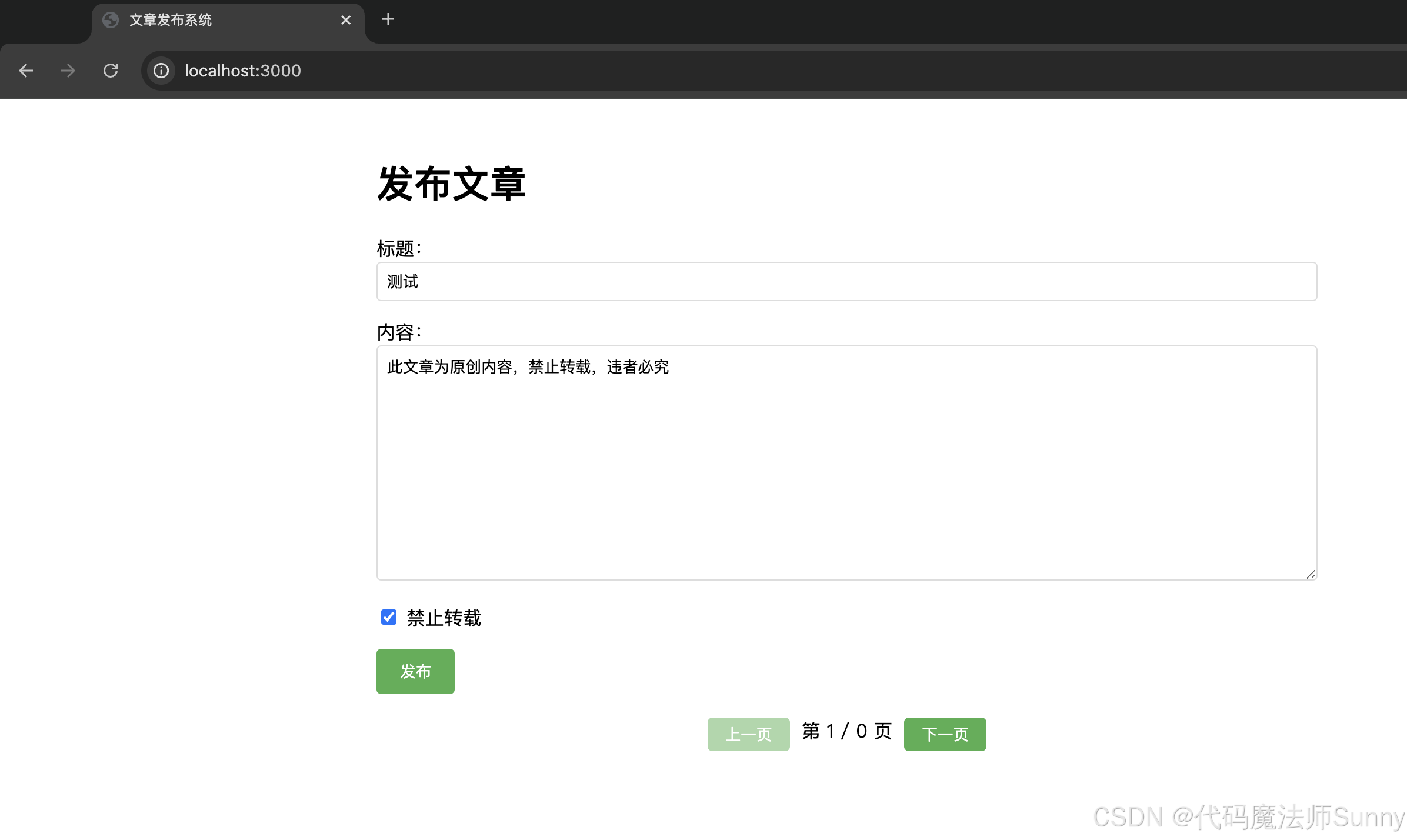
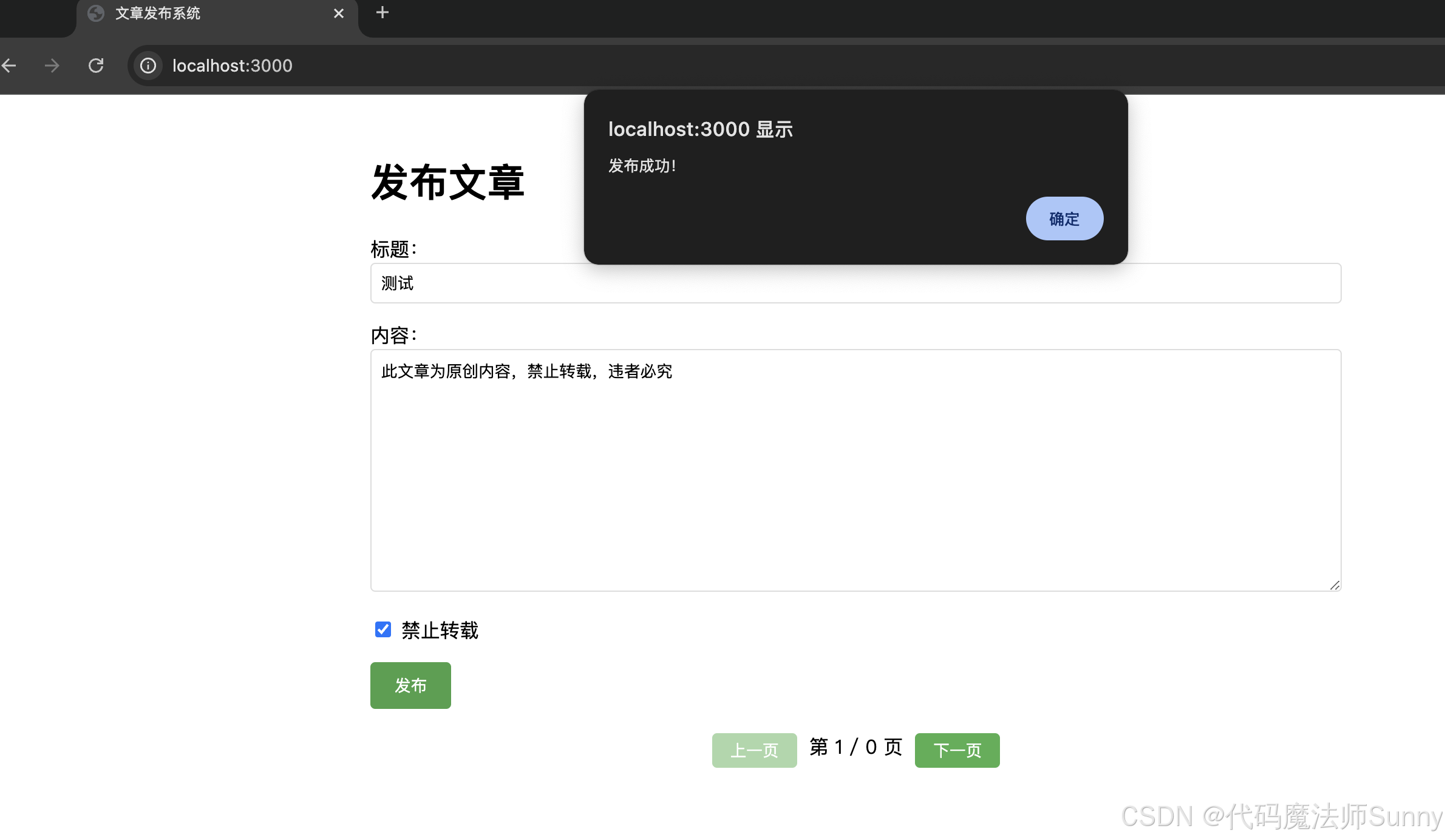
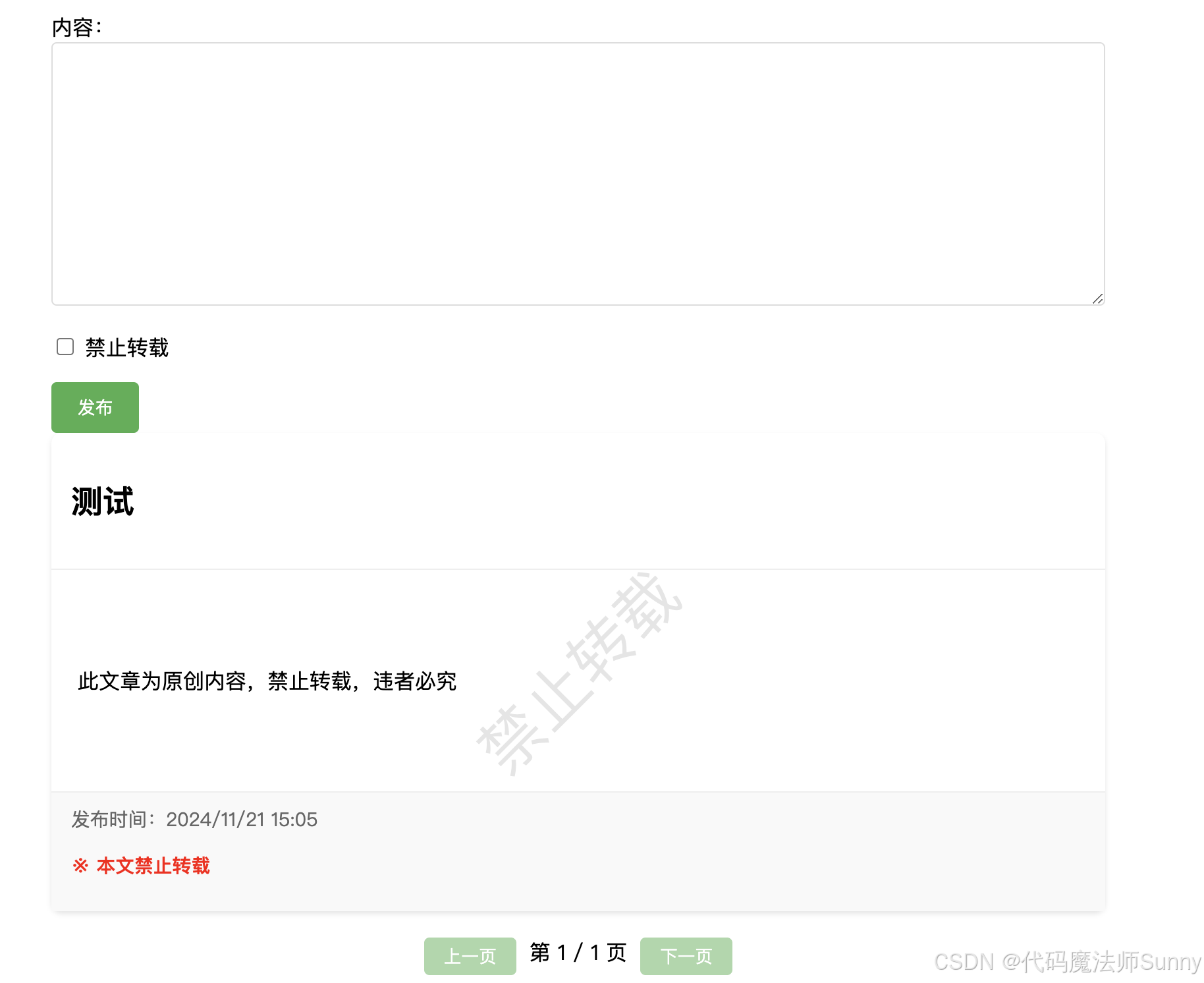





 扫一扫
扫一扫


 9959
9959

 被折叠的 条评论
为什么被折叠?
被折叠的 条评论
为什么被折叠?
 到【灌水乐园】发言





