


 本文介绍了如何解决Spring Tool Suite (STS)的Maven Web项目中index.jsp文件出现错误的问题。错误原因是缺少Servlet和JSP的相关依赖。通过在pom.xml文件中添加javax.servlet-api、javax.servlet.jsp-api、jstl和standard这四个依赖,然后保存并等待项目更新,可以消除index.jsp的错误。
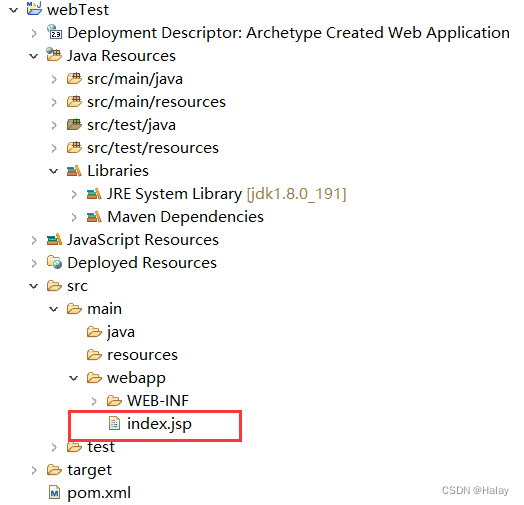
在创建 maven web 项目后,可以看到 index.jsp 文件出错。

出错的原因是缺少依赖,在这里要添加依赖包。

在 pom.xml 文件中的 <dependencies> </dependencies> (位置如下所示)输入:
    <!-- 添加对Servlet的支持-->
    <dependency>
        <groupId>javax.servlet</groupId>
        <artifactId>javax.servlet-api</artifactId>
        <version>3.1.0</version>
        <scope>provided</scope>
    </dependency>

    <!-- 添加jsp相关的支持 -->
    <dependency>
        <groupId>javax.servlet.jsp</groupId>
        <artifactId>javax.servlet.jsp-api</artifactId>
        <version>2.3.1</version>
    </dependency>

    <!-- 添加标签库支持 -->
    <dependency>
        <groupId>javax.servlet</groupId>
        <artifactId>jstl</artifactId>
        <version>1.1.2</version>
    </dependency>
    <dependency>
        <groupId>taglibs</groupId>
        <artifactId>standard</artifactId>
        <version>1.1.2</version>
    </dependency>
<!-- 添加对Servlet的支持-->
<dependency>
<groupId>javax.servlet</groupId>
<artifactId>javax.servlet-api</artifactId>
<version>3.1.0</version>
<scope>provided</scope>
</dependency>
<!-- 添加jsp相关的支持 -->
<dependency>
<groupId>javax.servlet.jsp</groupId>
<artifactId>javax.servlet.jsp-api</artifactId>
<version>2.3.1</version>
</dependency>
<!-- 添加标签库支持 -->
<dependency>
<groupId>javax.servlet</groupId>
<artifactId>jstl</artifactId>
<version>1.1.2</version>
</dependency>
<dependency>
<groupId>taglibs</groupId>
<artifactId>standard</artifactId>
<version>1.1.2</version>
</dependency>
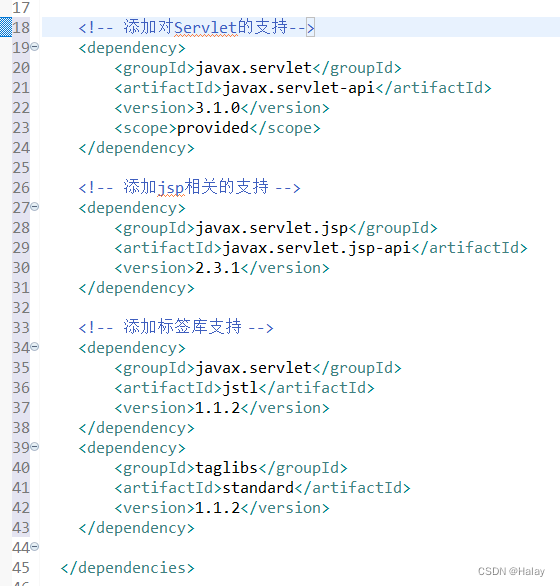
保存文件,等待片刻(可以通过最下方的 Progress 查看进度)完成后可以发现 index.jsp 不再报错。






 扫一扫
扫一扫


 3281
3281

 被折叠的 条评论
为什么被折叠?
被折叠的 条评论
为什么被折叠?
 到【灌水乐园】发言





