 Apollo配置中心:多环境配置与IDE集成指南



 本文详细介绍了如何使用Apollo配置中心进行多环境配置,包括全局配置、环境特定配置以及在Idea和Eclipse中的设置。强调了IDE配置的优先级高于全局配置,确保了开发环境的灵活性和一致性。
Apollo 配置中心 多环境配置 Apollo Profiles 配置
一、全局的配置
1、各环境不变的参数配置在Spring Boot的 application.properties中:
app.id=你的appid
apollo.bootstrap.enabled=true
apollo.bootstrap.namespaces=名字空间1,名字空间2 (可以省略)
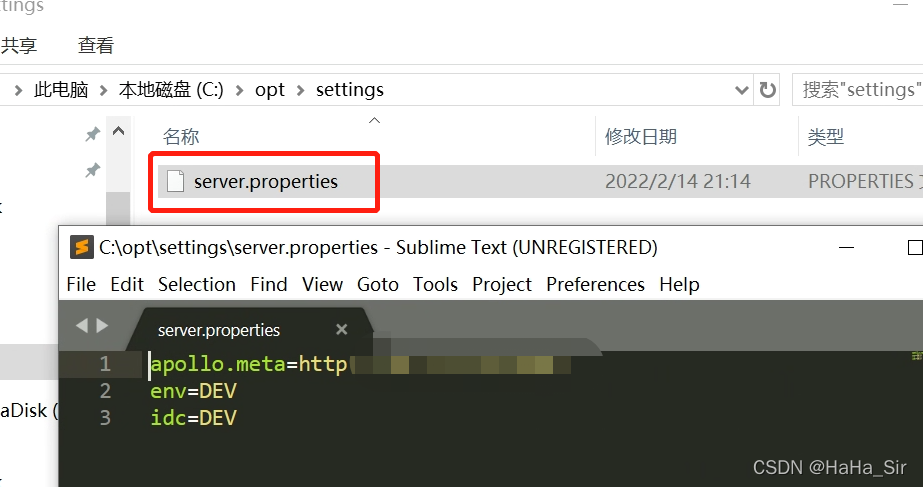
2、各环境不同的参数放在 server.properties ,在如下位置创建 server.properties
- Mac/Linux: /opt/settings/server.properties
- Windows: C:\opt\settings\server.properties
2.1、 配置文件内容:
apollo.meta=配置中心路径
env=环境
idc=集群
apollo.cacheDir=本地配置缓存路径【可省略】
二、Idea中配置
1、Idea顶部 --- Edit Configurations --- Environment variables
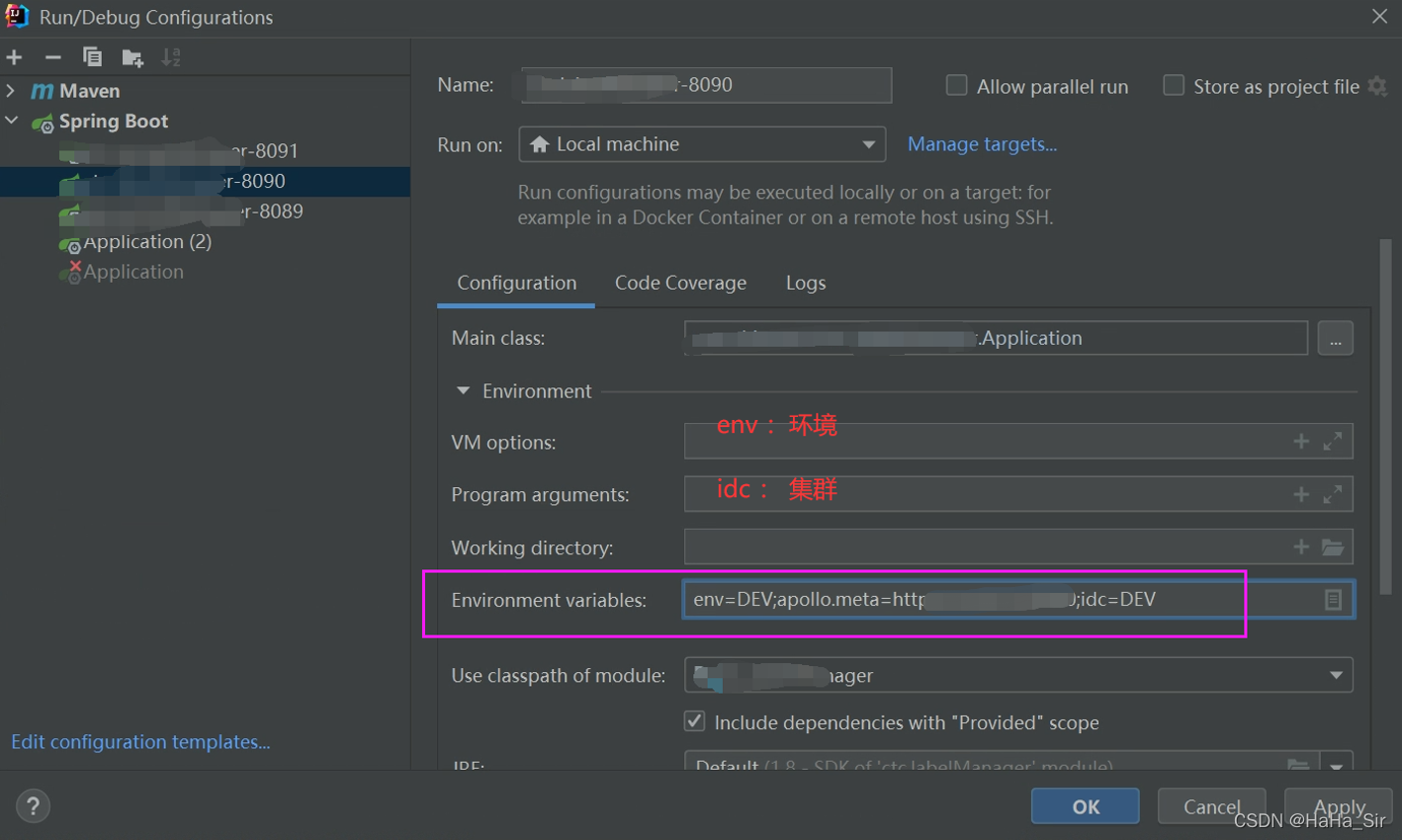
env=DEV;apollo.meta=http://xxxx:8080;idc=DEV
三、Eclipse中配置
1、Run As --- Run Configurations -- Environment
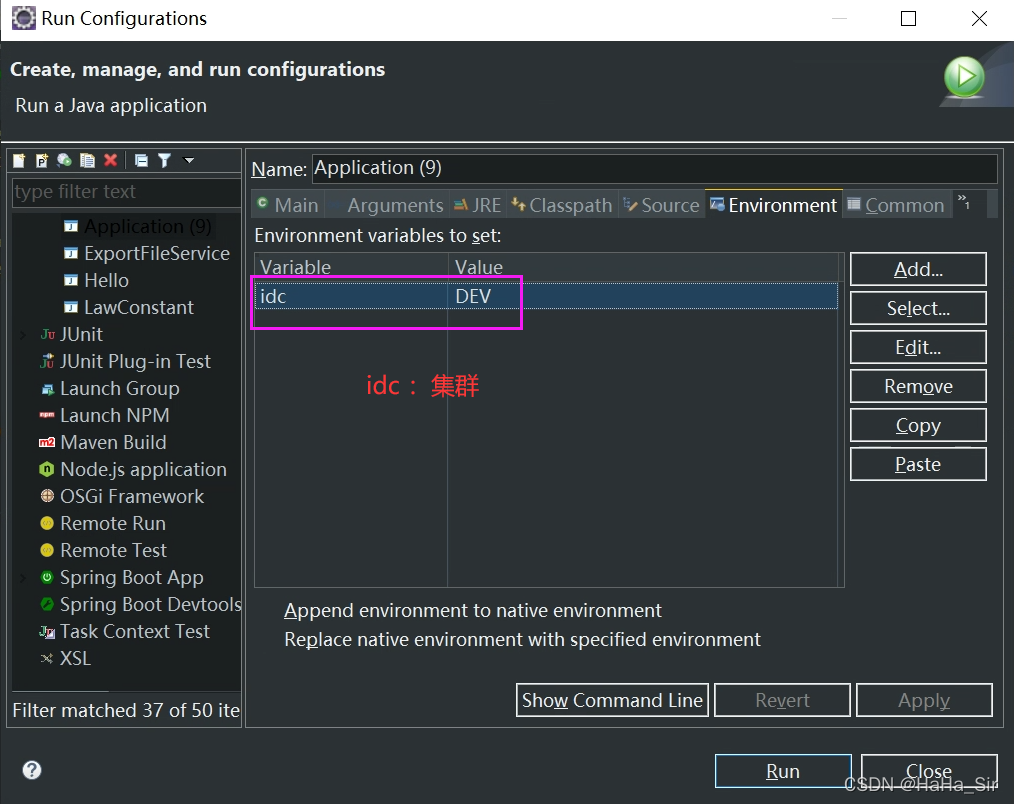
总结:IDE中配置优先级高于 全局配置!





 扫一扫
扫一扫


 949
949

 被折叠的 条评论
为什么被折叠?
被折叠的 条评论
为什么被折叠?
 到【灌水乐园】发言





