


解决GitLab双重认证的Token过期无法push和pull代码问题
问题描述
GitLab开启了双因素认证,Token过期导致无法拉取和推送代码。
push代码报错:
remote: HTTP Basic: Access denied. If a password was provided for Git authentica
tion, the password was incorrect or you're required to use a token instead of a
password. If a token was provided, it was either incorrect, expired, or improper
ly scoped. See https://gitlab.xxxx.com/xxx/xxx/
fatal: Authentication failed for 'https://gitlab.xxx.com/xxx/xxx-
xxx.git/'
解决方法
1、登录gitlab重新生成一个token
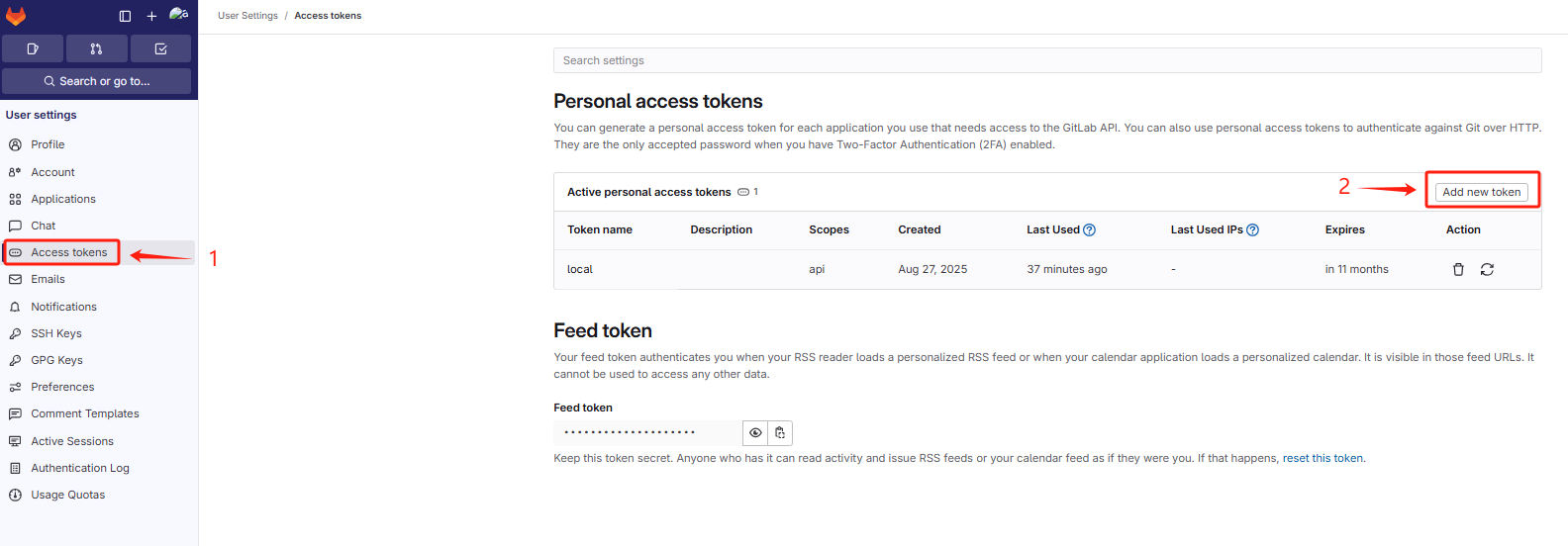
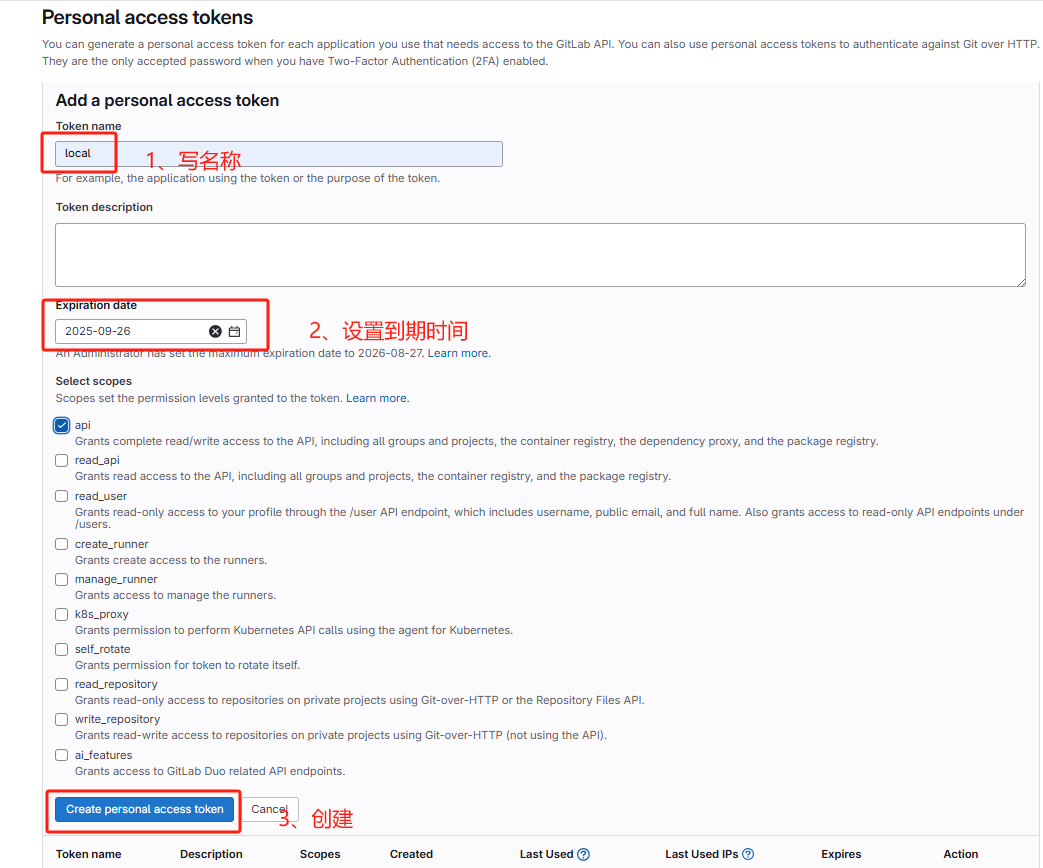
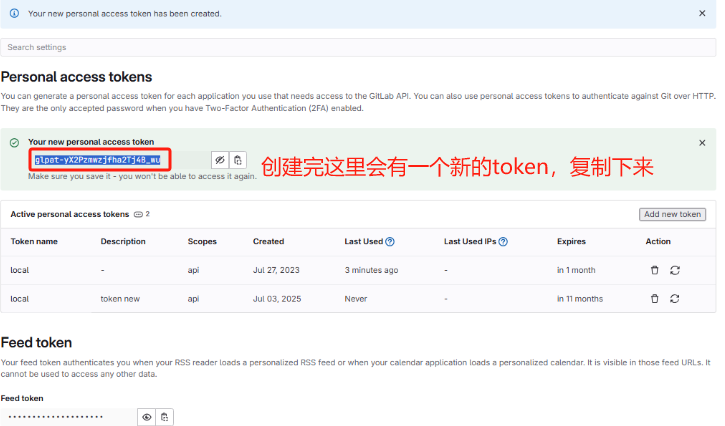
复制的Token先记录在某个地方
2、pull拉取代码,重新登录
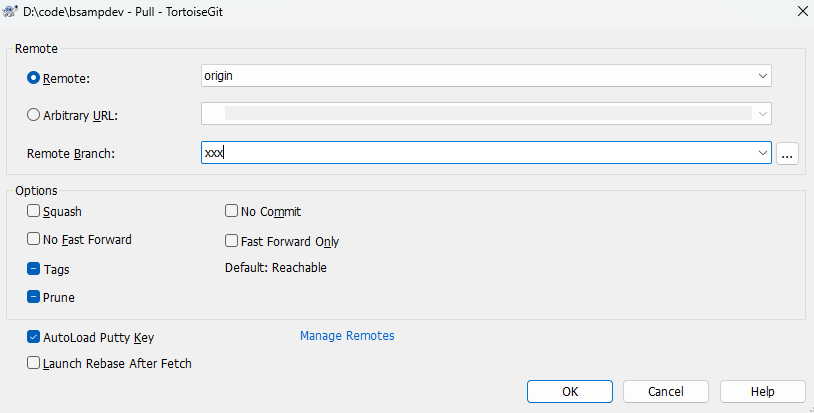
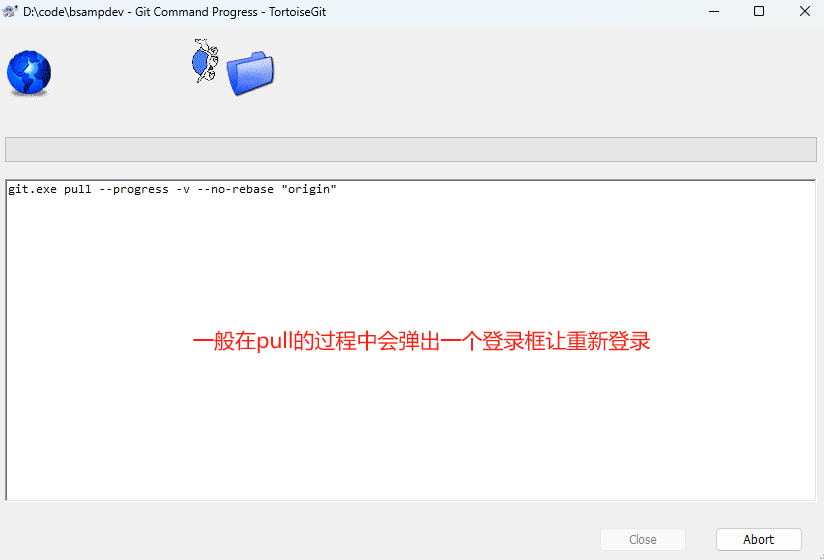
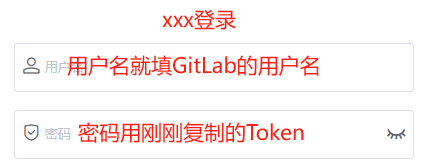
因为我重新更新了所以没有登录框,大致就是上面这种,登录后就可以拉取代码了!其实是很简单的一个问题,但是在网上找了很多还是没解决,就自己补充了下,希望可以帮助到一些朋友。





 扫一扫
扫一扫


 785
785

 被折叠的 条评论
为什么被折叠?
被折叠的 条评论
为什么被折叠?
 到【灌水乐园】发言





