



 本文介绍了青橙商城商品详细页的开发,包括RESTController与普通Controller的区别,RESTController专注于返回JSON数据,而Controller支持视图跳转。轮播图的实现、商品分类的动态渲染、Thymeleaf模板引擎的使用如保留两位小数等功能也被提及。此外,还讨论了如何处理数据库中以逗号分隔的图片数据,并解决了规格面板选择的问题,通过转换Map实现选中状态匹配。
1.controller和restcontroller的区别
restcontroller是返回json的而controller是可以跳转给模板引擎的。

2.轮播图

参考:https://www.cnblogs.com/mr-wuxiansheng/p/6395504.html
常用th标签都有那些?
关键字      功能介绍        案例
th:id      替换id          <input th:id="'xxx' + ${collect.id}"/>
th:text     文本替换        <p th:text="${collect.description}">description</p>
th:utext    支持html的文本替换   <p th:utext="${htmlcontent}">conten</p>
th:object    替换对象        <div th:object="${session.user}">
th:value    属性赋值        <input th:value="${user.name}" />
th:with    变量赋值运算        <div th:with="isEven=${prodStat.count}%2==0"></div>
th:style    设置样式            th:style="'display:' + @{(${sitrue} ? 'none' : 'inline-block')} + ''"
th:onclick    点击事件          th:onclick="'getCollect()'"
th:each    属性赋值            tr th:each="user,userStat:${users}">
th:if    判断条件            <a th:if="${userId == collect.userId}" >
th:unless    和th:if判断相反        <a th:href="@{/login}" th:unless=${session.user != null}>Login</a>
th:href    链接地址              <a th:href="@{/login}" th:unless=${session.user != null}>Login</a> />
th:switch    多路选择 配合th:case 使用    <div th:switch="${user.role}">
th:case    th:switch的一个分支        <p th:case="'admin'">User is an administrator</p>
th:fragment    布局标签,定义一个代码片段,方便其它地方引用    <div th:fragment="alert">
th:include    布局标签,替换内容到引入的文件    <head th:include="layout :: htmlhead" th:with="title='xx'"></head> />
th:replace    布局标签,替换整个标签到引入的文件    <div th:replace="fragments/header :: title"></div>
th:selected    selected选择框 选中    th:selected="(${xxx.id} == ${configObj.dd})"
th:src    图片类地址引入          <img class="img-responsive" alt="App Logo" th:src="@{/img/logo.png}" />
th:inline    定义js脚本可以使用变量    <script type="text/javascript" th:inline="javascript">
th:action    表单提交的地址        <form action="subscribe.html" th:action="@{/subscribe}">
th:remove    删除某个属性        <tr th:remove="all">                     1.all:删除包含标签和所有的孩子。                    2.body:不包含标记删除,但删除其所有的孩子。                    3.tag:包含标记的删除,但不删除它的孩子。                    4.all-but-first:删除所有包含标签的孩子,除了第一个。                    5.none:什么也不做。这个值是有用的动态评估。
th:attr    设置标签属性,多个属性可以用逗号分隔    比如 th:attr="src=@{/image/aa.jpg},title=#{logo}",此标签不太优雅,一般用的比较少。
th获取某个对象的值: ${对象.属性},类似jsp
3.欢迎页
欢迎页可以省略控制器的.do:
(在qingcheng_web_portal的web.xml配置)
<!--指定欢迎页,可以省略.do-->
  <welcome-file-list>
    <welcome-file>/index.do</welcome-file>
  </welcome-file-list>
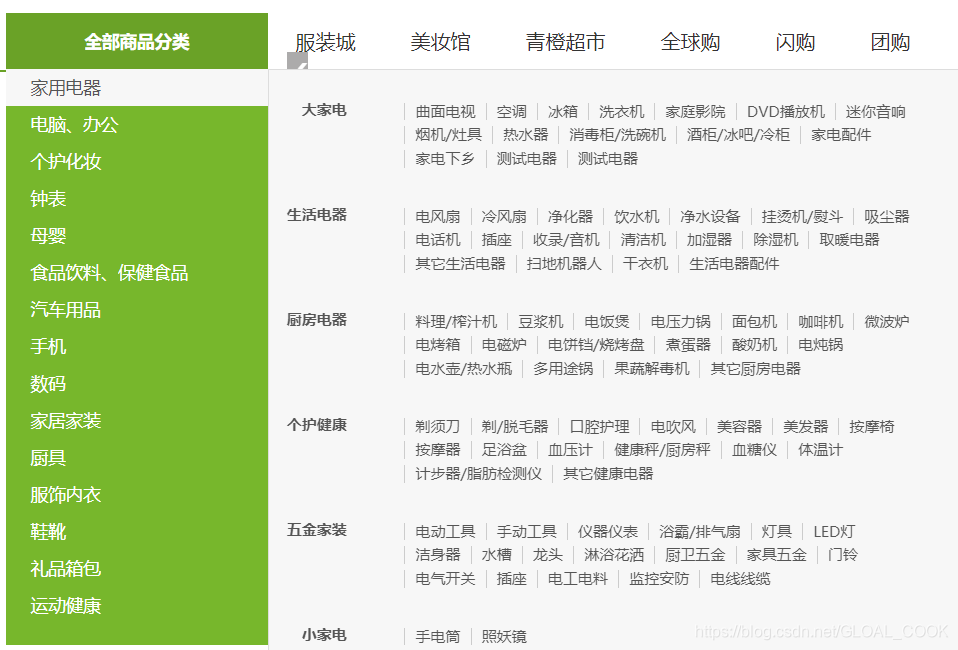
4.商品分类
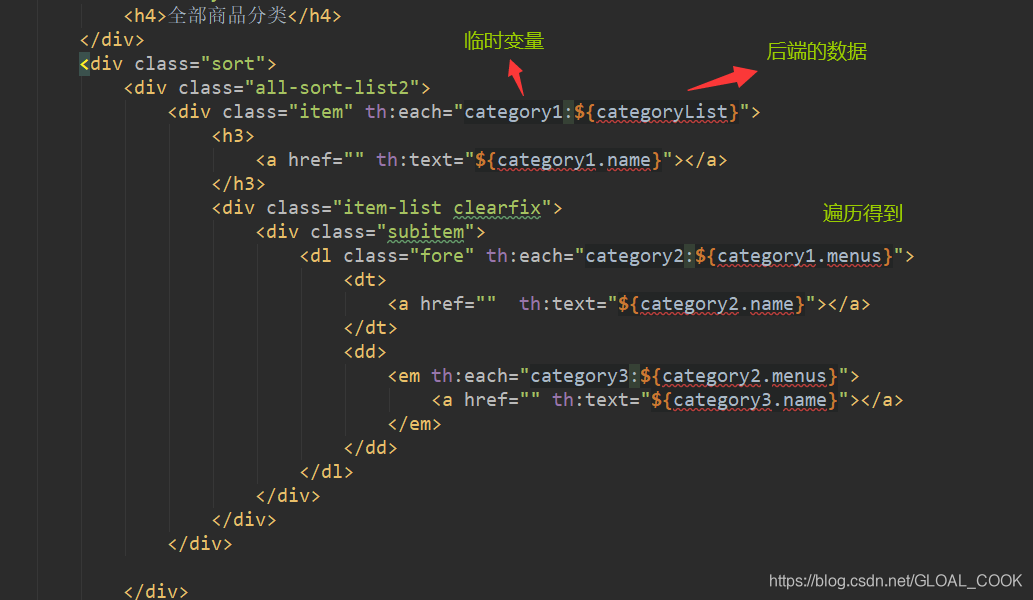 这些数据是th动态渲染给前端的
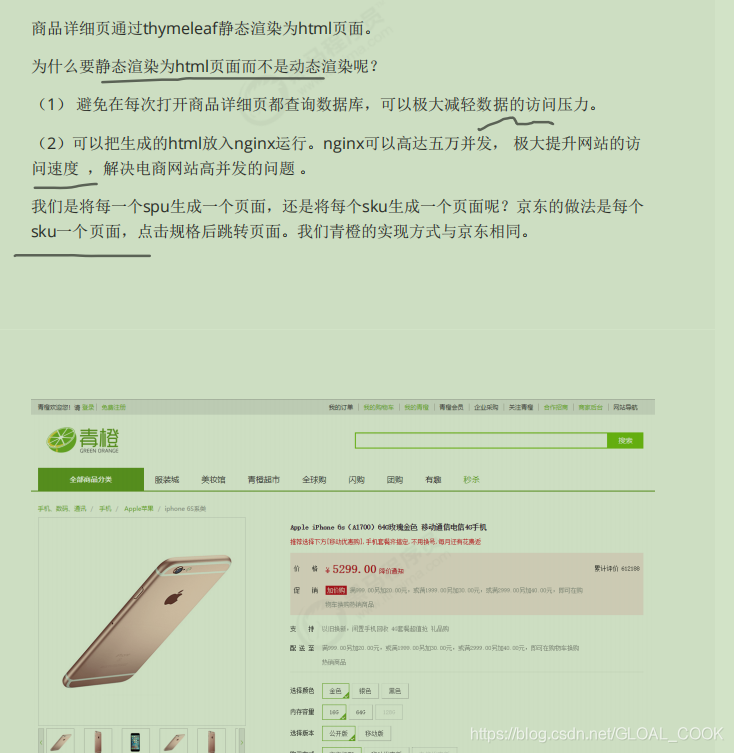
5.
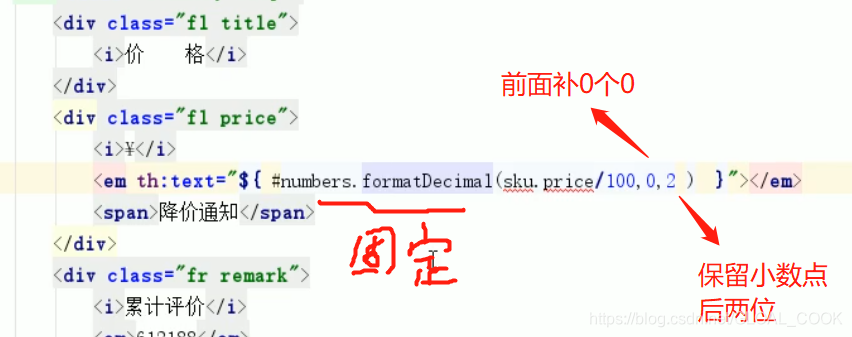
6.th保留两位小数
7.把数据库,分开的图片一行表示,分隔转为数组的形式:
这里以逗号分隔是因为db是以,分隔开多个图片的



9.规格面板的选择问题,把map转为你想要的map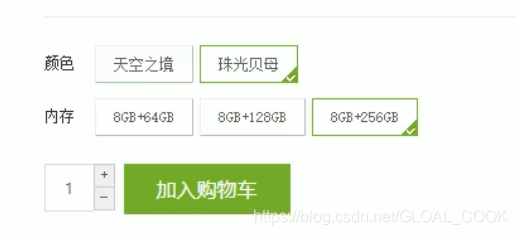
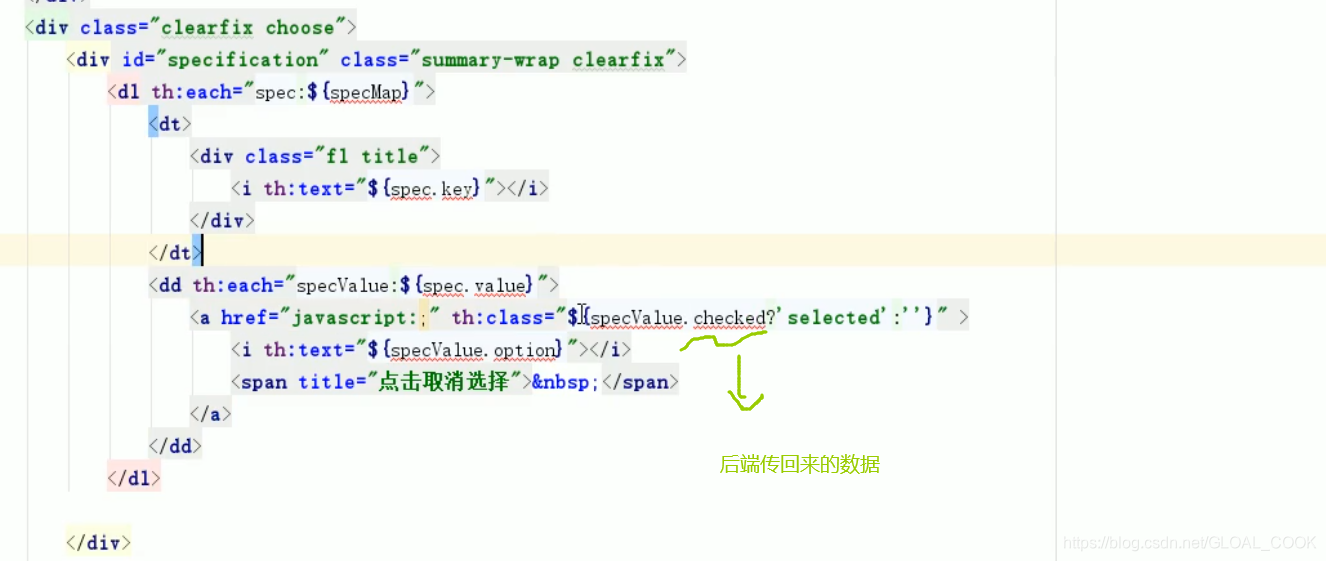
选中状态是根据当前sku的spec匹配来做的
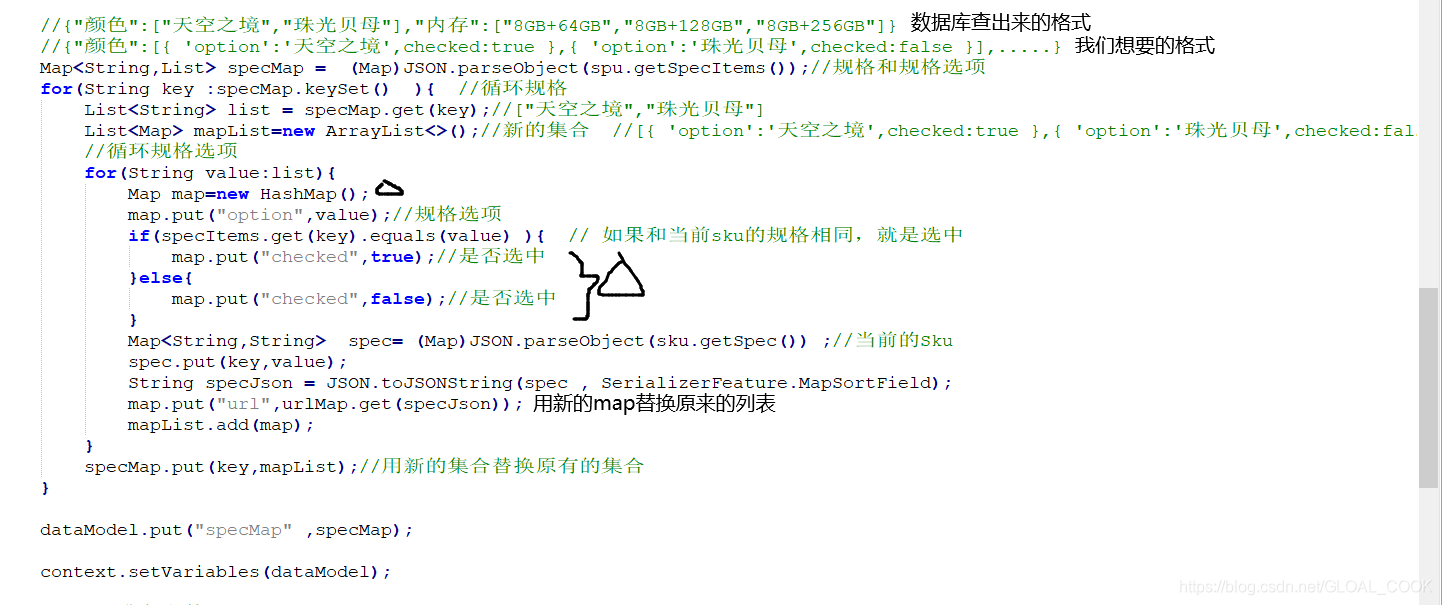

day08总结:学习了thymeleaf、轮播图、分类、商品详细页的生成





 扫一扫
扫一扫


 1607
1607

 被折叠的 条评论
为什么被折叠?
被折叠的 条评论
为什么被折叠?
 到【灌水乐园】发言





