



 本文介绍Carthage,一种用于iOS应用的简单框架管理工具。Carthage允许开发者保留项目结构控制,通过创建Cartfile列出依赖,运行carthage update进行更新。文章详细解释了从安装Carthage到在Xcode中使用框架的步骤。
基本概念
Carthage is intended to be the simplest way to add frameworks to your Cocoa application.Carthage builds your dependencies and provides you with binary framworks, but you retain full control over your project structure and setup. Carthage does not automatically modify your project files or your build settings.
Carthage安装
You can use Homebrew and install the carthage tool on your system simply by running brew update and brew install carthage.
brew update
brew install carthage
Carthage使用
1. Create a Cartfile in the same directory where your .xcodeproj or .xcworkspace is.
2. List the desired dependencies in the Cartfile,for example:
github "Alamofire/Alamofire" ~> 4.7.2
3. Run carthage update --platform iOS
carthage update --platform iOS
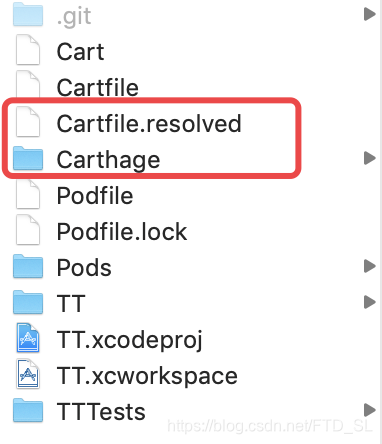
4. A Cartfile.resolved file and a Carthage directory will appear in the same directory where your .xcodeproj or .xcworkspace is.
5. Drag the built .framework binaries from Carthage/Build/iOS into your application’s Xcode project.

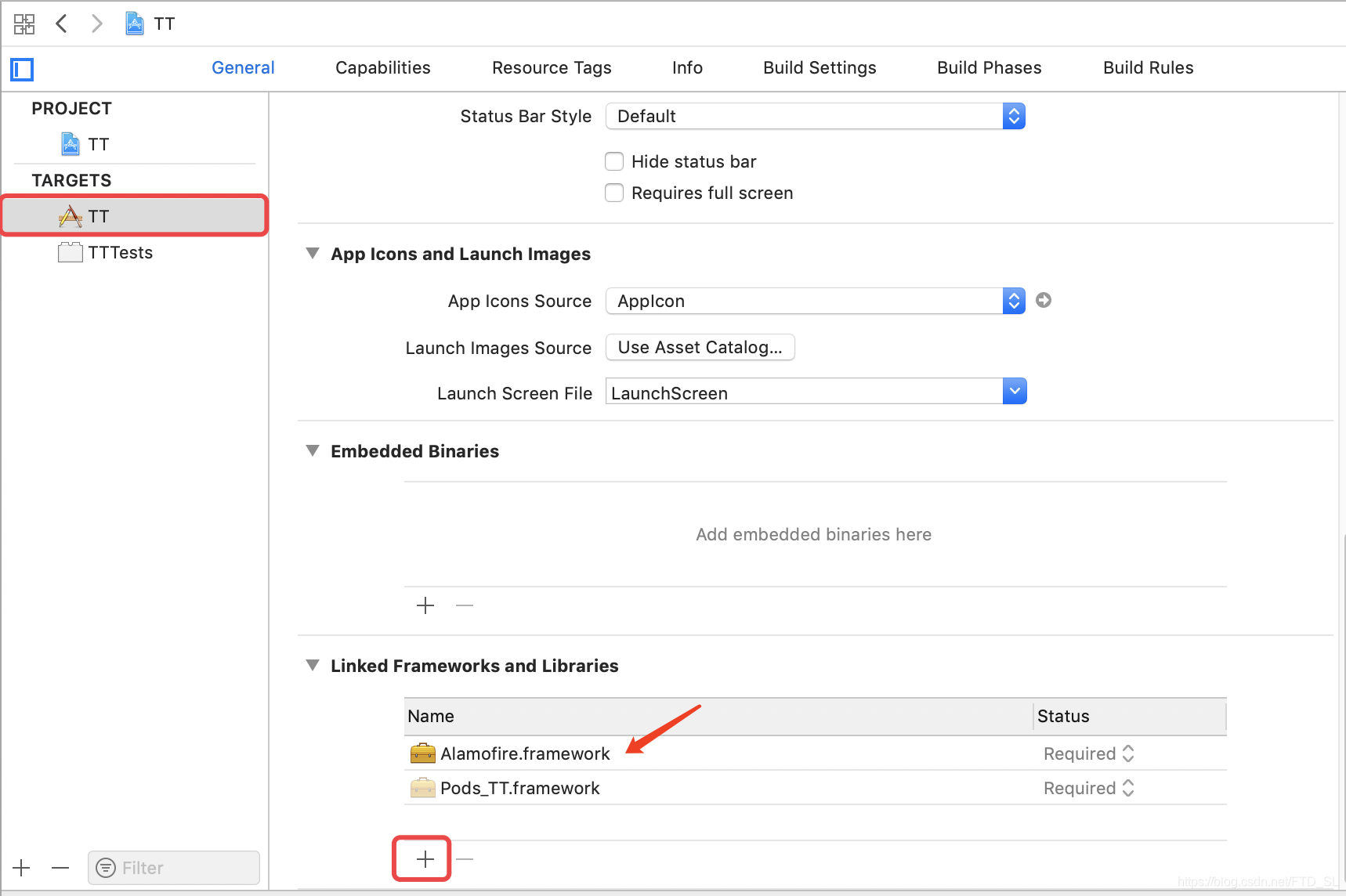
6. On your application targets’ Build Phases settings tab, click the + icon and choose New Run Script Phase. Create a Run Script in which you specify your shell (ex: /bin/sh), add the following contents to the script area below the shell:
/usr/local/bin/carthage copy-frameworks
Add the paths to the frameworks you want to use under “Input Files". For example:
$(SRCROOT)/Carthage/Build/iOS/Alamofire.framework
Add the paths to the copied frameworks to the “Output Files”. For example:
$(BUILT_PRODUCTS_DIR)/$(FRAMEWORKS_FOLDER_PATH)/Alamofire.framework
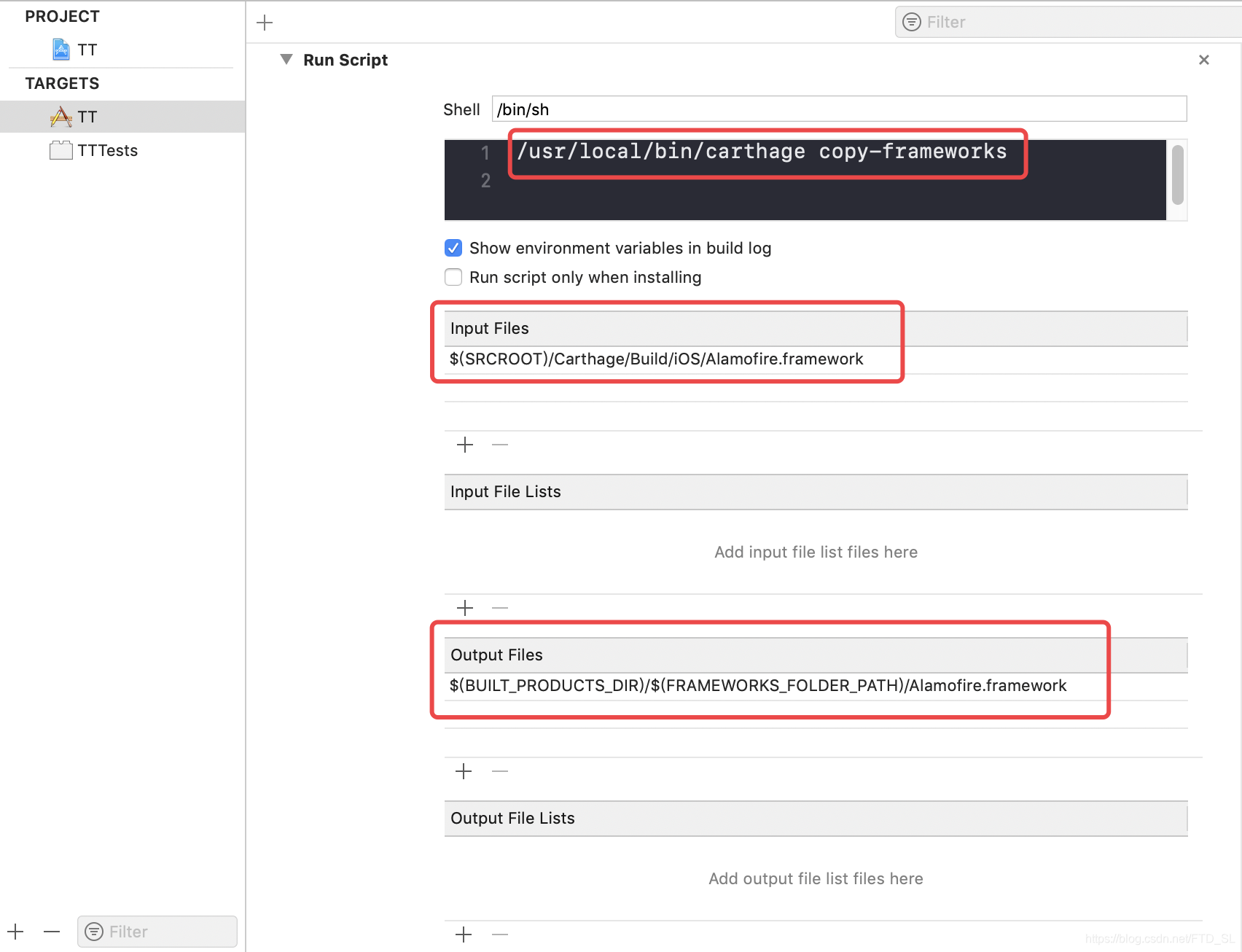
7. Alamofire库依赖完成?.





 扫一扫
扫一扫


 2219
2219

 被折叠的 条评论
为什么被折叠?
被折叠的 条评论
为什么被折叠?
 到【灌水乐园】发言





