



 本文总结了全国计算机等级考试二级Python语言程序设计中的必考库知识点,包括random、time及turtle库的重要函数和用法示例。
相关链接参考:全国计算机等级考试二级Python语言程序设计知识点考点
感谢作者考点的列举,写的非常好,正好我想稍微系统地复习Python二级考试的库。
相关必考库的笔记(上)
目录:
1. random
2. time
3. turtle
random
↶
random.seed()
random.random()
random.randint()
random.getrandbits()
random.randrange()
random.uniform()
random.choice()
random.shuffle()
random.sample()
random.seed()
↶
只要random.seed( * ) seed里面的值一样,那随机出来的结果就一样。所以说,seed的作用是让随机结果可重复出现。
>>> random.seed(1)
>>> print(random.random())
0.13436424411240122
>>> random.seed(1) #seed值相同
>>> print(random.random())
0.13436424411240122
>>> random.seed(2) #seed值不同
>>> print(random.random())
0.9560342718892494
random.random()
↶
随机生成[0.1)的浮点数
>>> for i in range(1000):
	print(random.random())
0.9478274870593494
0.05655136772680869
.
.
.
0.9748618674097633
random.randint()
↶
用于生成一个指定范围内的整数
>>> for i in range(5):
	print(random.randint(0, 5))
5
4
1
2
1
random.getrandbits()
↶
以长整型形式返回n个随机位(二进制数)
>>> random.getrandbits(2) #Python3没有长整型(没有L)
3
random.randrange()
↶
返回range(start,stop,step)中的随机数
>>> for i in range(10):
	print(random.randrange(0, 10, 2))
2
0
8
0
2
6
6
4
6
4
random.uniform()
↶
用于生成一个指定范围内的随机浮点数
>>> for i in range(10):
	print(random.uniform(0, 5))
3.880444562675147
3.3919078439288763
4.60996801166813
0.6453635204325942
4.960556809972866
1.1434907306580666
3.630314051319492
3.7278497677216835
4.025232022061783
4.944642897330521
random.choice()
↶
从序列(sequence)随机一个值
>>> a = list(range(5))
>>> a
[0, 1, 2, 3, 4]
>>> for i in range(5):
	print(random.choice(a))
2
3
3
4
2
>>> a = tuple(range(5))
>>> a
(0, 1, 2, 3, 4)
>>> for i in range(5):
	print(random.choice(a))
1
4
0
0
1
random.shuffle()
↶
用于将一个列表中的元素打乱。
>>> a = list(range(5))
>>> a
[0, 1, 2, 3, 4]
>>> random.shuffle(a)
>>> a
[2, 0, 4, 1, 3]
random.sample()
↶
从指定序列中随机获取指定长度的子序列
>>> for i in range(5):
	print(random.sample(a, random.randint(0, 5)))
[4, 0, 3, 2]
[4]
[0, 2, 4, 3, 1]
[3, 4, 1, 0, 2]
[0]
time
↶
time.time()
time.gmtime()
time.localtime()
time.ctime()
time.mktime()
time.strftime()
time.strptime()
time.sleep()
time.perf_counter()
time.time()
↶
返回当前时间的时间戳(1970纪元后经过的浮点秒数)。
>>> time.time()
1553674901.8040442
time.gmtime()
↶
将一个时间戳转换为UTC时区(0时区)的struct_time
>>> time.gmtime(time.time())
time.struct_time(tm_year=2019, tm_mon=3, tm_mday=27, tm_hour=8, tm_min=23, tm_sec=51, tm_wday=2, tm_yday=86, tm_isdst=0)
time.localtime()
↶
类似gmtime(),作用是格式化时间戳为本地的时间
>>> time.localtime(time.time())
time.struct_time(tm_year=2019, tm_mon=3, tm_mday=27, tm_hour=16, tm_min=24, tm_sec=50, tm_wday=2, tm_yday=86, tm_isdst=0)
time.ctime()
↶
把一个时间戳(按秒计算的浮点数)转化为time.asctime()的形式
>>> time.ctime(time.time())
'Wed Mar 27 16:25:42 2019'
time.mktime()
↶
接收struct_time对象作为参数,返回用秒数来表示时间的浮点数
>>> time.mktime(time.gmtime(time.time()))
1553646437.0
time.strftime()
↶
以时间元组,并返回以可读字符串表示的当地时间,格式由参数format决定
>>> a = time.gmtime(time.time())
>>> print(time.strftime('%Y-%m-%d-%H-%M-%S', a))
2019-03-27-08-28-36
time.strptime()
↶
根据指定的格式把一个时间字符串解析为时间元组。
>>> time.strptime("16 36 2019 3 27", "%H %M %Y %m %d")
time.struct_time(tm_year=2019, tm_mon=3, tm_mday=27, tm_hour=16, tm_min=36, tm_sec=0, tm_wday=2, tm_yday=86, tm_isdst=-1)
time.sleep()
↶
进程挂起的时间
>>> time.sleep(5) #睡5秒
time.perf_counter()
↶
返回性能计数器的值(以分秒为单位)诶~ 看不懂…
>>> time.sleep(5); time.perf_counter()
61.6327540930206
turtle
↶
参考链接:10分钟轻松学会 Python turtle 绘图
turtle.pendown()
turtle.penup()
turtle.pensize()
turtle.color()
turtle.pencolor()
turtle.begin_fill()
turtle.end_fill()
turtle.forward()
turtle.backward()
turtle.right()
turtle.left()
turtle.setheading()
turtle.goto()
turtle.circle()
可能的惊喜
turtle.pendown()
↶
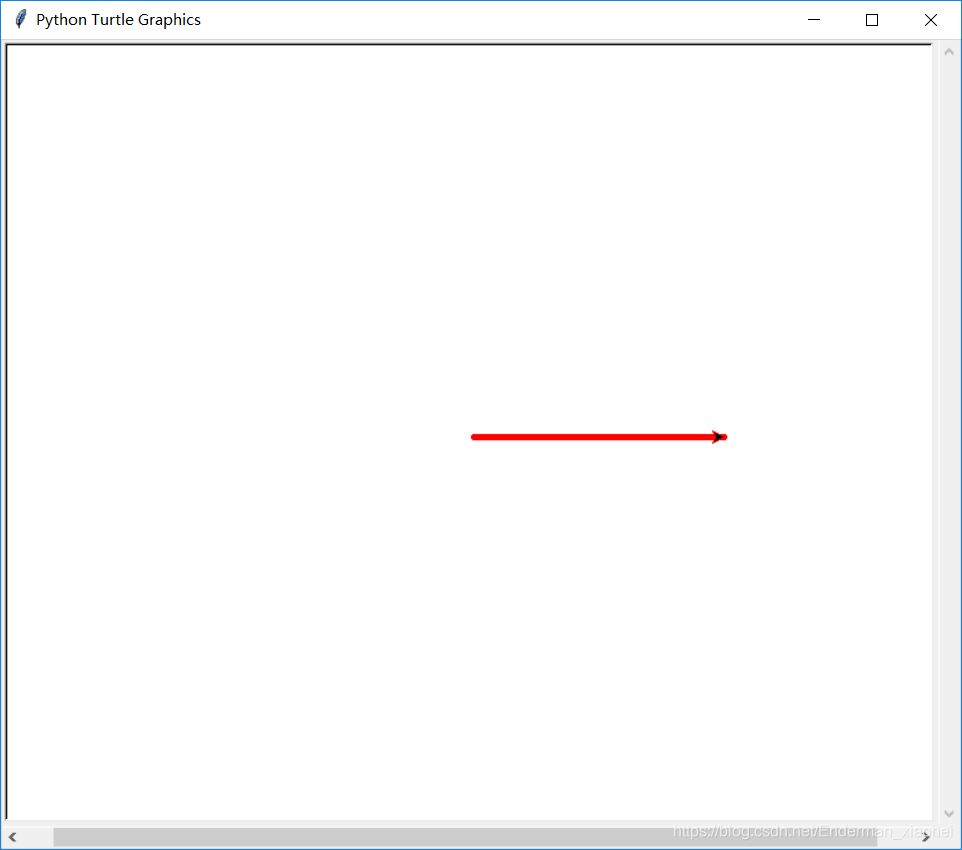
下笔,移动时绘制图形
import turtle
turtle.screensize(800, 600)
turtle.pensize(5)
turtle.pencolor('red')
turtle.pendown()
turtle.forward(200)
turtle.penup()
↶
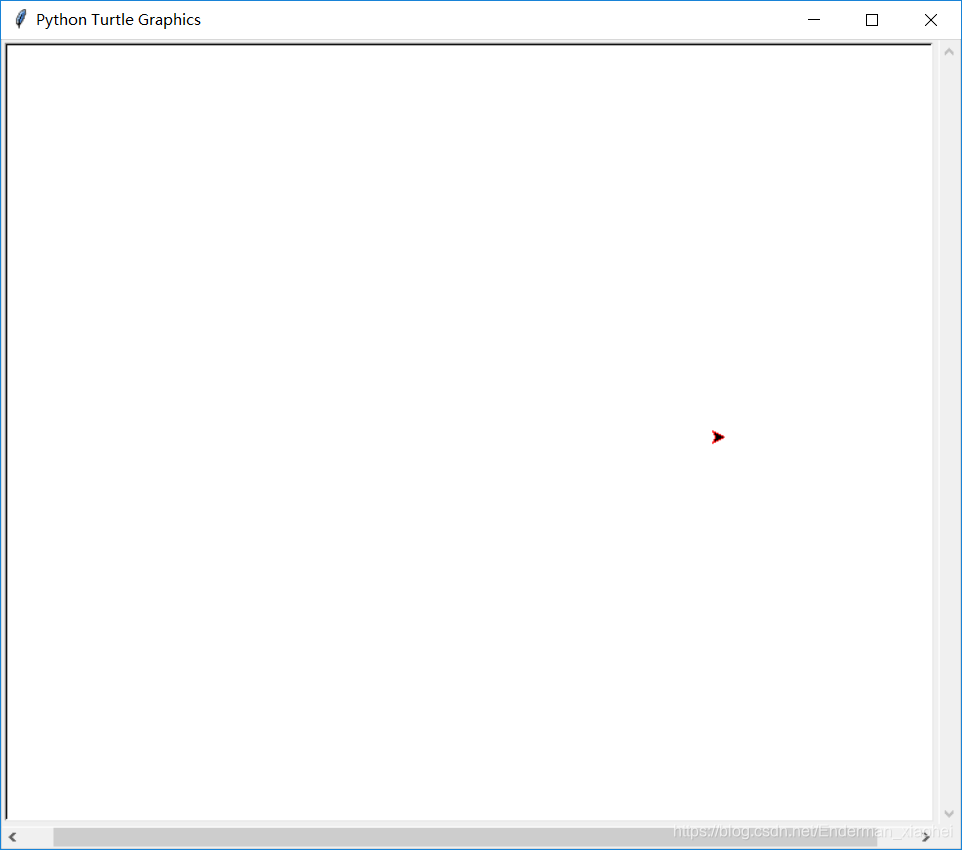
提笔,移动时不绘图
import turtle
turtle.screensize(800, 600)
turtle.pensize(5)
turtle.pencolor('red')
turtle.penup()
turtle.forward(200)
turtle.pensize()
↶
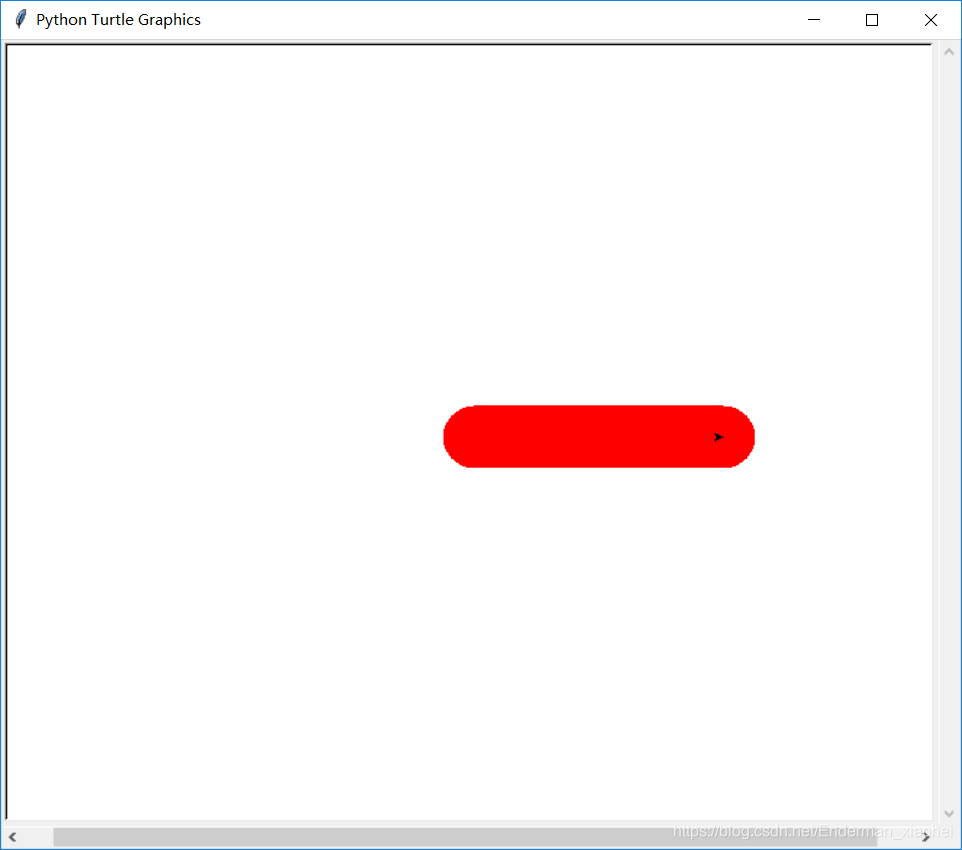
设置画笔大小
import turtle
turtle.screensize(800, 600)
turtle.pensize(50)
turtle.pencolor('red')
turtle.pendown()
turtle.forward(200)
turtle.color()
↶
同时设置pencolor和fillcolor
import turtle
turtle.screensize(800, 600)
turtle.pensize(5)
turtle.color('blue', 'red')
turtle.pendown()
turtle.begin_fill()
for i in range(4):
    turtle.forward(200)
    turtle.left(90)
turtle.end_fill()
turtle.pencolor()
↶
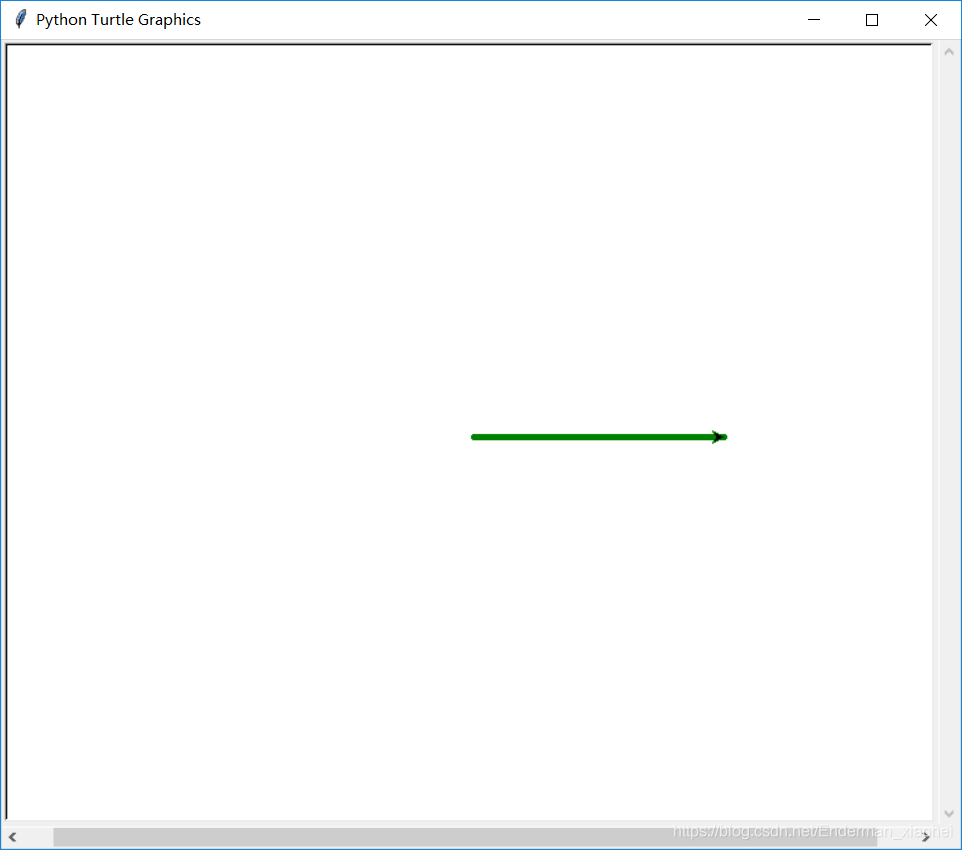
设置画笔颜色
import turtle
turtle.screensize(800, 600)
turtle.pensize(5)
turtle.pencolor('green')
turtle.pendown()
turtle.forward(200)
turtle.begin_fill()
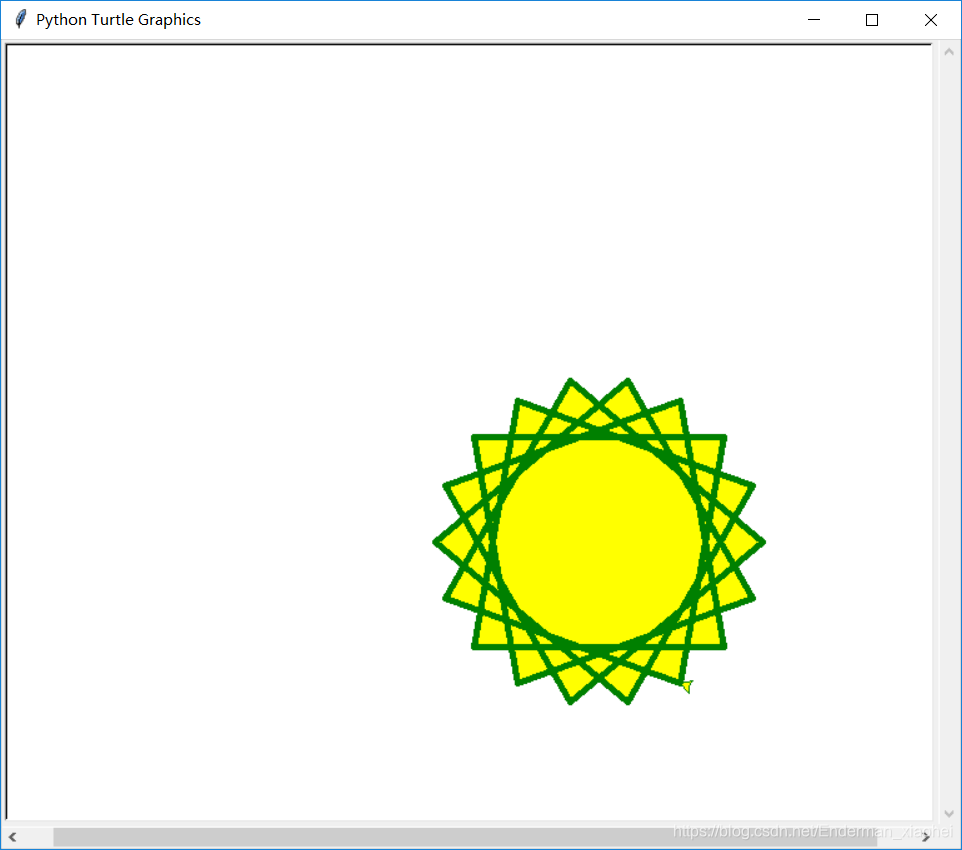
↶
准备填充图形
import turtle
turtle.screensize(800, 600)
turtle.pensize(5)
turtle.color('green', 'yellow')
turtle.pendown()
for i in range(50):
    turtle.forward(200)
    turtle.left(260)
turtle.end_fill()
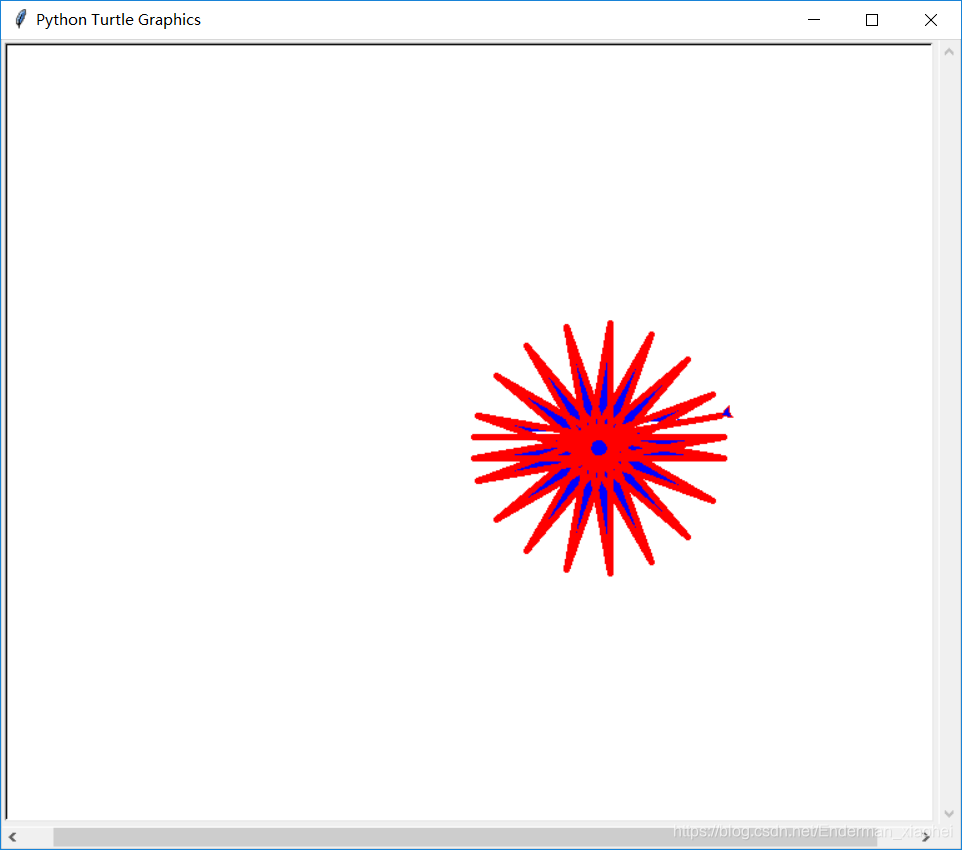
↶
结束填充图形
import turtle
turtle.screensize(800, 600)
turtle.pensize(5)
turtle.color('red', 'blue')
turtle.pendown()
turtle.begin_fill()
for i in range(20):
    turtle.forward(200)
    turtle.left(190)
turtle.end_fill()
turtle.forward()
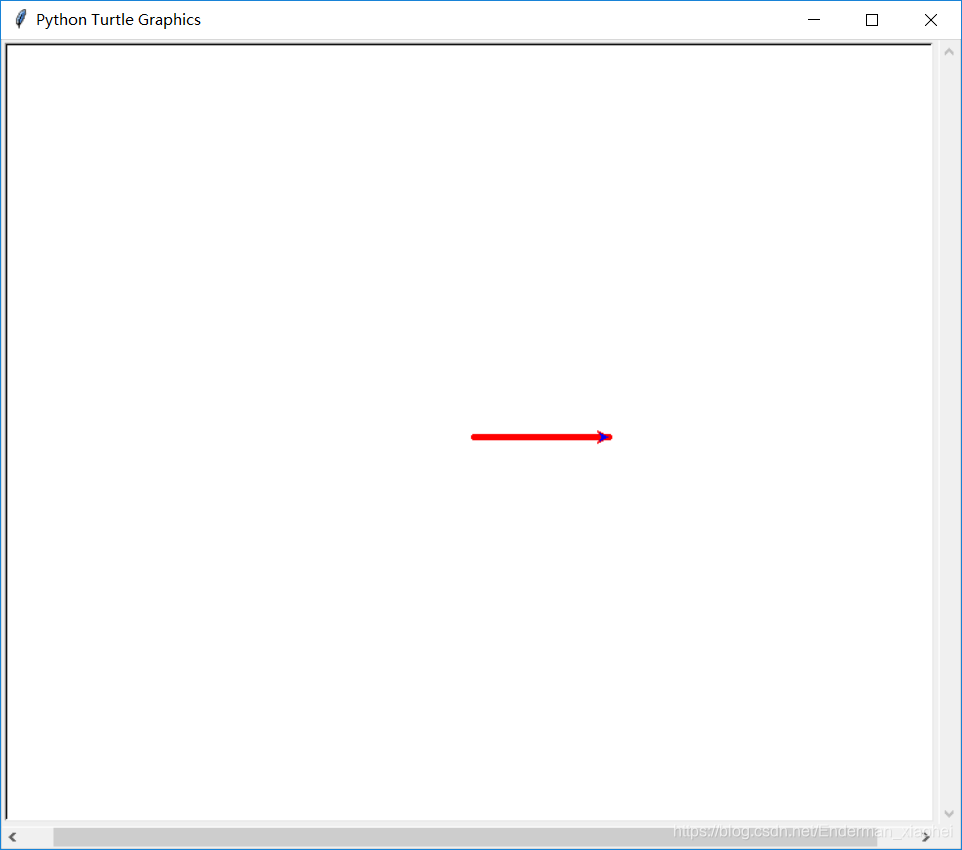
↶
以当前画笔方向,向前移动
import turtle
turtle.screensize(800, 600)
turtle.pensize(5)
turtle.color('red', 'blue')
turtle.pendown()
turtle.forward(108)
turtle.backward()
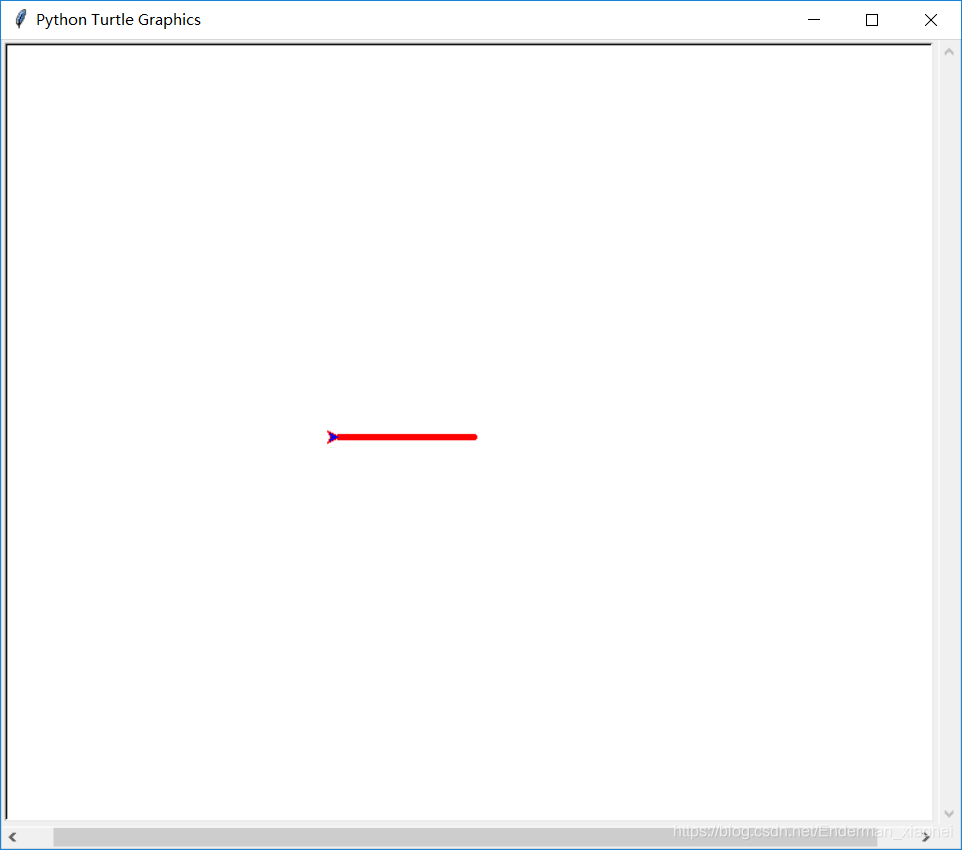
↶
以当前画笔方向,向后移动
import turtle
turtle.screensize(800, 600)
turtle.pensize(5)
turtle.color('red', 'blue')
turtle.pendown()
turtle.backward(108)
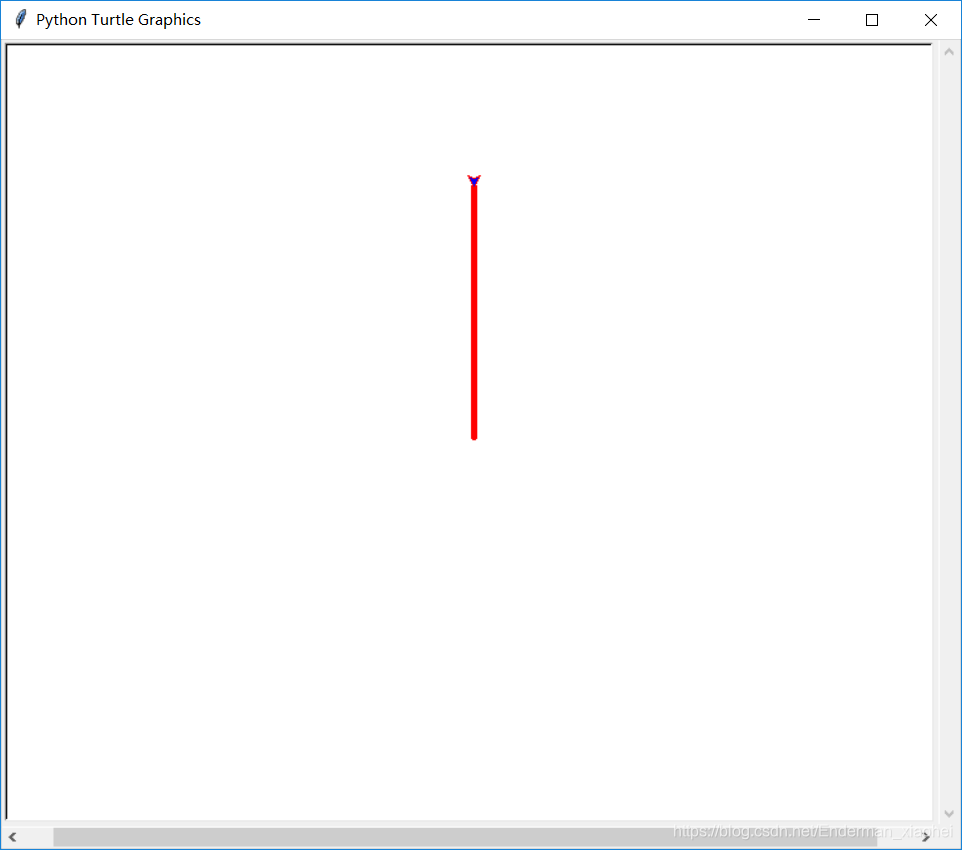
turtle.right()
↶
顺时针旋转画笔度数
import turtle
turtle.screensize(800, 600)
turtle.pensize(5)
turtle.color('red', 'blue')
turtle.pendown()
turtle.right(90)
turtle.backward(200)
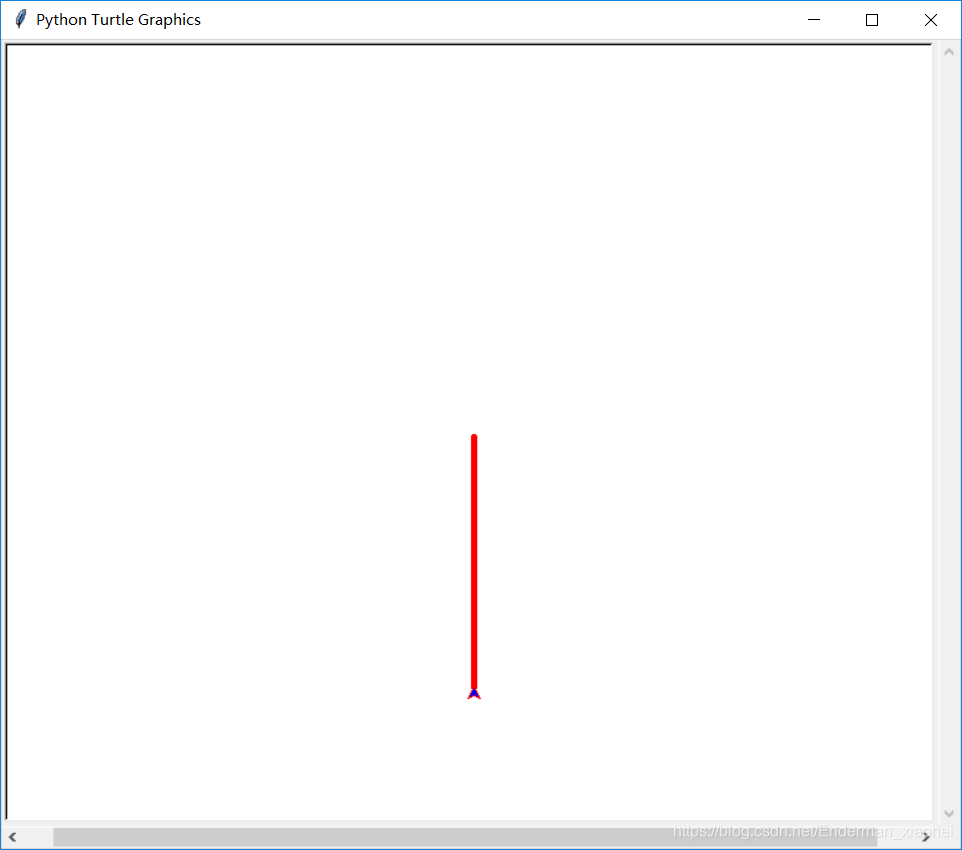
turtle.left()
↶
逆时针旋转画笔度数
import turtle
turtle.screensize(800, 600)
turtle.pensize(5)
turtle.color('red', 'blue')
turtle.pendown()
turtle.left(90)
turtle.backward(200)
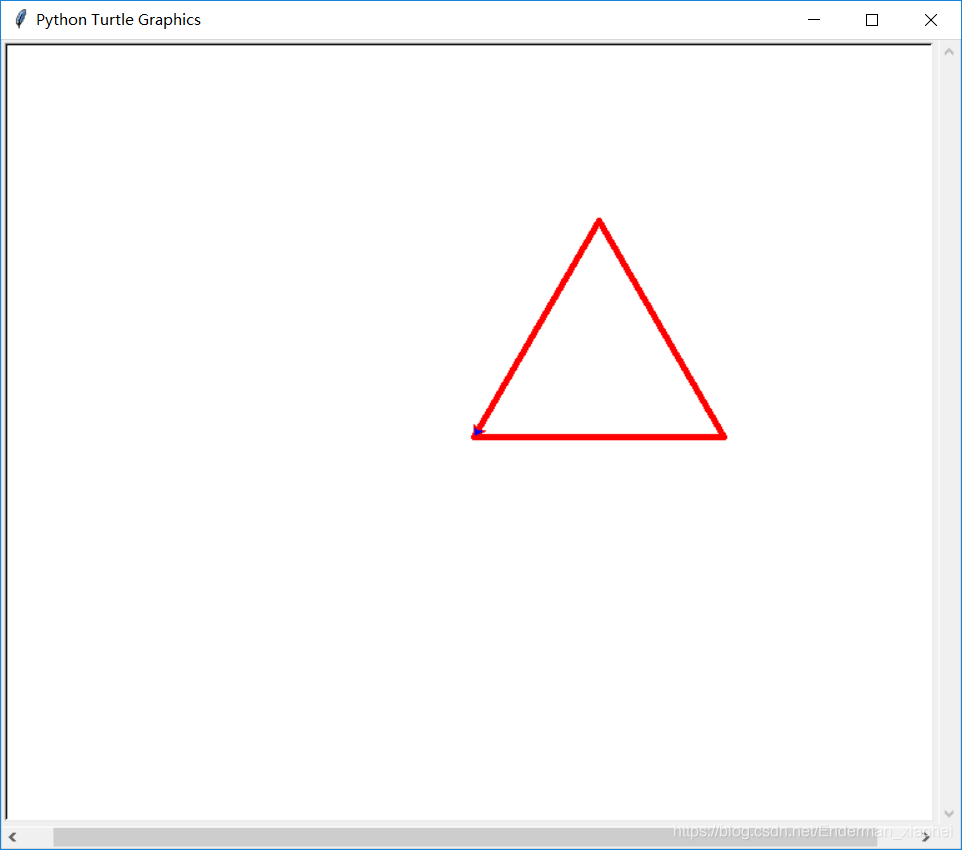
turtle.setheading()
↶
设置当前朝向为angle角度
import turtle
turtle.screensize(800, 600)
turtle.pensize(5)
turtle.color('red', 'blue')
turtle.pendown()
for i in range(3):
    turtle.setheading(i * 120)
    turtle.forward(200)
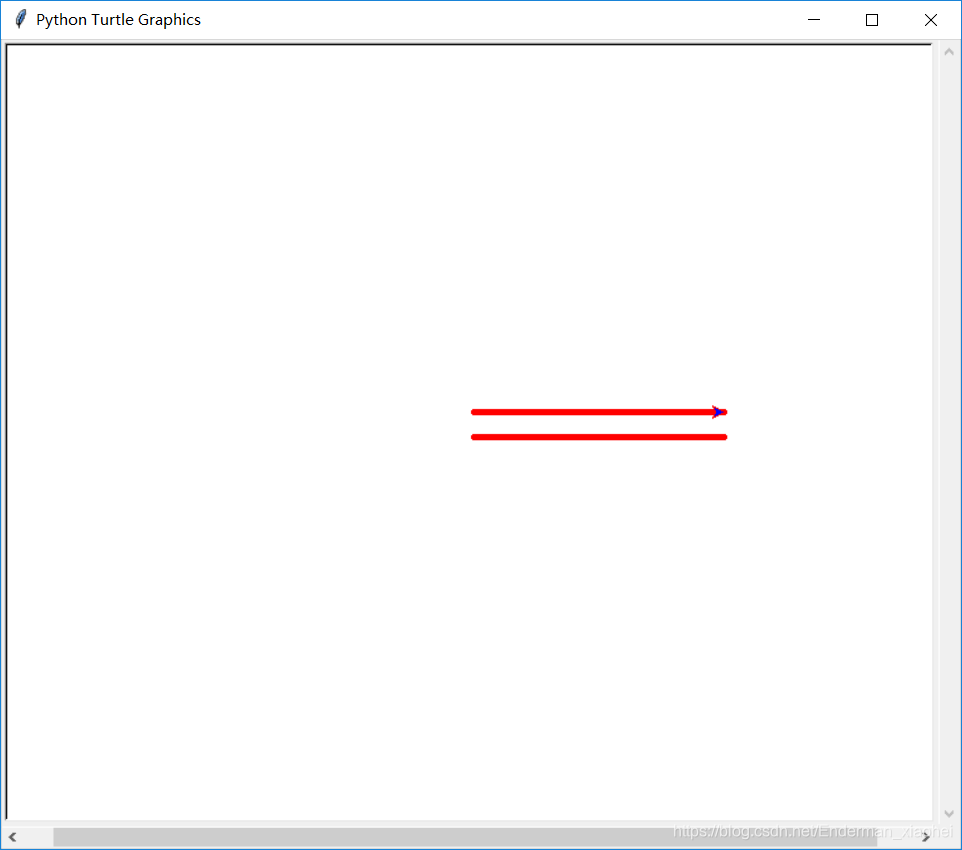
turtle.goto()
↶
将画笔移动到坐标为x,y的位置
import turtle
turtle.screensize(800, 600)
turtle.pensize(5)
turtle.color('red', 'blue')
turtle.pendown()
turtle.forward(200)
turtle.penup()
turtle.goto(0, 20)
turtle.pendown()
turtle.forward(200)
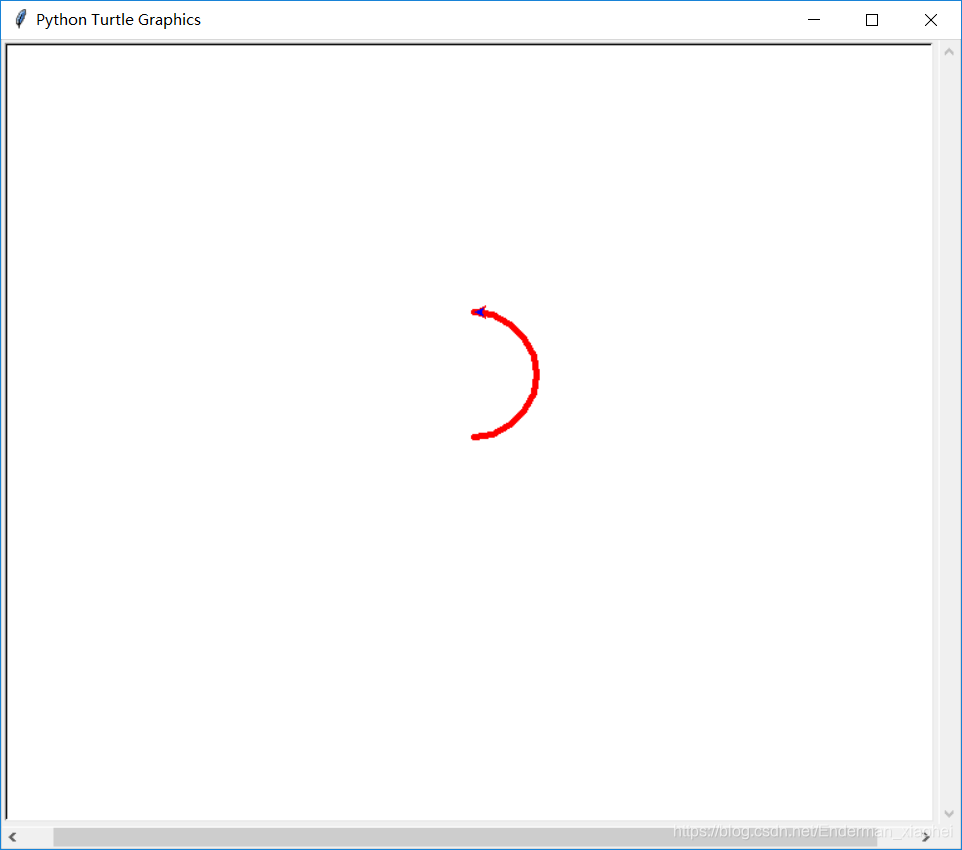
turtle.circle()
↶
画圆,半径为正(负),表示圆心在画笔的左边(右边)画圆
turtle.circle(radius, extent=None, steps=None)
radius 半径
extend 角度
steps 可以画内接多边形
import turtle
turtle.screensize(800, 600)
turtle.pensize(5)
turtle.color('red', 'blue')
turtle.pendown()
turtle.circle(50, 180)
小猪佩奇:
↶
转载地址:小猪佩奇2.0.py
作者:Monster12138
# coding:utf-8
from turtle import*

def nose(x,y):#鼻子
    pu()
    goto(x,y)
    pd()
    seth(-30)
    begin_fill()
    a=0.4
    for i in range(120):
        if 0<=i<30 or 60<=i<90:
            a=a+0.08
            lt(3) #向左转3度
            fd(a) #向前走a的步长
        else:
            a=a-0.08
            lt(3)
            fd(a)
    end_fill()

    pu()
    seth(90)
    fd(25)
    seth(0)
    fd(10)
    pd()
    pencolor(255,155,192)
    seth(10)
    begin_fill()
    circle(5)
    color(160,82,45)
    end_fill()

    pu()
    seth(0)
    fd(20)
    pd()
    pencolor(255,155,192)
    seth(10)
    begin_fill()
    circle(5)
    color(160,82,45)
    end_fill()


def head(x,y):#头
    color((255,155,192),"pink")
    pu()
    goto(x,y)
    seth(0)
    pd()
    begin_fill()
    seth(180)
    circle(300,-30)
    circle(100,-60)
    circle(80,-100)
    circle(150,-20)
    circle(60,-95)
    seth(161)
    circle(-300,15)
    pu()
    goto(-100,100)
    pd()
    seth(-30)
    a=0.4
    for i in range(60):
        if 0<=i<30 or 60<=i<90:
            a=a+0.08
            lt(3) #向左转3度
            fd(a) #向前走a的步长
        else:
            a=a-0.08
            lt(3)
            fd(a)
    end_fill()


def ears(x,y): #耳朵
    color((255,155,192),"pink")
    pu()
    goto(x,y)
    pd()
    begin_fill()
    seth(100)
    circle(-50,50)
    circle(-10,120)
    circle(-50,54)
    end_fill()

    pu()
    seth(90)
    fd(-12)
    seth(0)
    fd(30)
    pd()
    begin_fill()
    seth(100)
    circle(-50,50)
    circle(-10,120)
    circle(-50,56)
    end_fill()


def eyes(x,y):#眼睛
    color((255,155,192),"white")
    pu()
    seth(90)
    fd(-20)
    seth(0)
    fd(-95)
    pd()
    begin_fill()
    circle(15)
    end_fill()

    color("black")
    pu()
    seth(90)
    fd(12)
    seth(0)
    fd(-3)
    pd()
    begin_fill()
    circle(3)
    end_fill()

    color((255,155,192),"white")
    pu()
    seth(90)
    fd(-25)
    seth(0)
    fd(40)
    pd()
    begin_fill()
    circle(15)
    end_fill()

    color("black")
    pu()
    seth(90)
    fd(12)
    seth(0)
    fd(-3)
    pd()
    begin_fill()
    circle(3)
    end_fill()


def cheek(x,y):#腮
    color((255,155,192))
    pu()
    goto(x,y)
    pd()
    seth(0)
    begin_fill()
    circle(30)
    end_fill()


def mouth(x,y): #嘴
    color(239,69,19)
    pu()
    goto(x,y)
    pd()
    seth(-80)
    circle(30,40)
    circle(40,80)


def body(x,y):#身体
    color("red",(255,99,71))
    pu()
    goto(x,y)
    pd()
    begin_fill()
    seth(-130)
    circle(100,10)
    circle(300,30)
    seth(0)
    fd(230)
    seth(90)
    circle(300,30)
    circle(100,3)
    color((255,155,192),(255,100,100))
    seth(-135)
    circle(-80,63)
    circle(-150,24)
    end_fill()


def hands(x,y):#手
    color((255,155,192))
    pu()
    goto(x,y)
    pd()
    seth(-160)
    circle(300,15)
    pu()
    seth(90)
    fd(15)
    seth(0)
    fd(0)
    pd()
    seth(-10)
    circle(-20,90)

    pu()
    seth(90)
    fd(30)
    seth(0)
    fd(237)
    pd()
    seth(-20)
    circle(-300,15)
    pu()
    seth(90)
    fd(20)
    seth(0)
    fd(0)
    pd()
    seth(-170)
    circle(20,90)

def foot(x,y):#脚
    pensize(10)
    color((240,128,128))
    pu()
    goto(x,y)
    pd()
    seth(-90)
    fd(40)
    seth(-180)
    color("black")
    pensize(15)
    fd(20)

    pensize(10)
    color((240,128,128))
    pu()
    seth(90)
    fd(40)
    seth(0)
    fd(90)
    pd()
    seth(-90)
    fd(40)
    seth(-180)
    color("black")
    pensize(15)
    fd(20)

def tail(x,y):#尾巴
    pensize(4)
    color((255,155,192))
    pu()
    goto(x,y)
    pd()
    seth(0)
    circle(70,20)
    circle(10,330)
    circle(70,30)

def setting():          #参数设置
    pensize(4)
    hideturtle()
    colormode(255)
    color((255,155,192),"pink")
    setup(840,500)
    speed(10)

def main():
    setting()           #画布、画笔设置
    nose(-100,100)      #鼻子
    head(-69,167)       #头
    ears(0,160)         #耳朵
    eyes(0,140)         #眼睛
    cheek(80,10)        #腮
    mouth(-20,30)       #嘴
    body(-32,-8)        #身体
    hands(-56,-45)      #手
    foot(2,-177)        #脚
    tail(148,-155)      #尾巴
    done()              #结束

main()
上篇完
点我回顶部 ☚
Fin.





 扫一扫
扫一扫


 1955
1955

 被折叠的 条评论
为什么被折叠?
被折叠的 条评论
为什么被折叠?
 到【灌水乐园】发言





