


1.在使用vue-cli 生成项目使勾选 ESLint+Standard config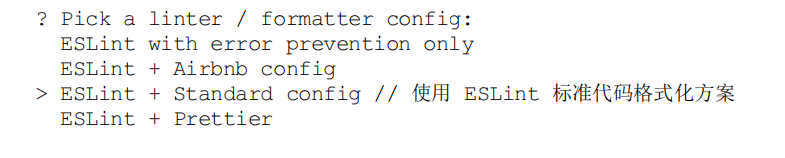
2.默认在项目根目录生成 .eslintrc.js 文件
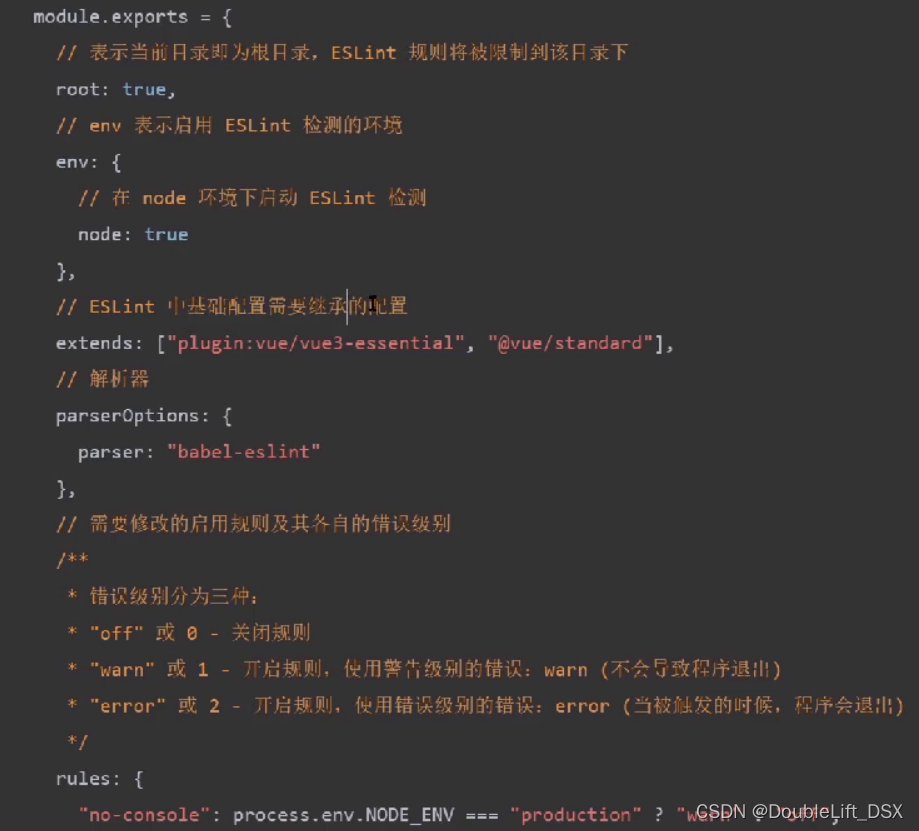
3…eslintrc.js基本配置说明如下
4.解决 eslint和prettier space-before-function-paren冲突
在.eslintrc.js 里的rules 新增规则
'space-before-function-paren': 'off'
 Vue CLI项目中ESLint与prettier冲突解决方案
 本文介绍了如何在使用Vue CLI创建项目时启用ESLint和Standardconfig,并重点讲解了如何解决ESLint与prettier在'space-before-function-paren'规则上的冲突,通过在.eslintrc.js中禁用该冲突规则。
1.在使用vue-cli 生成项目使勾选 ESLint+Standard config
2.默认在项目根目录生成 .eslintrc.js 文件
3…eslintrc.js基本配置说明如下
4.解决 eslint和prettier space-before-function-paren冲突
在.eslintrc.js 里的rules 新增规则
'space-before-function-paren': 'off'
 5456
205
5456
205

 被折叠的 条评论
为什么被折叠?
被折叠的 条评论
为什么被折叠?
 到【灌水乐园】发言








 扫一扫
扫一扫


