


先上效果动图,是一个封装的获取摄像头数据的Demo,底部便是凸出的导航栏:
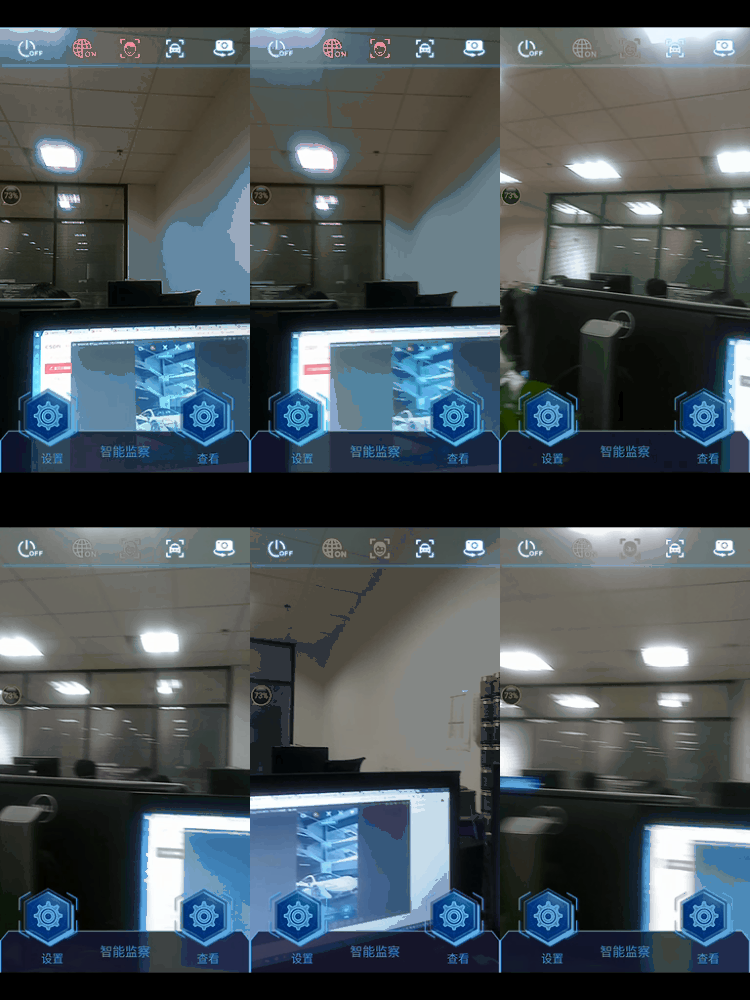
凸出点击版请转看:https://blog.youkuaiyun.com/Crystal_xing/article/details/85116103,不需要点击的接着往下看。
其实最核心的代码便是在导航栏的父布局添加一行代码,允许其作为子控件的时候可以超过父布局:
android:clipChildren="false"这行代码添加完这句代码之后,剩下的布局代码细节都在导航栏里了,稍微调整就能达到上面的效果,完整布局代码如下:
<?xml version="1.0" encoding="utf-8"?>
<RelativeLayout
xmlns:android="http://schemas.android.com/apk/res/android"
android:layout_width="match_parent"
android:layout_height="match_parent"
android:layout_centerHorizontal="true"
android:layout_centerVertical="true"
android:clipChildren="false">
<SurfaceView
android:id="@+id/surfaceView"
android:layout_width="match 最低0.47元/天 解锁文章






 扫一扫
扫一扫


 1506
1506

 被折叠的 条评论
为什么被折叠?
被折叠的 条评论
为什么被折叠?
 到【灌水乐园】发言





