



 本文档介绍了使用Vue和Element-UI构建电商项目中商品列表的全过程,从准备工作开始,详细讲解了导航界面、卡片视图、商品表格区以及底部分页的界面布局、数据添加和方法实现,最后展示了功能完成的效果。
文章目录
0. 准备工作
component下新建文件夹goods下新建文件List.vue,并在路由中引入文件
1.界面布局

1.1 导航界面
<el-breadcrumb separator-class="el-icon-arrow-right">
      <el-breadcrumb-item :to="{ path: '/home' }">首页</el-breadcrumb-item>
      <el-breadcrumb-item>商品管理</el-breadcrumb-item>
      <el-breadcrumb-item>商品列表</el-breadcrumb-item>
    </el-breadcrumb>
2.卡片视图区域
2.1 界面样式
<el-row :gutter="20">
        <el-col :span="8">
             <el-input placeholder="请输入内容"
             v-model="queryInfo.query"
             clearable
             @clear="getGoodsList">
            <el-button
            slot="append"
            icon="el-icon-search"
            @click="getGoodsList">
            </el-button>
          </el-input>
        </el-col>
        <el-col
        :span="4"
        >
          <el-button type="primary" @click="goAddPage">添加商品</el-button>
        </el-col>
      </el-row>
2.2 数据添加
 queryInfo: {
        query: '',
        pagenum: 1,
        pagesize: 10

      },

created () {
    this.getGoodsList()
  },
2.3 方法实现
// 根据分页面获取对应的商品列表
    async getGoodsList () {
      const { data: result } = await this.$http.get(
        'goods', { params: this.queryInfo })
      if (result.meta.status !== 200) {
        return this.$message.error('获取商品列表失败!')
      }
      this.$message.success('获取商品列表成!')
      this.goodsList = result.data.goods
      this.total = result.data.total
    },

goAddPage () {
      this.$router.push('/goods/Add')
    }
3.商品表格区
3.1 界面样式
<el-table :data="goodsList" border stripe>
          <el-table-column type="index"></el-table-column>
          <el-table-column label="商品名称" prop="goods_name"></el-table-column>
          <el-table-column
          label="商品价格(元)"
          prop="goods_price"
          width="90px"
          >
          </el-table-column>
          <el-table-column
          label="商品重量"
          prop="goods_weight"
           width="70px"
          >
          </el-table-column>
          <el-table-column
          label="创建时间"
          prop="add_time"
          width="140px"
          >
          <template slot-scope="scope">
                 {{scope.row.add_time | dateFormat}}
            </template>
          </el-table-column>
          <el-table-column
          label="操作"
          width="130px"
          >
            <template>
                 <el-button type="primary" icon="el-icon-edit" size="mini"></el-button>
                <el-button
                type="danger"
                icon="el-icon-delete"
                size="mini"
                @click="removeById(scope.row.goods_id)"
                ></el-button>
            </template>
          </el-table-column>
      </el-table>
3.2 数据添加
// 商品列表
      goodsList: [],
3.3 方法实现
async removeById (id) {
      const confirmResult = await this.$confirm(
        '此操作将永远删除该商品,是否继续', '提示', {
          confirmButtonText: 'yes',
          cancelButtonText: 'No',
          type: 'warning'
        }
      ).catch(error => error)
      if (confirmResult !== 'confirm') {
        return this.$message.info('已取消删除')
      }
      const { data: result } = await this.$http.delete(`goods/${id}`)
      if (result.meta.status !== 200) {
        return this.$message.error('删除失败!')
      }
      this.$message.success('删除成功!')
      this.getGoodsList()
    },
4.底部分页
4.1 界面样式
<el-pagination
         @size-change="handleSizeChange"
        @current-change="handleCurrentChange"
        :current-page="queryInfo.pagenum"
        :page-sizes="[5, 10, 15, 20]"
        :page-size="queryInfo.pagesize"
        layout="total, sizes, prev, pager, next, jumper"
        :total="total"
        background
    ></el-pagination>
4.2 数据添加
data () {
return {
	total: 0
	}
}
4.3 方法实现
 handleSizeChange (newSize) {
      this.queryInfo.pagesize = newSize
      this.getGoodsList()
    },

    handleCurrentChange (newPage) {
      this.queryInfo.pagenum = newPage
      this.getGoodsList()
    },
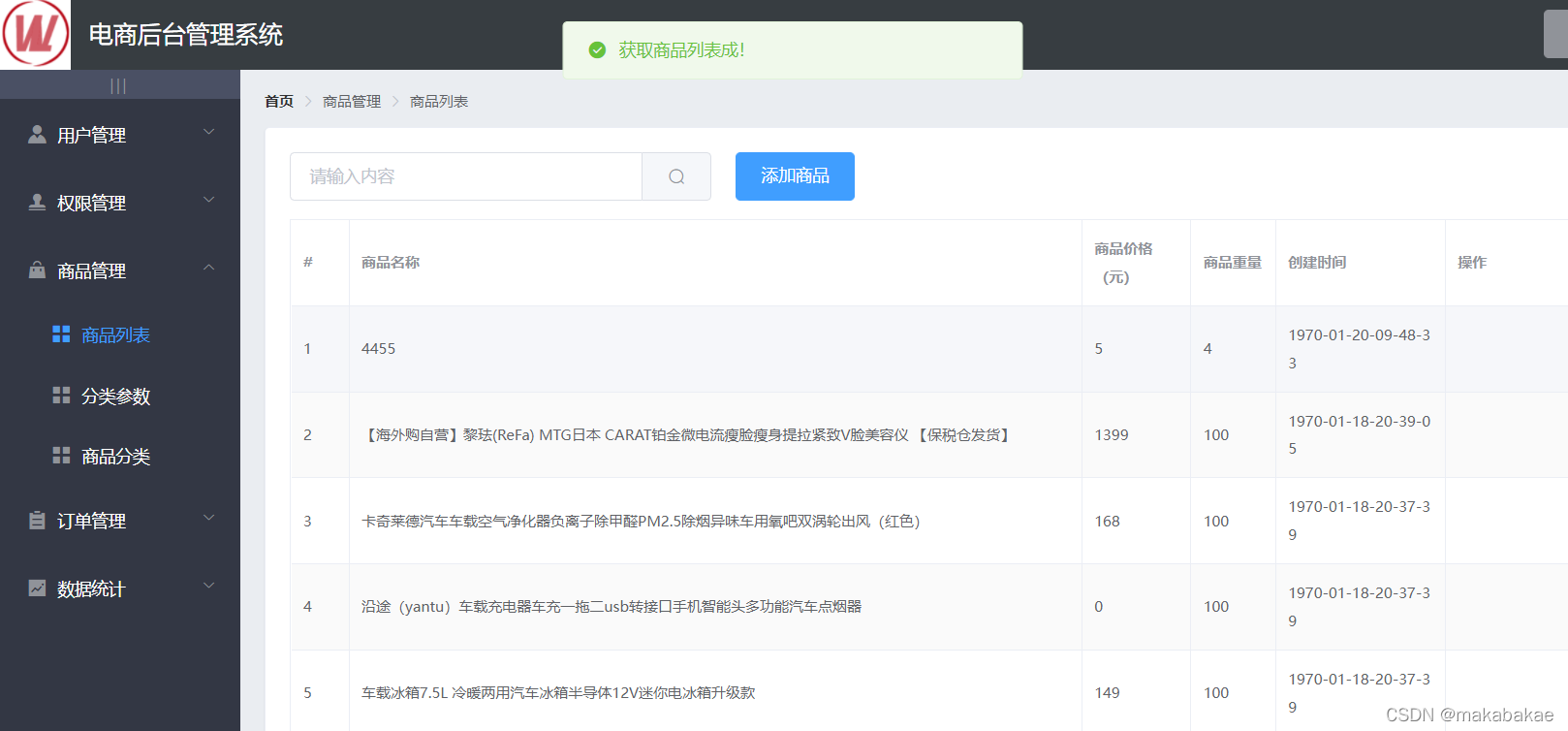
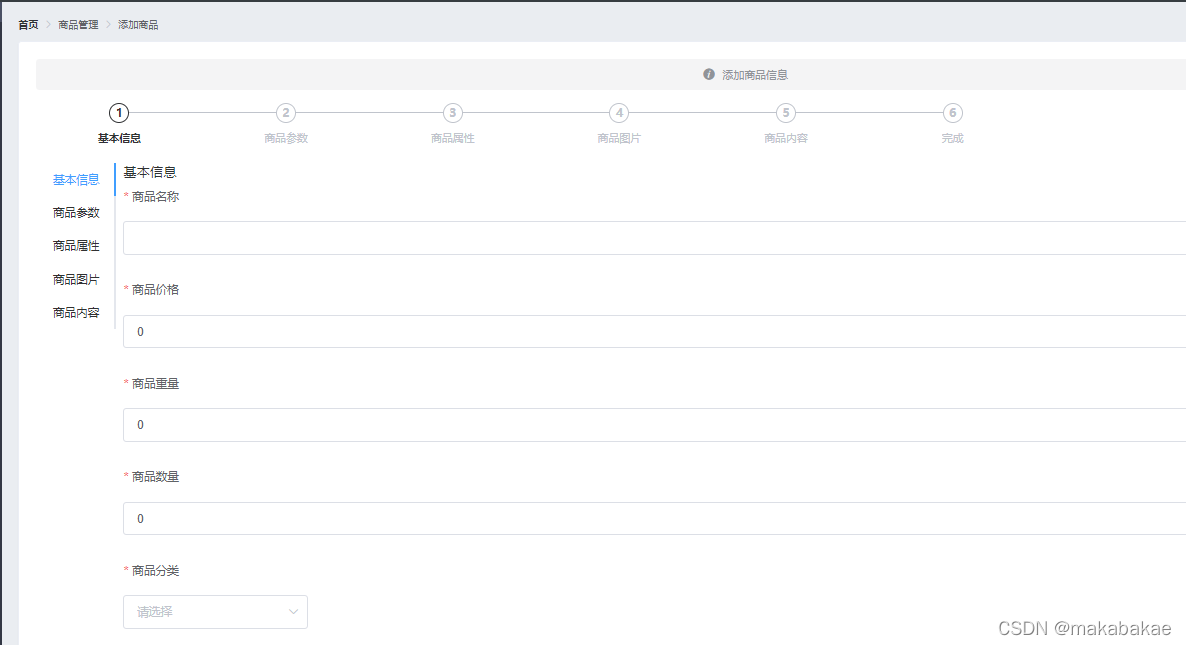
5.功能展示





 扫一扫
扫一扫


 3702
3702

 被折叠的 条评论
为什么被折叠?
被折叠的 条评论
为什么被折叠?
 到【灌水乐园】发言





