



 本文探讨了在新版微信开发工具中,使用getUserInfo获取用户信息失败的问题。文章指出,官方推荐使用wx.getUserProfile代替。然而,如果需要使用getUserInfo,可以通过将project.config.json设置为旧版本来实现。但作者建议遵循官方建议,使用新方法以简化流程。
1.使用getUserInfo
 wx.getUserInfo({
      success: (res) => {
        console.log(res);
        this.setData({
          userInfo: res.userInfo
        })
      },
      fail: (err) => {
        console.log(err);
      }
    })
  },
获取得到的信息:

也就是不能获取用户的头像和昵称
2. 原因
新版的微信开发工具推荐使用wx.getUserProfile获取用户信息
getUserProfile(e) {
    // 推荐使用wx.getUserProfile获取用户信息,开发者每次通过该接口获取用户个人信息均需用户确认,开发者妥善保管用户快速填写的头像昵称,避免重复弹窗
    wx.getUserProfile({
      desc: '展示用户信息', // 声明获取用户个人信息后的用途,后续会展示在弹窗中,请谨慎填写
      success: (res) => {
        console.log(res)
        this.setData({
          userInfo: res.userInfo,
          hasUserInfo: true
        })
      }
    })
  },
3.那要是非得想用getUserInfo呢?
答案:可以
做法,把project.config.json版本换成老版本。老版本就可以使用getUserInfo获取用户信息了。当然官方都推荐用新的了,咱还是用新的吧,省事。
(老版本如下)
{
    "description": "项目配置文件",
    "packOptions": {
        "ignore": []
    },
    "setting": {
        "urlCheck": true,
        "es6": true,
        "enhance": true,
        "postcss": true,
        "preloadBackgroundData": false,
        "minified": true,
        "newFeature": true,
        "coverView": true,
        "nodeModules": false,
        "autoAudits": false,
        "showShadowRootInWxmlPanel": true,
        "scopeDataCheck": false,
        "uglifyFileName": false,
        "checkInvalidKey": true,
        "checkSiteMap": true,
        "uploadWithSourceMap": true,
        "compileHotReLoad": false,
        "lazyloadPlaceholderEnable": false,
        "useMultiFrameRuntime": true,
        "useApiHook": true,
        "useApiHostProcess": true,
        "babelSetting": {
            "ignore": [],
            "disablePlugins": [],
            "outputPath": ""
        },
        "useIsolateContext": true,
        "userConfirmedBundleSwitch": false,
        "packNpmManually": false,
        "packNpmRelationList": [],
        "minifyWXSS": true,
        "disableUseStrict": false,
        "minifyWXML": true,
        "showES6CompileOption": false,
        "useCompilerPlugins": false,
        "ignoreUploadUnusedFiles": true
    },
    "compileType": "miniprogram",
    "libVersion": "2.13.1",
    "appid": "wx7a5dfd35d20f6982",
    "projectname": "wechat_study",
    "debugOptions": {
        "hidedInDevtools": []
    },
    "isGameTourist": false,
    "simulatorType": "wechat",
    "simulatorPluginLibVersion": {},
    "condition": {
        "search": {
            "list": []
        },
        "conversation": {
            "list": []
        },
        "game": {
            "currentL": -1,
            "list": []
        },
        "miniprogram": {
            "list": []
        }
    }
}
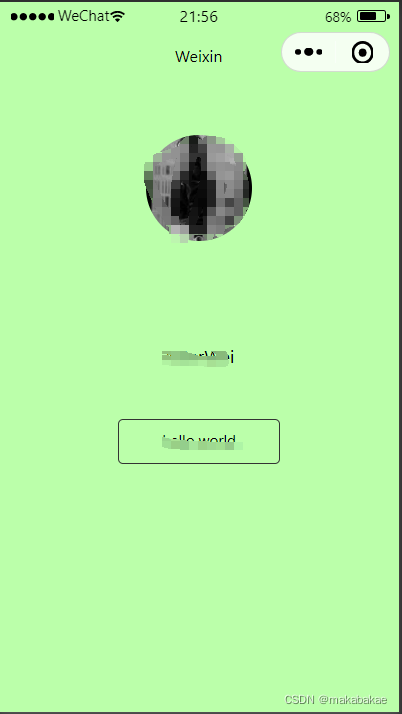
老版获取用户信息效果如下:





 扫一扫
扫一扫


 2万+
2万+

 被折叠的 条评论
为什么被折叠?
被折叠的 条评论
为什么被折叠?
 到【灌水乐园】发言





