


 本文介绍如何在WPF中使用CommandTarget来改变Command执行时的默认sender对象,通过实例展示了将按钮的Command操作转向TextBox的方法,深入探讨了CommandBinding、CommandExecute和CommandCanExecute事件的实现细节。
简介:
CommandTarget可以修改Command传入的sender。
使用:
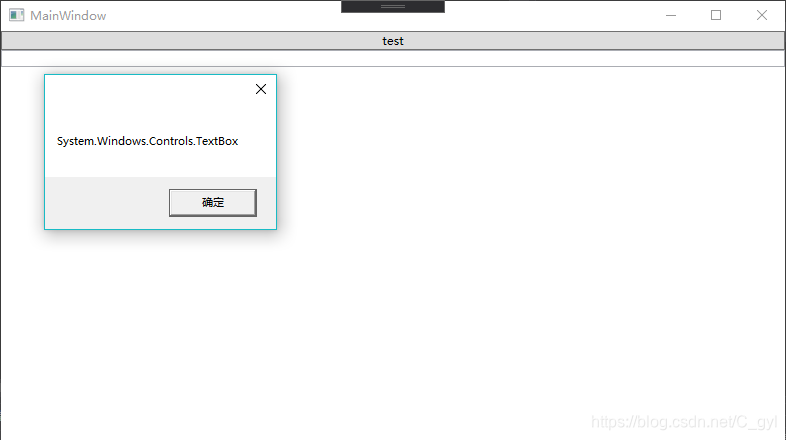
把传入的Button对象改为TextBox
        public void command_Execute(object sender, ExecutedRoutedEventArgs e)
        {
            MessageBox.Show(e.Source.ToString());
            e.Handled = true;
        }

        public void command_CanExecute(object sender, CanExecuteRoutedEventArgs e)
        {
            e.CanExecute = true;
            e.Handled = true;
        }
    <Window.CommandBindings>
        <CommandBinding Command="ApplicationCommands.Open" Executed="command_Execute" CanExecute="command_CanExecute"/>
    </Window.CommandBindings>
    <Grid>
        <StackPanel >
            <Button Content="test" Command="ApplicationCommands.Open" CommandTarget="{Binding ElementName=tbx}"></Button>
            <TextBox x:Name="tbx"></TextBox>
        </StackPanel>
    </Grid>





 扫一扫
扫一扫


 828
828

 被折叠的 条评论
为什么被折叠?
被折叠的 条评论
为什么被折叠?
 到【灌水乐园】发言





