


数据结构
table中的数据在 form.usageList中
 <el-form
             :model="form"
             ref="tableForm"
             :rules="rules"
             size="small"
           >                 <el-table
                    v-loading="loading"
                    :data="form.usageList"
                    :header-cell-style="{
                      background: '#F5F8FE',
                      fontSize: '16px',
                      fontWeight: 600,
                      color: '#333333',
                      height: '40px',
                      'text-align': 'center',
                    }"
                  >
                    <el-table-column
                      label="月份"
                      width="55px"
                      :index="indexMethod"
                      type="index"
                      prop="sort"
                    ></el-table-column>
                    <el-table-column
                      label="取水量(万m³)"
                      prop="intakeUse"
                    >
                      <template slot-scope="scope">
                        <el-form-item
                          :prop="'usageList.' + scope.$index + '.intakeUse'"
                          :rules="rules.intakeUse"
                        >
                          <el-input
                            v-model="scope.row.intakeUse"
                            @input="
                              scope.row.intakeUse = scope.row.intakeUse.replace(
                                /[^\d.]/g,
                                ''
                              )
                            "
                            :disabled="disabled"
                            placeholder="请补充"
                          ></el-input>
                        </el-form-item>
                      </template>
                    </el-table-column>
                    <el-table-column
                      label="计划量(万m³)"
                      prop="planIntakeUse"
                    >
                      <template slot-scope="scope">
                        <el-form-item
                          :prop="'usageList.' + scope.$index + '.planIntakeUse'"
                          :rules="rules.planIntakeUse"
                        >
                          <el-input
                            v-model="scope.row.planIntakeUse"
                            @input="
                              scope.row.planIntakeUse =
                                scope.row.planIntakeUse.replace(/[^\d.]/g, '')
                            "
                            :disabled="disabled"
                            placeholder="请补充"
                          ></el-input>
                        </el-form-item>
                      </template>
                    </el-table-column>
                  </el-table>
                  </el-form>
在Vue中,prop属性用于指定组件从父组件接收的属性值。在表格组件如el-table-column中,prop通常用于指定要显示或操作的数据字段。在给出的代码片段中,prop的写法有一些特殊的考虑:
对于第二列,prop=“intakeUse”:这表示该列要显示的数据是表格数据对象(form.usageList中的每一项)的intakeUse属性。这样,当表格渲染时,它会自动获取每行数据的intakeUse字段并显示出来。
在中,:prop="'usageList.' + scope.$index + '.intakeUse'":这个写法是为了与表格内的动态数据绑定。scope.$index是当前行的索引,结合usageList(表格数据数组的名字),可以形成一个完整的路径,如usageList.0.intakeUse,usageList.1.intakeUse等,这使得el-form-item能够与表格中特定行的intakeUse属性进行数据绑定和验证。
验证规则
至于验证规则,按照正常的写法即可
  rules: {
        intakeUse: [
          {
            required: true,
            message: "请输入取水量",
            trigger: "blur",
          },
        ],
        planIntakeUse: [
          {
            required: true,
            message: "请输入计划量",
            trigger: "blur",
          },
        ],
运行效果
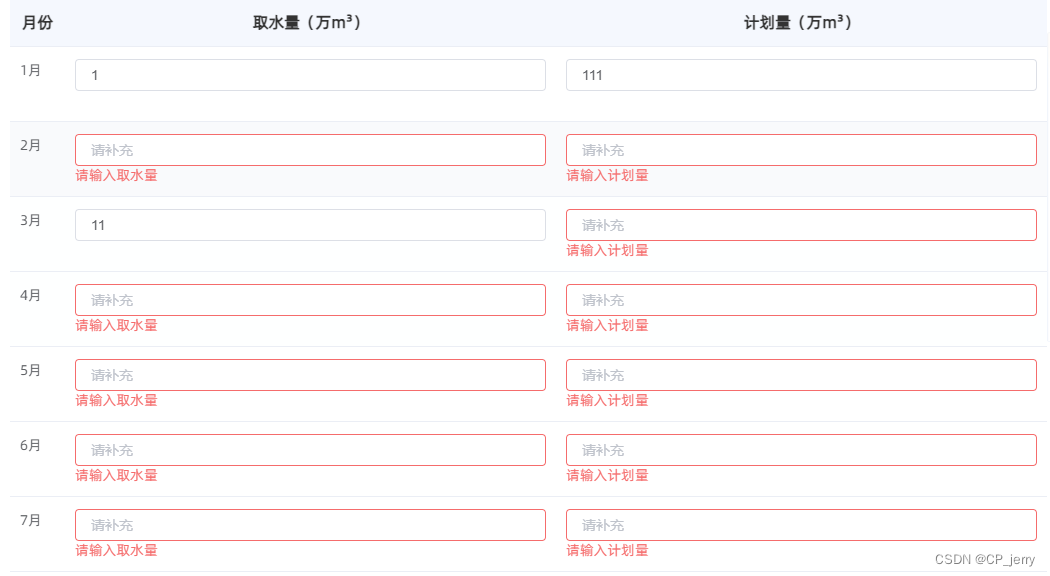
表头添加校验标志
通过render-header方法实现
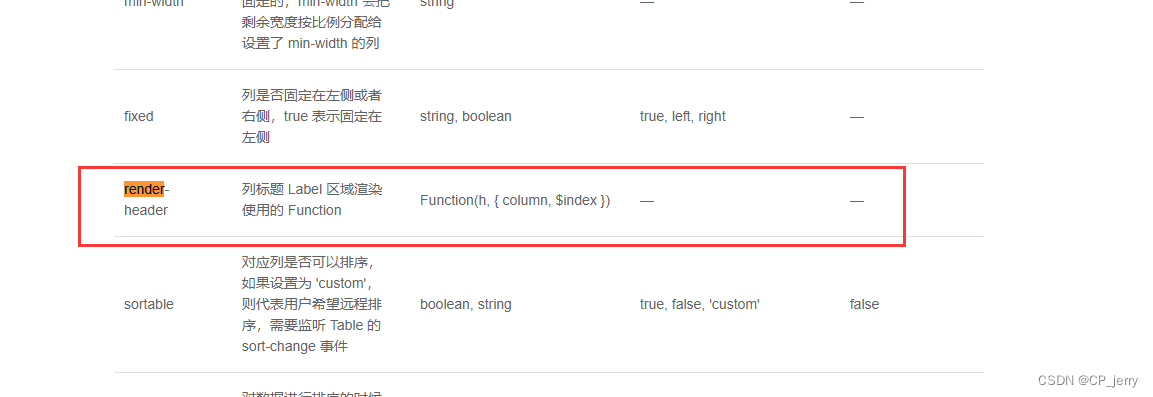
 <el-table-column
                      label="计划量(万m³)"
                      prop="planIntakeUse"
                      :render-header="addTag"
                    ></el-table-column>
    addTag(h, { column }) {
      return [
        h("span", { style: "color:#F56C6C" }, "*"),
        h("span", " " + column.label),
      ];
    },
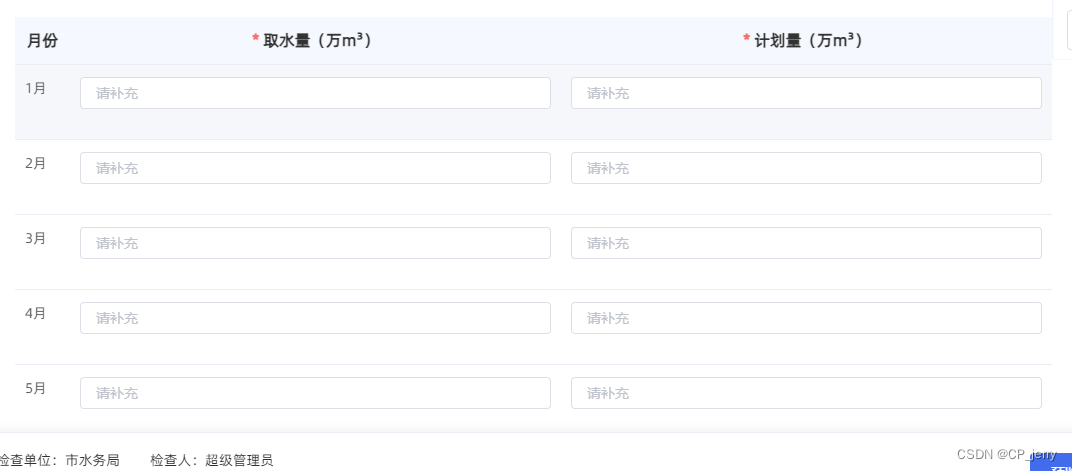
运行效果





 扫一扫
扫一扫


 1623
1623


 到【灌水乐园】发言



