


编辑员工功能开发
1. 需求分析
首先需要完成根据员工id查询员工的功能,使员工的原始数据正常渲染
其次要完成编辑员工功能,根据PUT请求发送的数据进行更新操作
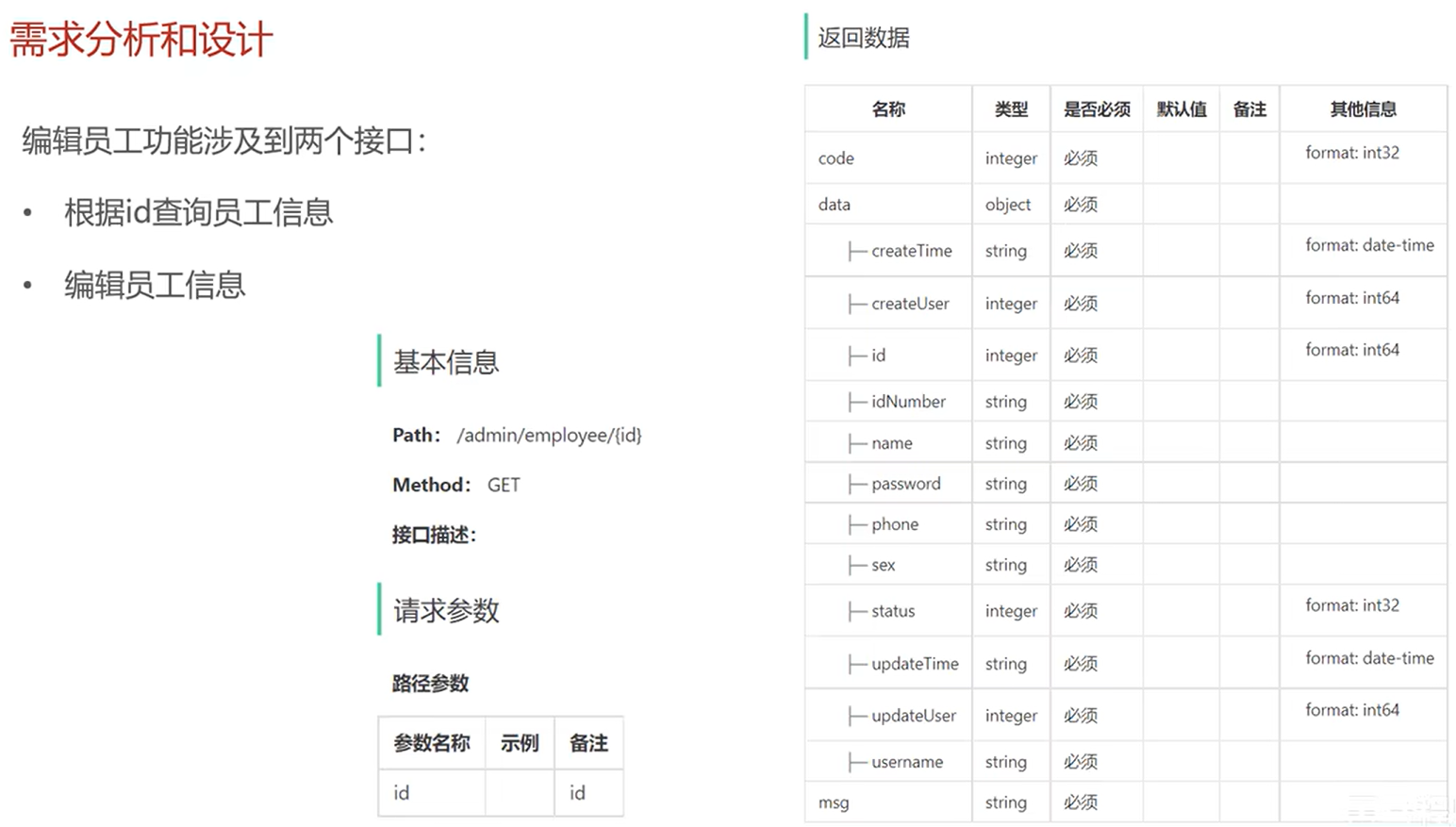
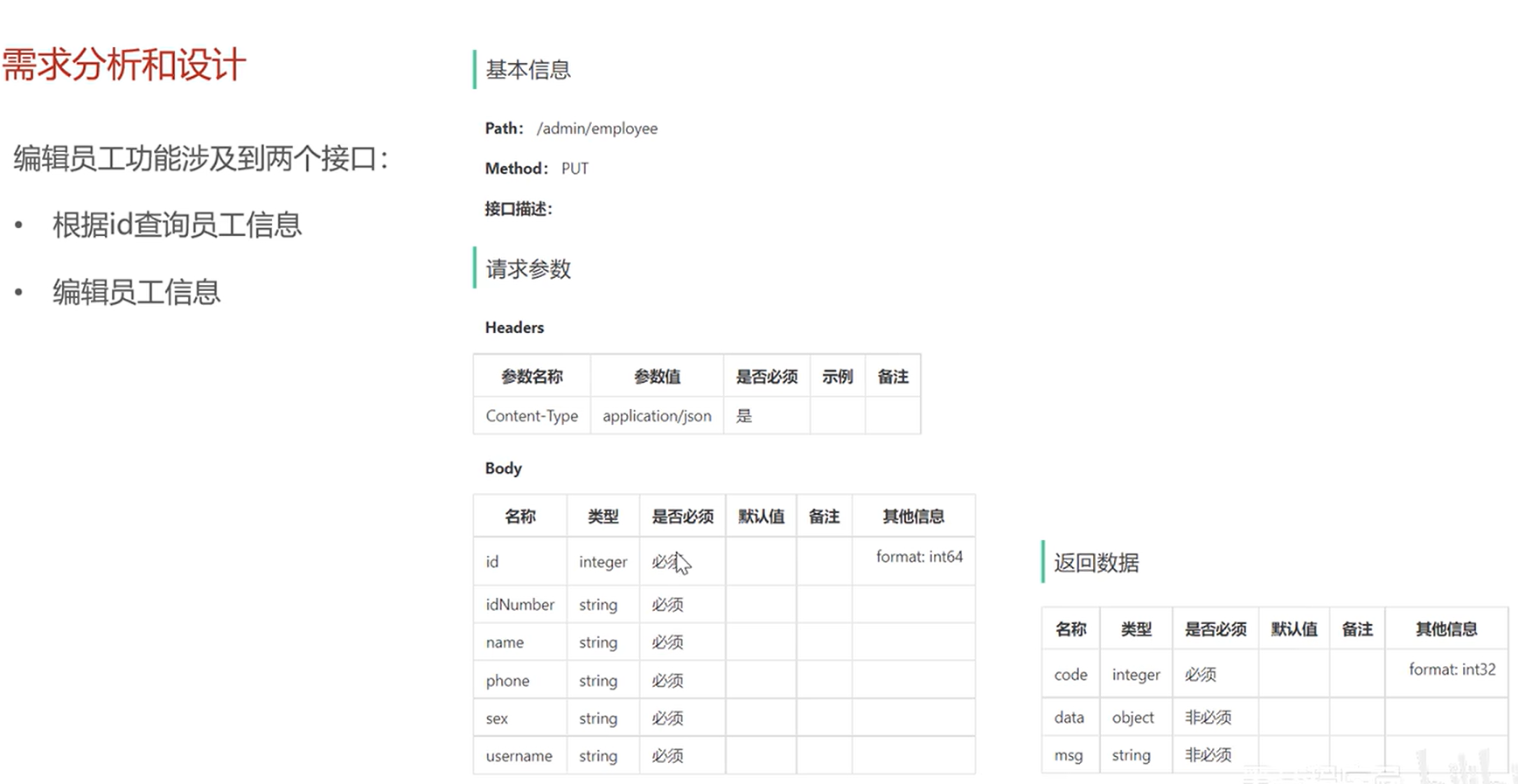
2. 代码开发
controller层:
@GetMapping("/{id}")
    @ApiOperation(value = "根据id查询员工")
    public Result<Employee> getById(@PathVariable Long id){
        log.info("查询id为{}的员工",id);
        Employee employee = employeeService.getById(id);
        return Result.success(employee);
    }

    @PutMapping
    @ApiOperation(value = "编辑员工")
    public Result editEmp(@RequestBody EmployeeDTO employeeDTO){
        log.info("编辑员工: {}",employeeDTO);
        employeeService.editEmp(employeeDTO);
        return Result.success();
    }
service层:
@Override
    public void editEmp(EmployeeDTO employeeDTO) {
        //创建新的员工对象
        Employee employee = new Employee();

        //将DTO中的属性复制到员工对象
        BeanUtils.copyProperties(employeeDTO,employee);

        //设置更新人
        employee.setUpdateUser(BaseContext.getCurrentId());

        //设置更新时间为now
        employee.setUpdateTime(LocalDateTime.now());

        //调用mapper层接口更新员工信息
        employeeMapper.update(employee);
    }

    @Override
    public Employee getById(Long id) {
        Employee employee = employeeMapper.getById(id);
        return employee;
    }
mapper层:
查询员工:
@Select("select * from employee where id = #{id}")
    Employee getById(Long id);
更新操作:
<update id="update">
        update employee
        <set>
            <if test="name != null and name != ''">name = #{name},</if>
            <if test="username != null">username = #{username},</if>
            <if test="password != null">password = #{password},</if>
            <if test="phone != null">phone = #{phone},</if>
            <if test="sex != null">sex = #{sex},</if>
            <if test="updateTime != null">update_time = #{updateTime},</if>
            <if test="idNumber != null">id_number = #{idNumber},</if>
            <if test="updateUser != null">update_user = #{updateUser},</if>
            <if test="status != null">status = #{status}</if>
        </set>
        where id = #{id}
    </update>
注意,字段名要使用SQL的格式如:update_time,而不能使用驼峰命名法:updateTime,因为mybatis的驼峰命名法是将对应的驼峰命名的属性映射到对应的字段,在表示实际字段时,应当书写对应的字段名,而不是错误地把字段名写成驼峰命名
3. 功能测试
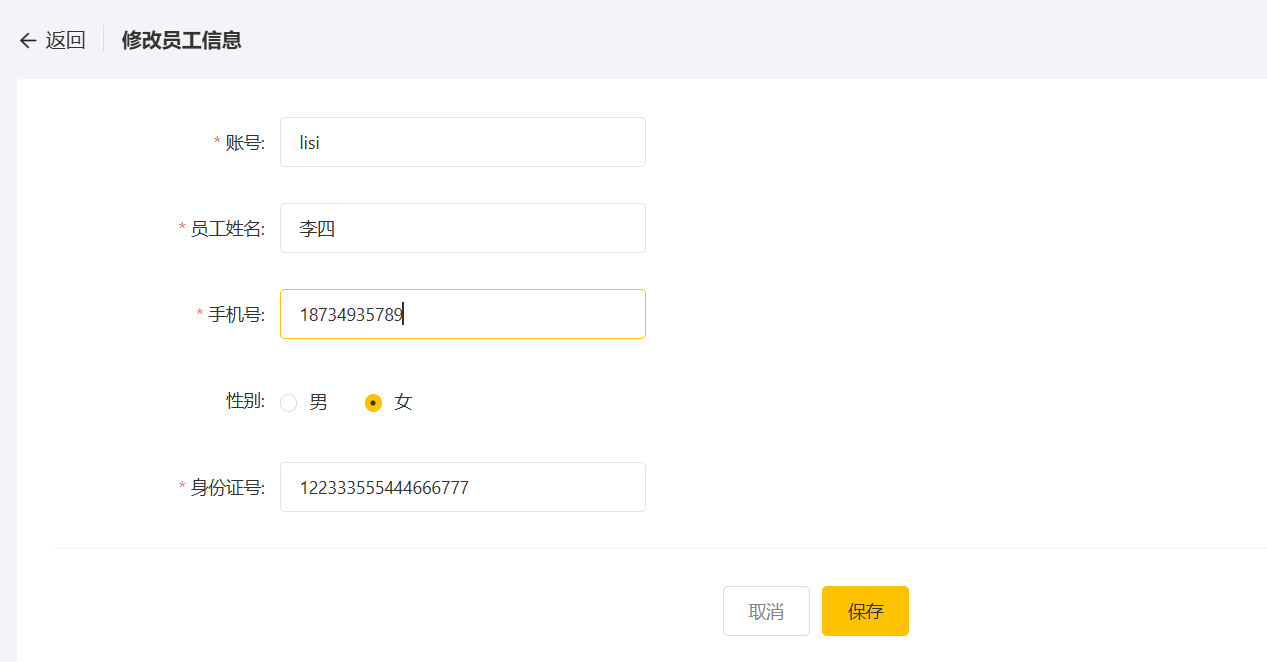
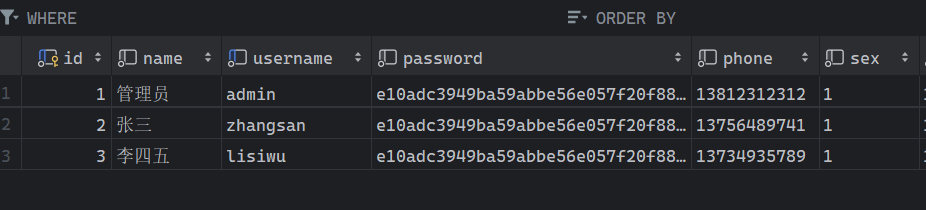
前后端联调:
根据id查询功能页面正常渲染
员工数据正常修改

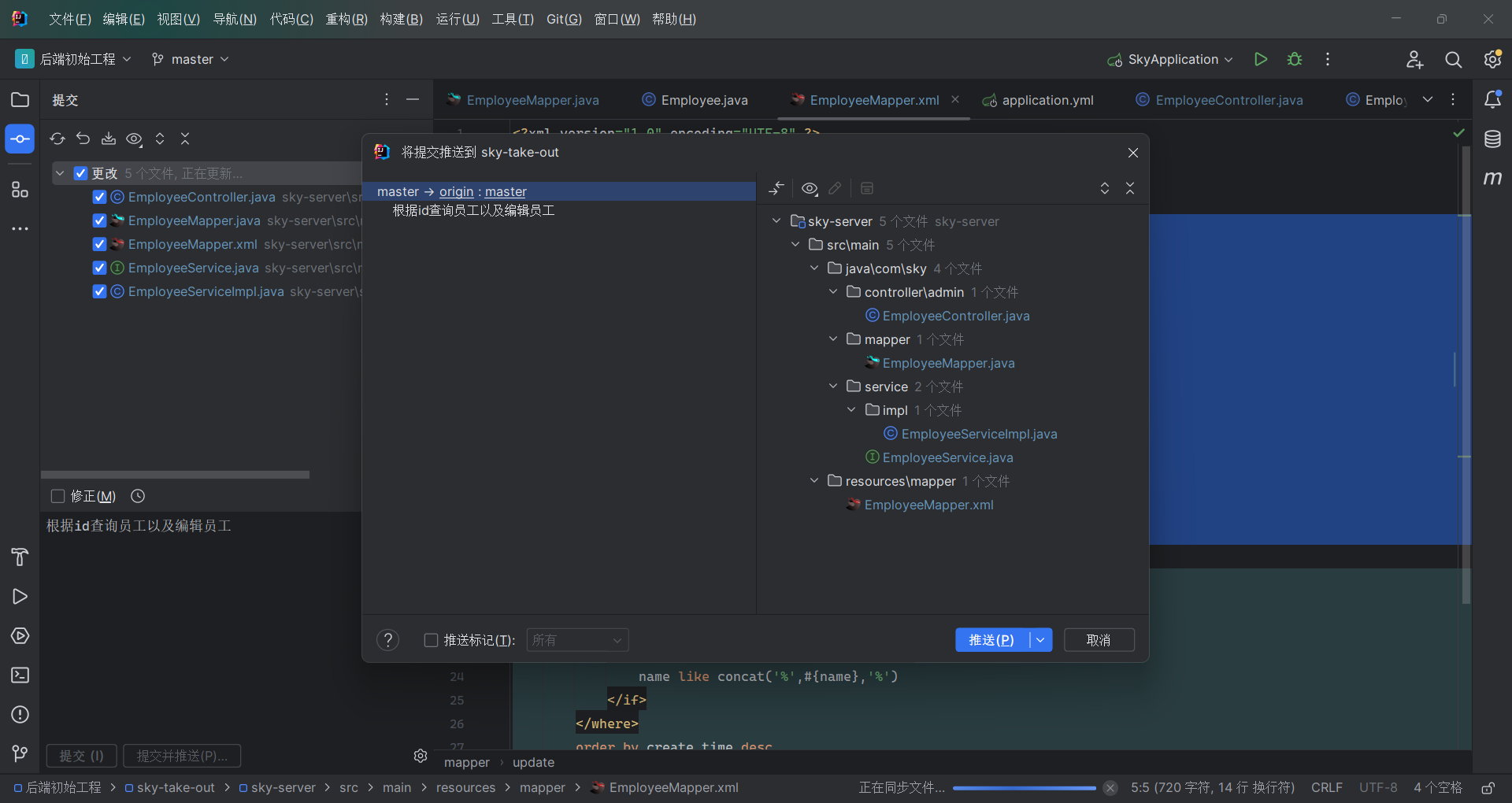
4. 代码提交
点击Git,再点击提交并推送
中…(img-5AO2iDTC-1753713860886)]
[外链图片转存中…(img-IAlbfE85-1753713860886)]
4. 代码提交
点击Git,再点击提交并推送





 扫一扫
扫一扫


 805
805

 被折叠的 条评论
为什么被折叠?
被折叠的 条评论
为什么被折叠?
 到【灌水乐园】发言





