



 本文详细介绍了如何在MacOS系统上下载并安装Python的最新版本,包括配置环境变量和更新bash配置文件,确保系统能正确识别新版本。
下载新版
首先进入到 Python 官网,下载最新版本 Python
https://www.python.org/downloads/mac-osx/
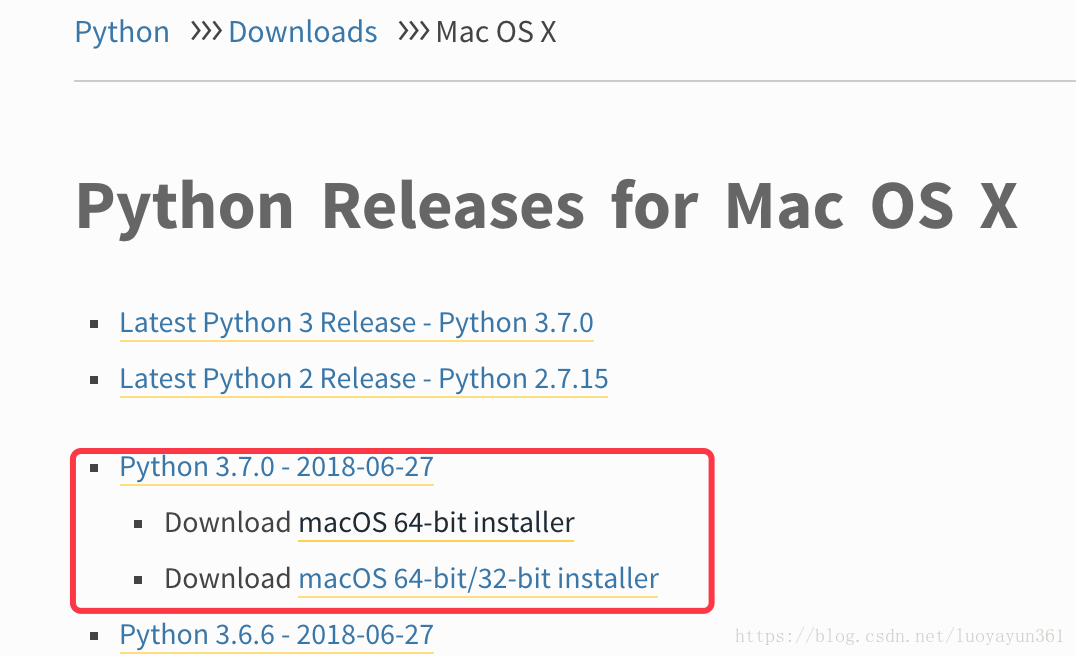
下载后双击安装,装到默认的系统位置即可。装完后会自动写入环境变量的,打开终端,输入命令:
vim ~/.bash_profile打开后在编辑器中可以看到已经存在了 Python 最新版本的配置,如下:
# Setting PATH for Python 3.7
# The original version is saved in .bash_profile.pysave
PATH="/Library/Frameworks/Python.framework/Versions/3.7/bin:${PATH}"
export PATH
最需要在最后添加一行:
alias python="/Library/Frameworks/Python.framework/Versions/3.7/bin/python3.7"编辑配置的vim命令可参考:https://blog.youkuaiyun.com/Beamon__/article/details/106377979
保存退出,刷新:
source ~/.bash_profile然后查看 Python 版本:
python --version
就可以看到当前已经引用了最新版本 Python。
参考文档:https://blog.youkuaiyun.com/luoyayun361/article/details/81607829





 扫一扫
扫一扫


 2754
2754

 被折叠的 条评论
为什么被折叠?
被折叠的 条评论
为什么被折叠?
 到【灌水乐园】发言





