


 本文指导如何从JPEG-9e官网下载源代码,通过Win32.mak文件配置VS2022环境,创建解决方案并生成Release和Debug版本。涉及解压、环境变量设置、编译选项和链接器设置等步骤。
Jpeg-9e源代码下载网址
http://www.ijg.org/
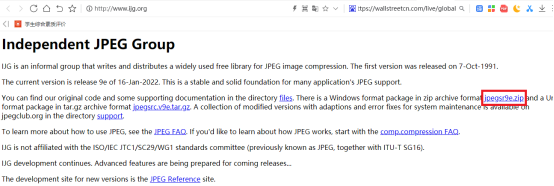
下载后得到文件

解压缩到“D:\SourceCodes\jpeg-9e”
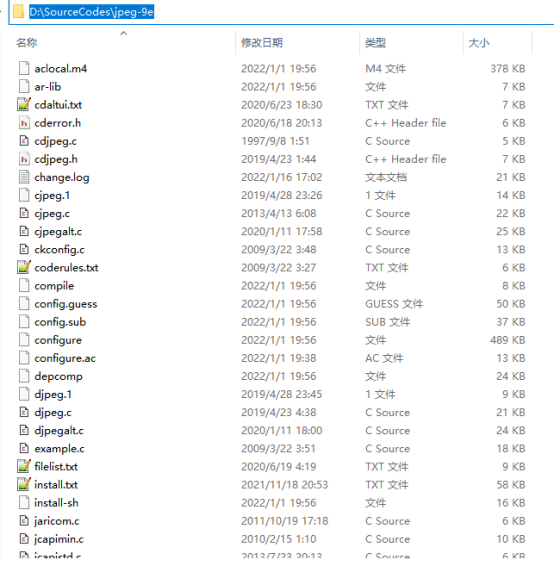
在目录“D:\SourceCodes\jpeg-9e”中创建文本文件,并改名为“win32.mak”,其内容如附注所示。
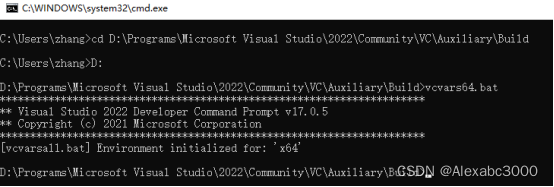
使用命令行,进入VS2022开发者命令行窗口
cd D:\Programs\Microsoft Visual Studio\2022\Community\VC\Auxiliary\Build
D:
vcvars64.bat
在文本文件“install.txt”中搜索字符串“Microsoft Windows, Visual Studio 2022 Version 17:”,可以找到在VS2022中创建sln文件的方法。
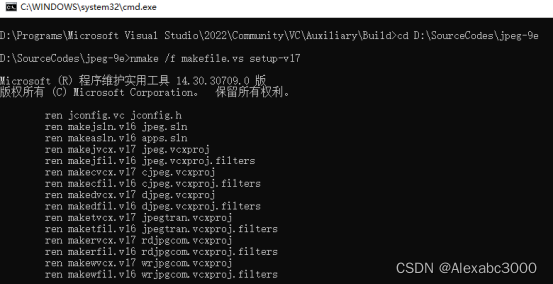
进入目录“D:\SourceCodes\jpeg-9e”,执行命令“nmake /f makefile.vs setup-v17”,创建VS2022的解决方案“jpeg.sln”。
cd D:\SourceCodes\jpeg-9e
nmake /f makefile.vs setup-v17
在目录中,使用VS2022打开文件“jpeg.sln”。
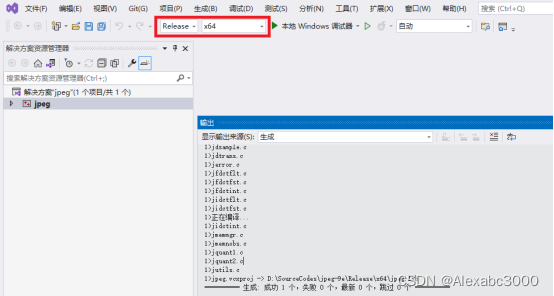
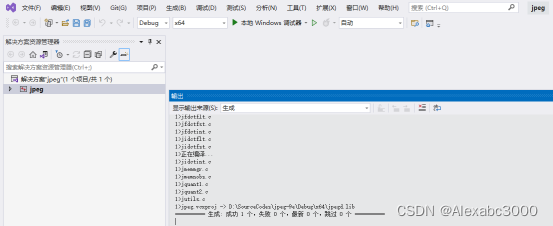
选择Release、X64,成功生成。
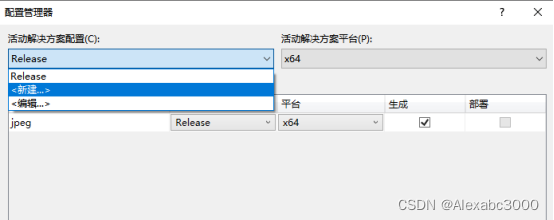
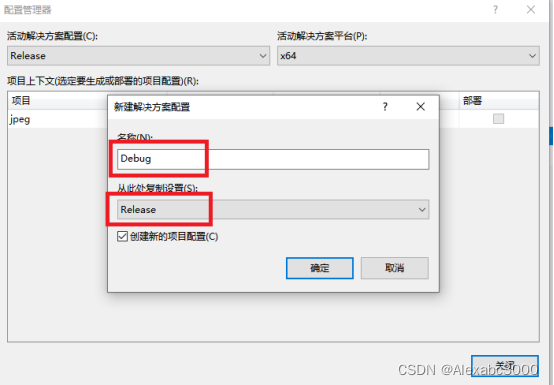
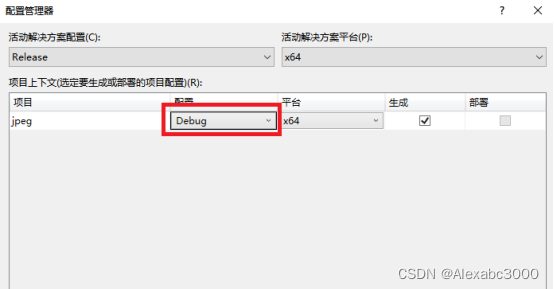
为了生成debug版,需要新建debug配置(从release复制相关设置,可通过活动解决方案平台删除非x64的配置项):
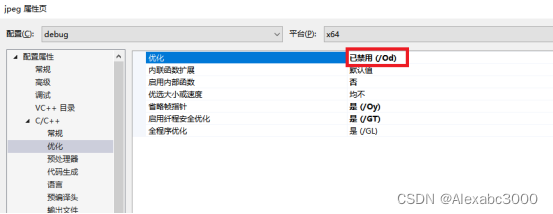
代码生成运行库设置为 /MDd禁用优化
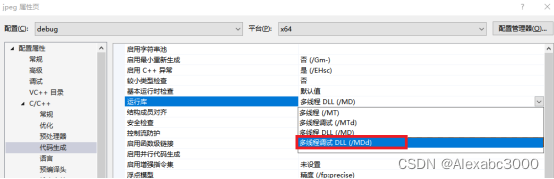
禁用优化
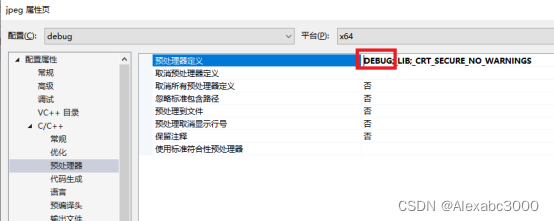
预处理器定义,将NDEBUG 改为DEBUG
将目标文件名由$(ProjectName)改为$(ProjectName)d
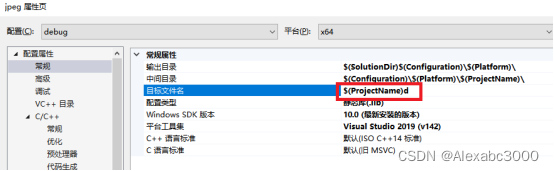
即可对Debug版进行编译了。
win32.mak的内容如下:
# Win32.Mak - Win32 application master NMAKE definitions file for the
# Microsoft Windows SDK programming samples
# Copyright (C) Microsoft Corporation
# -------------------------------------------------------------------------
# This files should be included at the top of all MAKEFILEs as follows:
# !include <Win32.Mak>
# -------------------------------------------------------------------------
#
# Define APPVER = [ 4.0 | 5.0 | 5.01 | 5.02 | 6.0 | 6.1] prior to including win32.mak to get
# build time checking for version dependencies and to mark the executable
# with version information.
#
# Define TARGETOS = [ WIN95 | WINNT | BOTH ] prior to including win32.mak
# to get some build time checking for platform dependencies.
#
# Define TARGETLANG = [ LANG_JAPANESE | LANG_CHINESE | LANG_KOREAN ] prior
# to including win32.mak to getcompile & link flags for building
# applications to run on Far-East Windows. (This is an optional parameter.
# The system locale is the default.)
#
# Define _WIN32_IE = [ 0x0300 | 0x0400 | 0x0500 | 0x0600 | 0x0700 | 0x0800] prior to including win32.mak to
# get compile and link flags for building applications and components to
# run on Internet Explorer. (This is an optional parameter. IE 4.0 is
# the default.)
#
# -------------------------------------------------------------------------
# NMAKE Options
#
# Use the  最低0.47元/天 解锁文章






 扫一扫
扫一扫


 1982
1982

 被折叠的 条评论
为什么被折叠?
被折叠的 条评论
为什么被折叠?
 到【灌水乐园】发言





