



 本文详细介绍如何使用Exe4j和InnoSetup将Java项目打包成exe安装包,包括项目打包、生成可执行文件及安装文件的过程。适用于SpringBoot等Java项目。
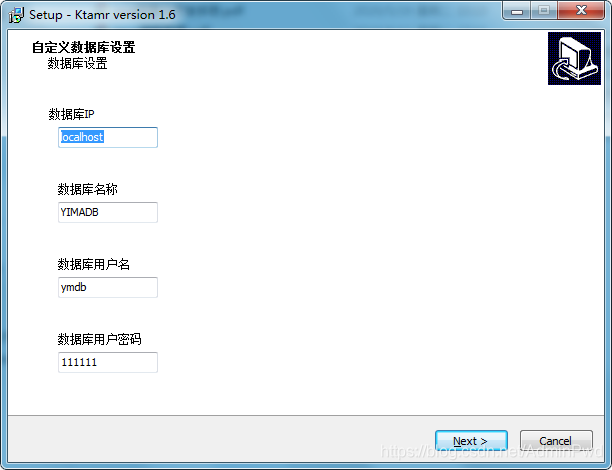
不多说,先上效果图
场景描述
最近接到一个需求,将项目打包成安装包,实现在客户本机或服务器正常使用。
首先需要准备的东东有
项目打包的jar包、Exe4j 软件(生成 exe可执行文件)、inno setup软件(生成exe安装文件)
我把打包合集都放在了这里,传送门
1.项目打包jar包
这个根据具体要求打包,有可能是swing 窗体系统的项目,有的是Maven的项目
我直接maven打包的。在项目的target目录下,找到jar包,打开父目录的cmd,java -jar jar包名 运行jar包,确保能运行,用其他方式打包的jar包我试的时候运行不了,所以最好用maven的install命令打包。

2.Exe4j 软件(生成 exe可执行文件)
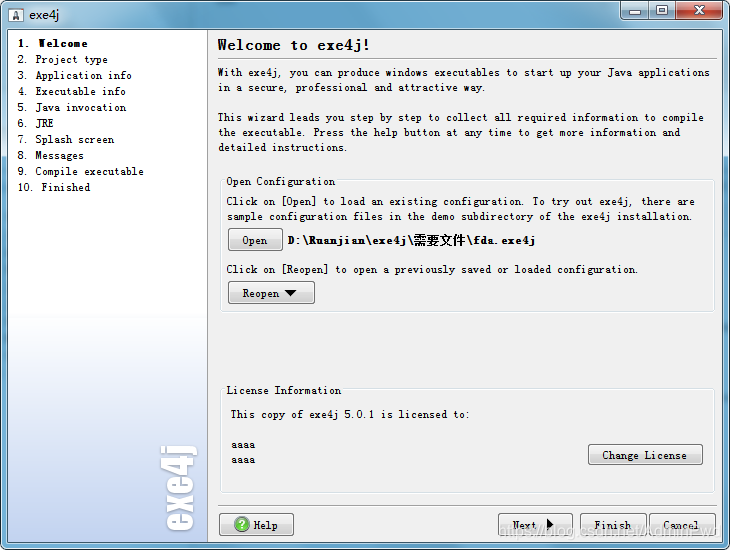
2.1.welcome欢迎
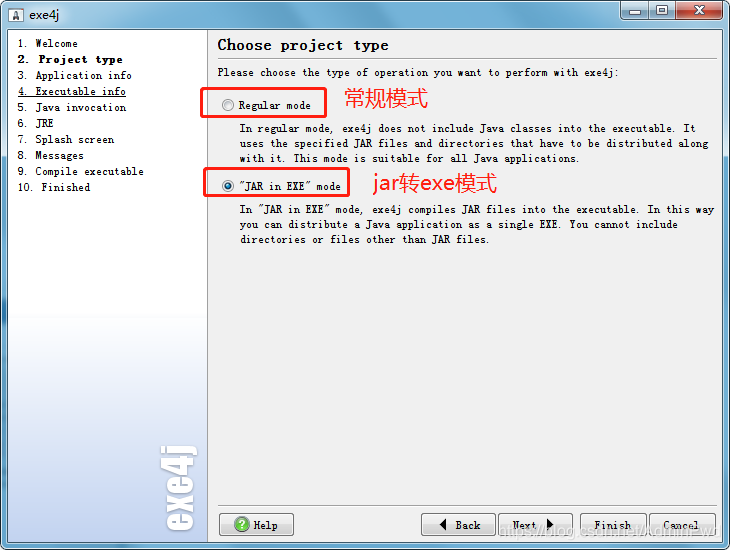
2.2选择项目的类型Choose project type
我们需要的是jar转化为可执行.exe文件,故此我们选择第二个
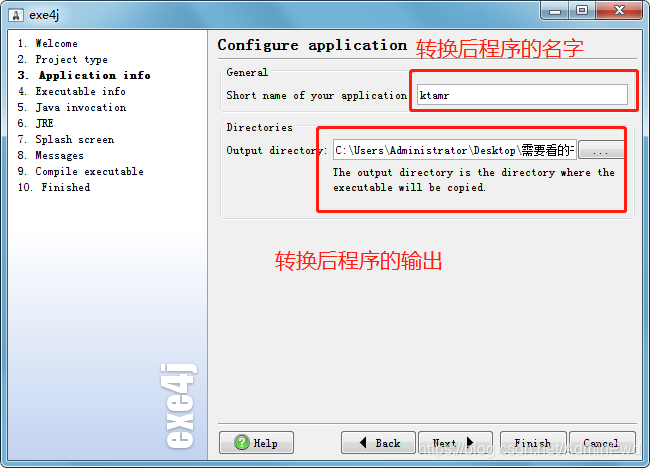
2.3配置应用 Configure application
2.4配置可执行文件
我们是SpringBoot项目是web项目管所以选择service,如果生成的想有一个骚气的图标,可以选择图标一下

日志文件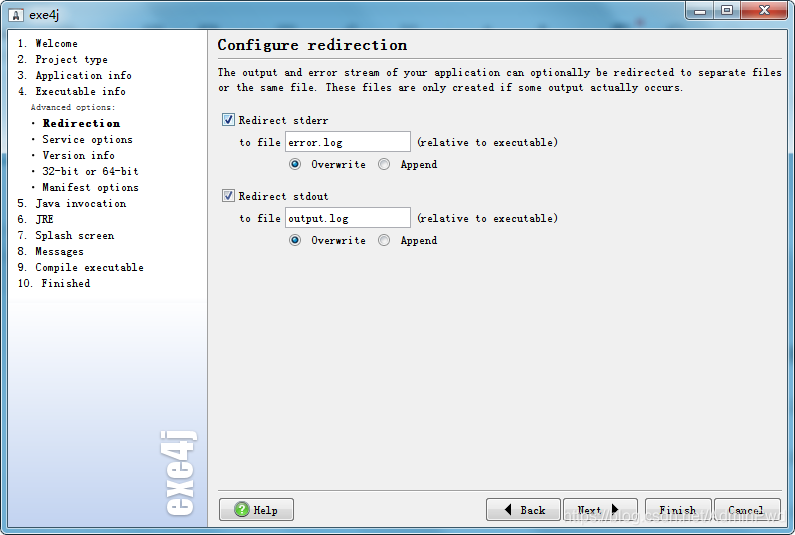
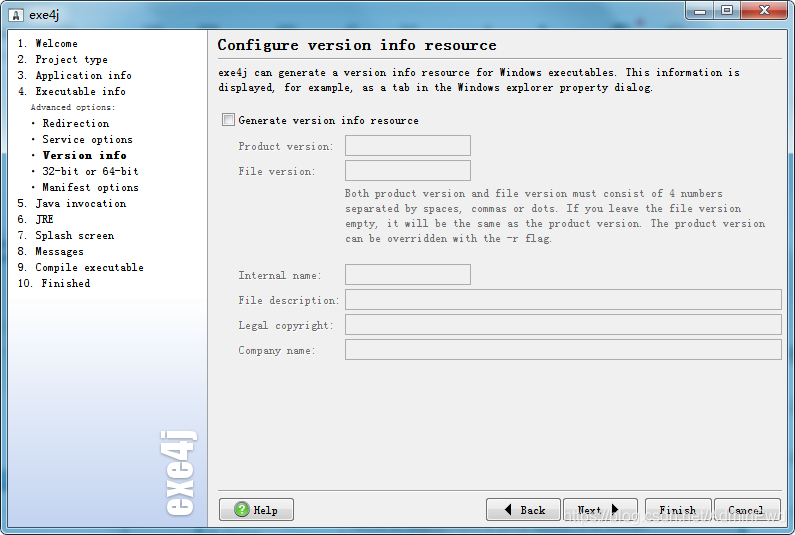
service options和version info这两个不是太重要,可以参考我的试一下

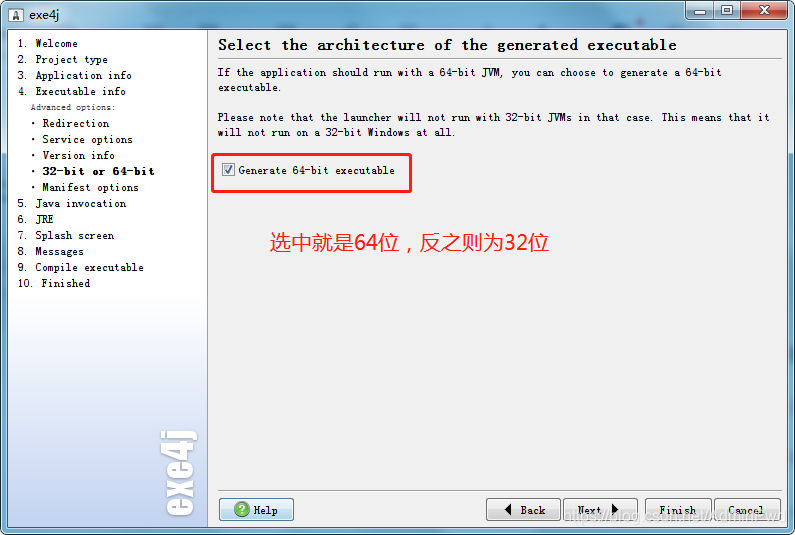
32 -bit or 64 - bit取决你想让程序在64位跑还是32位跑
Mainfest options这个不太重要,选择默认就行了
2.5配置exe文件的入口(重点来啦)
配置编码格式:-Dfile.encoding=utf-8
然后点击界面右侧的绿色十字图标,添加你想要转换的jar文件。找到你打包好的jar包位置,我本地的名字“ktamr-a-datacopycontrol”,然后把java程序中的主类添加进去,因为是我是SpringBoot项目,我选择的是“org.springframework.boot.loader.JarLauncher”,之后点击“next”。

因为我是SpringBoot项目所以才需要这样选择

SpringBoot打包jar包的时候把需要的jar包都打包进去了
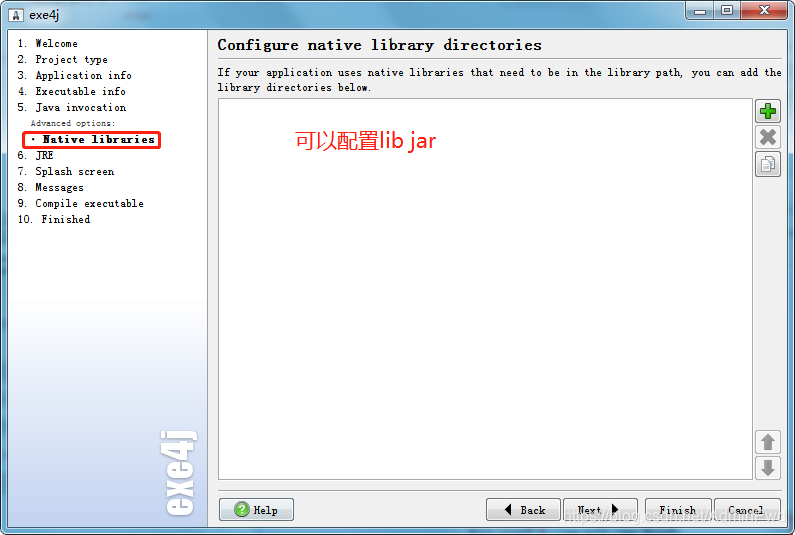
2.6配置exe运行的jre环境
分两种情况:需要JRE和不需要JRE
1.不需要JRE
如果你的程序不需要jre,可以独立搞,或者你待安装的目标机中包含的有JDK,你只需要配置minimum version最低版本支持和maximum version最高版本支持
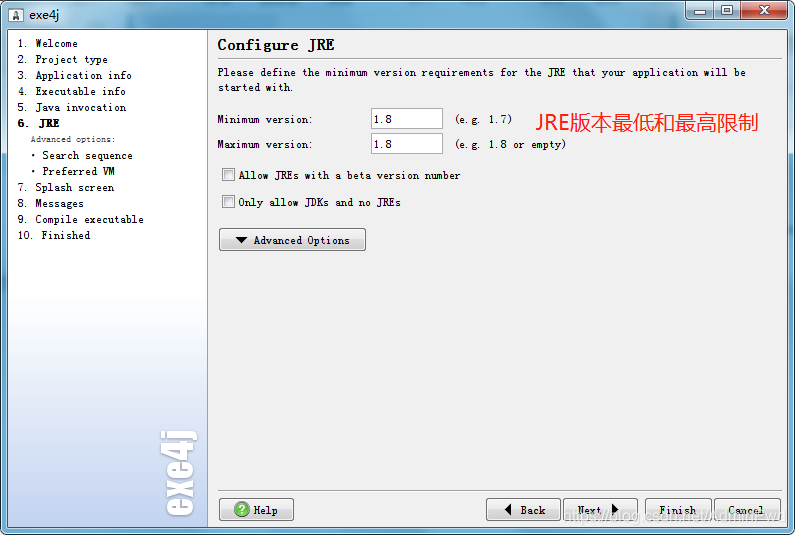
2.需要JRE
觉得目标机的jre太辣鸡,或者目标机还要配置环境变量很麻烦,可以自己带JRE搞独立。
注意这里只是你引用的那个,并不是你把这个jre文件加进去了,如果你要把jre文件加进去的话,不是在这里配置的
你就需要配置你的jre相对路径,注意这个路径一定要是相对路径,再次强调相对路径 .\jre

剩下的步骤可以一直默认就完事了
打包好的文件如果找不到位置可以参看。2.3配置应用 Configure application
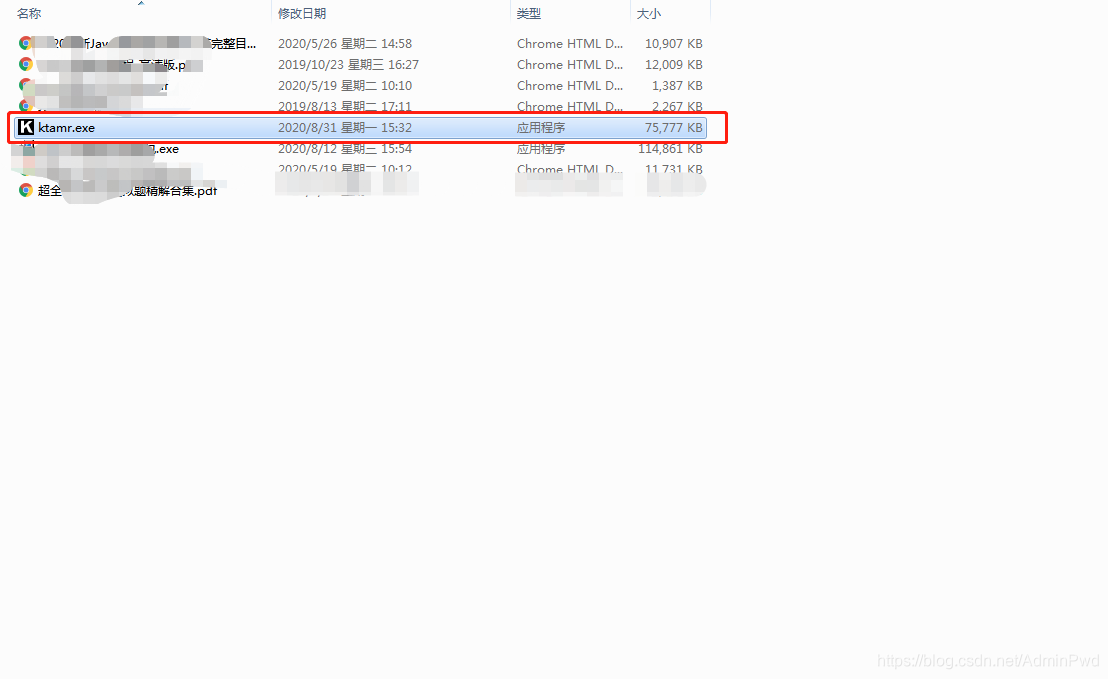
3.Inno Setup对文件打包生成exe安装文件
3.1新建项目,输入应用名称
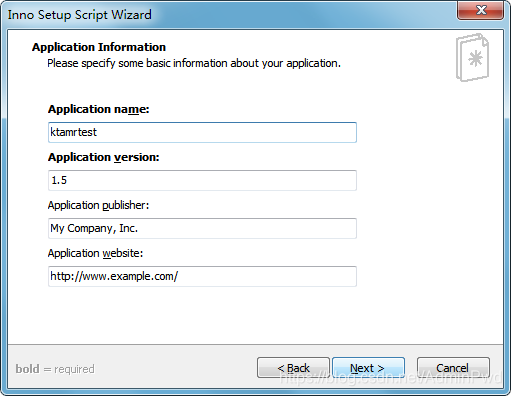
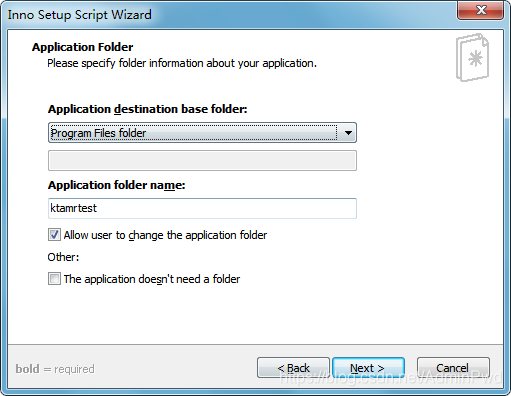
3.2将exe4j生成的exe文件作为主执行文件,同时添加其他所需文件
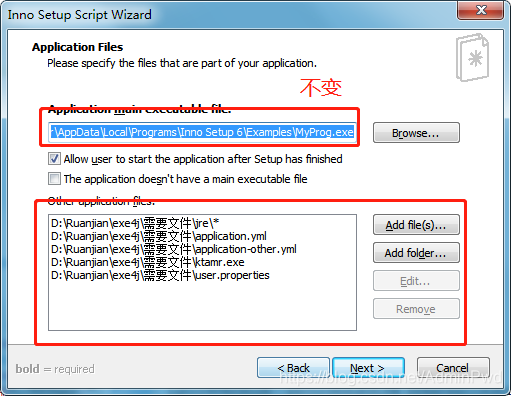
之后直接默认
3.3选择安装包输出文件夹,文件名,图标,可加入安装密码
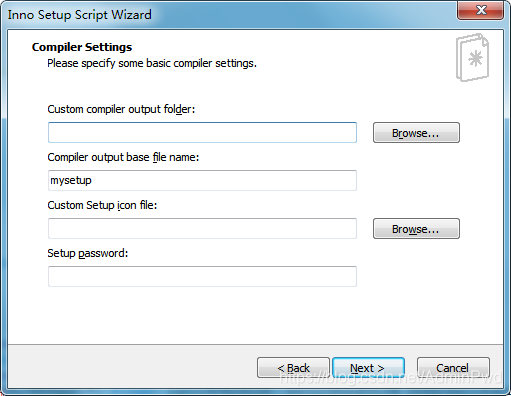
后面直接默认就行了,然后启动的时候他会提示iss脚本,先保存一个位置,
最后针对这个iss脚本更改就行,贴出完整代码
; Script generated by the Inno Setup Script Wizard.
; SEE THE DOCUMENTATION FOR DETAILS ON CREATING INNO SETUP SCRIPT FILES!

#define MyAppName "Ktamr"
#define MyAppVersion "1.6"
#define MyAppPublisher "My Company, Inc."
#define MyAppURL "http://www.example.com/"
#define MyAppExeName "ktamr.exe"
#define MyJREName "jre"

[Setup]
; NOTE: The value of AppId uniquely identifies this application. Do not use the same AppId value in installers for other applications.
; (To generate a new GUID, click Tools | Generate GUID inside the IDE.)
AppId={{BEAF87E8-C9C7-4746-9B79-AF43026FC697}
AppName={#MyAppName}
AppVersion={#MyAppVersion}
;AppVerName={#MyAppName} {#MyAppVersion}
AppPublisher={#MyAppPublisher}
AppPublisherURL={#MyAppURL}
AppSupportURL={#MyAppURL}
AppUpdatesURL={#MyAppURL}
DefaultDirName=C:\Ktamr
DisableProgramGroupPage=yes
; Uncomment the following line to run in non administrative install mode (install for current user only.)
;PrivilegesRequired=lowest
OutputDir=C:\Users\Administrator\Desktop\需要看的书籍
OutputBaseFilename=ktamr抄表软件安装包
Compression=lzma
SolidCompression=yes
WizardStyle=modern

[Languages]
Name: "english"; MessagesFile: "compiler:Default.isl"

[Tasks]
Name: "desktopicon"; Description: "{cm:CreateDesktopIcon}"; GroupDescription: "{cm:AdditionalIcons}"; Flags: unchecked
Name: RunServer; Description: 立即运行后台自动抄表服务

[Files]
Source: "D:\Ruanjian\exe4j\需要文件\ktamr.exe"; DestDir: "{app}"; Flags: ignoreversion
Source: "D:\Ruanjian\exe4j\需要文件\application.yml"; DestDir: "{app}"; Flags: ignoreversion
Source: "D:\Ruanjian\exe4j\需要文件\application-other.yml"; DestDir: "{app}"; Flags: ignoreversion
Source: "D:\Ruanjian\exe4j\需要文件\user.properties"; DestDir: "{app}"; Flags: ignoreversion
Source: "D:\Ruanjian\exe4j\需要文件\jre\jre\*"; DestDir: "{app}\{#MyJREName}"; Flags: ignoreversion  recursesubdirs createallsubdirs
; NOTE: Don't use "Flags: ignoreversion" on any shared system files

[Icons]
Name: "{autoprograms}\{#MyAppName}"; Filename: "{app}\{#MyAppExeName}"
Name: "{autodesktop}\{#MyAppName}"; Filename: "{app}\{#MyAppExeName}"; Tasks: desktopicon

[Run]
Filename: "{app}\{#MyAppExeName}"; Description: "{cm:LaunchProgram,{#StringChange(MyAppName, '&', '&&')}}"; Flags: nowait postinstall skipifsilent
Filename:"{app}\{#MyAppExeName}"; Parameters:"-install" ; Flags: runhidden
Filename: "net.exe"; Parameters: "start ktamr"; Flags:runhidden

[UninstallRun]
//停止,删除服务
Filename: {sys}\sc.exe; Parameters: "stop ktamr" ; Flags: runhidden
Filename: {sys}\sc.exe; Parameters: "delete ktamr" ; Flags: runhidden
Filename:"{app}\{#MyAppExeName}"; Parameters:"--uninstall"

[code]
var
myPage:TwizardPage;//定义窗口
myPage2:TwizardPage;
ed1:TEdit;//数据库IP
ed2:TEdit;//数据库名称
ed6:TEdit;//数据库用户名
ed7:TEdit;//数据库用户密码

Lbl1: TNewStaticText;//数据库IP
Lbl2:TNewStaticText;//数据库名称
Lbl6:TNewStaticText;//数据库用户名
Lbl7:TNewStaticText;//数据库用户密码
//定义校验方法,校验失败时,下一步按钮为空

procedure Key_Form_KeyChange(Sender: TObject);
begin

WizardForm.NextButton.Enabled := True;
end;
//初始化引导 窗口
procedure InitializeWizard();
begin
myPage2:=CreateCustomPage(wpWelcome, '自定义数据库设置', '数据库设置');
Lbl1 := TNewStaticText.Create(myPage2);
Lbl1.Left := ScaleX(1);
Lbl1.Top := ScaleY(5);
Lbl1.Width := ScaleX(100);
Lbl1.Height := ScaleY(50);
Lbl1.Caption := '数据库IP';
Lbl1.Parent := myPage2.Surface;
ed1:=TEdit.Create(myPage2);
ed1.Width:=ScaleX(100);
ed1.Left := ScaleY(10);
ed1.Top := ScaleY(25);
ed1.Text :='localhost';
ed1.Parent:=myPage2.Surface;
//ed1.OnChange := @Key_Form_KeyChange;//添加校验方法

Lbl2 := TNewStaticText.Create(myPage2);
Lbl2.Left := ScaleX(10);
Lbl2.Top := ScaleY(80);
Lbl2.Width := ScaleX(100);
Lbl2.Height := ScaleY(50);
Lbl2.Caption := '数据库名称';
Lbl2.Parent := myPage2.Surface;
ed2:=TEdit.Create(myPage2);
ed2.Width:=ScaleX(100);
ed2.Left := ScaleY(10);
ed2.Top := ScaleY(100);
ed2.Text :='YIMADB';
ed2.Parent:=myPage2.Surface;
//ed2.OnChange := @Key_Form_KeyChange;//添加校验方法

Lbl6 := TNewStaticText.Create(myPage2);
Lbl6.Left := ScaleX(10);
Lbl6.Top := ScaleY(155);
Lbl6.Width := ScaleX(100);
Lbl6.Height := ScaleY(50);
Lbl6.Caption := '数据库用户名';
Lbl6.Parent := myPage2.Surface;
ed6:=TEdit.Create(myPage2);
ed6.Width:=ScaleX(100);
ed6.Left := ScaleY(10);
ed6.Top := ScaleY(175);
ed6.Text :='ymdb';
ed6.Parent:=myPage2.Surface;
//ed6.OnChange := @Key_Form_KeyChange;//添加校验方法

Lbl7 := TNewStaticText.Create(myPage2);
Lbl7.Left := ScaleX(10);
Lbl7.Top := ScaleY(230);
Lbl7.Width := ScaleX(100);
Lbl7.Height := ScaleY(50);
Lbl7.Caption := '数据库用户密码';
Lbl7.Parent := myPage2.Surface;
ed7:=TEdit.Create(myPage2);
ed7.Width:=ScaleX(100);
ed7.Left := ScaleY(10);
ed7.Top := ScaleY(250);
ed7.Text :='111111';
ed7.Parent:=myPage2.Surface;
ed7.OnChange := @Key_Form_KeyChange;//添加校验方法

end;
//添加步骤
procedure CurStepChanged(CurStep: TSetupStep);
var
    fileName,tempStr:String;
    svArray: TArrayOfString;
    nLines,i:Integer;
begin
//if CurStep=ssinstall then
//安装前执行
       if CurStep=ssPostinstall then
//复制文件后执行
            begin
//开始修改文件
fileName := ExpandConstant('{app}\application-other.yml');
LoadStringsFromFile(fileName, svArray);
nLines := GetArrayLength(svArray);//读取文件
  for i := 0 to nLines - 1 do
  begin
tempStr := svArray[i];

//数据库名
if (1 = Pos('          url: jdbc:postgresql://localhost:5432/YIMADB', tempStr)) then//查找目标行
begin
  svArray[i] := ExpandConstant('          url: jdbc:postgresql://'+ed1.Text+':5432/'+ed2.Text);//修改行
  StringChangeEx(svArray[i], '\', '/', True);
end;

//数据库账号
if (1 = Pos('          username: ymdb', tempStr)) then//查找目标行
begin
  svArray[i] := ExpandConstant('          username: '+ed6.Text);//修改行
  StringChangeEx(svArray[i], '\', '/', True);
end;

//数据库密码
if (1 = Pos('          password: 111111', tempStr)) then//查找目标行
begin
  svArray[i] := ExpandConstant('          password: '+ed7.Text);//修改行
  StringChangeEx(svArray[i], '\', '/', True);
end;
  end;
  SaveStringsToFile(fileName, svArray, false);
end;
if CurStep=ssDone then

//安装完成后执行

end;
如果发现博文有问题,欢迎各位老鸟指点一二





 扫一扫
扫一扫


 1902
1902


 到【灌水乐园】发言



