



Flask 是一个微框架,主要面向需求简单的小应用 ,让开发者来选择如何存储数据等操作,随意性更强。
Flask创世与2010年年中,尽管Falsk的历史较短,但他能够从以前的框架学到一些东西并且将它的目标设定在了小型项目上
Flask是基于Werkzeug,jinjia2异界美好意愿构想的python微框架
什么是微服务?
微服务架构简单的说就是将整个web应用组织成为一系列的小web服务
微框架的核心意图是将web工程项目的核心部分,同时其余部分可以根据我们的需求任意扩展
PyCharm中对flask支持可直接创建工程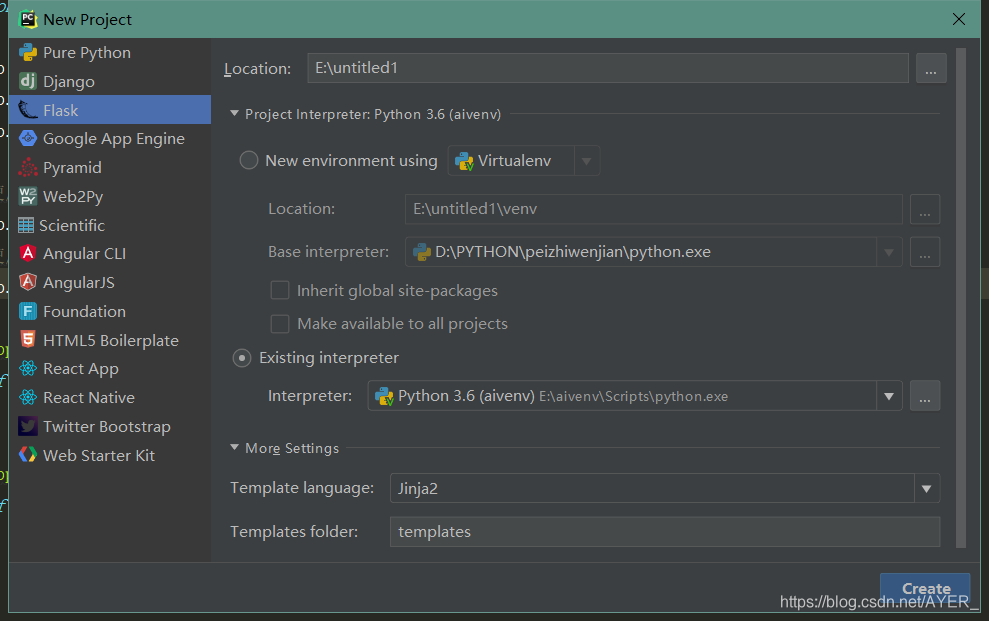
创建工程后 会得到如下图这样的三级目录结构
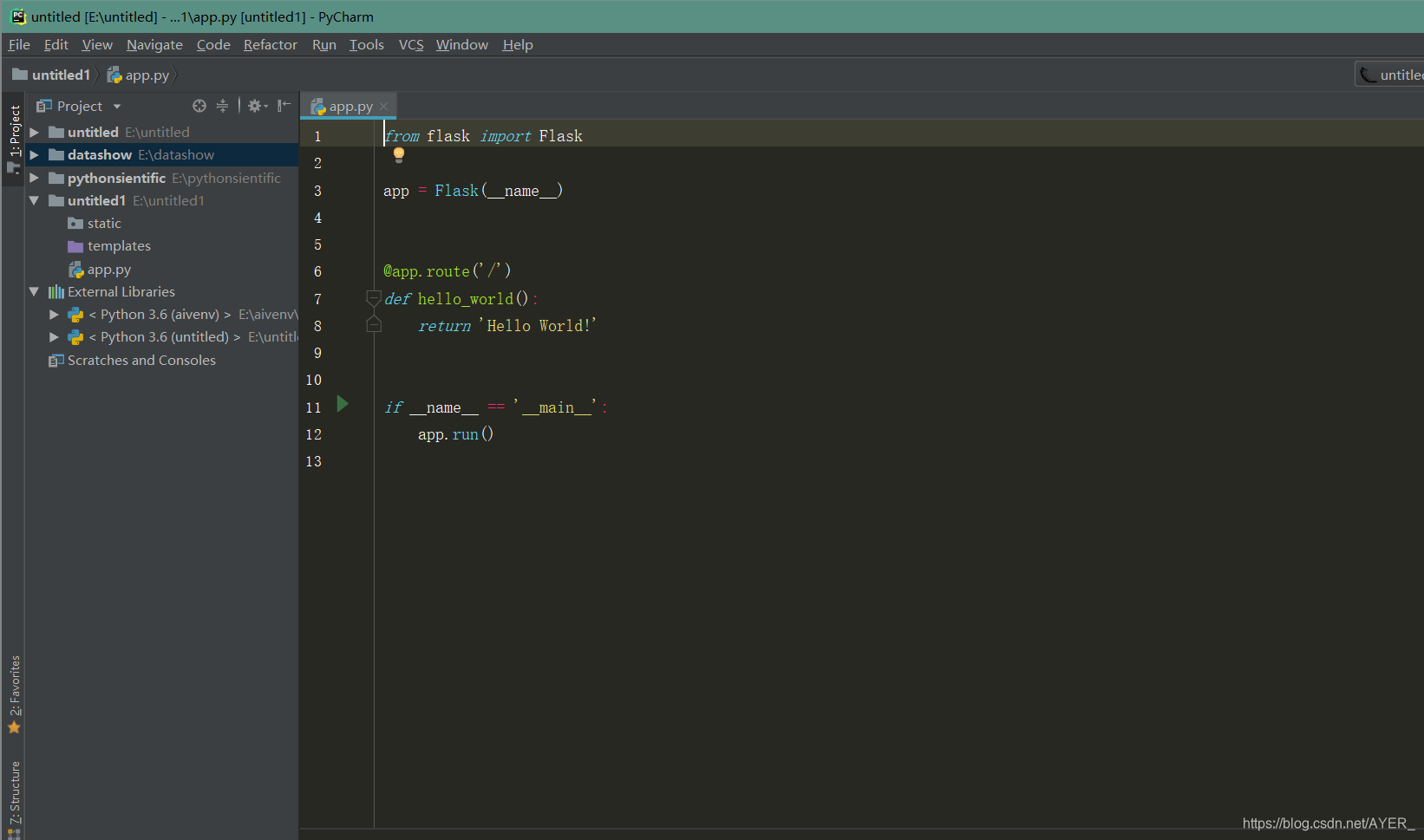
app.py 可以写一些运行脚本
工程下static文件夹可以用来存放一些网站的css img js 等文件
templates文件内放如需要的html文件
使用flask实现简单的登录程序
app.py 脚本:
from flask import Flask, render_template, request, Response,session
import config
from config_class import *

app = Flask(__name__)
app.config['DEBUG'] = True
app.config['SECRET_KEY'] = 'AAGGCCFFDDEEFFGG'

#使用config。py文件定义配置
app.config.from_object(config)
#使用class定义配置
app.config.from_object(DebugConfig)

@app.route('/')  #路由
def index():
    return render_template('index.html')

@app.route("/login.do",methods=['POST','GET'])
def login():
    userName = request.form.get('userName')#表单提交的数据使用request下面的 form方法
    userPwd = request.form.get('userPwd')

    if userName == 'zhangsan' and userPwd =='123456':
        session['userName'] = 'zhangsan'
        return render_template('index.html')
    elif userName!=None and (userName!='zhangsan'or userPwd!='123456'):
        return render_template('login.html',message='用户名或密码错误!')
        pass
    return render_template('login.html')
    pass


if __name__ == '__main__':
    app.run(host=app.config['SERBER_ADDR'], port=app.config['SERVER_PORT'], debug=True)
添加一个任意的自定义.py文件用来自定义一些需要的文件脚本如函数或者网络端口等
config.py
'''
自定义配置文件
'''
DEBUG = True
SECRET_KEY = 'AAAAAAAAAAAAAAAAA'
PAGE_SIZE = 10

SERBER_ADDR = '10.0.14.90'
SERVER_PORT = 80
简单的定义两个HTML界面
第一页
index.html
<!DOCTYPE html>
<html>
	<head>
		<meta charset="UTF-8">
		<title></title>
		<script type="text/javascript">
		</script>
		<style type="text/css">
			a{
				margin-right: 12px;
			}
		</style>
	</head>
	<body style="min-width:1200px;padding: 0px;margin: 0;background-color: lavenderblush;">
		<div id="header" style="width: 100%;margin: 0px;padding: 0px;height: 40px;border: solid 0px red;background-color: white; ">
			<div style="width: 90%;border: solid 0px red;margin-left: 5%;padding: 6px;" align="left">
                <div style="border:solid 0px red;padding: 0px;float: left"></div>
                <div style="border:solid 0px red;padding: 0px;float: right">
                <a href="/login.do">
                    {% if session.get('userName') == None %}
                    登录
                    {% elif session.get('userName') != None %}
                    {{ session.get('userName') }}
                    {% endif %}
                </a></div>
				<a>首页</a><a>首页</a><a>首页</a><a>首页</a><a>首页</a><a>首页</a><a>首页</a><a>首页</a>
			</div>
		</div>

	</body>
</html>
第二页
login.html
<!DOCTYPE html>
<html lang="en">
<head>
    <meta charset="UTF-8">
    <title>Title</title>
    <link rel="stylesheet" href="{{ url_for('static',filename='css/style.css',_external=True) }}"/>
    <link rel="stylesheet" href="static/css/style.css"/>
</head>
<body>
    <form action="/login.do" method="post">
        <table>
            <span color="red">{{ message }}</span>
            <tr>
                <td>
                     用户名:<input type="text" name="userName" />
                </td>
            </tr>
            <tr>
                <td>
                     用户名:<input type="password" name="userPwd" />
                </td>
            </tr>
            <tr>
                <td>
                     <input type="reset" value="重置" />
                     <input type="submit" value="提交" />
                </td>
            </tr>

        </table>
    </form>


</body>
</html>
然后点击app.py运行脚本

点击下面网址 端口号 启动浏览器
得到第一首页登录页面
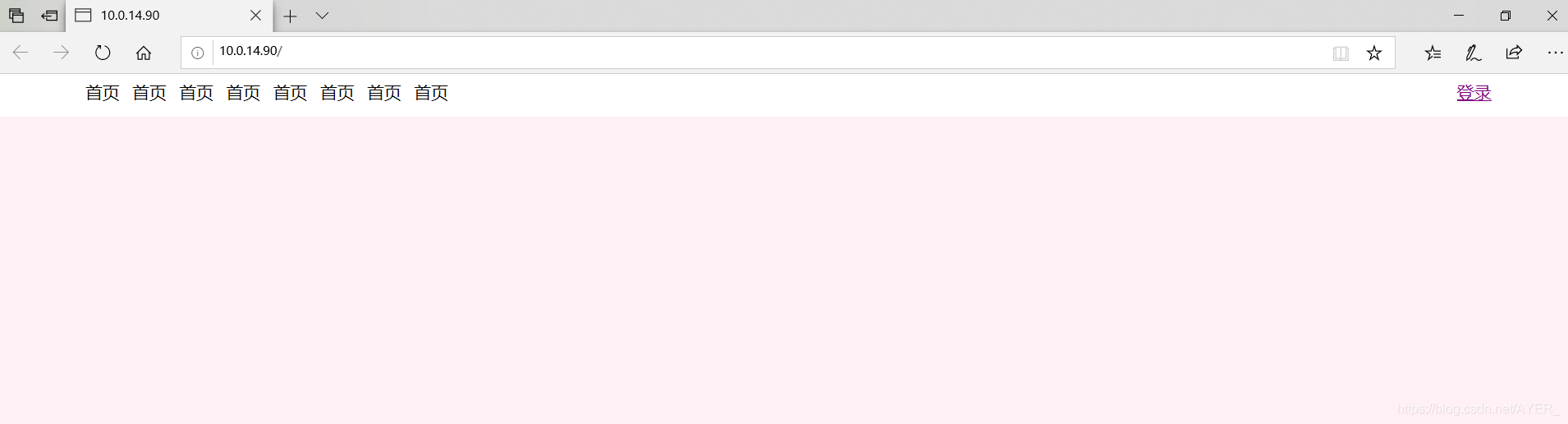
点击登录:
输入用户名密码
因为我们在脚本已经写好用户名:zhangsan 密码 :123456 所以 不支持别的用户名密码
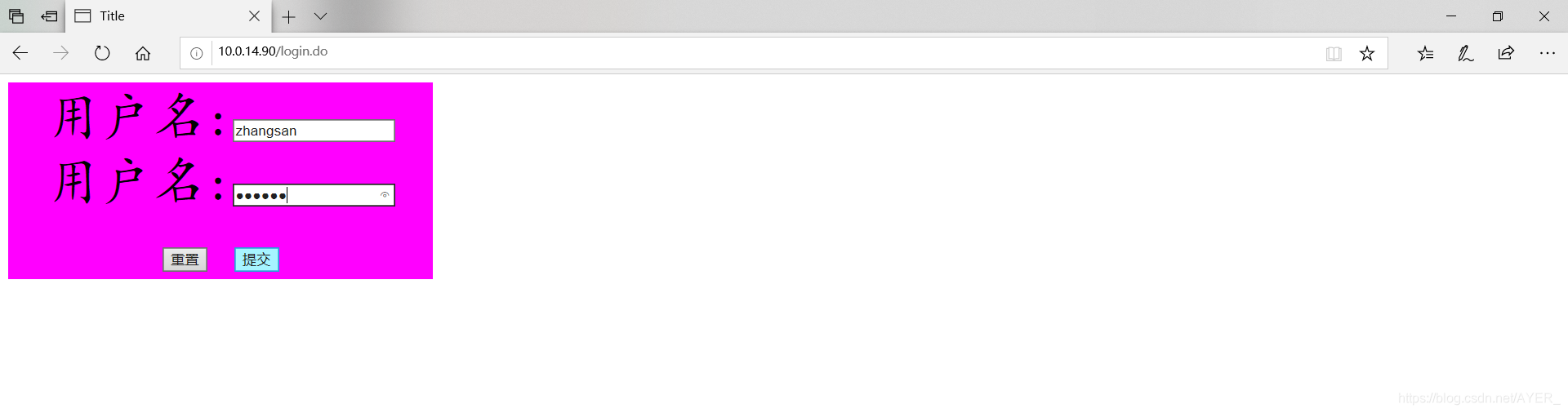
登录页面的样式这里写在了一个css里在上面有提到在文件夹static中可以创建css文件夹存放css文件
这里登录页面css问价如下 不美观见谅!!
style.css
@charset "utf-8";
body{
	text-align: center;
}
div{
	/*background-color: darkgrey !important;
	background-color: #2E8B57 !important;*/
}
table{
	BACKGROUND-COLOR: seagreen;
	font-family: "楷体";
	font-size: 50px;
	width: 400px;
}
TABLE{
	background-color: #FF00FF;
}

#P1{
	background-color: ghostwhite;
}
#p1{
	background-color: lightgreen;
}
.C1{
	background-color: #FF00FF;
}

.C2{
	font-family: "mv boli";
	font-size: 20;
}
h1,h2,h3,h4,h5{
	color: #2E8B57;
}
ul li .name2{

}
a:visited{
	color: white;
}
a:hover{
	color:white;
}
点击提交按钮:

可以看到 原来登录连接变成了用户名






 扫一扫
扫一扫


 1671
1671

 被折叠的 条评论
为什么被折叠?
被折叠的 条评论
为什么被折叠?
 到【灌水乐园】发言





