


[root@localhost tmp]# rsync -av 192.168.204.168:/tmp/passwd.txt /tmp/test.txt
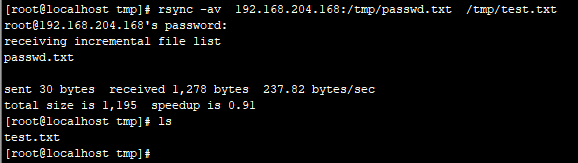
#指定ssh 端口
[root@localhost tmp]# rsync -av -e “ssh -p 22” 192.168.204.168:/tmp/passwd.txt /tmp/a.txt
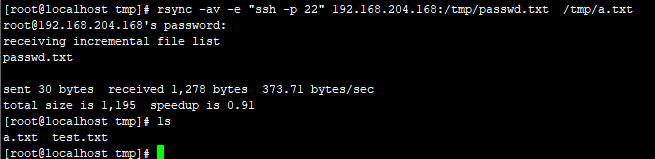
第二种方式:rsync通过服务的方式同步
服务端配置:
1、编辑配置文件/etc/rsyncd.conf
motd file = /etc/rsyncd.motd
transfer logging = yes
log file = /var/log/rsyncd.log
port = 873
address = 192.168.204.130
uid = nobody
gid = nobody
use chroot = no
read only = no
max connections = 10
[common]
comment = rsync info
path = /tmp
ignore errors
auth users = admin
secrets file = /etc/rsyncd.secrets
hosts allow = 192.168.204.0/255.255.255.0
hosts deny = *
list = false
2、创建用户密码文件
echo “admin:123456” > /etc/rsyncd.secrets
chmod 600 /etc/r
 最低0.47元/天 解锁文章






 扫一扫
扫一扫


 2301
2301

 被折叠的 条评论
为什么被折叠?
被折叠的 条评论
为什么被折叠?
 到【灌水乐园】发言





