



right: 5.0,
child: Container(
padding: const EdgeInsets.all(3.0),
decoration: BoxDecoration(
color: Colors.grey.withOpacity(0.6),
border: Border.all(color: Colors.grey.withOpacity(0.4), width: 1.0),
borderRadius: const BorderRadius.all(
Radius.circular(5.0),
),
),
child: Text(
‘${index + 1}’,
textAlign: TextAlign.center,
style: const TextStyle(fontSize: fontSize, color: Colors.white),
),
),
)
],
);
if (konwSized) {
image = AspectRatio(
aspectRatio: item.imageSize.width / item.imageSize.height,
child: image,
);
} else if (item.imageRawSize != null) {
image = AspectRatio(
aspectRatio: item.imageRawSize.width / item.imageRawSize.height,
child: image,
);
}
return Column(
crossAxisAlignment: CrossAxisAlignment.start,
children: [
image,
const SizedBox(
height: 5.0,
),
buildTagsWidget(item),
const SizedBox(
height: 5.0,
),
buildBottomWidget(item),
],
);
}
2.自适应标签:
Widget buildTagsWidget(
TuChongItem item, {
int maxNum = 6,
}) {
const double fontSize = 12.0;
return Wrap(
runSpacing: 5.0,
spacing: 5.0,
children: item.tags.take(maxNum).map((String tag) {
final Color color = item.tagColors[item.tags.indexOf(tag)];
return Container(
padding: const EdgeInsets.all(3.0),
decoration: BoxDecoration(
color: color,
border: Border.all(color: Colors.grey.withOpacity(0.4), width: 1.0),
borderRadius: const BorderRadius.all(
Radius.circular(5.0),
),
),
child: Text(
tag,
textAlign: TextAlign.start,
style: TextStyle(
fontSize: fontSize,
color: color.computeLuminance() < 0.5
-
? Colors.white
- Colors.black),
),
);
}).toList());
}
3.上拉刷新和下拉加载
class PullToRefreshHeader extends StatelessWidget {
const PullToRefreshHeader(this.info, this.lastRefreshTime, {this.color});
final PullToRefreshScrollNotificationInfo info;
final DateTime lastRefreshTime;
final Color color;
@override
Widget build(BuildContext context) {
if (info == null) {
return Container();
}
String text = ‘’;
if (info.mode == RefreshIndicatorMode.armed) {
text = ‘Release to refresh’;
} else if (info.mode == RefreshIndicatorMode.refresh ||
info.mode == RefreshIndicatorMode.snap) {
text = ‘Loading…’;
} else if (info.mode == RefreshIndicatorMode.done) {
text = ‘Refresh completed.’;
} else if (info.mode == RefreshIndicatorMode.drag) {
text = ‘Pull to refresh’;
} else if (info.mode == RefreshIndicatorMode.canceled) {
text = ‘Cancel refresh’;
}
final TextStyle ts = const TextStyle(
color: Colors.grey,
).copyWith(fontSize: 13);
final double dragOffset = info?.dragOffset ?? 0.0;
final DateTime time = lastRefreshTime ?? DateTime.now();
final double top = -hideHeight + dragOffset;
return Container(
height: dragOffset,
color: color ?? Colors.transparent,
//padding: EdgeInsets.only(top: dragOffset / 3),
//padding: EdgeInsets.only(bottom: 5.0),
child: Stack(
children: [
Positioned(
left: 0.0,
right: 0.0,
top: top,
child: Row(
mainAxisAlignment: MainAxisAlignment.center,
crossAxisAlignment: CrossAxisAlignment.center,
children: [
Expanded(
child: Container(
alignment: Alignment.centerRight,
child: RefreshImage(top),
margin: const EdgeInsets.only(right: 12.0),
),
),
Column(
children: [
Text(
text,
style: ts,
),
Text(
‘Last updated:’ +
DateFormat(‘yyyy-MM-dd hh:mm’).format(time),
style: ts.copyWith(fontSize: 12),
)
],
),
Expanded(
child: Container(),
),
],
),
)
],
),
);
}
}
class RefreshImage extends StatelessWidget {
const RefreshImage(this.top);
final double top;
@override
Widget build(BuildContext context) {
const double imageSize = 40;
return ExtendedImage.asset(
Assets.assets_fluttercandies_grey_png,
width: imageSize,
height: imageSize,
afterPaintImage: (Canvas canvas, Rect rect, ui.Image image, Paint paint) {
final double imageHeight = image.height.toDouble();
final double imageWidth = image.width.toDouble();
final Size size = rect.size;
final double y = (1 - min(top / (refreshHeight - hideHeight), 1)) *
imageHeight;
canvas.drawImageRect(
image,
Rect.fromLTWH(0.0, y, imageWidth, imageHeight - y),
Rect.fromLTWH(rect.left, rect.top + y / imageHeight * size.height,
size.width, (imageHeight - y) / imageHeight * size.height),
Paint()
…colorFilter =
const ColorFilter.mode(Color(0xFFea5504), BlendMode.srcIn)
…isAntiAlias = false
…filterQuality = FilterQuality.low);
//canvas.restore();
},
);
}
}
4.底部的点赞按钮
LikeButton(
size: 18.0,
isLiked: item.isFavorite,
likeCount: item.favorites,
countBuilder: (int count, bool isLiked, String text) {
final ColorSwatch color =
isLiked ? Colors.pinkAccent : Colors.grey;
Widget result;
if (count == 0) {
result = Text(
‘love’,
style: TextStyle(color: color, fontSize: fontSize),
);
} else {
result = Text(
最后
都说三年是程序员的一个坎,能否晋升或者提高自己的核心竞争力,这几年就十分关键。
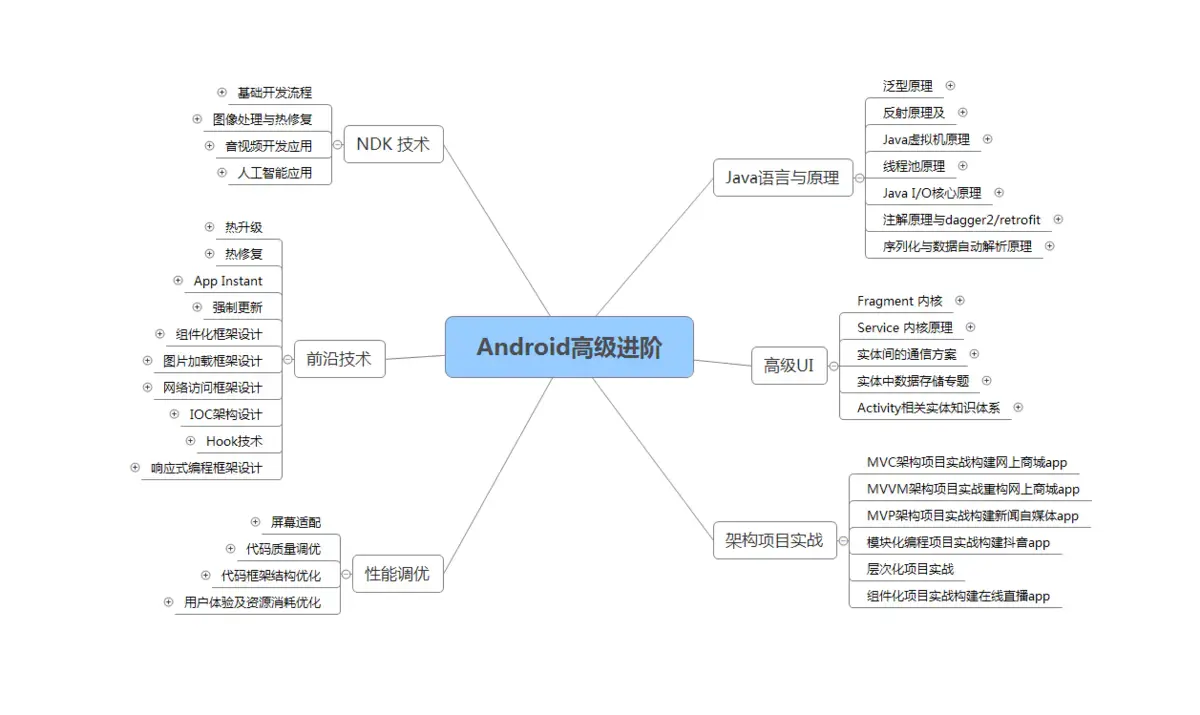
技术发展的这么快,从哪些方面开始学习,才能达到高级工程师水平,最后进阶到Android架构师/技术专家?我总结了这 5大块;
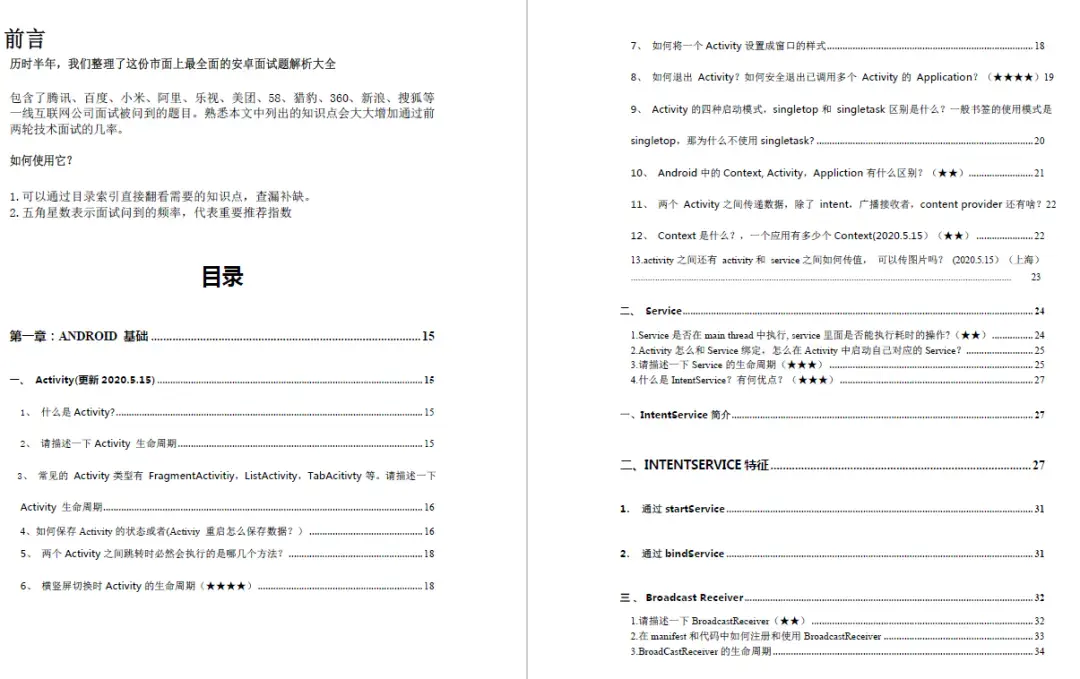
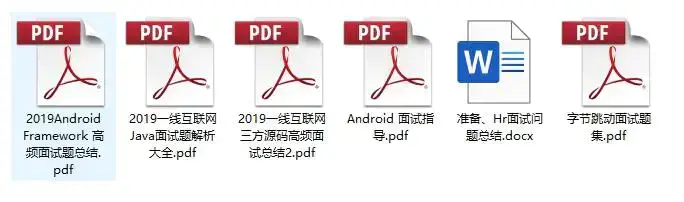
我搜集整理过这几年阿里,以及腾讯,字节跳动,华为,小米等公司的面试题,把面试的要求和技术点梳理成一份大而全的“ Android架构师”面试 Xmind(实际上比预期多花了不少精力),包含知识脉络 + 分支细节。
网上学习 Android的资料一大堆,但如果学到的知识不成体系,遇到问题时只是浅尝辄止,不再深入研究,那么很难做到真正的技术提升。希望这份系统化的技术体系对大家有一个方向参考。
2021年虽然路途坎坷,都在说Android要没落,但是,不要慌,做自己的计划,学自己的习,竞争无处不在,每个行业都是如此。相信自己,没有做不到的,只有想不到的。祝大家2021年万事大吉。
《Android学习笔记总结+移动架构视频+大厂面试真题+项目实战源码》,点击传送门,即可获取!
d(实际上比预期多花了不少精力),包含知识脉络 + 分支细节。
[外链图片转存中…(img-tSl8KUET-1715620094254)]
[外链图片转存中…(img-MSht5aDN-1715620094256)]
[外链图片转存中…(img-RtfMu2MM-1715620094259)]
网上学习 Android的资料一大堆,但如果学到的知识不成体系,遇到问题时只是浅尝辄止,不再深入研究,那么很难做到真正的技术提升。希望这份系统化的技术体系对大家有一个方向参考。
2021年虽然路途坎坷,都在说Android要没落,但是,不要慌,做自己的计划,学自己的习,竞争无处不在,每个行业都是如此。相信自己,没有做不到的,只有想不到的。祝大家2021年万事大吉。
《Android学习笔记总结+移动架构视频+大厂面试真题+项目实战源码》,点击传送门,即可获取!





 扫一扫
扫一扫


 1127
1127

 被折叠的 条评论
为什么被折叠?
被折叠的 条评论
为什么被折叠?
 到【灌水乐园】发言





