


 文章介绍了在执行SQL插入语句时遇到自增字段插入错误的问题,分析了报错原因是因为尝试向自增字段插入值。提供了解决方案,即通过设置identity_insert为ON来允许插入,并给出具体示例,最后提醒在插入后需将该选项设回OFF以保持默认行为。
目录
(一)前言
在数据库中插入数据是我们对于数据库的常规操作之一,但有时候并非所有插入动作都是一帆风顺
(二)正文
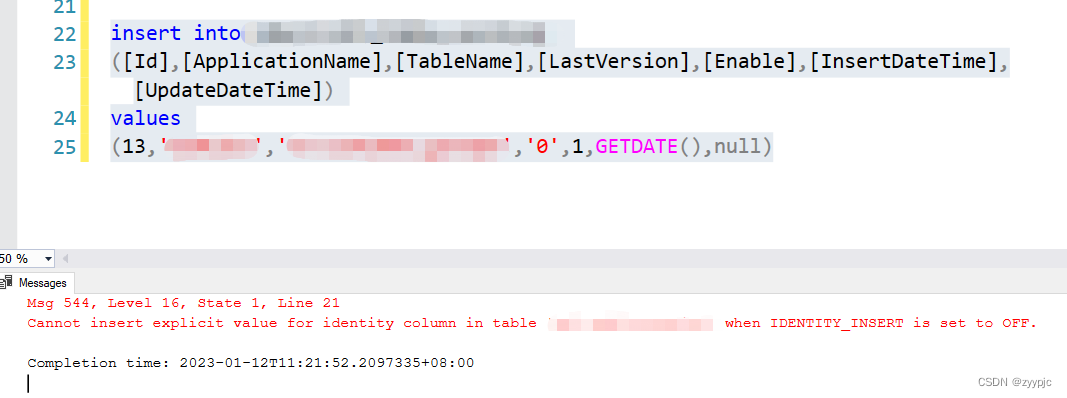
1. 插入SQL语句以及报错详情
注意:TTT为虚构表名,实际情况下请大家自行创建。
insert into TTT
([Id],[ApplicationName],[TableName],[LastVersion],[Enable],[InsertDateTime],[UpdateDateTime])
values
(13,'ABC','T1','0',1,GETDATE(),null);
报错显示:
Cannot insert explicit value for identity column in table 'TTT' when IDENTITY_INSERT is set to OFF
2. 报错原因分析
因为通常情况下,不能向 Azure SQL/SQL Server 自增字段插入值。当然微软没有把这条路给堵死,如果我们一定要往自增字段里插入值还是有临时办法的,下一部分我将详细介绍下。
3. 解决方案
(1)方法简述
如果向 SQL Server 自增字段插入值,需要设置 identity_insert 选项为 on,关闭的话则用off。下面中的XXX为表名
set identity_insert XXX on;set identity_insert XXX off;(2)详细解决过程(基于前文提到的例子)
首先打开identity_insert功能,然后立马插入需要的数据。注意Insert into语句中一定要列出相应的列名!哪怕是全列插入,也要一个个列名列出来!
set identity_insert XXX ON;

insert into XXX
(ID,ApplicationName,TableName,LastVersion,Enable,InsertDateTime,UpdateDateTime)
values(15,'Cumulus','ABCDE',0,1,GETDATE(),GETDATE());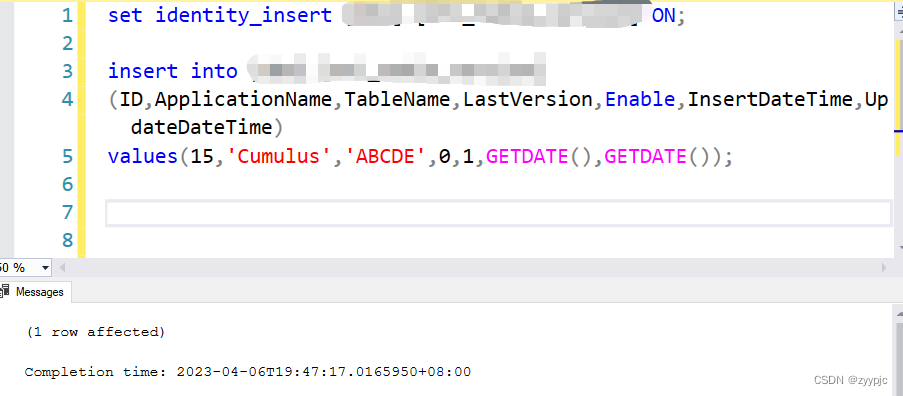
完成插入后需要关闭identity_insert功能
set identity_insert XXX off;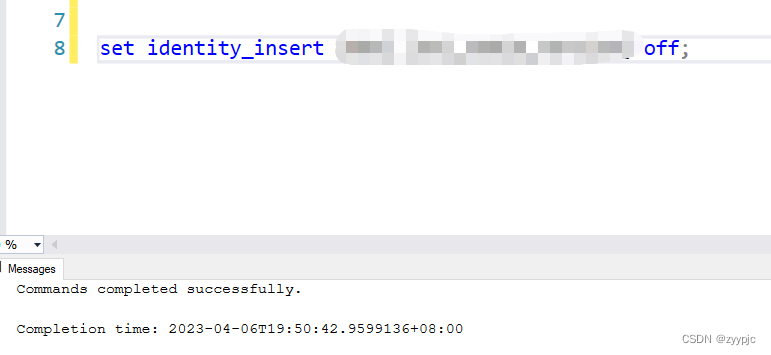
(3)验证是否插入成功






 扫一扫
扫一扫


 13万+
13万+

 被折叠的 条评论
为什么被折叠?
被折叠的 条评论
为什么被折叠?
 到【灌水乐园】发言





