


https://doc.ruoyi.vip/ruoyi/document/htsc.html#%E6%96%B0%E5%BB%BA%E5%AD%90%E6%A8%A1%E5%9D%97
按照ruoyi的步骤添加:
例如添加模块名称为party
1、ruoyi-admin下面pom.xml中添加ruoyi-party
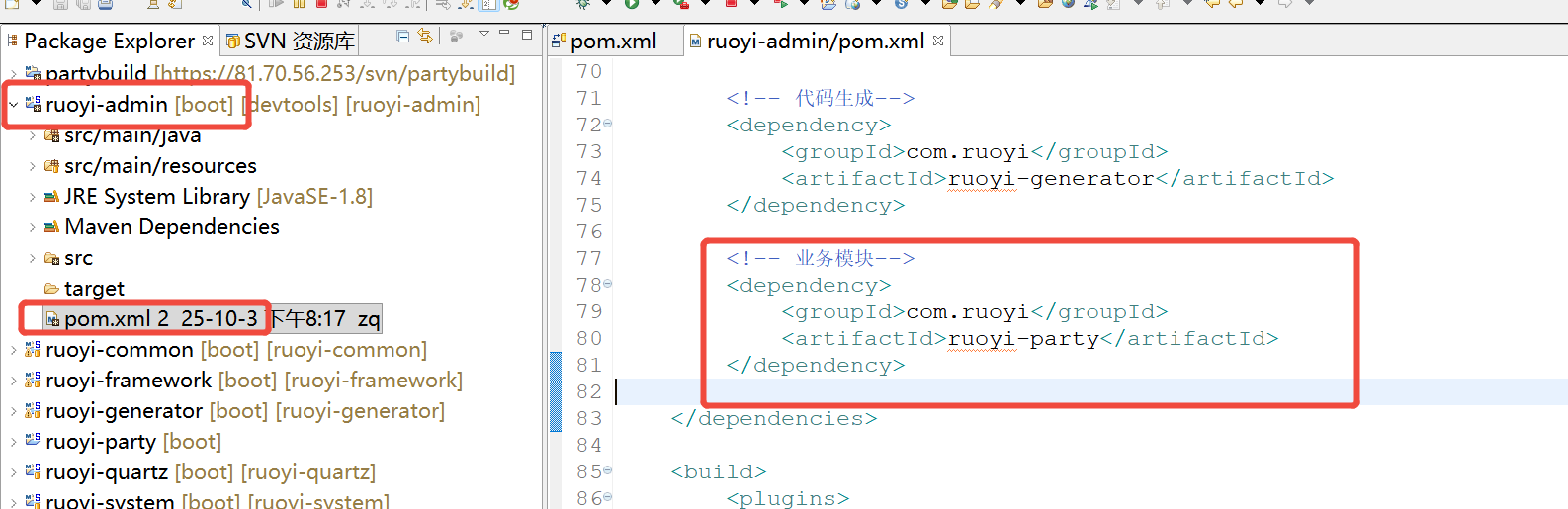
        <!-- 业务模块-->
		<dependency>
		    <groupId>com.ruoyi</groupId>
		    <artifactId>ruoyi-party</artifactId>
		</dependency>
2、在整个项目文件夹根目录的pom.xmo添加如下代码
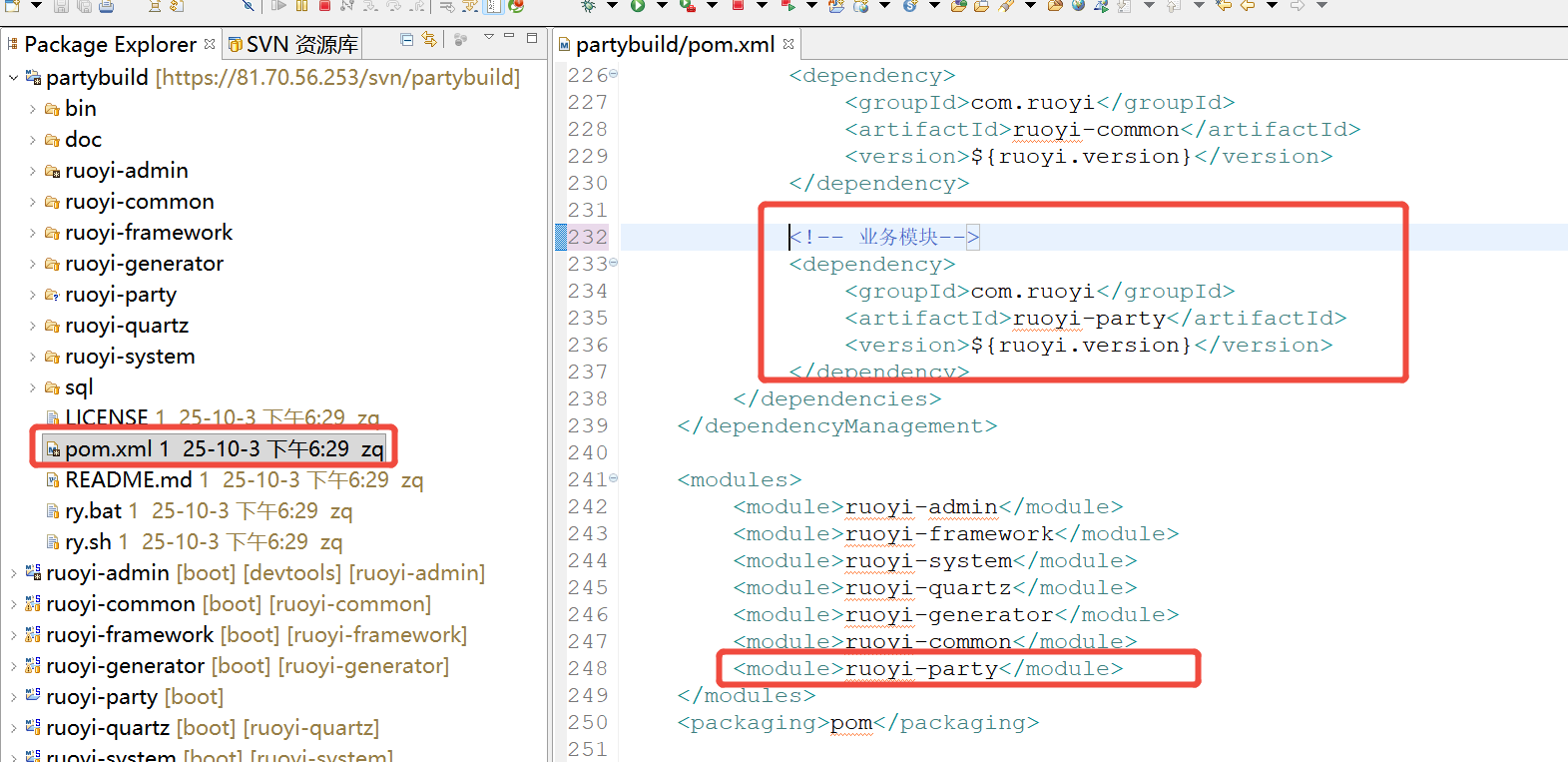
<!-- 业务模块-->
<dependency>
    <groupId>com.ruoyi</groupId>
    <artifactId>ruoyi-party</artifactId>
    <version>${ruoyi.version}</version>
</dependency>
<modules>
......
<module>ruoyi-party</module>
</modules>3、项目根目录新建ruoyi-party文件夹,文件夹里结构如下,注意新建一个pom.xml
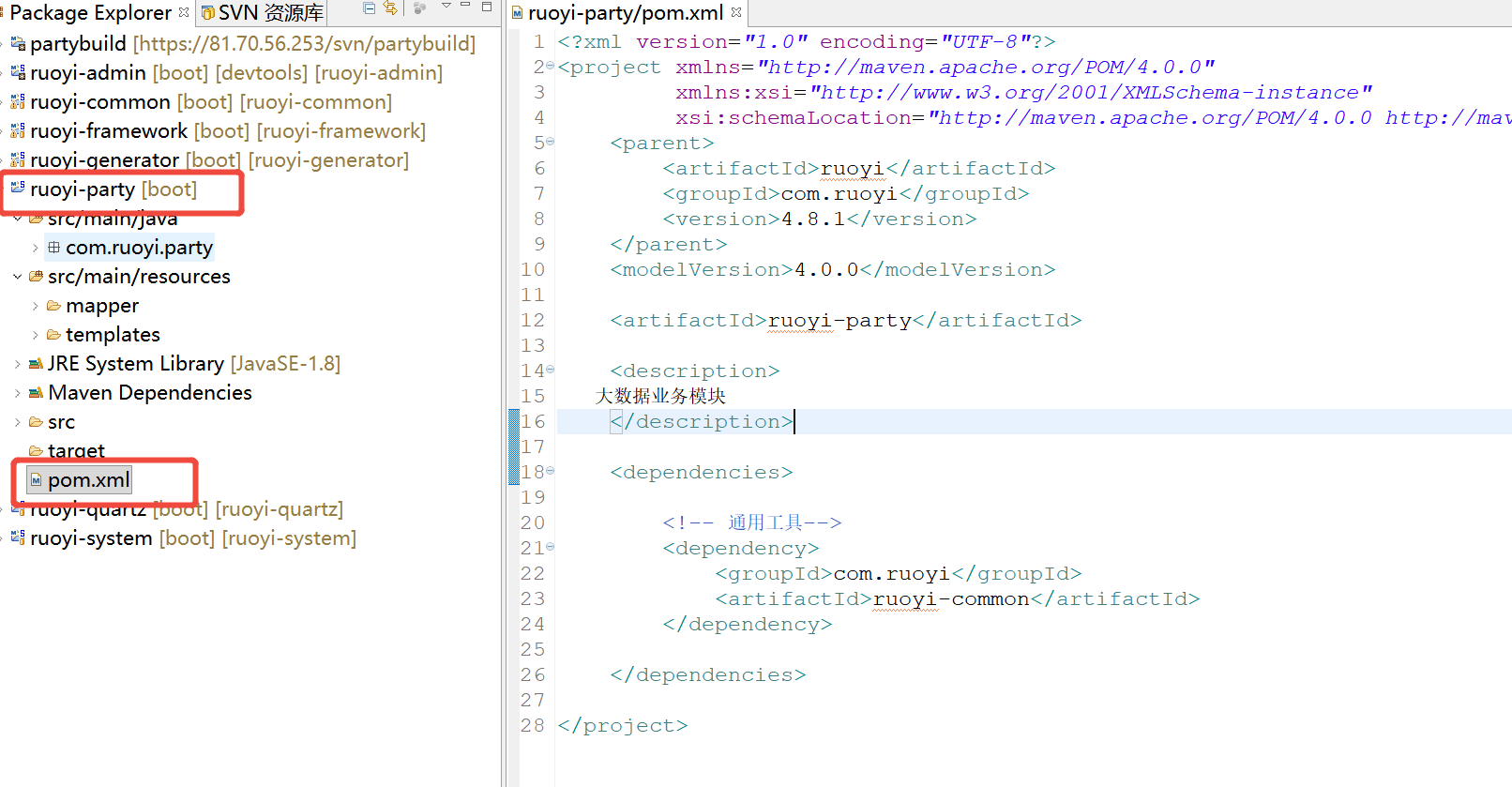
pom.xml内容如下:
<?xml version="1.0" encoding="UTF-8"?>
<project xmlns="http://maven.apache.org/POM/4.0.0"
         xmlns:xsi="http://www.w3.org/2001/XMLSchema-instance"
         xsi:schemaLocation="http://maven.apache.org/POM/4.0.0 http://maven.apache.org/xsd/maven-4.0.0.xsd">
    <parent>
        <artifactId>ruoyi</artifactId>
        <groupId>com.ruoyi</groupId>
        <version>4.8.1</version>
    </parent>
    <modelVersion>4.0.0</modelVersion>

    <artifactId>ruoyi-party</artifactId>

    <description>
         业务模块
    </description>

    <dependencies>

        <!-- 通用工具-->
        <dependency>
            <groupId>com.ruoyi</groupId>
            <artifactId>ruoyi-common</artifactId>
        </dependency>

    </dependencies>

</project>





 扫一扫
扫一扫


 875
875

 被折叠的 条评论
为什么被折叠?
被折叠的 条评论
为什么被折叠?
 到【灌水乐园】发言





