



 本文介绍了如何解决Android Studio中不支持Java8的问题。通过移除build.gradle文件中特定的Java8支持配置,并同步项目,可以有效解决此问题。
查资料意思是没有配置支持Java8:需要添加Java8的支持:
 compileOptions {
        sourceCompatibility JavaVersion.VERSION_1_8
        targetCompatibility JavaVersion.VERSION_1_8
    }
关键是:添加的有Java1.8的支持,各种clean无法解决;突然想到第一个Warning:
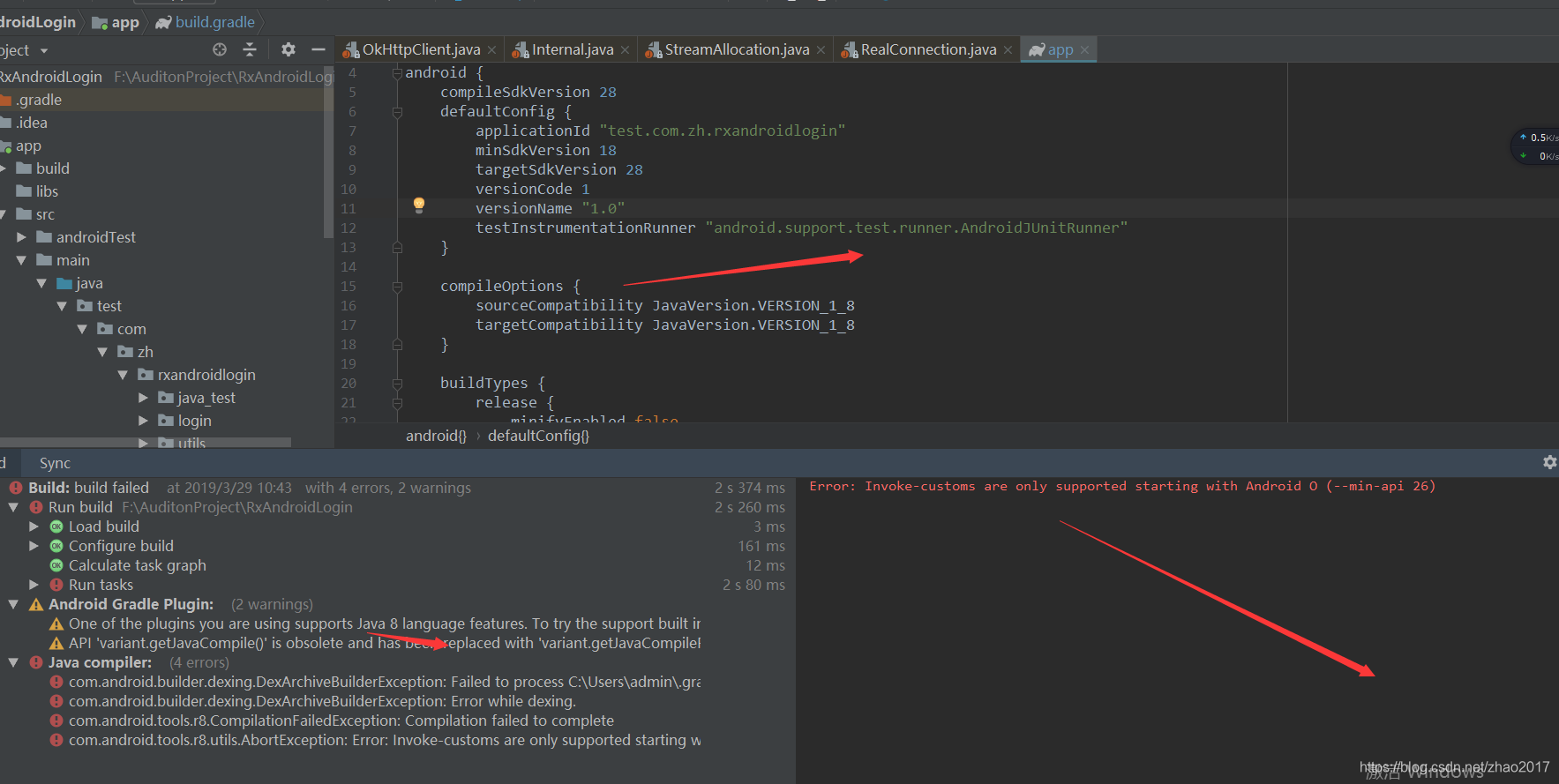 Waning:
One of the plugins you are using supports Java 8 language features.
To try the support built into the Android plugin, remove the following from your build.gradle:
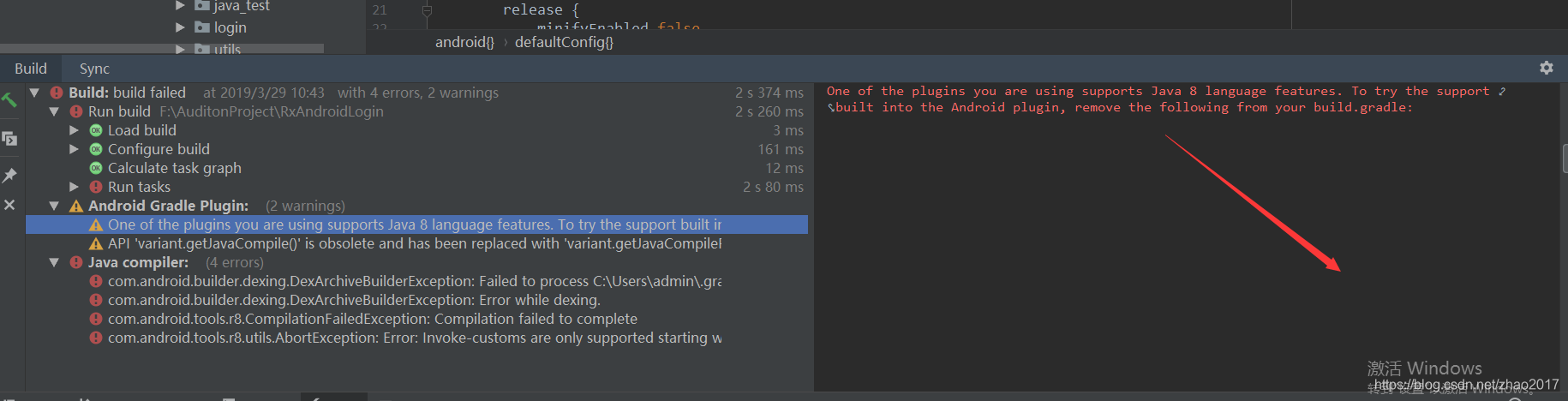
上篇日志记得是AS3.0以上支持Lamada表达式了,去掉:
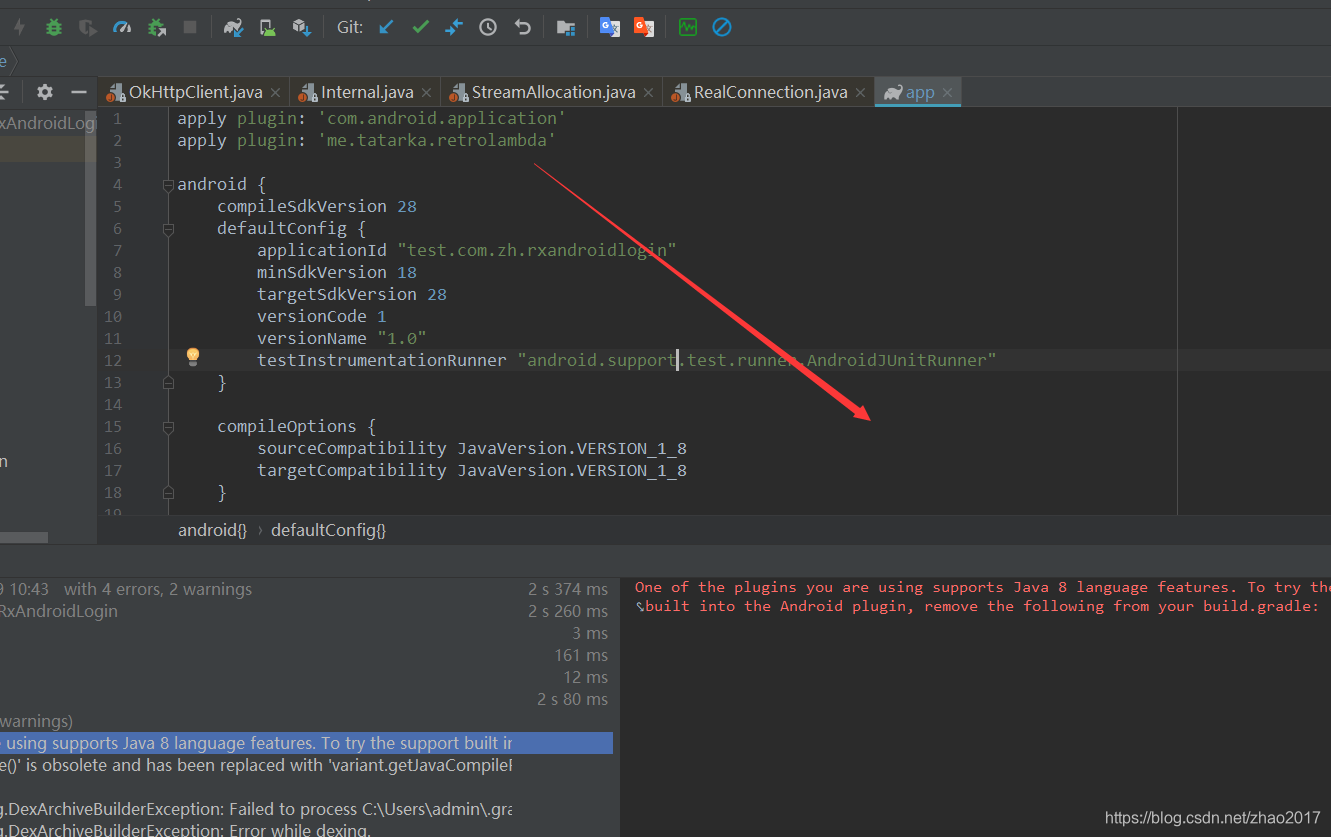 sync同步下:你会发现这个Error解决了啊。





 扫一扫
扫一扫


 3583
3583

 被折叠的 条评论
为什么被折叠?
被折叠的 条评论
为什么被折叠?
 到【灌水乐园】发言





